
Jobber
See website
Best for cleaning companies running crews and client jobs from one app
- Free plan
- No
- Rubric
- 6.1 of 10
A practical ranking of nine platforms that schedule cleaning crews, capture hours and move payroll data, with honest notes on price, setup and where each one falls short.

IThe short answer
The best janitorial software with payroll management in November 2026 depends on fit: Jobber for running crews and client jobs from one app, Housecall Pro for dispatch and payroll-adjacent integrations, and Swept for janitorial-specific scheduling with cleaner payroll reporting. None of these tools is a full payroll bureau. They capture hours and export or integrate with payroll providers, so the real decision is which workflow your supervisors and office team will actually use.
9 tools compared from vendor pages on November 25, 2026. 4 publish a starting price we could read; the rest say "See website".
IITop three berths
Register order is editorial fit for the buyer each entry describes. Prices are the starting figures read on November 25, 2026.
See website
Best for cleaning companies running crews and client jobs from one app

See websitecustom quote
Best for cleaning businesses wanting scheduling, dispatch and payroll-adjacent tools

$120Optimize plan, per month, billed annually, up to 15 locations
Best for janitorial companies needing scheduling plus cleaner payroll
How this page is paid for. All 9 tools here are unpaid editorial picks.
A paid listing's position can be part of what the vendor pays for. Every entry, paid or not, is scored on the same rubric and keeps its limits in print. Advertising disclosure.
IIIThe register
Starting prices as shown on each vendor's pricing page on November 25, 2026. "See website" means no figure we could confirm.
| No. | Tool | From | Free plan | Trial | Rubric | Actions |
|---|---|---|---|---|---|---|
| 01 | JobberCleaning companies running crews and client jobs from one app | See websiteNot shown publicly | No | 14-day free trial | 6.1 | |
| 02 | Housecall ProCleaning businesses wanting scheduling, dispatch and payroll-adjacent tools | See websitecustom quoteQuote only | No | 14-day free trial | 6.0 | |
| 03 | SweptJanitorial companies needing scheduling plus cleaner payroll | $120Optimize plan, per month, billed annually, up to 15 locationsUpdated on vendor page | No | See website | 8.3 | |
| 04 | Janitorial ManagerJanitorial operations needing quality inspections alongside payroll data | See websiteNot shown publicly | No | See website | 6.6 | |
| 05 |  ConnecteamCleaning teams needing an all-in-one employee app with payroll features | $29Operations Basic, per month, billed yearly, first 30 usersRead on vendor page | Yes | 14-day free trial, no credit card | 6.8 | |
| 06 |  FieldPulseSmall cleaning contractors wanting simple job and payroll management | See websitecustom quoteQuote only | No | See website | 5.5 | |
| 07 |  ServiceM8Cleaning businesses wanting a mobile-first job platform with payroll add-ons | See websiteNot shown publicly | No | Free trial advertised | 4.9 | |
| 08 | CleanGuruCleaning companies wanting scheduling and payroll without enterprise cost | $79Starter, per month, $59 for the first two months then $79, 5 users includedUpdated on vendor page | Yes | 14-day free trial | 7.6 | |
| 09 |  ZenMaidMaid services and residential cleaners needing simple payroll | $19ZenMaid Starter, per month, up to 40 appointmentsRead on vendor page | No | 14-day free trial | 6.6 |
Pinned:
IVMethod
To build this list, I compared nine tools on how much payroll work they actually support, how well their workflows fit cleaning crews, how time tracking turns hours into payroll data, whether pricing is clear, and how much setup a small operator can expect. The rubric has five criteria; weights sum to 100 percent, but the order is editorial: it reflects fit for the buyer described in each entry plus any Featured placement, not a weighted total.
Prices were checked on vendor pricing pages on November 26, 2026. Where a vendor publishes no price, I say pricing is on the vendor site or quote based and do not guess a figure. I also noted trials, free tiers and plan limits only as published. No entry in this version is marked Featured. Any Featured listing is a paid placement and is scored with the same rubric as every other tool.
The practical test is simple: a cleaning company needs clean hours, reliable supervisor visibility and a payroll handoff that does not create a second spreadsheet. Vendors that only export timesheets can still be the right answer if your payroll provider already handles tax filing and payments.
The full routine, from price reads to corrections, is on the methodology page. Paid listings follow the advertising disclosure.
How much payroll work the tool handles itself, from native payroll features to clean exports and integrations.
How well the workflows match commercial janitorial sites, inspections, crews and recurring cleaning contracts.
How crews clock in and out, including mobile access, GPS context and timesheets ready for payroll.
Whether buyers can see real plan prices, limits and add-on costs before a sales call.
How much admin time and training a cleaning company needs before the system runs smoothly.
Entry I of IX / Crew scheduling
Our verdict
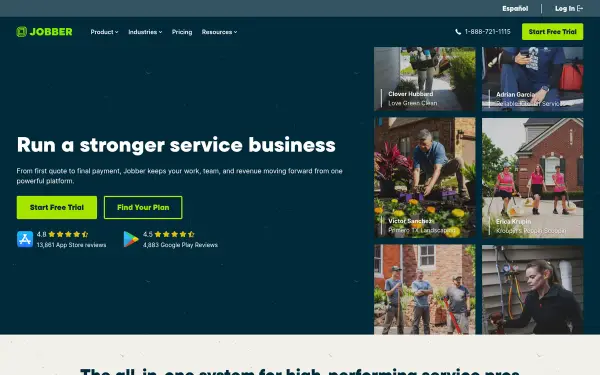
Jobber is a strong fit for cleaning companies that want scheduling, quoting and crew time tracking in one polished app, with payroll handled by export.
Jobber combines drag and drop scheduling, quoting, invoicing, automated client reminders and review request automation in one app. Crews can use mobile clock in and out, and GPS crew check-ins give supervisors a record of arrivals. Client communication history stays attached to the job, which helps when a property manager asks who confirmed a shift.
The payroll story is export based. Jobber collects timesheets and lets you send them to a payroll or accounting provider; it does not run payroll, calculate taxes or pay employees natively. That is fine for a company already using a payroll service, but it adds a handoff and a reconciliation step each pay period.
Pricing is on the vendor site and today's figure could not be confirmed from the page. A 14-day free trial is advertised. Lower tiers cap active jobs and team members, so growing cleaning companies should check those limits before committing. Jobber fits cleaning companies running crews and client jobs from one app, especially when polished client communication and quoting matter more than deep janitorial inspections.
You want one app for quoting, scheduling, client messages and crew time tracking, and you already have a payroll provider.
You need native payroll, deep janitorial inspections or predictable published pricing.
Entry II of IX / Dispatch board
Our verdict
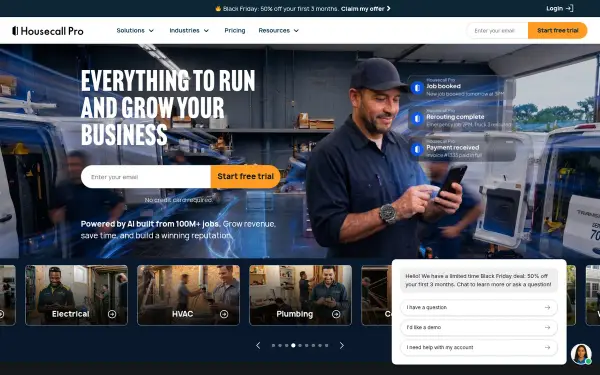
Housecall Pro is a solid dispatch and customer communication hub for cleaning businesses that can connect payroll through integrations.
Housecall Pro puts a dispatch board, real-time crew tracking, online booking, automated appointment reminders and a mobile app for field crews in one place. Cleaning companies can schedule and dispatch jobs, keep customer communication in the job record, and give technicians a phone friendly view of the day. Online booking also gives clients a way to request work.
Payroll is handled through integrations rather than built in processing. That means the platform can connect with payroll systems, but it does not replace a payroll provider. Payment processing and marketing automation are add-ons with separate fees, so the total monthly cost can rise beyond the core subscription. Buyers should confirm which payroll providers are supported before assuming a direct connection.
Pricing is a custom quote and the vendor page publishes no plan prices, directing buyers to a demo for tailored pricing. A 14-day free trial is advertised. Housecall Pro suits cleaning businesses that want scheduling, dispatch and payroll adjacent tools, especially dispatch heavy operations. It is less specialized for inspection heavy commercial janitorial contracts than Janitorial Manager or Swept. For a small residential cleaner, it may be more tool than needed; for a multi crew commercial cleaner, the dispatch view is the draw.
Dispatch, online booking and customer communication matter more than cleaning-specific inspections.
You need native payroll processing or fully transparent published plan prices.
Entry III of IX / Payroll reporting
Our verdict
Swept is the clearest janitorial-specific pick for commercial cleaning companies that need site scheduling and payroll-ready cleaner time reports.
Swept is built for janitorial and commercial cleaning rather than general field service. Site based scheduling, time tracking for cleaners, cleaner communication for shift updates and supervisor check ins all sit in a workflow designed around recurring cleaning contracts. The product's focus is a strength: fewer generic features, more cleaning-specific controls.
The payroll value is in reporting. Time tracking and payroll ready reports are designed to turn cleaner hours into data a payroll provider can use. Swept does not appear in this list as a full payroll bureau, so confirm the exact handoff your payroll team needs. The vendor has a smaller third party integration catalog than broad field service platforms, and add on pricing is less transparent than larger competitors.
Published pricing starts at $120 per month on the Optimize plan billed annually for up to 15 locations. Free plan and trial details are on the vendor site. Swept fits janitorial companies needing scheduling plus cleaner payroll reporting, particularly commercial cleaners with multiple sites and supervisor oversight. It is less suitable if you need a large integration marketplace or the lowest possible entry price.
You run commercial janitorial sites and need payroll-ready cleaner time reports with supervisor oversight.
You need a large integration marketplace or the lowest possible entry price.
Entry IV of IX / Inspection workflows
Our verdict
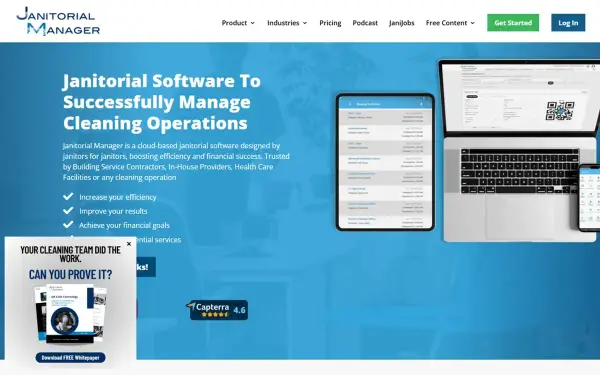
Janitorial Manager suits commercial cleaning operations that want inspections, work orders and payroll-ready timesheets in one quote-based system.
Janitorial Manager covers inspection checklists, work orders, supply tracking, scheduling, timekeeping and bidding workflows in one system. The audit trail helps when a client disputes service, and payroll ready timesheet exports give the office a cleaner handoff than rebuilt spreadsheets. Supply tracking also helps keep site closets stocked without a separate spreadsheet.
This is a broad commercial cleaning platform, not a light scheduler. The feature set requires planned setup and training, especially if you adopt inspections, work orders and bidding at the same time. Training should cover supervisors who complete inspections and office staff who export timesheets. A small residential cleaner may find it heavy, while a multi site janitorial contractor can use the controls to connect quality checks with labor hours.
Pricing is quote based with no published starting figure, so buyers need a sales conversation and a clear scope before comparing it with Swept or Jobber. Free plan and trial details are listed as See website. It fits janitorial operations needing quality inspections alongside payroll data. The trade off is less price transparency and more admin work up front.
Inspections, work orders and payroll-ready timesheets need to live in one commercial cleaning system.
You need a published starting price or a light setup for a small residential team.
Entry V of IX / All-in-one app
Our verdict
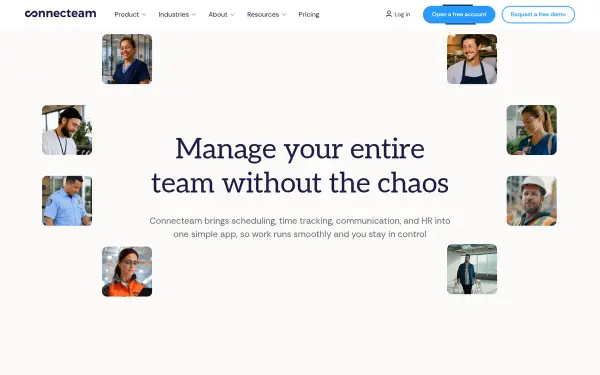
Connecteam gives cleaning teams a broad employee app with scheduling, clock-ins, messaging and payroll features at a clear entry price.
Connecteam is an employee app with scheduling, clock in and out, team messaging, document access and payroll features. Separate hubs for operations, HR and communications let a cleaning company organize the basics, but full access can mean buying more than one hub. Timesheet exports provide a payroll handoff for teams that already use a payroll provider.
Paid pricing starts at $29 per month for Operations Basic billed yearly for the first 30 users. A free tier covers up to 10 users, and paid plans include a 14-day free trial with no credit card. Payroll depth varies by plan, so the payroll label is not a promise of full payroll processing. For a small crew, the free tier is a practical way to test scheduling and clock ins before paying.
Connecteam fits cleaning teams needing an all in one employee app with payroll features, especially companies that want messaging and document access alongside scheduling. The per hub model means the base figure is not the whole cost if you need HR and communications tools too. It is less specialized for commercial janitorial inspections than Swept or Janitorial Manager.
You want scheduling, clock-ins, messaging and payroll features in one employee app with a free tier for 10 users.
You need deep commercial janitorial inspections or a single hub that covers every function.
Entry VI of IX / Simple estimates
Our verdict
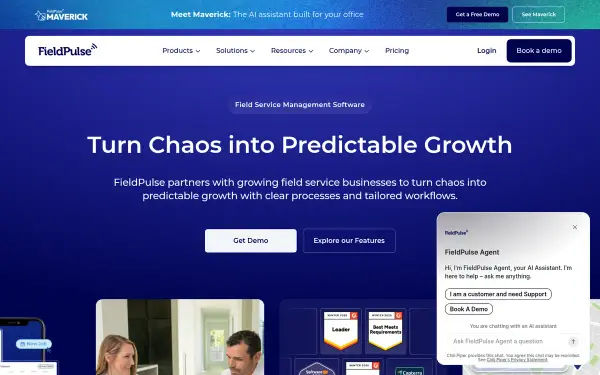
FieldPulse fits small owner-operated cleaning contractors that want estimates, scheduling, invoicing and time tracking without a heavy setup.
FieldPulse keeps estimates, scheduling, crew time tracking and invoicing in one interface. Estimates can convert into jobs, which suits a small cleaning contractor that sells first and schedules second. Accounting integrations provide the payroll connection, but payroll itself is not processed inside the product. The payroll connection depends on the accounting integration you use, so confirm that your payroll provider accepts the data path.
The interface is built for small crews and has a shorter learning curve than broad janitorial platforms. It lacks deeper inspection and multi site management features, so a commercial contractor with quality audits and many locations may outgrow it. A residential or small commercial cleaner may prefer the simpler workflow. For a small crew, that simplicity can matter more than an inspection module.
Pricing is not published and is quoted per team, so buyers need a quote before comparing it with CleanGuru or ZenMaid. Free plan and trial details are on the vendor site. FieldPulse fits small cleaning contractors wanting simple job and payroll management, especially owner operators who want estimates and invoicing without a heavy system.
You are a small contractor who wants estimates, scheduling, invoicing and time tracking without a heavy system.
You need multi-site janitorial controls, inspections or published pricing.
Entry VII of IX / Mobile dispatch
Our verdict
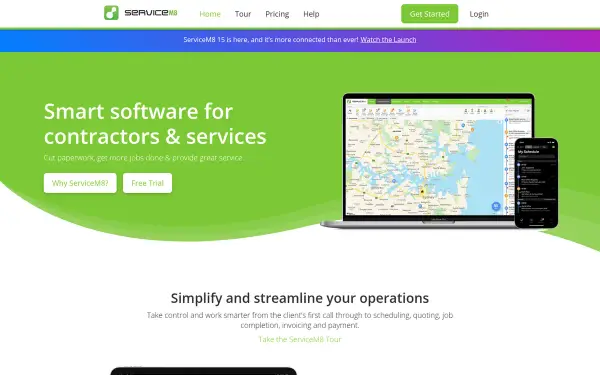
ServiceM8 is a mobile-first job platform for cleaners who can add payroll-related tools through its add-on marketplace.
ServiceM8 is mobile first for quoting, dispatch, job tracking and client messaging tied to jobs. A cleaning business can quote on site, send the job to a crew and keep client updates attached to the work. Client messaging tied to jobs reduces the hunt for texts when a tenant asks about a visit. The add on marketplace is how payroll related tools and other extensions enter the workflow.
Core payroll features sit in paid add ons, and the base platform plus needed add ons can exceed bundled alternatives. Pricing is not published on the website, so today's price could not be verified. A free trial is advertised, which gives buyers a way to test the mobile workflow before committing. If your payroll provider needs a specific export, confirm an add on supports it before you build the workflow.
ServiceM8 fits cleaning businesses wanting a mobile first job platform with payroll add ons, particularly owner operators who work from a phone. It is weaker for commercial janitorial teams that need deep inspections, site based scheduling or native payroll. Buyers should price the add ons they need, not just the base subscription.
You work from a phone and want mobile quoting, dispatch and job messaging with add-ons for payroll needs.
You need native payroll, deep janitorial controls or a published price before a demo.
Entry VIII of IX / Cleaning-specific setup
Our verdict
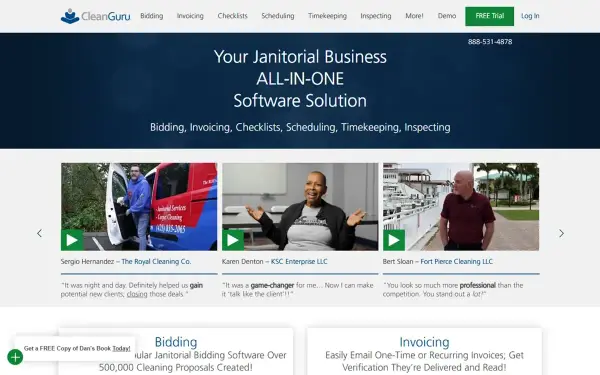
CleanGuru gives small cleaning companies a cleaning-specific scheduler with timekeeping and payroll features at a published, modest price.
CleanGuru is built for cleaning businesses and covers shift scheduling, timekeeping and payroll features on paid plans. A free tier provides scheduling and timekeeping for up to five cleaners, which gives a small team a low risk start before upgrading. It sits between simple residential schedulers and broad commercial janitorial suites.
The Starter plan is $79 per month with five users included, and the vendor offers a $59 rate for the first two months before the standard $79 applies. A 14-day free trial is available. Payroll features are available on paid plans, so the free tier is not a payroll solution for a growing company. Buyers should confirm the exact payroll features on the paid plan before assuming they replace a payroll provider.
CleanGuru fits cleaning companies wanting scheduling and payroll without enterprise cost. The integration catalog is smaller than broader field service platforms, and admin screens are less polished in places. For a small cleaning business that values cleaning specific workflows and a published price over a large add on ecosystem, it is a practical middle option.
You want a cleaning-specific scheduler with timekeeping, payroll features and a free tier for up to five cleaners.
You need a large integration catalog or highly polished admin screens.
Entry IX of IX / Residential scheduling
Our verdict
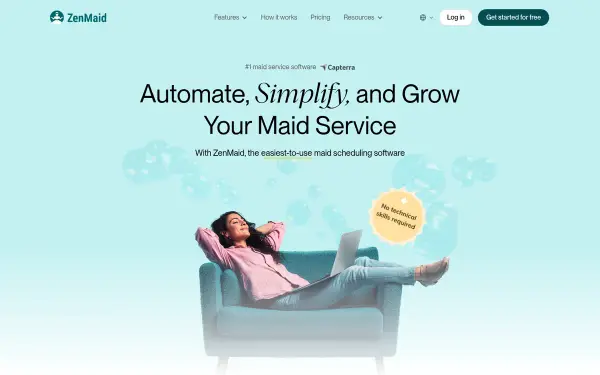
ZenMaid is a practical, low-cost scheduler for maid services and residential cleaners, with payroll limited to the Pro and Pro Max plans.
ZenMaid is built for maid services and residential cleaners, with scheduling for recurring home cleanings, client management and automated reminders. Payroll is included on Pro and Pro Max plans, while the Starter plan handles scheduling without payroll. For a solo cleaner or a small residential team, the recurring clean schedule is the core value.
Starter is $19 per month for up to 40 appointments, Pro is $39 and Pro Max is $49, all with a 14-day free trial. That makes ZenMaid one of the lower entry points in this list, but the appointment cap and plan split matter. A busy residential cleaner can move past Starter quickly. Check the appointment count and payroll plan before you commit, because Starter does not include payroll.
ZenMaid fits maid services and residential cleaners needing simple payroll. It is geared toward residential work and less suited to commercial janitorial contracts with inspections, work orders or multi site supervision. The straightforward scheduling and client management are the draw, not deep commercial controls or a large integration catalog.
You run a maid service or residential cleaning company and want simple scheduling plus payroll on Pro or Pro Max.
You need commercial janitorial inspections, multi-site controls or payroll on the lowest plan.
VBackground
Best janitorial software with payroll management is a category of cleaning operations platforms that schedule sites and crews, capture clock-in and job hours, and either run payroll features or export clean timesheets to a payroll provider. The right fit depends on whether you need commercial janitorial controls or simple residential cleaning scheduling.
For commercial work, Swept and Janitorial Manager focus on site scheduling, inspections, supervisor check-ins and payroll-ready reporting. Jobber and Housecall Pro lean toward broader field service workflows, with quoting, dispatch, invoicing and integrations that can feed a payroll provider. Connecteam, CleanGuru and ZenMaid target smaller teams with lower published entry prices, while ServiceM8 and FieldPulse rely on add-ons or quotes.
A useful shortlist should answer three questions:
That is why the best janitorial software with payroll management for a small residential cleaner is rarely the same as the best choice for a multi site commercial contractor.
This comparison sits in the HR register. Further along the shore: HR software for law firms and AI patent tools with best reviews.
VIPricing
Janitorial software with payroll management usually costs from about $19 per month for a very small residential scheduler to $120 per month for a commercial janitorial platform billed annually, though several vendors publish no price and quote each team. Expect add-ons, user tiers and appointment caps to change the real monthly cost in 2026.
The published examples in this list show three common models. Swept uses a plan price billed annually with a location allowance, Connecteam bills per hub on an annual term, and ZenMaid and CleanGuru use monthly plan prices with user or appointment limits. Jobber, Housecall Pro, Janitorial Manager, FieldPulse and ServiceM8 either publish no price or direct buyers to a quote or demo, so the only safe comparison is a written quote with the same user count, site count and payroll handoff.
Free tiers and trials change the math. Connecteam is free for up to 10 users, CleanGuru offers scheduling and timekeeping for up to 5 cleaners, and ZenMaid, Jobber, Housecall Pro, Connecteam and CleanGuru advertise 14-day trials. Swept and Janitorial Manager list free plan or trial details as See website, so confirm those before you plan a pilot.
| Model | How it bills | Typical fit | Example from this list |
|---|---|---|---|
| Per plan, annual | Commercial janitorial teams with multiple sites | Swept: $120 per month on the Optimize plan billed annually, up to 15 locations | |
| Per hub, annual | Teams wanting scheduling, messaging and payroll features in one app | Connecteam: $29 per month for Operations Basic billed yearly, first 30 users | |
| Per plan, monthly | Residential cleaners with recurring appointments | ZenMaid: $19 per month on Starter, up to 40 appointments | |
| Per plan, monthly with intro rate | Small cleaning companies with up to 5 users | CleanGuru: $79 per month on Starter, $59 for the first two months, 5 users included | |
| Custom quote | Commercial janitorial operations needing inspections and work orders | Janitorial Manager: pricing is quote based, no published starting price | |
| See website | Mixed cleaning businesses needing dispatch and client communication | Housecall Pro: custom quote and no published plan prices |
Each entry card shows the starting price as it appeared on the vendor's own pricing page on November 25, 2026. When a vendor shows no figure we could confirm, or only a promotional rate, the card says "See website" or gives the regular price instead of a guess. Usage, overage and add-on rates in the text change more often than plan prices, so confirm them on the vendor page before you set a budget. To test the numbers against your own volume, try the free User Research Budget Planner. The Event Break-Even Calculator is a second way to check the same decision.
VIIDecision
Choose Swept when the work is commercial janitorial and payroll-ready cleaner time matters most; choose Jobber when your cleaning company also needs polished quoting, invoicing and client communication for mixed jobs. Housecall Pro fits dispatch-heavy operations, while Connecteam and ZenMaid suit smaller teams that value price clarity.
VIIIPitfalls
The biggest mistake is assuming janitorial software with payroll management runs payroll itself. Many tools only capture hours and export timesheets, so buyers should confirm tax filing, pay runs and overtime rules before signing. The next risks are underpricing user or location limits and skipping a live trial with real crews.
IXQuestions
It usually includes cleaning-specific scheduling, mobile clock in and out, timesheets, and either payroll features or exports to a payroll provider. Some tools add inspections, work orders, supply tracking and client messaging. Jobber, Housecall Pro and Swept take different approaches, so check whether payroll runs inside the product or through a handoff.
Published entry prices range from $19 per month for ZenMaid Starter to $120 per month for Swept Optimize billed annually. Connecteam starts at $29, CleanGuru at $79, and several vendors including Jobber, Housecall Pro and Janitorial Manager publish no price or use custom quotes.
Most only export or integrate. Jobber sends timesheets to payroll or accounting, Housecall Pro uses payroll integrations, and Swept provides payroll-ready reporting. ZenMaid includes payroll on Pro and Pro Max, while Connecteam has payroll features that vary by plan. None of the entries is described as a full payroll bureau in this list.
Mobile clock in differs by tool: Jobber lists GPS crew check-ins, Connecteam lists mobile clock in and out, and CleanGuru lists timekeeping. This list does not confirm offline clocking or overtime rule setup for every product, so test those during a trial and ask how edits reach payroll.
Choose Swept for commercial janitorial work where site scheduling, cleaner time tracking and payroll-ready reports are central. Choose Jobber for a cleaning business that wants polished quoting, invoicing, client reminders and crew scheduling in one app, with payroll handled through export. Swept starts at $120 per month on Optimize billed annually, while Jobber pricing is on the vendor site.
This list gives no setup hours, but complexity differs. Simple schedulers such as ZenMaid and CleanGuru need client, cleaner and service data loaded. Broad platforms such as Janitorial Manager need planned admin time for inspections, work orders, bidding and training. Jobber and Housecall Pro sit between those ends.
XFurther along the shore
Vendors can ask for a correction or apply for a Featured listing. Paid or not, the entry is scored on the same rubric and its limits stay in print. Partner with Umberlake.
Free tools
Our free browser tools turn the prices on this page into a figure for your own volume. Nothing you type leaves your device.