
Canva
See websitePro, ৳400 per month for the first 3 months at 50% off, then ৳800, for one person
Best for beginners making shirt designs from templates
- Free plan
- Yes, Free plan
- Rubric
- 7.0 of 10
Nine shirt design tools ranked by who they actually fit, from free vector editors to template apps, with plan prices checked on November 26, 2026.
IThe short answer
The best tshirt design software in November 2026 depends on whether you need templates or vector artwork. Canva suits beginners building shirt designs from templates, Placeit suits print-on-demand sellers who want designs and mockups together, and Adobe Express suits anyone who wants custom shirts designed and printed in one place. The rest of this list covers professional vector tools like Adobe Illustrator and CorelDRAW, the free Inkscape, and cheap or free template apps. Prices were checked on November 26, 2026.
9 tools compared from vendor pages on November 25, 2026. 6 publish a starting price we could read; the rest say "See website".
IITop three berths
Register order is editorial fit for the buyer each entry describes. Prices are the starting figures read on November 25, 2026.
See websitePro, ৳400 per month for the first 3 months at 50% off, then ৳800, for one person
Best for beginners making shirt designs from templates
$7.47Unlimited subscription, per month, billed annually in USD
Best for pOD sellers needing shirt designs and product mockups together
$9.99Premium, per month, billed monthly, no annual commitment
Best for custom shirts designed and printed in one place
How this page is paid for. All 9 tools here are unpaid editorial picks.
A paid listing's position can be part of what the vendor pays for. Every entry, paid or not, is scored on the same rubric and keeps its limits in print. Advertising disclosure.
IIIThe register
Starting prices as shown on each vendor's pricing page on November 25, 2026. "See website" means no figure we could confirm.
| No. | Tool | From | Free plan | Trial | Rubric | Actions |
|---|---|---|---|---|---|---|
| 01 | CanvaBeginners making shirt designs from templates | See websitePro, ৳400 per month for the first 3 months at 50% off, then ৳800, for one personUpdated on vendor page | Yes | Yes, free trial of Pro or Business | 7.0 | |
| 02 | PlaceitPOD sellers needing shirt designs and product mockups together | $7.47Unlimited subscription, per month, billed annually in USDUpdated on vendor page | Yes | No | 6.7 | |
| 03 | Adobe ExpressCustom shirts designed and printed in one place | $9.99Premium, per month, billed monthly, no annual commitmentUpdated on vendor page | Yes | Yes, 30-day free trial | 7.2 | |
| 04 | Adobe IllustratorProfessional vector artwork destined for print | $22.99Illustrator single app, per month, annual plan billed monthlyUpdated on vendor page | No | Yes, 7-day free trial | 7.1 | |
| 05 | CorelDRAWPrint shops and illustrators who want to own their software | See websiteNot shown publicly | No | Free trial | 6.9 | |
| 06 |  InkscapeAnyone who needs professional vector tools at zero cost | See websiteNot shown publicly | Yes | No | 6.8 | |
| 07 |  VistaCreateQuick template-based shirt graphics on a small budget | $10Pro, per month, up to 10 seats, monthly billingRead on vendor page | Yes | Yes, 14-day free trial | 6.3 | |
| 08 | Printful Design MakerSellers who design and fulfill through Printful | See websiteNot shown publicly | Yes | No | 7.0 | |
| 09 |  SnappaNon-designers who need simple shirt graphics fast | $10Pro, per month, billed annually at $120 per year, 3,000 credits a yearRead on vendor page | Yes | No | 5.5 |
Pinned:
IVMethod
Every tool here was scored against five criteria: design depth (control over artwork), template library (starting points and stock assets), print readiness (formats, color and separations), price and value (cost against what is included), and ease of use (how fast a non-designer gets something usable). The weights sit in the rubric above, and each score is an integer from 1 to 10.
Prices and plan details come from each vendor's own pricing page and were checked on November 26, 2026. Where a page lists amounts only in a non-USD currency, or returned nothing when checked, we say pricing is on the vendor site rather than convert a figure or repeat an old one. Free plans, trials, seat limits and download caps are recorded exactly as the vendor published them, including the ones that look generous until you read the small print.
The order is editorial. Each entry is placed for the buyer it describes, and Canva sits first because template work is a common starting point, not because of a weighted total. The Featured listing is a paid placement and is scored with the same rubric as every other tool, cons included.
We do not run every export through every printer. Treat the print readiness scores as a guide to what the software can output, then confirm file requirements with your own printer before you commit to a plan.
The full routine, from price reads to corrections, is on the methodology page. Paid listings follow the advertising disclosure.
How much control you get over original artwork, paths, type and color.
Breadth of shirt templates, stock graphics and fonts included in the plan.
File formats, color handling and separation support for garment printing.
What the plan costs against what it includes, seats and free tiers included.
How quickly someone without design training produces a usable shirt file.
Entry I of IX / Template library breadth
Our verdict
The easiest route from a blank page to a printable shirt file, as long as you stay inside template design.
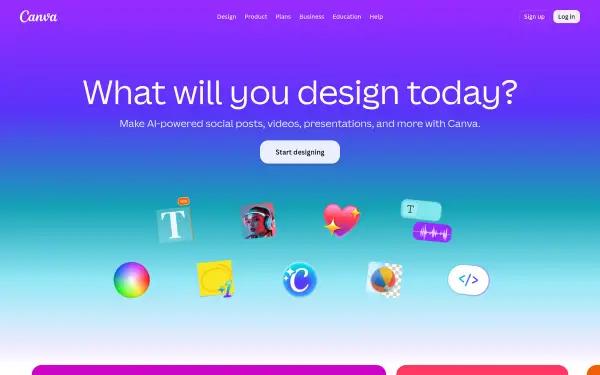
Canva is the default starting point for a first shirt design because the template and element library is very large and the editor runs in a browser with nothing to install. You pick a shirt template, swap the text, drop in a graphic and export a PNG or PDF. Paid tiers add the background remover, premium stock and brand kits that matter once you are producing a full line rather than one shirt.
The limits appear as you get more serious. Canva is not a vector editor, so artwork does not scale infinitely and edge quality depends on export resolution. Free exports can carry watermarks when you use premium elements, and color control is basic, which becomes a problem when a screen printer asks for separations.
Pricing is on the vendor site, and the page lists the Pro plan in BDT only: ৳400 per month for the first 3 months at 50% off, then ৳800, for one person. A Free plan covers basic template work, and there is a free trial of Pro or Business.
Pick it if you are making your first template-based shirts and want the shortest path from idea to a printable file. Move to a vector tool once a printer asks for spot color separations or line art that scales.
You want the gentlest learning curve and a huge library of shirt templates to start from.
A screen printer needs vector files or spot color separations from you.
Entry II of IX / Design plus mockups
Our verdict
Pairs shirt templates with model mockups and a commercial license, which is exactly what a print-on-demand listing needs.
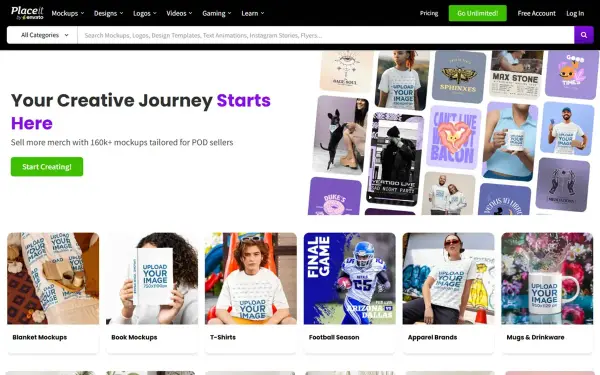
Placeit bundles two things print-on-demand sellers usually buy separately: t-shirt design templates and thousands of apparel mockup photos. The same Unlimited subscription also covers video and logo templates, and downloads carry a commercial license, so a listing can show a model wearing the shirt rather than a flat graphic on white. Everything runs in the browser.
The catch is that Placeit is template-based. If you need original artwork you still need a real editor; Placeit is where you dress the design for the listing. Sellers who need only a few designs a month will find the subscription adds up, and because everyone draws from the same pool, templates can look similar across shops.
The Unlimited subscription is $7.47 per month when billed annually in USD. The same plan is $14.95 monthly, and the annual figure is $89.69, with a one-month minimum once a download has been made. There is a free account but no trial.
Pick it if you sell print on demand and want shirt templates and model mockups in one place. Many sellers pair it with a free template app for the artwork and use Placeit for the listing photos and the license cover.
Your listing photos matter as much as the artwork and you want a commercial license included.
You need original illustration work or make fewer than a handful of designs a year.
Entry III of IX / Print and fulfill
Our verdict
Designs the shirt and prints it too, with free shipping and returns in four countries, but stays template-bound.
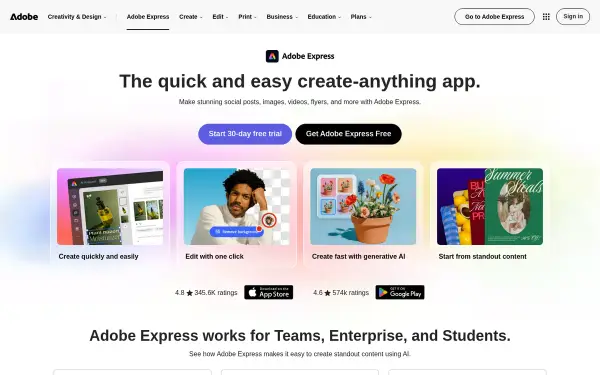
Adobe Express designs the shirt and can take the order through to a printed shirt, with free shipping and returns on printed shirts. Thousands of shirt templates sit next to photo uploads, stock graphics, licensed fonts and AI text effects, with layouts for chest, pocket, sleeve and back prints. You export as PNG, JPG or PDF, or send the design straight to a printed shirt order.
Printing covers the US, UK, Canada and Australia, with free shipping and returns on printed shirts. That suits event organizers, team parents and small brands that would rather not manage fulfillment. If you prefer your own printer, the downloaded file travels elsewhere.
The trade-offs are familiar for template tools. It is not a vector editor, so screen print separations still need other software, and the brand logo, font and color auto-apply needs a premium plan. Premium is $9.99 per month billed monthly with no annual commitment. There is a free Adobe Express tier, and the trial runs 30 days.
Pick it if you want one workflow from design to a printed shirt without touching a fulfillment dashboard. Skip it if you are producing vector artwork for a screen printer, or selling into countries the printing service does not cover.
You want to order finished printed shirts from the same place you designed them.
You print through your own screen printer or ship outside the four supported countries.
Entry IV of IX / Vector precision
Our verdict
The vector standard for original shirt artwork, with the file formats print shops ask for and a curve worth climbing.
Illustrator is the reference tool for original shirt artwork. Everything is vector, so a design scales from a chest print to large format without losing an edge, and native AI and EPS files are what most print shops expect to receive. CMYK color management, precise type and path control, and PDF export for printers cover the production side.
The cost of that precision is time. The learning curve is steep for beginners, and the subscription model means no perpetual license. Casual sellers working from templates pay for capability they never open, and the interface rewards people who use it weekly rather than twice a season.
Pricing is $22.99 per month for the Illustrator single app on an annual plan billed monthly. Single-app pricing shifts with promotions, so check the vendor site before you commit, and note that Creative Cloud Pro is a higher tier with more apps. There is no free plan, but the 7-day trial is fully functional and long enough to test a real design rather than a sample.
Pick it if you sell original artwork, work with a screen printer that asks for vector files, or handle client files for a shop. Skip it if you are happy with templates or do not want a monthly subscription for occasional work.
Your designs are original, scale across garment and large format, or go to a screen printer.
You only upload flat PNGs to a print-on-demand platform.
Entry V of IX / Own your license
Our verdict
A complete vector suite for print shops, sold as a perpetual license or a subscription, with a smaller learning ecosystem.
CorelDRAW is a full vector suite covering illustration, layout and photo editing in one application, and it has a long history in sign making, screen printing and embroidery shops. For shirt work the production features matter most: color separations, print layouts and file preparation in the same place you draw. A perpetual license option sits alongside the subscription, which is unusual in this category.
It is a genuine alternative to Illustrator for shops that already know it. The core drawing tools are comparable, and the one-time purchase appeals to businesses that dislike recurring costs. CorelDRAW Go adds a browser-based companion for lighter tasks, though it is thinner than the desktop suite and will not replace the installed app for production files.
The ecosystem is the real difference. Tutorials, templates and community answers are thinner than Adobe's, so niche technique questions take longer to solve, and a new hire is less likely to arrive already trained on it.
Pricing is on the vendor site and could not be verified for this update, so confirm current figures before you buy; the 2026 Graphics Suite is sold both as a perpetual license and as an annual subscription. A free trial is available and large enough to test a real separation.
Pick it if you run a print shop and want to own the software or prefer Corel's production tools. Skip it if you learn best from large tutorial libraries.
You run a shop, want to separate colors in the same app you draw in, and would rather buy a license.
You rely on Adobe-format file exchange or learn mostly from big tutorial libraries.
Entry VI of IX / Free vector power
Our verdict
Professional vector output at no cost, with a rougher interface and community support instead of a help line.
Inkscape is the reason a new apparel brand does not have to pay for vector software. Bezier path drawing and editing, text on paths, bitmap tracing, layers and color management are all present, and output goes to SVG or PDF for printers. It is free and open source, including for commercial work, so there is no license cost at any point.
The output is genuinely print ready when the printer accepts PDF. Bitmap tracing is built in, and text on paths handles arched team or club names.
The rough edges are in the experience rather than the results. The interface is less polished than paid rivals, some workflows take more clicks than the same job in Illustrator, and support comes from community-written documentation and forums with no official support line.
There is no pricing page because there is no price. Download it, note the version, and budget time for learning the pen tool before a deadline is close.
Pick it if you need professional vector tools at zero cost, or you are a new brand watching every expense. Skip it if you need guaranteed support, a polished interface, or file exchange with a shop that only accepts Adobe output.
You want vector tools for print and will trade polish and support for zero cost.
You need a support contract or your print shop insists on Adobe files.
Entry VII of IX / Ten seats included

Our verdict
Cheap template design with ten seats included, though the apparel tools and library depth trail the leaders.
VistaCreate, formerly Crello, is a template editor aimed at people who want a decent graphic quickly on a small budget. The free Starter plan opens more than 100,000 templates; Pro adds more than 200,000 premium templates, 170 million stock photos and vectors, background removal and unlimited brand kits. Up to 10 team seats come at no extra cost, which is unusual at this price.
Pro runs $10 per month with monthly billing for up to 10 seats, which undercuts Canva Pro on paper. There is a 14-day Pro trial that does not require a card, and the Starter plan is genuinely usable rather than a demo that blocks everything worth having.
The limits are about depth. The template library is smaller than Canva's, there are fewer t-shirt-specific tools than Placeit offers, and export options need checking against what your printer wants, because the format list is not built around garment production.
Pick it if you need quick shirt graphics and a small team working in one account without paying per seat. Skip it if you need the largest template library, garment mockups with models, or vector files for a screen printer.
A small team needs one cheap account with ten seats and decent templates.
You need garment mockups, deep apparel tooling or vector output.
Entry VIII of IX / Free inside Printful
Our verdict
A free, capable design and mockup step for Printful sellers, tied to one fulfillment catalog and no other printer.
Printful Design Maker is free because Printful makes its money printing the shirts. Inside the tool you get more than 20,000 clipart graphics, more than 790 fonts, pattern tools, an image upscaler for low-resolution uploads and a mockup generator for listings. Designs pass straight into Printful fulfillment, so there is no exporting, re-uploading or file handoff at the end.
The clipart and font library is large enough that a simple text and graphic shirt can be finished without leaving the browser, and the upscaler is a practical fix for a logo pulled from an old file. Pattern tools are built in, which helps with all-over prints.
The trade-off is confinement. Designs stay inside the Printful ecosystem, so artwork intended for another printer needs a separate editor, and the product focus means it is not a full illustration tool. You are decorating a catalog item, not drawing from scratch.
There is no pricing page and no trial to run out, because the design maker is free with no credit card required. The cost sits in the printing you order through Printful.
Pick it if you already sell through Printful and want a free design and mockup step in the same workflow. Skip it if you print elsewhere, need original vector artwork, or want files you can take to any vendor.
Printful already handles your fulfillment and you want design plus mockups at no cost.
You print with another vendor or need files you can take anywhere.
Entry IX of IX / Speed
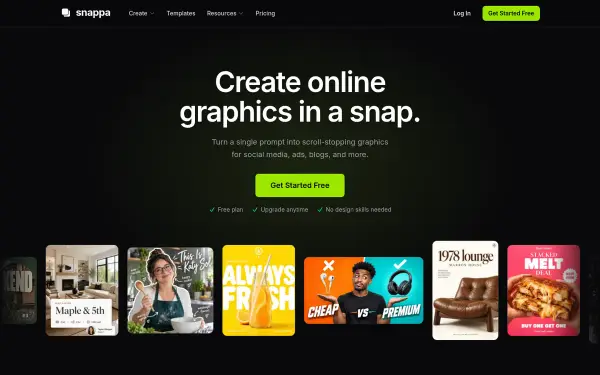
Our verdict
The fastest way to a simple shirt graphic, but raster output makes it a sketchpad rather than a production tool.
Snappa is built for speed. The editor is template-based with quick text swaps, more than 6,000 templates and more than 5 million stock photos, and it runs in the browser with nothing to install. Background removal arrives on Pro along with the lifted download cap. If the job is a slogan shirt or a graphic for a fundraiser, Snappa gets there in minutes.
The free Starter plan is unusually open: every template is available, but downloads are capped at 3 per month, which runs out fast for anyone producing a line rather than a single design.
The limit that matters for apparel is the file type. Snappa is raster only with no vector output, so artwork does not scale cleanly to large prints, and it works better as a marketing graphics tool than as the source of a final shirt file. Use it for the concept or the social post, then rebuild the print file elsewhere.
Pro is $10 per month billed annually at $120 per year, with 3,000 credits a year. There is no trial.
Pick it if you are a non-designer who needs a simple shirt graphic today and will hand the concept to someone else for production. Skip it if you need vector output, unlimited free downloads, or garment-specific mockups.
You need a simple graphic fast and will refine the print file in another tool.
You need vectors or more than three downloads a month without paying.
VBackground
T-shirt design software covers two jobs: template apps that produce a finished graphic quickly, and vector editors that output artwork a screen printer can separate and scale. Most buyers need the first, then add the second when a design has to print at volume or be sold as a file.
The distinction that matters is output, not feature lists. A template app like Canva or VistaCreate composes a fixed canvas and exports a flat image. A vector editor like Adobe Illustrator, CorelDRAW or Inkscape describes shapes mathematically, so one file prints a 3 inch chest logo or a 20 inch back print at the same quality. Shirt work adds garment constraints: a printable area inside the seams, artwork that reads at arm's length, and often a limited color count.
That is why the tools split into three groups:
Print-on-demand sellers can work almost entirely in the first group. A shop taking walk-in orders needs the second. Many brands keep both: a template app for listing photos and social posts, a vector editor for the print file.
File formats decide more than feature lists. PNG and PDF exports from a template app suit direct-to-garment printing. Screen printing, embroidery and large format work want vectors, which is why Inkscape's free SVG output is worth a rougher interface for a brand watching costs.
This comparison sits in the design register. Further along the shore: platform for photography portfolio and 3D fashion design software.
VIPricing
Most shirt design tools sell a subscription, and the split that matters is monthly versus annual billing. Template apps cluster between $7 and $10 per month, single-app vector software runs near $23 per month, and CorelDRAW still offers a one-time license alongside its subscription. Free options exist at both ends of the market.
The pattern is simple: you rent template libraries by the month, and you either rent or buy vector software. Annual billing is an option on some plans, such as Placeit and Snappa.
| Model | How it bills | Typical fit | Example from this list |
|---|---|---|---|
| Free tier plus subscription | Monthly, for one person | First shirt line, template work | Canva Free plan, then Pro at pricing on the vendor site |
| Annual-billed subscription | Per month, billed annually in USD | Volume print-on-demand sellers | Placeit at $7.47 per month |
| Monthly subscription, no annual commitment | Per month, billed monthly | Small brands printing through the tool | Adobe Express at $9.99 per month |
| Single-app subscription | Annual plan billed monthly | Studios producing original art | Adobe Illustrator at $22.99 per month |
| Perpetual or annual license | One-time purchase or yearly | Print shops that dislike subscriptions | CorelDRAW at pricing on the vendor site |
| Free and open source | No cost | Cost-sensitive vector work | Inkscape |
| Free with fulfillment | No cost, revenue comes from printing | Sellers committed to one printer | Printful Design Maker |
| Credits-based annual plan | Billed annually | Fast marketing graphics | Snappa at $10 per month, $120 per year, 3,000 credits |
Two things change the math. First, seats: VistaCreate Pro includes up to 10 seats at $10 per month, so a small team pays once rather than per person. Second, trials: Adobe Express runs 30 days, Adobe Illustrator 7 days, VistaCreate 14 days, and Canva offers a trial of Pro or Business, while Placeit, Snappa, Inkscape and Printful Design Maker offer no trial at all.
A $10 template plan covering a whole season of shirts is cheap next to $22.99 per month for software you open twice. The reverse is also true: if a printer rejects your raster file, the cheaper plan just cost you a reprint.
Each entry card shows the starting price as it appeared on the vendor's own pricing page on November 25, 2026. When a vendor shows no figure we could confirm, or only a promotional rate, the card says "See website" or gives the regular price instead of a guess. Usage, overage and add-on rates in the text change more often than plan prices, so confirm them on the vendor page before you set a budget. To test the numbers against your own volume, try the free Photo Print Size Calculator. The 3D Sample Savings Calculator is a second way to check the same decision.
VIIDecision
Start with the output your printer accepts, then pick the tool that produces it. If you upload PNGs to a print-on-demand platform, a template app is enough. If a screen printer asks for vector files with spot colors, you need Illustrator, CorelDRAW or Inkscape, and the choice between them comes down to budget and file exchange.
VIIIPitfalls
The most common mistake is choosing software before checking what the printer accepts. The second is exporting a raster PNG at screen resolution and discovering it prints soft. License terms, watermark rules and seat limits cause the rest of the problems, and all three are readable before you pay.
IXQuestions
Inkscape is the strongest free option because it outputs vector SVG and PDF that printers accept. Printful Design Maker is free but ties files to Printful products. Canva, VistaCreate and Snappa all have free tiers, though watermarks on premium elements and download caps limit what you can export.
Check the platform's required format first. Canva and Adobe Express export PNG or PDF, while screen printers may ask for vector files such as AI, EPS, SVG or PDF because vectors scale without pixelation.
Usually yes, if the plan includes a commercial license. Placeit states that downloads carry a commercial license, and Canva and VistaCreate sell premium assets through paid plans. Check the license for the specific template or element first, because free-tier terms often differ from paid ones.
Not always. Check your platform's file requirements first. Vector software such as Adobe Illustrator, CorelDRAW or Inkscape matters when a screen printer needs spot color separations, or when artwork must scale from a chest print to large format.
Template apps sit lowest: Placeit at $7.47 per month billed annually, VistaCreate and Snappa at $10 per month, Adobe Express at $9.99. Adobe Illustrator is $22.99 per month for the single app. Inkscape and Printful Design Maker are free, and CorelDRAW and Canva pricing is on their vendor sites.
Adobe Express designs shirts and offers printing with free shipping and returns in the US, UK, Canada and Australia. Printful Design Maker handles design, mockups and fulfillment inside Printful. Placeit covers design and mockups with a commercial license.
XFurther along the shore
Vendors can ask for a correction or apply for a Featured listing. Paid or not, the entry is scored on the same rubric and its limits stay in print. Partner with Umberlake.
Free tools
Our free browser tools turn the prices on this page into a figure for your own volume. Nothing you type leaves your device.