
Tenna
See websiteQuote-based, hardware billed separately
Best for contractors running mixed owned, rented and small-tool fleets
- Free plan
- No
- Rubric
- 7.1 of 10
A practical comparison of ten construction asset tracking platforms, from GPS telematics for heavy machines to QR labels for small tools, with pricing models and fit explained.
IThe short answer
As of November 2026, Tenna is the top pick for contractors running mixed owned, rented and small-tool fleets, Fleetio suits teams that prioritize maintenance scheduling and fleet records, and Samsara fits large mixed fleets needing telematics and safety programs. Each tool below is placed for a specific buyer rather than a single overall winner. Prices for all ten were checked on November 25, 2026; every vendor here quotes pricing rather than publishing a rate, so hardware and contract terms matter as much as the subscription: Top Rated Construction Asset Tracking Software.
10 tools compared from vendor pages on November 25, 2026. 0 publish a starting price we could read; the rest say "See website".
IITop three berths
Register order is editorial fit for the buyer each entry describes. Prices are the starting figures read on November 25, 2026.
See websiteQuote-based, hardware billed separately
Best for contractors running mixed owned, rented and small-tool fleets
See websiteQuote-based, priced by fleet size
Best for teams that prioritize maintenance scheduling and fleet records

See websiteQuote-based, hardware extra, multi-year terms common
Best for large mixed fleets needing telematics and safety programs
How this page is paid for. All 10 tools here are unpaid editorial picks.
A paid listing's position can be part of what the vendor pays for. Every entry, paid or not, is scored on the same rubric and keeps its limits in print. Advertising disclosure.
IIIThe register
Starting prices as shown on each vendor's pricing page on November 25, 2026. "See website" means no figure we could confirm.
| No. | Tool | From | Free plan | Trial | Rubric | Actions |
|---|---|---|---|---|---|---|
| 01 | Tennacontractors running mixed owned, rented and small-tool fleets | See websiteQuote-based, hardware billed separatelyNot shown publicly | No | No | 7.1 | |
| 02 | Fleetioteams that prioritize maintenance scheduling and fleet records | See websiteQuote-based, priced by fleet sizeNot shown publicly | No | Free trial | 6.4 | |
| 03 | Samsaralarge mixed fleets needing telematics and safety programs | See websiteQuote-based, hardware extra, multi-year terms commonNot shown publicly | No | No | 5.5 | |
| 04 |  Cluenewer mixed-brand fleets already emitting OEM telematics data | See websiteQuote-basedNot shown publicly | No | No | 6.6 | |
| 05 |  Trackunitmid-size and large mixed fleets with reporting obligations | See websiteQuote-based enterprise pricing, hardware and installation extraNot shown publicly | No | No | 6.9 | |
| 06 |  ToolHoundtool cribs needing check-in and check-out accountability | See websiteQuote-basedNot shown publicly | No | No | 5.9 | |
| 07 |  EquipmentShare T3contractors renting from EquipmentShare or running sizable fleets | See websiteQuote-based, bundled with hardwareNot shown publicly | No | No | 6.1 | |
| 08 | HCSS Equipment360heavy civil contractors tying equipment cost to job profit | See websiteQuote-based enterprise sales processNot shown publicly | No | No | 6.6 | |
| 09 | Geotabfleets with analysts who want an open, integrable telematics platform | See websiteQuote-based through resellersNot shown publicly | No | No | 5.1 | |
| 10 | GoCodesbudget-conscious contractors tracking tools with QR labels | See websiteQuote-based for larger deploymentsNot shown publicly | No | No | 5.8 |
Pinned:
IVMethod
How deeply the product handles jobsites, mixed owned and rented fleets and equipment workflows rather than generic vehicles.
How well the platform covers heavy machines, attachments, vehicles and small tools, and what hardware or data source each asset needs.
How easy it is to compare software, hardware, installation and contract terms before signing.
Depth of work orders, inspections, service history and maintenance scheduling for tracked assets.
Effort required to install hardware, label assets and get crews using the system consistently.
VMethod
We scored each tool on five criteria: construction fit (25%), tracking coverage (20%), cost clarity (20%), maintenance workflow (20%) and deployment effort (15%). Construction fit asks whether the product handles jobsites, mixed owned and rented fleets and equipment workflows rather than generic vehicles. Tracking coverage looks at whether machines, attachments and small tools can be tracked, and what hardware or data source each one needs. Cost clarity considers how easy it is to compare software, hardware, installation and contract terms before signing. Maintenance workflow covers work orders, inspections and service history. Deployment effort weighs tracker installation, labeling and crew training.
Pricing was checked on November 25, 2026 against vendor pricing pages. For every tool in this list, the public result was 'See website' rather than a published rate, so we did not invent a number or convert a currency. Where a plan note says hardware is extra, billed separately or bundled, we treated that as part of the total cost. Buyers should request written quotes with hardware, installation, support and term length separated.
The order groups tools by the buyer each one fits. Each entry is placed for the buyer it describes, not by a weighted total. We did not rely on unverifiable customer claims.
The full routine, from price reads to corrections, is on the methodology page. Paid listings follow the advertising disclosure.
Entry I of X / Mixed fleet register
Our verdict
The strongest fit for contractors that need one construction-first register for owned, rented, powered and non-powered assets.
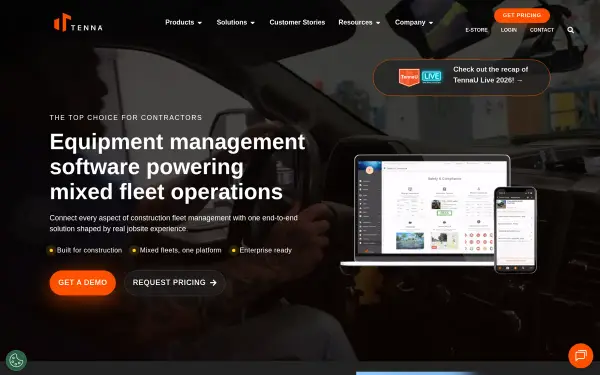
Tenna is built for contractors that need one register for owned, rented, powered and non-powered assets. GPS trackers cover machines, while Bluetooth and QR tags bring smaller tools into the same view. Jobsite-level location history and fleet reporting dashboards show where assets sit and how much they are used. For a contractor moving equipment between projects, that single view is the core value.
The utilization reporting flags idle equipment, and the rental versus purchase analysis uses actual usage rather than assumptions. That helps a fleet manager decide whether to keep renting a lift or buy another machine. Tenna also reports across mixed fleets, which matters when the owned fleet includes several brands and some rented units arrive with someone else's telematics.
Pricing is quote-based and hardware is billed separately, so the software subscription is only part of the commitment. Buyers need a proposal that lists trackers, tags and any installation work. Rollout also takes coordination across jobsites, because every location needs a process for tagging and scanning. The platform rewards scale: a contractor with a handful of machines may find the setup and administration harder to justify than a larger fleet does.
Tenna fits contractors running mixed owned, rented and small-tool fleets, especially those already managing utilization and rental decisions. It is less compelling for a small shop that mainly needs a tool crib check-out log, where a barcode or QR system can be simpler. Before committing, ask for an all-in quote for the asset count you expect in 12 months, not just today, and confirm who handles tracker installation and support.
You run owned, rented and small-tool fleets and need utilization data to guide rental or purchase decisions.
You have a small fleet and mainly need a low-cost tool check-out log.
Entry II of X / Maintenance scheduling
Our verdict
A maintenance-first fleet platform that fits teams with strong service workflows, though equipment location depends on third-party telematics.
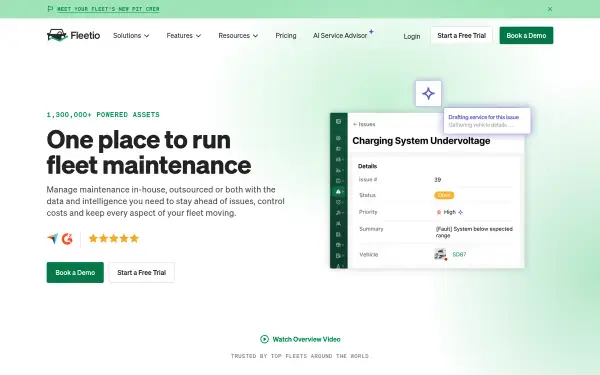
Fleetio is a maintenance and fleet records platform, not a construction equipment tracker first. Its strongest ground is preventive maintenance scheduling, automated reminders, work orders, parts inventory, fuel tracking and service history. For a contractor whose pain is missed oil changes, overdue inspections or messy repair records, those workflows are the reason to evaluate it.
The system keeps vehicle and machine service history in one place and can connect to major telematics providers for GPS location. That integration approach avoids first-party hardware lock-in, but it means location depends on another vendor and another contract. Crews still need a process for reporting faults and closing work orders.
Pricing is quote-based and scales with fleet size, so the cost per unit changes as the fleet grows. A free trial lets a buyer test with part of the fleet before a full rollout. Fleetio includes fuel and work order management, which can replace spreadsheets and separate maintenance logs, but it has fewer construction-specific workflows than equipment-first platforms. Tools and attachments are not the center of the product.
Fleetio fits teams that prioritize maintenance scheduling and fleet records, particularly mixed vehicle and machine fleets with a dedicated administrator. It is a weaker fit for a contractor that needs jobsite-level tool tracking or theft deterrence from the same system. Buyers should test the telematics integration with their existing devices, confirm which providers are supported and ask how pricing changes when they add vehicles or machines mid-term. A trial should include real work orders, not a demo dataset. That test will show whether the maintenance depth outweighs the extra integration work.
Maintenance scheduling, work orders and service history are the main problems you need to solve.
You need first-party GPS, jobsite equipment tracking or tool crib workflows from one platform.
Entry III of X / Integrated cameras
Our verdict
A polished large-fleet telematics and safety platform that suits vehicles more than construction equipment and requires an enterprise commitment.
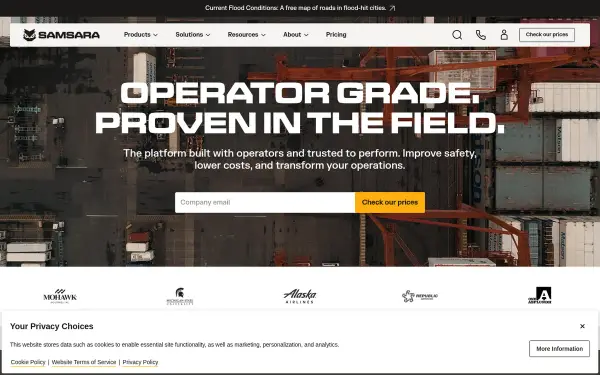
Samsara is a large-fleet telematics platform with safety tools layered on top. Real-time GPS tracking, geofencing, engine diagnostics, fault alerts, AI dash cameras and harsh event detection are the core. Asset gateways extend tracking to powered equipment, and driver coaching workflows help safety managers act on what the cameras and sensors record. For a company already running cameras and telematics in vehicles, the appeal is one operational view.
The polished hardware and dash cameras are a strength for companies running vehicles and equipment together. Samsara monitors equipment alongside vehicles, so a truck and a generator can appear in one view. The trade-off is orientation: the product is more vehicle-centric than construction-equipment-centric. A contractor that needs tool crib accountability, attachment tracking or rental analysis may need another system for those jobs.
Pricing is quote-based, hardware is extra and multi-year terms are common. The sales process is enterprise-oriented, so a small contractor should expect a proposal rather than a self-serve checkout. Buyers need to separate camera costs, gateway costs and subscription costs before comparing bids. The platform suits organizations with a safety program and staff to manage it.
Samsara fits large mixed fleets needing telematics and safety programs, especially those already investing in camera-based coaching. It is less suitable for a small contractor that mainly needs to know where a few machines are or who checked out a compactor. If theft deterrence and driver safety are priorities, the integrated hardware is compelling. If equipment utilization and job costing are priorities, ask how asset gateways report on attachments and non-powered tools. Ask for a pilot scope that includes the equipment types you run, not just vehicles.
You run a large mixed fleet and want integrated cameras, safety coaching and telematics from one vendor.
You need a construction-first asset register or cannot commit to hardware and multi-year terms.
Entry IV of X / OEM data connection
Our verdict
A low-hardware option for newer mixed-brand fleets whose machines already emit OEM telematics data, with coverage limits to verify.
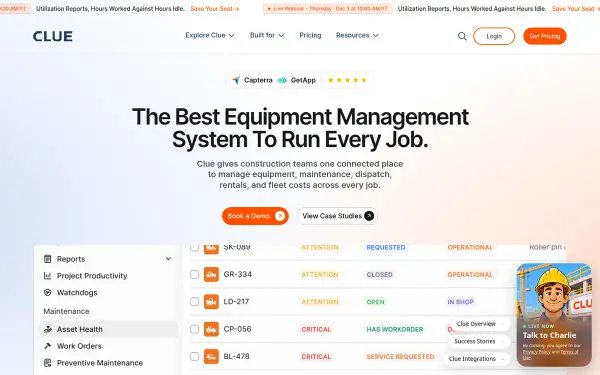
Clue takes a different route: it connects to manufacturer telematics already installed on machines and normalizes that data across brands. Contractors with newer mixed-brand fleets can get a consolidated dashboard without an aftermarket tracker project for supported machines. The platform reports utilization and machine data, so the appeal is speed and less hardware.
That approach is valuable when the fleet is already emitting OEM data and the contractor wants one view without adding another device to every machine. It is not universal. Coverage depends on which makes and models expose OEM data, and older machines without compatible telematics still need aftermarket trackers. Buyers should confirm supported equipment before evaluating workflow.
Pricing is quote-based, and the company is newer with a smaller customer base than long-standing telematics vendors. That is not disqualifying, but it raises questions about roadmap, support depth and long-term integration coverage. A buyer should ask which brands are supported today, what happens when a machine is replaced and how missing data is handled. The value proposition is strongest when most of the fleet is recent and connected.
Clue fits newer mixed-brand fleets already emitting OEM telematics data, particularly contractors that want to avoid a hardware deployment. It is a weaker fit for older equipment, mixed rental fleets with unknown telematics or buyers who need tool-level tracking. Run a coverage audit against your asset list before a demo, then ask for a written list of supported makes, models and data fields. Without that audit, the dashboard can look complete while leaving gaps. Ask how pricing changes when a machine loses OEM data coverage.
Most of your machines are newer, connected and from supported brands, and you want to avoid a hardware rollout.
Your fleet is older, heavily rented or includes many machines without compatible OEM telematics.
Entry V of X / Construction telematics
Our verdict
A deep construction telematics platform for larger fleets with reporting needs, but quoted pricing and installation make it a heavy commitment.
Trackunit is a long-standing construction telematics specialist. It collects cross-brand machine data, monitors utilization, schedules maintenance, reports emissions and uses Bluetooth mesh tracking for attachments and non-powered assets. Global fleet visibility is the promise, and the product is built around equipment rather than passenger vehicles. That focus shows in the reporting and maintenance modules.
The depth is the draw. A fleet manager can compare utilization across brands, track attachments that move between machines and produce emissions reports. Maintenance scheduling is included, so service intervals can be managed from the same platform. That breadth helps mid-size and large fleets with reporting obligations, especially those working across regions or client requirements. It can also support rental decisions when utilization data is reliable.
The limits follow from that enterprise orientation. Pricing is quote-based enterprise pricing, and hardware plus installation are extra. The platform can overwhelm small teams that lack an analyst or a dedicated fleet administrator. A contractor with ten machines may not need emissions reporting or global dashboards, and the installation project can be hard to justify against simpler tool tracking plus basic GPS.
Trackunit fits mid-size and large mixed fleets with reporting obligations, cross-brand equipment and enough administrative capacity to use the data. It is less suitable for a small contractor that needs a quick tool check-out system. Before committing, ask for a scope that covers hardware, installation, data migration and training. Also ask which reports are standard and which require configuration, because reporting depth is the main reason to pay for an enterprise platform. Confirm how Bluetooth tags are assigned and replaced when attachments move.
You need cross-brand utilization, emissions and maintenance reporting across a mid-size or large fleet.
You need a quick tool crib system or cannot absorb enterprise hardware and installation costs.
Entry VI of X / Tool crib control
Our verdict
A focused tool crib accountability system that reduces loss through check-in and check-out, but does not track vehicles or heavy equipment.
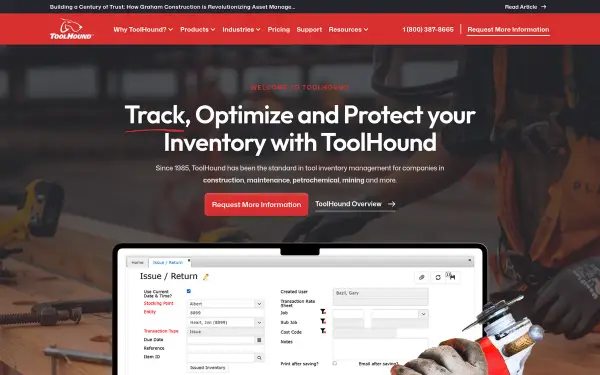
ToolHound is built for tool crib accountability. Check-in and check-out workflows, barcode scanning, RFID support, custodian and location records, inventory and loss reporting, and maintenance history for tracked tools are the core. It is not a vehicle or heavy equipment platform, and it does not pretend to be.
The value is in reducing tool loss and knowing who has what. Barcode and RFID workflows give crews a defined process at the crib, and loss reporting makes replacement spending visible. Maintenance history helps with calibrated or serviceable tools. The system depends on crews scanning consistently; if the crib process is loose, the records will be loose too.
Pricing is quote-based, and there is no free plan or trial listed. Buyers should ask how pricing scales with the number of tools, users and sites, and whether RFID readers or labels are included. The product does not cover vehicles or heavy equipment, so most contractors pair it with a telematics platform for machines. Payback usually comes from fewer lost tools and less duplicate purchasing, not from GPS tracking.
ToolHound fits tool cribs needing check-in and check-out accountability, especially contractors with a central yard or multiple cribs and a custodian who can enforce the process. It is a poor fit for a buyer wanting one system for excavators, trucks and small tools. Ask for a workflow demo that follows a tool from receipt to job site to return, and confirm how the system handles consumables, calibration and damaged tools. Those details decide whether the crib discipline holds. Also ask how pricing changes when a second crib is added.
Your main loss is tools leaving the crib without accountability and you can enforce scanning discipline.
You need to track excavators, trucks or attachments alongside tools.
Entry VII of X / Theft deterrence
Our verdict
A rental-linked telematics platform with strong theft deterrence for EquipmentShare customers, though mixed-supplier fleets need coverage checks.
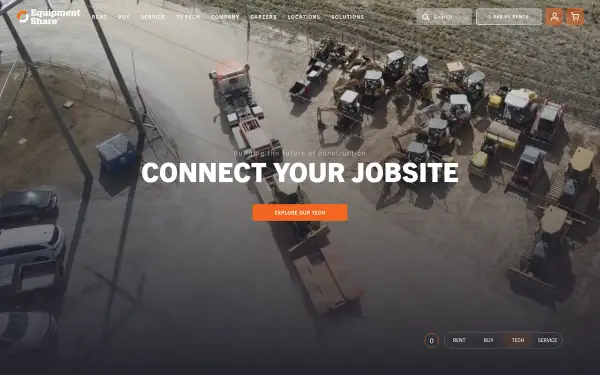
EquipmentShare T3 is telematics tied to a rental and fleet services ecosystem. It offers GPS tracking of machines, maintenance alerts, fuel monitoring, jobsite-level visibility and theft deterrence with keypad locks and cameras. The connection to a rental fleet for supplemental machines is part of the pitch. For a contractor already renting from the provider, the software can arrive alongside equipment rather than as a separate project.
The theft prevention options are more concrete than most tracking-only products. Keypad locks and cameras address access and evidence, while GPS tracking supports locating machines. Maintenance alerts and fuel monitoring help operations keep equipment running. For a contractor with high-value machines on multiple jobsites, those controls can matter more than a polished dashboard.
The main limit is ecosystem fit. Pricing is quote-based and bundled with hardware, and the platform was built to manage the provider's own rental fleet before being offered to contractors. That history can be an advantage for rental workflows, but buyers should ask how it handles machines from other rental houses. A mixed fleet with several suppliers may find the visibility incomplete.
EquipmentShare T3 fits contractors renting from EquipmentShare or running sizable fleets that value theft deterrence and jobsite visibility. It is less suitable for a small contractor with a handful of owned machines and no rental relationship. Ask for a clear list of what is tracked, what requires EquipmentShare hardware and how third-party machines appear in the dashboard. Also separate the rental agreement from the software and hardware commitment so the total cost is visible. Confirm camera, lock and installation costs are quoted explicitly.
You rent from EquipmentShare and want GPS, maintenance alerts and theft deterrence tied to that relationship.
Your fleet comes from several rental houses or you only need basic tool tracking.
Entry VIII of X / Job cost linkage
Our verdict
A heavy civil equipment cost platform that links machine costs to job profit, with the most value inside the HCSS product family.
HCSS Equipment360 is for heavy civil contractors that want equipment cost tied to job profit. It captures equipment hours, fuel, maintenance and ownership costs, then flows those costs into HCSS job costing. Maintenance and inspection workflows and project-level equipment cost visibility round out the operational side.
The differentiator is the link to job profitability. A contractor can see not just where a machine is, but what it costs a project. That matters in heavy civil work where equipment is a major cost line. The product also integrates with HCSS estimating and field products, so the value rises for teams already inside that family.
HCSS has served heavy civil contractors since 1986, and the interface reflects that long product history. The platform is sold through a quote-based enterprise process, with no published price, free plan or trial listed. Buyers outside the HCSS ecosystem should weigh the integration benefit against the work of adopting another suite. Tracking-first features are present, but they are not the main reason to choose it.
HCSS Equipment360 fits heavy civil contractors tying equipment cost to job profit, especially those already using HCSS estimating or field tools. It is less suitable for a small contractor that needs simple GPS tracking or tool crib accountability. Before buying, map the cost codes and equipment rates you use today, then ask how those fields flow into job costing and reporting. The implementation question is less about hardware and more about data discipline. Ask for a sample report using your cost structure.
You are a heavy civil contractor already using HCSS tools and need equipment costs to flow into job costing.
You need a standalone tracker for mixed tools and machines without a job-costing suite.
Entry IX of X / Open integrations
Our verdict
An open telematics platform with strong analytics and integrations, but construction equipment coverage comes through add-ons and resellers.
Geotab is an open telematics platform with a large integration marketplace and strong analytics. Vehicle telematics, trip data, custom reports and scalability from small fleets to tens of thousands of vehicles are the foundation. Add-ons and integrations extend coverage to equipment tracking, and open data access supports custom dashboards.
The strength is flexibility. A fleet with analysts can build reports, connect third-party systems and scale a common platform across vehicles and equipment. Geotab is proven at very large fleet scale, so it suits organizations that need a long-term data layer rather than a single-purpose app. The construction story is strongest on vehicles, with equipment handled through add-ons.
Pricing runs through resellers by quote, so the buyer may see different proposals and bundles. Equipment tracking needs add-ons or integrations, which adds vendors and configuration work. Teams without analysts can find the configuration complexity hard to absorb. A contractor that wants construction workflows out of the box usually looks elsewhere first.
Geotab fits fleets with analysts who want an open, integrable telematics platform, particularly mixed vehicle fleets that need custom reporting and scale. It is less suitable for a contractor that wants a construction-specific asset register with tool tracking and rental analysis on day one. Ask a reseller to price the exact add-ons you need, not a base vehicle package. Then test the reporting with your own data before signing a multi-year agreement. Confirm who supports the integration after launch.
You have analysts who can configure integrations and want an open telematics platform that scales.
You need construction workflows, tool tracking or equipment reporting out of the box.
Entry X of X / QR label speed
Our verdict
A simple QR label system for tool accountability and maintenance records, with no live location or theft alerts.
GoCodes uses patented QR asset labels and smartphone scanning to track tools. Any crew member with a phone can scan a label, log location and custodian, and view maintenance history. There is no specialized hardware, so deployment is faster than a GPS rollout and the cost per labeled asset is low.
The model is simple, and that is the point. Labels can go on tools, equipment and containers; scanning creates a record without a tracker installation. Location only updates when someone scans the label, so it is not real-time tracking and it does not provide theft alerts. For tool accountability and maintenance records, that trade-off can be acceptable.
Pricing is quote-based for larger deployments, and there is no free plan or trial listed. The per-asset cost is low compared with GPS hardware, but the system depends on crews scanning consistently. If a tool leaves the yard without a scan, the record will be wrong. High-value machines that need theft protection are usually paired with GPS trackers.
GoCodes fits budget-conscious contractors tracking tools with QR labels, especially crews that need quick deployment and a simple phone-based workflow. It is a poor fit for real-time machine tracking or theft recovery. Before rolling out, define which assets get labels, who scans at each handoff and how often maintenance records are reviewed. A short pilot at one yard will show whether the scanning habit sticks. Ask how labels are replaced when they wear out.
You need a fast, low-cost way to label tools and log custodians and maintenance with smartphones.
You need real-time location, theft alerts or tracking for high-value heavy equipment.
VIBackground
Construction asset tracking software gives a contractor one record of where equipment and tools are, who has them, what they cost and when they need service. It is broader than GPS on a truck. The category covers heavy machines, attachments, small tools, rentals and vehicles, and different products solve different parts of that problem. The core job is to answer practical questions: which excavator is on which jobsite, who signed out a compactor, how many hours a lift ran last month, and whether a repair is overdue.
Data can come from several sources. A platform may install first-party GPS trackers, connect to telematics already built into a machine, use Bluetooth tags for attachments, or rely on QR codes, barcodes and RFID labels for tools. That choice drives cost, accuracy and deployment effort. Real-time tracking is not the same as a custody record, and a scan-based system will not show a tool moving between scans.
Most platforms combine the asset register with operational modules. Common examples include:
Buyers often assume one system will cover everything. In practice, tool crib accountability and heavy equipment telematics have different workflows, hardware and reporting needs. Some platforms span both, but depth varies by asset type. A contractor may use one system for machines and another for small tools, then connect the data through exports or integrations. The right answer depends on the assets that cause the most loss, downtime or billing disputes.
Use the category to solve a specific problem first. If machines go missing, prioritize GPS and geofencing. If tools disappear from the crib, prioritize scanning and custodian records. If equipment costs are unclear, prioritize job costing and utilization. Then check whether the platform can grow into the next problem without a second full rollout.
This comparison sits in the software register. Further along the shore: baby tracking app and kennel software.
VIIPricing
Most construction asset tracking software is quoted, not published. All 10 tools in this list show See website, and the plan notes add hardware, installation or term conditions for several of them. That means the subscription price is only one line in the buying decision. Buyers should compare the total first-year cost of software, trackers, tags, installation, support and any minimum term.
| Model | How it bills | Typical fit | Example from this list | | Quote-only software with separate hardware | Software quoted by fleet or asset count; trackers and tags billed separately | Contractors with mixed fleets and a hardware plan | Tenna is quote-based with hardware billed separately | | Fleet-size quote with third-party telematics | Software quoted by fleet size; location comes through integrations | Teams prioritizing maintenance records | Fleetio is quote-based, priced by fleet size, with GPS through integrations | | Bundled telematics and hardware | Hardware and software quoted together, often on multi-year terms | Large mixed fleets needing safety and tracking | Samsara is quote-based with hardware extra and multi-year terms common | | Reseller quote | Pricing quoted through resellers, with add-ons | Fleets needing open integrations | Geotab is quote-based through resellers | | QR labels with quote for larger rollouts | Labels and software quoted; low cost per labeled asset | Tool accountability without GPS | GoCodes is quote-based for larger deployments |
Hardware changes the math. GPS trackers, asset gateways, keypad locks, cameras and installation add cost beyond the software subscription. Some vendors bundle hardware; others bill it separately. A lower subscription can still lose on total cost if it needs more devices or a longer contract.
Ask for a written quote that separates each line and states the term. If a vendor cannot publish pricing, ask what changes the price: asset count, users, jobsites, hardware model or support level. Then run the same asset list through every vendor so proposals are comparable. The plan notes here are a starting point, not a substitute for a quote.
Each entry card shows the starting price as it appeared on the vendor's own pricing page on November 25, 2026. When a vendor shows no figure we could confirm, or only a promotional rate, the card says "See website" or gives the regular price instead of a guess. Usage, overage and add-on rates in the text change more often than plan prices, so confirm them on the vendor page before you set a budget. To test the numbers against your own volume, try the free User Research Budget Planner. The Event Break-Even Calculator is a second way to check the same decision.
VIIIDecision
IXPitfalls
XQuestions
It creates a record of where equipment and tools are, who has them, how they are used and when they need service. Most systems combine asset registers with location data, maintenance workflows, utilization reports and cost tracking. Some use GPS or OEM telematics for machines; others use QR, barcode or RFID for tools. The scope varies, so buyers should match the tool to the assets that cause the most loss or downtime.
Most vendors in this category quote rather than publish a price. All 10 tools here list See website, and several note that hardware, installation or multi-year terms are extra. Software may be priced by fleet size, asset count or users. Ask for a written total that separates subscription, trackers, tags, installation, support and term length before comparing proposals.
Real-time GPS tracking, geofencing and alerts help locate machines and flag movement. EquipmentShare T3 also lists keypad locks and cameras for theft deterrence. For small tools, QR and barcode systems provide a custody record but not live location or theft alerts. If recovery matters, pair tool labels with GPS on high-value machines and test alert workflows before relying on them.
Often yes, because the workflows differ. Heavy equipment platforms rely on GPS, OEM telematics, utilization and maintenance data, while tool crib systems rely on check-in and check-out, barcode, QR or RFID. Some construction platforms cover both, but depth varies. Start with one asset register, then decide whether one system can handle scanning, tracking and reporting without weak spots.
This list does not publish fixed deployment times, and the range depends on hardware and process. QR systems such as GoCodes can deploy quickly because no specialized hardware is required. GPS rollouts need tracker installation and jobsite coordination, while OEM data connections depend on supported machines. Ask each vendor for a written schedule covering hardware, labeling, training and the first reporting cycle.
Prepare an asset list by category, with counts for machines, attachments, vehicles and small tools. Note which assets need real-time location, which already have OEM telematics and which can use QR or RFID labels. Add jobsite count, user roles and reporting needs. That brief lets vendors quote the right hardware and software scope instead of a generic package.
XIFurther along the shore
Vendors can ask for a correction or apply for a Featured listing. Paid or not, the entry is scored on the same rubric and its limits stay in print. Partner with Umberlake.
Free tools
Our free browser tools turn the prices on this page into a figure for your own volume. Nothing you type leaves your device.