
Mimecast
See website
Best for gateway security with continuity
- Free plan
- No
- Rubric
- 7.1 of 10
Email security buying in November 2026 comes down to where you need the layer: at the gateway, inside the API, or in the hands of the people who report the phish.

IThe short answer
Start with Mimecast if you want a direct gateway swap with email continuity and archiving in the bundle. Pick Microsoft Defender for Office 365 if you run Microsoft 365 and want a native, low cost layer, and Abnormal AI if business email compromise and account takeover are the losses that keep coming. All three are quote or licence driven in practice, as of our 25 November 2026 price check. The other four entries cover API layer security, mid market bundling, Gmail native filtering and employee phishing reporting: Proofpoint Alternatives.
7 tools compared from vendor pages on November 25, 2026. 1 publish a starting price we could read; the rest say "See website".
IITop three berths
Register order is editorial fit for the buyer each entry describes. Prices are the starting figures read on November 25, 2026.
See website
Best for gateway security with continuity

See website
Best for behavioural BEC and account takeover defence

See website
Best for native Microsoft 365 baseline
How this page is paid for. All 7 tools here are unpaid editorial picks.
A paid listing's position can be part of what the vendor pays for. Every entry, paid or not, is scored on the same rubric and keeps its limits in print. Advertising disclosure.
IIIThe register
Starting prices as shown on each vendor's pricing page on November 25, 2026. "See website" means no figure we could confirm.
| No. | Tool | From | Free plan | Trial | Rubric | Actions |
|---|---|---|---|---|---|---|
| 01 | MimecastGateway security with continuity | See websiteNot shown publicly | No | Free trial available | 7.1 | |
| 02 | Abnormal AIBehavioural BEC and account takeover defence | See websiteNot shown publicly | No | No | 7.0 | |
| 03 | Microsoft Defender for Office 365Native Microsoft 365 baseline | See websiteNot shown publicly | No | Free trial available | 6.4 | |
| 04 |  Check Point Harmony EmailAPI email security from a security giant | See websiteNot shown publicly | No | Free trial available | 7.0 | |
| 05 |  Barracuda Email ProtectionMid market integrated protection | See websiteNot shown publicly | No | Free trial available | 6.4 | |
| 06 |  Google WorkspaceGmail native security baseline | $7Starter, per user per month, billed annually, $6.30 introductory promo for first 20 users for 12 monthsRead on vendor page | No | 14-day free trial | 6.4 | |
| 07 |  CofensePhishing defence and the human layer | See websiteNot shown publicly | No | No | 6.0 |
Pinned:
IVMethod
How much the tool catches that native platform filters miss, including business email compromise and account takeover.
Whether the tool drops into the estate you run, whether gateway, API or native, without a rip and replace.
How much specialist tuning and daily console work the product demands from the team that will own it.
How much a vendor publishes about price and plan structure before you agree to a sales call.
Coverage beyond inbound mail, such as archiving, backup, continuity, training and collaboration apps.
VMethod
We scored seven tools on the same five criteria and did not adjust the rubric for anyone. Threat detection carries 28 percent because email security is bought to stop messages native filters miss. Deployment fit at 22 percent asks whether a tool drops into the estate you run, gateway, API or native, without a rip and replace. Admin overhead at 18 percent reflects who operates it day to day. Pricing clarity at 17 percent rewards vendors who publish a number. Stack breadth at 15 percent covers archiving, backup, continuity and collaboration coverage beyond inbound mail.
Pricing was checked on November 25, 2026 where a vendor pricing page was available. Where a page returned no usable content, or the vendor sells only through quotes, we say so and point you to the vendor. Most tools here are quote only, so the pricing clarity score separates them on how much they publish, not on whether they are expensive. We do not convert currencies and we do not estimate a rate for a vendor that did not give one.
The Featured placement at the top of this list is paid. It is scored with the same rubric as every other entry and its weaknesses are written up the same way. Placement affects the order, as does fit for the buyer each entry describes; the scores are a reading aid, not the sort key.
This is not a hands on lab test. It is a buying guide built from vendor documentation, published plan and feature information, and the pricing record above, written for operators comparing options before a renewal or a first purchase.
The full routine, from price reads to corrections, is on the methodology page. Paid listings follow the advertising disclosure.
Entry I of VII / Email continuity
Our verdict
The closest like for like gateway swap, strongest when continuity and archiving matter more than BEC detection depth.
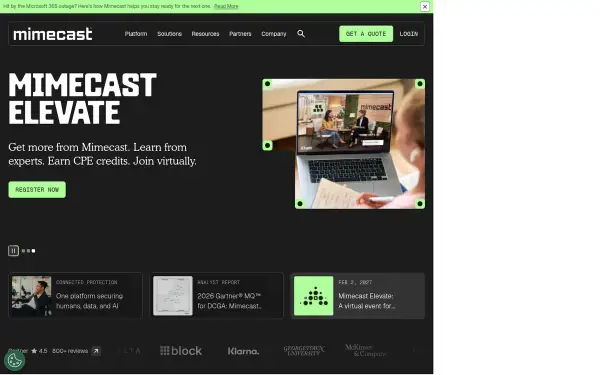
Mimecast is the most direct replacement on this list. It runs as an email gateway ahead of Microsoft 365 or an on premises mail server, filtering inbound mail, and it can also be deployed as an API layer. The feature that separates it from a plain filter is continuity: when Microsoft 365 or your mail server goes down, mail keeps flowing through Mimecast instead of bouncing. For an operations team that has lived through a platform outage, that is a real line item rather than a marketing bullet.
Full tiers bundle archiving and compliance retention with the security layer. That means one vendor and one console for retention and inbound threat detection, which is simpler than stitching a filter to a separate archive product. It also means smaller teams can end up paying for archive and continuity capacity they will never use, so check the tier boundaries before you accept the bundle as the default offer.
Pricing is quoted. There is no public list price, and the vendor pricing page returned no usable content when we checked on November 25, 2026. Pricing is by quote, so confirm security only tiers and full bundles with the vendor before you budget.
The honest gap is business email compromise detection. Mimecast's BEC detection is a weaker area than its continuity and archiving, so a team whose main worry is vendor fraud and impersonation should look hard at the API specialists below before signing. Teams that want one gateway with continuity and archiving, run by a generalist IT team, will find the fit strong.
You want one gateway that keeps mail flowing during a Microsoft 365 outage and folds archiving into the same contract.
Targeted business email compromise is your main loss and you need the sharpest behavioural detection.
Entry II of VII / Behavioural BEC detection
Our verdict
The sharpest behavioural layer here for wire fraud and hijacked inboxes, sold as an addition rather than a replacement.
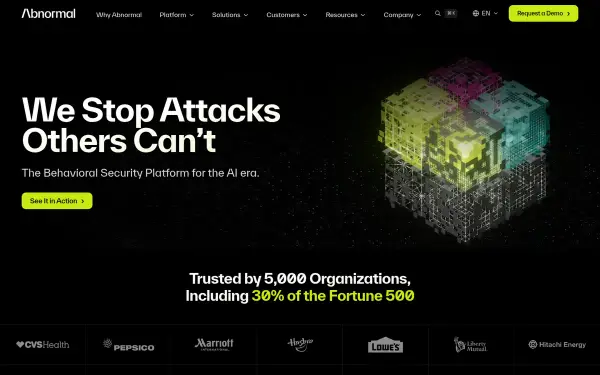
Abnormal AI does one job deeply: it learns what normal communication looks like inside an organization and flags messages that break the pattern. That covers business email compromise, vendor invoice fraud and account takeover, including internal mail between colleagues that a gateway never inspects because it never leaves the tenant. Automated remediation pulls flagged messages back out of mailboxes rather than leaving the cleanup to the help desk.
Deployment is the reason many teams shortlist it. It connects through an API to Microsoft 365 or Google Workspace and needs no MX record change and no gateway migration. Nothing is ripped out; Abnormal sits on top of whatever native filtering already runs. The trade off is that it is an added layer with an added cost, so the business case rests on losses you have already had or expect, not on replacing an existing line item.
Pricing is quoted and modular, with no public per user rate and no page we could capture on November 25, 2026. The entry point is aimed at organizations with a real fraud exposure rather than a small office. Ask which modules sit inside that level and what triggers a step up.
Coverage is email centred. Check Point Harmony covers more of the surrounding collaboration surface such as Teams, Slack and file sharing, while Abnormal AI is email centred. If your incidents start in chat, look there. If your incidents are wire fraud and hijacked inboxes, Abnormal is the sharpest tool on this page for that specific job, and it also scans outbound mail for signs that an account is already compromised.
You have had a wire fraud or account takeover incident and native filters had nothing to work with.
Your incidents are commodity malware and phishing that better native configuration would stop.
Entry III of VII / Native M365 controls
Our verdict
The best value baseline for Microsoft shops, and a poor fit for anyone expecting protection without configuration work.
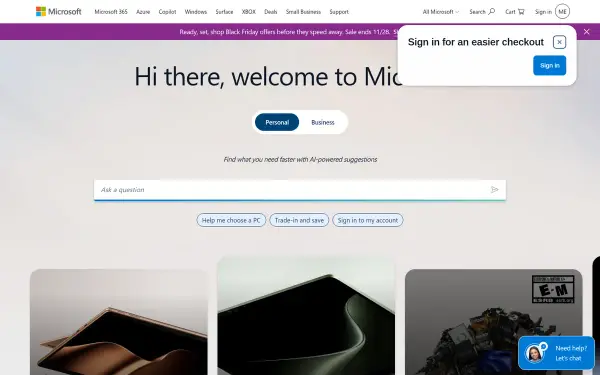
Microsoft Defender for Office 365 is the baseline most Microsoft shops already own part of. Safe Links rewrites and checks URLs at click time, Safe Attachments detonates attachments before delivery, and anti-phishing and impersonation policies cover spoofed senders and lookalike domains. Plan 2 adds Threat Explorer, automated investigation and response, and attack simulation training. Plan 2 is also included in Microsoft 365 E5, so a large number of enterprises already hold a licence for it without having configured it.
Pricing is why it belongs on a list of alternatives at all. Pricing for Plan 1 and Plan 2 is on the vendor site, but the official pricing page returned no content when we checked on November 25, 2026, so confirm before you budget.
The catch is configuration. Impersonation protection has to be tuned per tenant, and protection depends heavily on how it is configured. Advanced tuning needs someone comfortable in the security console, and a small IT team without that person will get well under what the licence promises. Budget the time, or budget a partner to do it.
It is also Microsoft only. If you run Google Workspace or a mixed estate, this is not an option, and it does not do behavioural baselining of internal mail the way Abnormal AI does. It will not close a targeted vendor fraud gap on its own. For standard phishing and malware in a Microsoft 365 tenancy, with someone to tune it, it is the cheapest credible answer here.
You run Microsoft 365, already hold E5 or can buy Plan 2, and have someone to tune the policies properly.
Your mail runs on Google Workspace or your losses are behavioural fraud rather than commodity phishing.
Entry IV of VII / API plus collaboration
Our verdict
Enterprise backed API security that reaches into chat and file sharing, at the cost of a scoped quote and a big portfolio.
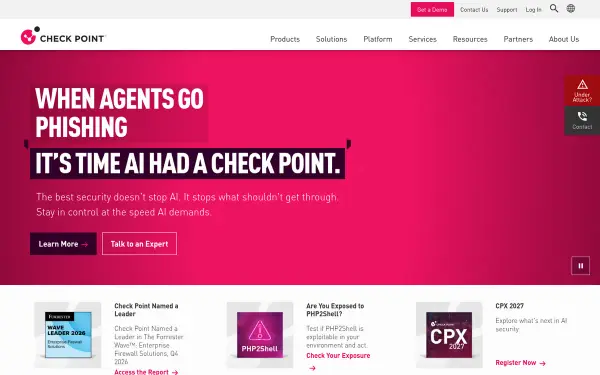
Check Point Harmony Email is an API based product built on Avanan, which Check Point acquired and now sells as Harmony Email and Collaboration. It connects to your cloud email platform and scans messages after the platform's own filters have run, so it sees the mail your native controls let through, including internal mail between colleagues that a gateway never inspects. It also covers collaboration surfaces beyond email: Teams, Slack and file sharing.
The value of the API approach is deployment speed. There is no gateway migration and no rip and replace of the existing stack, which is why API tools appeal to teams who inherited a gateway they do not want to migrate. Internal scanning is the second reason: a compromised account sending a payment change request to a colleague is exactly the message a gateway misses and an API layer catches.
Pricing is quoted, with no public list rate and no plan page we could capture on November 25, 2026, so expect a scoped quote based on seat count and modules. Harmony is also one product inside a much larger Check Point portfolio, which cuts both ways: existing Check Point customers get threat intelligence shared across the estate, while everyone else has to navigate a broad catalogue to find the email line and confirm what is actually included.
For a cloud email shop that wants enterprise threat intelligence behind an API layer and also cares about chat and file sharing, Harmony is a strong shortlist entry. If you only need inbound mail filtering at the gateway, with continuity, this is more architecture and more console than the problem requires.
You want an API layer with enterprise threat intelligence that also watches chat and file sharing.
You need gateway level mail flow control or a single product with simple published pricing.
Entry V of VII / Bundled backup and archive
Our verdict
A sensible mid market bundle of filter, backup and archive for generalist IT teams, weaker against targeted attacks.
Barracuda Email Protection is pitched at the mid market, and the pitch is breadth. One subscription covers email filtering, impersonation defence, mailbox backup, archiving and incident response options, with support for Microsoft 365 and Google Workspace. The admin console is designed for generalist IT staff rather than a dedicated security operations team, which matters when the person running it also owns the help desk and the laptop fleet. In June 2026 Barracuda launched an AI driven integrated email protection layer across both platforms, so the engine is still being developed rather than coasting.
Pricing is quoted and tiered, and the tier structure is the main friction. Backup, archiving and response options can be bundled or split apart, so the first quote you receive may not match the one a peer company received for a similar seat count. Bring a written list of what you need retained and for how long, and ask for the same quote shape from a competitor so the comparison is real.
The honest weakness is depth on targeted attacks. Against a determined, well researched BEC campaign, detection trails the specialist providers on this list. Barracuda catches a lot of commodity volume and it consolidates three or four line items, but it is not the tool you buy because you have a persistent fraud problem.
It is a reasonable buy when the goal is consolidating filter, backup and archive with one vendor, one invoice and one console, managed by a small team that does not want another specialist tool to learn. It is a weaker buy when your threat model is a targeted criminal campaign aimed at your finance department.
You want filtering, backup and archiving from one vendor that a small IT team can actually run.
You are defending against targeted invoice fraud and need the deepest behavioural detection.
Entry VI of VII / Included in Workspace
Our verdict
The most transparent price on this list and a solid Gmail baseline, but not a specialist fraud layer.
Google Workspace is the odd entry on a list of Proofpoint alternatives, and it earns its place. If you are a Google shop, the entry plan already includes Gmail filtering that draws on a very large volume of signal, with no gateway to buy, no MX change and no extra console to manage. Plans start at $7 per user per month on Starter, billed annually, with a $6.30 introductory rate for the first 20 users over 12 months. A 14 day free trial is available.
What you get at that price is a baseline, not a specialist layer. Gmail spam and phishing filtering plus the admin security centre handle commodity attacks competently. Security investigation tools, data controls and context aware access sit on higher tiers, so the entry price is not the security price for a team that needs investigation and eDiscovery style search across mailboxes. Budget above Starter if those matter.
Pricing is the most transparent on this list, which is a genuine advantage when you have to build a budget without a sales call, and the trial lets you see the console before committing. The trade off is fit: this only works if your mail runs on Google. Google shops are a minority of the enterprise email market, so most readers will use it as a price benchmark rather than a purchase.
It will not replace a behaviour based BEC layer. If you have had a vendor invoice fraud incident, Workspace alone will not close that gap, and you should budget a separate API tool from this list on top of the subscription. It is a native baseline rather than a gateway layer.
You are a Google shop that wants a transparent baseline before adding any third party layer.
You run Microsoft 365 or need behavioural fraud detection on internal mail.
Entry VII of VII / Employee reporting network
Our verdict
A specialist human layer that turns employee reports into detection, provided you build the reporting culture.
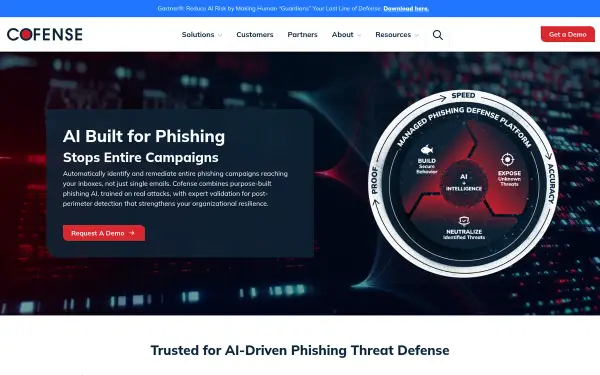
Cofense is not a filter and does not pretend to be. It starts from the assumption that employees will see things filters miss, and builds a detection source out of that. One click reporting from the mail client feeds a triage queue where reported messages are compared against live phishing campaigns, so a report that matches an active campaign is confirmed quickly and one that does not is handled as a false positive. Confirmed phish feed into response workflows.
The intelligence angle is the interesting part. Because the phish are real messages reported by real employees in real inboxes, the feed reflects what is landing now rather than what a sandbox detonated last week. Managed service options exist for teams without a security operations bench, and phishing training and awareness sit alongside the reporting tool so the reporting culture has support rather than just a button.
Pricing is quoted, enterprise style, with no public list price and no page captured at our November 25, 2026 check. That usually means a scoped contract based on seat count, modules and whether managed services are included, and it means you cannot benchmark it against the native options on this page without a call.
The limits are structural. It does not sit in the mail path, so it cannot block a message before delivery, and it is not a replacement for gateway or API filtering. Its value also depends on employees actually pressing the button, which needs feedback loops, visible follow through from the security team and some patience in the first quarter. Teams that buy the tool and skip that work will see very little from it, and they will still be paying the contract.
You want to turn a willing workforce into a detection source and will fund the follow through.
You have no security operations capacity or no appetite for running a reporting program.
VIBackground
Email security software is the layer that decides which messages reach an inbox, and where that decision happens is the whole conversation. Four shapes dominate the category, and they are not interchangeable.
The gateway model is the oldest and the most complete on mail flow control. Because every message passes through it, it can block, quarantine, rewrite links and hold mail during an outage. Mimecast's continuity feature is a gateway feature: mail queues at the gateway when Microsoft 365 is unavailable. The cost is a migration project, a second console and a second place where a misconfiguration can stop delivery.
The API model arrived later and solves a different problem. It assumes the platform filter is decent and asks what gets past it. That means vendor invoice fraud, compromised internal accounts and lateral messages between colleagues. Abnormal AI and Check Point Harmony both work through an API connection rather than a gateway, which avoids a gateway migration.
Native controls are the cheapest starting point and often the most neglected. Defender Plan 2 includes Safe Links, Safe Attachments, Threat Explorer, automated investigation and response, and attack simulation training, and it is included in Microsoft 365 E5. Many organizations buy a third party layer before they have tuned the licence they already own.
Reporting tools sit outside the mail path entirely. Cofense does not block anything; it converts human sightings into intelligence and response. For operators, the practical question is not which category is best but which gap you have: mail flow control, detection behind the filter, configuration of what you own, or the human layer.
This comparison sits in the software register. Further along the shore: baby tracking app and kennel software.
VIIPricing
Email security pricing is quote driven, and planning for that is step one. Most tools here do not publish a rate we could capture, so you cannot build a budget from a web page the way you can with a project management tool. What you can do is force every vendor into the same quote shape so the numbers are comparable.
Ask for four numbers from each shortlisted vendor: the per user per month rate for the tier that covers your required modules, the renewal uplift cap in writing, the cost of modules quoted separately (archive, backup, continuity, training, managed service), and the minimum seat count or term that unlocks the rate. Vendors that quote modularly, such as Abnormal AI, will price detection, response and any managed service separately, so ask for the module list as well as the total.
Native options are the exception. Google Workspace Starter is $7 per user per month billed annually, with a $6.30 introductory rate for the first 20 users over 12 months. Microsoft Defender pricing is on the vendor site and was not captured at our November 25, 2026 check. The Google Workspace Starter price is the only list price on this page, which is why the native layer is the right starting point for most Microsoft 365 and Google shops before a third party is added.
Treat any third party estimate as orientation only. Mimecast and Abnormal AI sell by quote, so confirm pricing with each vendor.
| Model | How it bills | Typical fit | Example from this list |
|---|---|---|---|
| Native platform control | Per user per month, inside or on top of the workspace plan | Microsoft 365 or Google shops wanting a baseline | Defender: See website; Google Workspace Starter: $7 per user per month billed annually |
| Gateway subscription | Per user per month, quoted by volume and term | Teams replacing a gateway and wanting continuity | Mimecast: See website |
| API layer subscription | Per user per month or modular, quoted | Teams keeping native filters and adding detection | Abnormal AI: See website |
| Bundled mid market suite | Tiered, quoted | Generalist IT teams wanting filter, backup and archive | Barracuda Email Protection |
| Reporting and managed service | Quoted enterprise contract, sometimes with a service tier | Teams with a security bench, or none at all | Cofense |
Each entry card shows the starting price as it appeared on the vendor's own pricing page on November 25, 2026. When a vendor shows no figure we could confirm, or only a promotional rate, the card says "See website" or gives the regular price instead of a guess. Usage, overage and add-on rates in the text change more often than plan prices, so confirm them on the vendor page before you set a budget. To test the numbers against your own volume, try the free User Research Budget Planner. The Event Break-Even Calculator is a second way to check the same decision.
VIIIDecision
IXPitfalls
XQuestions
Most teams look at alternatives for one of three reasons: they want more of the stack in a single bundle, they want behaviour based detection that catches internal and vendor fraud, or they want to remove a separate gateway from the mail path. Price negotiation at renewal is the fourth. The options here cover each of those, from Mimecast's bundled gateway to Abnormal AI's API layer.
The pattern across this category is quoted contracts, usually per user per month with volume and term discounts. Most alternatives here sell the same way. Ask every shortlisted vendor for the per user rate, the renewal uplift, the minimum term and which modules sit outside the base quote before comparing totals.
Often yes for standard phishing and malware, and only partly for targeted fraud. Plan 2 adds Safe Links, Safe Attachments, anti-phishing and impersonation policies, Threat Explorer, automated investigation and response, and attack simulation training, and it is included in Microsoft 365 E5. What it does not add is behavioural baselining of internal mail, which is the gap Abnormal AI sells into.
A gateway sits in the mail flow, usually ahead of Microsoft 365, and inspects messages before delivery, which is why it needs MX record changes. An API layer connects to the mailbox through the platform's API and scans after native filters have run, with no MX change. Gateway tools catch mail at the door; API tools catch what got through, including internal mail.
When the incidents you actually see are wire fraud, payroll diversion or a hijacked executive inbox rather than bulk phishing. Those messages often come from a genuine account and pass domain checks, so a gateway has little to work with. Abnormal AI baselines normal communication and flags the deviation. If your losses are commodity malware, spend the money on configuration instead.
Filters handle what they recognise; employees report what they do not. Cofense turns one click reports into a detection feed, triages reported messages against live campaigns and pushes confirmed phish into response workflows. It does not filter mail, so it is an addition to your filtering layer, and its value depends on a reporting culture people actually use.
XIFurther along the shore
Vendors can ask for a correction or apply for a Featured listing. Paid or not, the entry is scored on the same rubric and its limits stay in print. Partner with Umberlake.
Free tools
Our free browser tools turn the prices on this page into a figure for your own volume. Nothing you type leaves your device.