
Salesloft
See websitecustom quote
Best for sales teams wanting a full Outreach-style engagement suite
- Free plan
- No
- Rubric
- 7.2 of 10
Nine sales engagement tools compared on cadence depth, calling, deliverability and price, with vendor pricing checked on 25 November 2026 and a clear pick for each kind of team.

IThe short answer
As of November 2026, the closest like-for-like Outreach replacement is Salesloft, which matches it on cadences, a built-in dialer, conversation intelligence and coaching, and suits sales organizations that can absorb a quoted per-seat enterprise rollout. Apollo suits teams that want a B2B contact database and sequences on one bill, starting free with 900 credits and Basic at $49 per seat per month billed annually. Reply.io suits small and mid-size teams wanting multichannel sequences at $29 per user per month billed annually: Outreach Alternatives.
9 tools compared from vendor pages on November 25, 2026. 8 publish a starting price we could read; the rest say "See website".
IITop three berths
Register order is editorial fit for the buyer each entry describes. Prices are the starting figures read on November 25, 2026.
See websitecustom quote
Best for sales teams wanting a full Outreach-style engagement suite

FreeFree tier with 900 credits and 2 sequences, Basic is $49 per seat per month billed annually
Best for teams wanting a contact database plus sequences in one tool

$29Email Volume, per user per month, billed annually, Black Friday 40% off, list $49
Best for small and mid-size teams wanting affordable multichannel sequences
How this page is paid for. All 9 tools here are unpaid editorial picks.
A paid listing's position can be part of what the vendor pays for. Every entry, paid or not, is scored on the same rubric and keeps its limits in print. Advertising disclosure.
IIIThe register
Starting prices as shown on each vendor's pricing page on November 25, 2026. "See website" means no figure we could confirm.
| No. | Tool | From | Free plan | Trial | Rubric | Actions |
|---|---|---|---|---|---|---|
| 01 | SalesloftSales teams wanting a full Outreach-style engagement suite | See websitecustom quoteQuote only | No | No | 7.2 | |
| 02 | ApolloTeams wanting a contact database plus sequences in one tool | FreeFree tier with 900 credits and 2 sequences, Basic is $49 per seat per month billed annuallyRead on vendor page | Yes | 14-day free trial | 6.3 | |
| 03 | Reply.ioSmall and mid-size teams wanting affordable multichannel sequences | $29Email Volume, per user per month, billed annually, Black Friday 40% off, list $49Updated on vendor page | No | 14-day free trial | 7.0 | |
| 04 | LemlistTeams whose main channel is personalised cold email | $55Email, per month, billed yearly, save 20%, unlimited usersUpdated on vendor page | No | 14-day free trial | 6.2 | |
| 05 |  InstantlyAgencies and lead gen teams sending high-volume cold email | $47Growth, per month, billed monthlyUpdated on vendor page | No | Free trial available | 5.8 | |
| 06 | KlentySmall and mid-size sales teams wanting cadences without complexity | $40Starter, per month billed annually, Black Friday 20% off, list $50Updated on vendor page | No | 14-day free trial | 6.6 | |
| 07 |  MixmaxGoogle Workspace teams that want engagement inside Gmail | $29100 recipients per user per month, billed yearly, free tier for 50 recipients includedUpdated on vendor page | Yes | 14-day free trial | 5.8 | |
| 08 |  WoodpeckerSmall teams and agencies wanting simple dependable cold email | $29LinkedIn plan, per month, annual billing shown, Black Week 40% off annual plansUpdated on vendor page | No | 14-day free trial | 5.6 | |
| 09 |  SmartleadAgencies prioritising deliverability in high-volume outreach | $32Base, per month, monthly billing, 6,000 email sendsUpdated on vendor page | No | Free trial | 6.0 |
Pinned:
IVMethod
Channel coverage, step logic and sequencing flexibility across email, calls, LinkedIn and SMS.
Warmup, inbox placement testing, bounce protection and sending controls built into the product.
How natively the tool logs activity and syncs records with Salesforce, HubSpot, Pipedrive and Zoho.
Whether entry prices, plan limits and volume tiers are published where a buyer can find them.
Rep-level reporting, call review and manager tooling beyond basic open and reply counts.
VMethod
Every tool here was scored against the same five criteria: cadence depth (25%), deliverability tooling (20%), CRM integration (20%), pricing clarity (20%), and coaching and analytics (15%). The weights reflect the questions buyers ask when they move off Outreach. How many channels can a sequence carry, do the sending features protect a domain, how much work does the CRM sync take, can you find a price before a sales call, and do managers get anything beyond open rates.
Cadence depth carries the most weight because it is the reason to buy a sales engagement platform at all. Deliverability, CRM integration and pricing clarity are weighted equally, since all three are common reasons a team regrets a choice later on. Coaching and analytics gets the smallest share because it separates a suite from a sending tool, and many buyers never use it.
Prices, plan names, free tier limits and trial lengths come from vendor pricing pages checked on November 25, 2026. Where a vendor publishes no figures, the entry says so and sends you to the vendor site instead of estimating. Promotions, including the Black Friday and Black Week discounts on Reply.io, Klenty and Woodpecker, are recorded as the vendors displayed them and will expire.
Any Featured listing in this comparison is a paid placement, scored on exactly the same rubric, cons included. The order is editorial: each tool sits where it does because of the buyer it suits, not because of a calculated total. Where scores are close, fit for the reader described in that entry breaks the tie.
The full routine, from price reads to corrections, is on the methodology page. Paid listings follow the advertising disclosure.
Entry I of IX / Full engagement suite
Our verdict
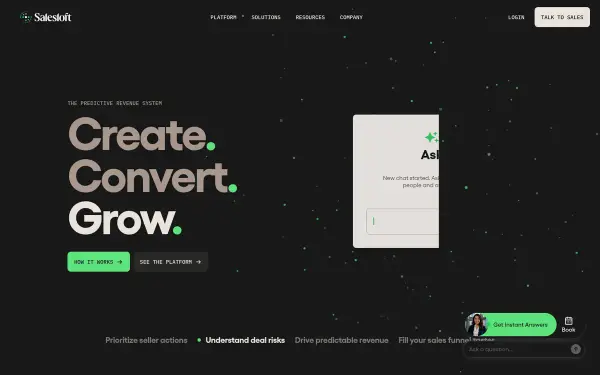
Best fit for large sales organizations replacing Outreach, provided they can absorb a quoted per-seat enterprise cost.
Salesloft is the closest thing in this list to a like-for-like Outreach replacement. Cadences run across email, calls, LinkedIn and SMS, and the platform bundles a built-in dialer, call recording and conversation intelligence in the same product. Reps get AI next-best-action prioritization to decide who to work next, managers get coaching and rep performance tools, and both feed pipeline and activity analytics. Activity logging into Salesforce is native and detailed, including opportunity tracking.
Pricing is not published. The vendor pricing page redirects to a talk to sales booking flow with no figures, and quotes are built per seat and per feature set. A budget conversation therefore needs a headcount and a feature shortlist before it starts, and teams should confirm current rates on the vendor page before quoting a number, because none is listed. Rollouts take time and benefit from a dedicated implementation resource, so plan for a guided launch rather than a self-serve switch-on.
The honest caution is overlap. Salesloft and Outreach solve many of the same problems in similar ways, so a migration needs planning around cadence rebuilds, reporting definitions and rep retraining. Teams that only need cold email will find the suite heavier and costlier than the job demands. Teams that want a dialer, coaching and analytics in one governed system will find the coverage broad and the Salesforce plumbing deep, which is why it is the default shortlist entry for large sales organizations replacing Outreach. Enterprise-level cost quoted per seat is the main brake, especially for smaller teams.
You are replacing Outreach in a large sales organization and need cadences, dialer, coaching and Salesforce depth from one vendor.
You only send cold email, have a small seat count, or need a price you can see before a sales call.
Entry II of IX / Database plus sequences
Our verdict
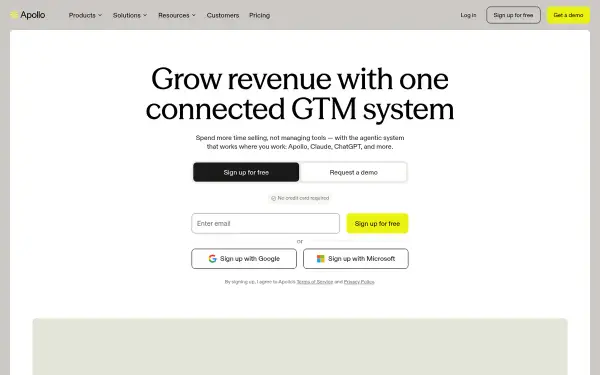
Best when you want a prospect database and sequences on one bill, with a usable free tier to start.
Apollo combines a B2B contact and company database with sequences and a built-in dialer, which is the pitch that pulls most teams in: one subscription for finding prospects and emailing them. Email verification is included, buying signals such as job changes and funding news flag which accounts deserve attention first, and reporting covers sequence and rep activity. Salesforce and HubSpot integrations keep records in sync, and the built-in dialer lets reps call from the same workflow.
The entry point is unusual for this category because there is a real no-cost tier. The free plan includes 900 credits and 2 sequences, and the first paid seat price listed is Basic at $49 per seat per month billed annually. A 14-day free trial runs on top of that. Credit allowances and paid tier features change periodically, so check the pricing page before budgeting rather than assuming this month's numbers hold next quarter.
Data quality is the trade. Contact accuracy varies by segment and region, and verifying key contacts before a large campaign is advisable rather than optional. Advanced filters, larger credit volumes and deeper integrations sit behind paid plans, so the free tier works best as a test of the workflow rather than a production system. Teams that want prospecting data and sending on one bill, with signals to prioritize the week, will like it. Teams that need conversation intelligence, manager coaching and dialer depth should look at Salesloft instead. It is a quick route from zero to a first sequence, because both the free tier and the trial start online.
You need to find and email prospects from one subscription and want to start on the free tier before paying.
You need verified enterprise-grade contact data, call coaching, or deep conversation analysis.
Entry III of IX / Multichannel at low cost
Our verdict
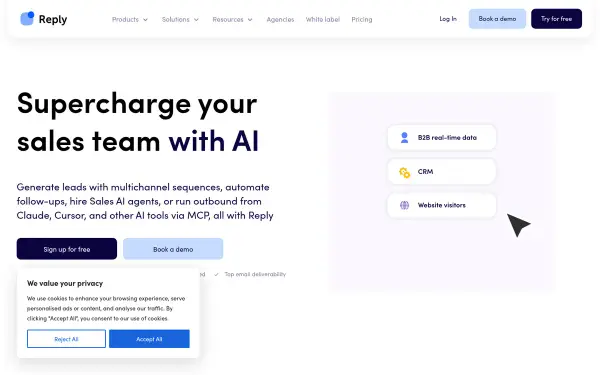
A pragmatic multichannel pick for small teams at $29 per user per month billed annually, with reporting that shows which step earns the reply.
Reply.io runs sequences across email, LinkedIn, calls, SMS and WhatsApp from one workflow, which is the feature most small teams come for: a single queue of tasks per prospect rather than several separate tools. An AI assistant drafts openers and follow-ups, step-level reporting shows opens, replies and meetings per step, and a unified inbox collects replies so reps are not hunting across accounts. CRM connectors cover Salesforce, HubSpot and Pipedrive, and Zapier covers the rest.
The listed entry price is $29 per user per month on the Email Volume plan, billed annually, after a Black Friday discount of 40% from a $49 list rate. That is a published entry point here, though cost varies by which features and channels you switch on, so map required channels to plan tiers before buying. A 14-day free trial is available and there is no free plan.
Setup is faster than enterprise-grade platforms and the reporting is clear about which step earns a reply. The ceiling is real: coaching capability is shallower than the larger suites, and the integration ecosystem is smaller than the market leaders. Channel availability differs between plans, which is the detail that catches buyers out after the trial ends. It fits small and mid-size teams who send multichannel sequences and want step performance without a long rollout. It does not fit organizations that need manager coaching workflows, call scoring and a governed enterprise launch, where Salesloft remains the natural shortlist entry.
You run email, LinkedIn and calls together and want step-level reporting without enterprise setup time.
You need conversation intelligence, manager call scoring, or a large integration catalog.
Entry IV of IX / Personalization assets
Our verdict
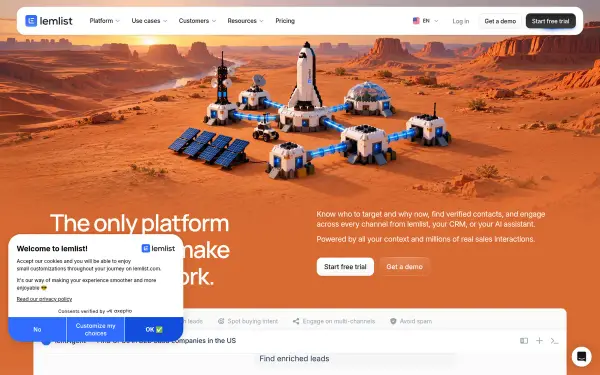
The pick when personalized cold email is the whole strategy and deliverability tooling matters more than dialer depth.
Lemlist leans on personalization assets that are hard to ignore in an inbox: dynamic images, short videos and a custom landing page per prospect, all generated from sequence variables. Sequences support multiple steps and A/B testing, email warmup builds sender reputation, custom tracking domains separate sending reputation from the main domain, and inbox placement checks test where mail actually lands. Open, click and reply dashboards track the campaign, and LinkedIn steps and calling appear on higher tiers rather than the entry plan.
Pricing starts with the Email plan at $55 per month billed yearly, which reflects a 20% saving, or $69 per month on monthly billing. That tier includes unlimited users, so cost scales with volume and features rather than headcount. A 14-day free trial is offered and there is no free plan. Personalization features are the core differentiator, while calls and LinkedIn sit on more expensive plans, so check which tier your channel mix requires.
The tool is email-first and the calling and dialer depth is thinner than the larger suites, which matters if a large share of your touches are phone calls. Cost rises as seats, sending volume and features are added, and multichannel use is limited on entry tiers. Quick campaign setup and deliverability tooling make it a good fit for small teams and agencies whose main channel is personalized cold email, and for anyone whose reply rates depend on standing out visually. Teams that want one system for cadences, calls, coaching and forecasting should look elsewhere, because that is not the job this product is built for.
Personalized cold email is your main channel and you want warmup and placement checks built in.
Most of your touches are calls, or you need multichannel sequences on the cheapest plan.
Entry V of IX / Volume cold email
Our verdict
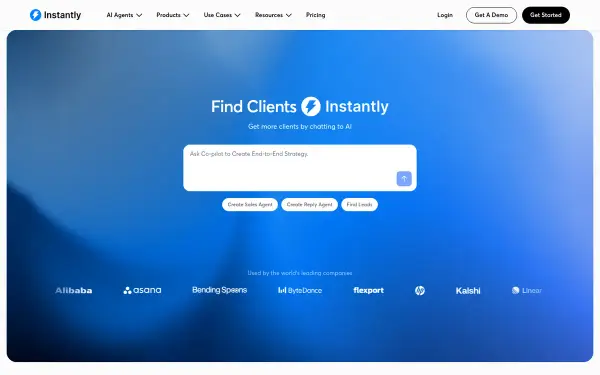
Built for agencies sending high volume cold email across many domains, not for teams that need calls and coaching.
Instantly is built for volume cold email rather than full sales engagement. Higher plans allow unlimited email accounts and inboxes, automated sender warmup runs continuously, inbox placement testing checks where messages land, and deliverability monitoring tracks reputation across the domains you send from. Sequences support A/B testing and clean campaign reporting, and multi-client dashboards let an agency see many domains in one place.
The cheapest published tier is Growth at $47 per month on monthly billing, which covers 5,000 emails monthly. Pricing follows sending volume on several plans, which suits agencies managing many domains and clients. A free trial is available and there is no free plan. Mailbox limits and volume tiers differ per plan, so reconfirm what a given price includes before committing to a year of sending.
What it does not have is a dialer or coaching layer, and analytics are less deep than the full engagement suites. It is the wrong fit for a team that needs LinkedIn steps and calls in the same workflow as email. Sending reputation is the whole product here, which is why warmup and placement testing come as defaults rather than add-ons: if deliverability breaks, nothing else in the tool matters. It fits agencies and lead generation teams that send high volumes of cold email across client domains, and small teams that have outgrown a shared inbox. It does not fit teams selling on the phone or managers who need rep coaching and call review.
You send high volumes of cold email across several domains and clients and need warmup plus placement testing.
Your reps call prospects, need LinkedIn steps, or need manager coaching and call review.
Entry VI of IX / Native CRM connectors
Our verdict
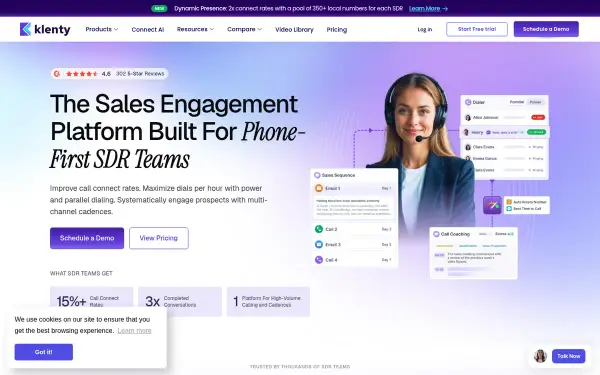
Cadences, a dialer and native CRM connectors for five to fifty reps, without enterprise pricing or enterprise complexity.
Klenty runs cadences across email, calls, LinkedIn and SMS, with task reminders that keep reps moving through a queue rather than deciding what to do next. A built-in dialer means calls happen inside the sequence, reply rate and meeting reporting break down by user and cadence, and automatic activity logging keeps CRM records current. Native connectors cover Salesforce, HubSpot, Pipedrive and Zoho, which is a broad native CRM list in this comparison.
The Starter plan is listed at $40 per month billed annually after a Black Friday discount of 20% from a $50 list price, which puts it in the accessible tier rather than the enterprise tier. A 14-day free trial is offered and there is no free plan. CRM sync is the main draw, so confirm which native connectors your chosen plan includes before signing.
Positioned at teams of roughly five to fifty reps, it sets up quickly and scales less smoothly above a few hundred reps. AI coaching and deep analytics are limited compared with Salesloft, and the integration ecosystem is smaller overall. Cadence building is deliberately plain: add steps, set delays, pick a channel, assign a template. That simplicity is the point for a team that has never run sequences before, and it is also the ceiling for a team that wants branching logic and conversation intelligence. Reporting covers what a sales manager checks weekly, replies and meetings by rep and by cadence, rather than the diagnostics an operations team builds dashboards from. It fits small and mid-size teams moving off spreadsheets, especially those already on one of the four native CRMs.
You run cadences and calls from a CRM like Salesforce, HubSpot, Pipedrive or Zoho and want native sync without enterprise pricing.
You need conversation intelligence, deep custom analytics, or a platform for several hundred reps.
Entry VII of IX / Inbox-native sequences
Our verdict
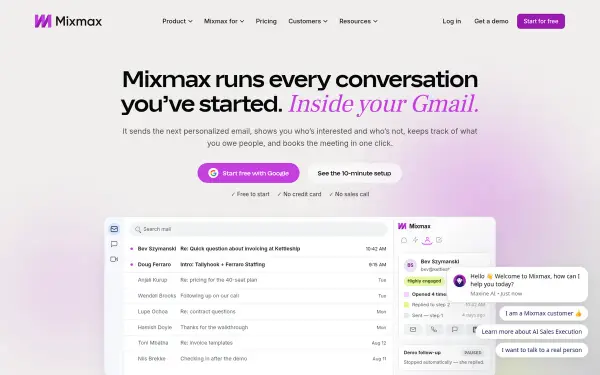
The practical choice for Google Workspace shops that want sequences, tracking and scheduling without leaving the inbox.
Mixmax lives inside Gmail. Sequences, templates and tracking sit in the compose window, calendar scheduling removes the back and forth of booking a call, and polls and surveys let a prospect answer inside the email thread. Behavior-triggered rules follow up when a prospect opens, clicks or replies, Salesforce logging records emails, opens and meetings, and automation appears on paid tiers.
The entry paid plan is $29 per user per month billed yearly and covers 100 recipients per user per month. The free tier covers 50 recipients a month with basic tracking and templates. Pricing stays low per seat, though recipient caps mean heavy senders move up a tier quickly. Sequences and automation sit behind paid plans, and a 14-day free trial is available.
The limitation is structural: Mixmax works only with Gmail, so Outlook shops need a different option entirely. The feature set is narrower than a full sales engagement platform. Within that boundary it is a sensible choice for teams that treat email as the primary channel and do not want a second application to learn, since the workflow is the inbox reps already use. The behavior rules are a useful part: a follow-up that fires because someone clicked a pricing link is worth more than a generic step. It fits Google Workspace teams that want templates, tracking, scheduling and light automation without new administration. It does not fit mixed Google and Outlook organizations, teams that need calling and SMS in the same cadence, or managers who need coaching and call review.
Your team works entirely in Google Workspace and you want sequences, tracking and scheduling in Gmail.
You use Outlook, need calls and SMS in cadences, or want manager coaching and call review.
Entry VIII of IX / Simple dependable sending
Our verdict
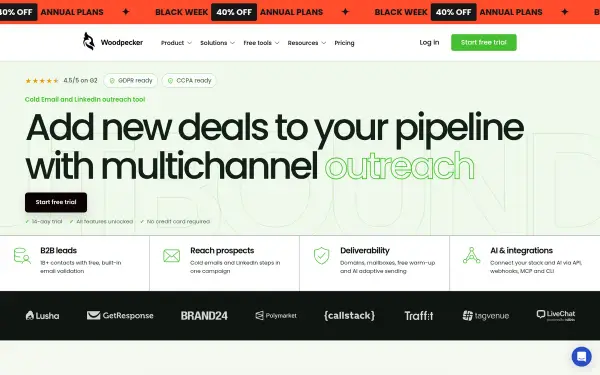
Simple, dependable cold email with warmup and inbox rotation, and no ambition to be a full engagement suite.
Woodpecker does cold email and does it without much ceremony: multistep sequences, personalization fields, A/B testing and automatic follow-ups, plus email warmup, bounce protection and inbox rotation to protect sender reputation. Client management and white-label options make it usable for agencies running campaigns on behalf of others, and the interface stays close to a list of campaigns and their results.
The cheapest listed tier is named LinkedIn at $29 per month with annual billing shown, with Email at $39 and Multichannel at $68. A Black Week promotion takes 40% off annual plans, and the tier names mean you should confirm what each one actually includes on the vendor page. A 14-day free trial is available and there is no free plan.
The honest limitation is channel breadth. The product is built around email, with no dialer, so a team that sells by phone will outgrow it quickly. The interface also feels basic next to newer tools, and the range of channels is narrower than any multichannel platform in this list. What you get in exchange is a short learning curve and sending features that work: warmup, rotation and bounce protection keep a campaign alive past week two, and they are included rather than sold separately. Sending limits per plan should be checked on the vendor page before you commit a large list. It fits small teams and agencies that want dependable, simple cold email and do not need a dialer.
You want simple, reliable cold email with warmup and inbox rotation, and you may run it for clients.
You need calls, LinkedIn and SMS steps in the same sequence, or a modern interface.
Entry IX of IX / Deliverability at volume
Our verdict
Deliverability infrastructure for agencies running volume outreach across many mailboxes, with email only and no dialer.
Smartlead is deliverability infrastructure with a sequence builder attached. Unlimited mailboxes, automated warmup, inbox placement testing and smart sending patterns are all aimed at one thing: keeping domains out of spam while volume climbs. Sequences include personalization and A/B testing, a unified inbox merges replies from every connected mailbox, and sub-accounts with centralized reporting give agencies a structure for many clients.
The Base plan is $32 per month on monthly billing with 6,000 email sends, and the published ladder continues at $78, $144 and $315 for Pro, Smart and Prime. Mailbox and volume limits differ per plan, so check the limits rather than the headline price. A free trial is available and there is no free plan.
It is email only. There is no calling, no LinkedIn step and no coaching layer, and the interface requires some learning before a first campaign goes out cleanly. For agencies this is usually the deciding feature set: sub-accounts keep client domains separate, the unified inbox stops replies being missed across dozens of mailboxes, and the sending logic spreads volume in a way a single inbox cannot match. For an in-house team with one domain and a modest monthly prospect volume, most of that machinery is unnecessary and a simpler tool will cost less. Pricing scales with sends, so forecast sending volume before choosing a tier. Teams that need multichannel sequences should look at Reply.io or Klenty instead.
You are an agency or high-volume sender and inbox placement is the main risk you are managing.
You need a dialer, LinkedIn steps, coaching, or a tool a small in-house team can learn in an afternoon.
VIBackground
Sales engagement software is the system a sales team uses to decide who to contact, in what order, and through which channel, then to record what happened. The core object is the sequence, sometimes called a cadence: an ordered list of steps with delays between them. A step can be an email, a call task, a LinkedIn touch, an SMS, or a manual task. The platform queues the work per rep, tracks opens, clicks and replies, and writes activity back to the CRM so records stay current.
Around that core sit optional layers that change both the price and the buyer. A dialer lets reps call from inside the sequence and often records the call. Conversation intelligence transcribes calls and makes them searchable. Coaching tools let a manager review calls, score them and set targets. Prospecting data adds a contact and company database so users do not need a second subscription for finding people. Deliverability tooling, which matters more each year, covers sender warmup, inbox rotation, placement testing and bounce protection.
Three jobs are commonly bundled together but not always present:
Buyers often assume all three come as standard. In practice, the tools in this list differ sharply. Instantly and Smartlead concentrate almost entirely on the second job at volume, with strong deliverability features and no calling. Apollo starts from the first job and adds the second. Salesloft covers all three for large organizations and prices accordingly.
The practical way to read the category is to decide which of those jobs is currently costing you the most. If reps waste hours searching for addresses and verifying them, a database-led tool pays for itself quickly. If they have contacts but no repeatable follow-up, a sequence tool is the fix. If managers cannot tell why one rep books more meetings than another, coaching and conversation intelligence are the missing layer. Buying all three when you need one is the most common expensive mistake here.
This comparison sits in the software register. Further along the shore: baby tracking app and kennel software.
VIIPricing
Pricing in this category follows four models, and the model matters more than the number when you compare tools. Per-seat subscriptions are common: a published monthly rate multiplied by rep count. Volume tiers price the sending instead of the people, which suits agencies. Free tiers exist but are capped, usually by credits or recipients. Custom quotes hide the number behind a sales call, and you cannot budget without a headcount and a feature list.
| Model | How it bills | Typical fit | Example from this list |
|---|---|---|---|
| Per-seat subscription | Per user per month, monthly or annual billing | Teams with a known rep count | Reply.io at $29 per user per month billed annually |
| Volume tier | Flat monthly fee tied to sends or credits | Agencies and high-volume senders | Smartlead Base at $32 per month with 6,000 email sends |
| Free tier plus paid upgrade | $0 entry with caps, paid seats above them | Small teams testing the workflow | Apollo free with 900 credits, Basic at $49 per seat per month billed annually |
| Custom quote | Per seat and feature set, quoted by sales | Large sales organizations | Salesloft, pricing on the vendor site |
Two patterns are worth noting. First, annual billing is where the discounts are: Reply.io shows 40% off during Black Friday, Klenty 20% off, and Woodpecker 40% off annual plans during Black Week, with Lemlist's yearly price 20% below its monthly rate. Check the monthly rate as well, because a monthly figure is not the budget you will sign.
Second, seat count is not always the multiplier. Lemlist's Email plan includes unlimited users at $55 per month billed yearly, so cost moves with volume and features, while per-seat tools scale directly with hiring. Run both calculations against your own headcount and monthly send volume before deciding which looks cheaper.
Ask two questions of every quote: what happens to the price when you add five seats, and what happens when you double the sends. The answers separate a predictable bill from a surprise.
Each entry card shows the starting price as it appeared on the vendor's own pricing page on November 25, 2026. When a vendor shows no figure we could confirm, or only a promotional rate, the card says "See website" or gives the regular price instead of a guess. Usage, overage and add-on rates in the text change more often than plan prices, so confirm them on the vendor page before you set a budget. To test the numbers against your own volume, try the free User Research Budget Planner. The Event Break-Even Calculator is a second way to check the same decision.
VIIIDecision
Count reps and channels first. Write down how many people will log in and which channels they use today. A team sending email only does not need a dialer, and paying for one inflates every quote you request.
Decide whether you are replacing Outreach or adding to it. A like-for-like swap points to Salesloft, with migration planning for cadence rebuilds. If you are adding capability to an existing stack, a narrower tool like Instantly, Smartlead or Mixmax is easier to justify and to undo.
Test the free tier or trial on real volume. Apollo's 900 free credits and Mixmax's 50 free recipients show what a capped plan actually supports. Run one live campaign on your own lists and domains before committing to an annual term.
Check deliverability features before you scale. Warmup, rotation and placement testing appear in Lemlist, Instantly, Woodpecker and Smartlead. If your sending domain is new, choose a tool with those features and ramp slowly rather than sending the full list at once.
Map the CRM fields you actually use. Klenty and Salesloft have strong native connectors here, while Apollo, Reply.io and Mixmax cover the main CRMs. Confirm that the fields your team reports on sync, not just that an integration exists.
Price the implementation, not only the seats. Salesloft quotes per seat with no published rate, and it rewards a guided rollout. Budget internal time for cadence building and rep training, which is often larger than the license line.
IXPitfalls
Buying a suite for one channel. If every touch is email, Salesloft's coaching, dialer and analytics are weight you carry on every seat, and a focused tool like Woodpecker or Smartlead costs less for the same job.
Treating free credits as a production plan. Apollo's 900 credits and 2 sequences on the free tier are for testing a workflow. Running a real campaign on caps means silent failures when credits run out mid-sequence.
Sending before warmup finishes. New domains and mailboxes need sender warmup and placement checks. Skipping that step early on is how teams conclude a tool does not work when the domain is the problem.
Assuming monthly and annual prices match. Reply.io, Klenty, Woodpecker and Lemlist all price annual billing lower, with promotions on top. A monthly figure is not the budget you will sign.
Choosing on list price when the vendor quotes. Salesloft publishes no figures at all. Comparing a quoted enterprise deal with a $29 published rate is not a comparison, so get a per-seat quote for your real headcount first.
XQuestions
Salesloft is the closest match in this list. It covers the same ground: multistep cadences across email, calls, LinkedIn and SMS, a built-in dialer, conversation intelligence and call recording, coaching and rep performance tools, and pipeline analytics, with detailed native Salesforce logging. Expect a quoted per-seat price rather than a published one, and plan a guided rollout with migration work for cadence rebuilds.
Salesloft is strong on both, with conversation intelligence, coaching tools and native Salesforce opportunity tracking. Klenty has a broad set of native CRM connectors here, covering Salesforce, HubSpot, Pipedrive and Zoho, but limited AI coaching. Apollo, Reply.io and Mixmax log activity into the main CRMs and stop short of call review. Instantly, Smartlead and Woodpecker have no coaching layer at all.
Only Apollo and Mixmax have a free tier. Apollo includes 900 credits and 2 sequences, and Mixmax includes 50 recipients a month with basic tracking and templates. Everyone else offers a free trial instead: 14 days for Apollo, Reply.io, Lemlist, Klenty, Mixmax and Woodpecker, and a free trial with no stated length for Instantly and Smartlead. Salesloft lists neither a free plan nor a trial.
There is no universal daily number, and the plan details here publish monthly volumes rather than a per-inbox ceiling. Instantly Growth at $47 per month covers 5,000 emails, and Smartlead Base at $32 covers 6,000 sends. Safe daily volume depends on domain age, warmup history and bounce rates, so ramp gradually, watch inbox placement tests, and treat vendor limits as ceilings rather than targets.
Pay for them when a meaningful share of touches happen on the phone or on LinkedIn, or when reply rates depend on following an email with a call. Salesloft, Reply.io and Klenty include a dialer, and Lemlist adds calling on higher tiers. If every touch is email, a dialer adds cost and no pipeline, so a focused sending tool is the better buy.
Warmup sends and receives small volumes of mail to build a positive sending history for a new mailbox or domain, so providers see consistent, low-complaint behavior before a real campaign starts. Lemlist, Instantly, Woodpecker and Smartlead include automated warmup, and several pair it with inbox placement testing and bounce protection. Warmup does not fix a poor list; it gives a good list a fair chance at the inbox.
XIFurther along the shore
Vendors can ask for a correction or apply for a Featured listing. Paid or not, the entry is scored on the same rubric and its limits stay in print. Partner with Umberlake.
Free tools
Our free browser tools turn the prices on this page into a figure for your own volume. Nothing you type leaves your device.