
Omnissa Workspace ONE
See website
Best for broad UEM with deep cross platform integrations
- Free plan
- No
- Rubric
- 7.9 of 10
Eight unified endpoint management tools compared on platform coverage, pricing model, security depth and fit for mixed fleets, with prices checked on November 25, 2026.

IThe short answer
A strong ivanti alternative for most buyers is Omnissa Workspace ONE, which covers Windows, Mac, iOS and Android from a single console and suits broad, integration heavy estates. Microsoft Intune is the pragmatic pick if your identity and productivity already sit in Microsoft 365. ManageEngine Endpoint Central fits teams that want patching, inventory, security and MDM in one place, with a free edition up to 25 endpoints. All prices below were checked on November 25, 2026; several vendors list pricing only on their own site: Ivanti Alternatives.
8 tools compared from vendor pages on November 25, 2026. 4 publish a starting price we could read; the rest say "See website".
IITop three berths
Register order is editorial fit for the buyer each entry describes. Prices are the starting figures read on November 25, 2026.
See website
Best for broad UEM with deep cross platform integrations

See website
Best for organizations already standardized on Microsoft 365
$1.09Professional, per endpoint per month, volume tiers by endpoint count
Best for iT teams wanting one console for mixed fleets
How this page is paid for. All 8 tools here are unpaid editorial picks.
A paid listing's position can be part of what the vendor pays for. Every entry, paid or not, is scored on the same rubric and keeps its limits in print. Advertising disclosure.
IIIThe register
Starting prices as shown on each vendor's pricing page on November 25, 2026. "See website" means no figure we could confirm.
| No. | Tool | From | Free plan | Trial | Rubric | Actions |
|---|---|---|---|---|---|---|
| 01 | Omnissa Workspace ONEBroad UEM with deep cross platform integrations | See websiteNot shown publicly | No | No | 7.9 | |
| 02 | Microsoft IntuneOrganizations already standardized on Microsoft 365 | See websiteNot shown publicly | No | Free trial | 7.7 | |
| 03 | ManageEngine Endpoint CentralIT teams wanting one console for mixed fleets | $1.09Professional, per endpoint per month, volume tiers by endpoint countUpdated on vendor page | Yes | 30 day free trial | 7.9 | |
| 04 |  Hexnode UEMBudget conscious teams managing many devices | $2.2Pro, per device per month, 15 device minimumUpdated on vendor page | No | 14 day free trial | 7.3 | |
| 05 |  ScalefusionManagement plus zero trust security in one agent | $2Essential, per device per month, billed annually, 10 device minimumRead on vendor page | No | Free trial | 7.3 | |
| 06 |  IBM MaaS360Regulated teams wanting IBM backed mobile management | $5.31Essentials, per client device per monthUpdated on vendor page | No | Free trial | 6.6 | |
| 07 |  MiradoreSmall teams and freelancers needing simple management | See websiteNot shown publicly | Yes | 14 day free trial | 5.6 | |
| 08 |  Citrix Endpoint ManagementCitrix shops adding endpoint control to app delivery | See websiteNot shown publicly | No | Free trial | 6.1 |
Pinned:
IVMethod
How many operating systems and device categories a tool manages from one console, including non standard hardware.
Whether entry prices, tiers and billing terms are published, and how predictable cost stays as a fleet grows.
Conditional access, policy enforcement, threat detection and compliance reporting available without add-ons.
Setup effort, console clarity and day to day administration load for a small IT team.
Integration with identity, productivity and virtualization stacks a buyer may already run.
VMethod
Every tool here was scored against the same five criteria: platform coverage, pricing clarity, security depth, ease of use and ecosystem fit. Weights are published in the scoring table so you can see where each entry gains or loses ground, and scores reflect the buyer each entry describes rather than a single overall winner.
Prices and plan facts come from vendor pricing pages checked on November 25, 2026. Where a page could not be read, returned an error or displayed only a bundled product, we say so next to the entry and keep the recorded figure rather than estimating. That is why some entries show "See website" and a price note instead of a number. Only plan names, billing terms, seat minimums and free tier limits quoted by the vendor appear in this list.
The Featured placement in this list is paid. It is scored with the same rubric and carries the same kind of cons as every other entry, and placement does not change a score. Order is editorial: it reflects fit for the buyer each entry names, plus the disclosed Featured position.
Two practical filter questions cut the field quickly. First, does the tool manage the operating systems you actually run, including Linux or non standard devices? Second, does it bill per user or per device, and does that model reward your shape of fleet? A small shop with mixed Mac and Windows hardware and a large enterprise with mostly mobile devices will get different answers from the same price list.
We also weighed what each entry admits it does badly. macOS management depth, tier gating of security features, setup time and support scope are stated plainly, because those gaps usually decide renewals more than feature counts do.
The full routine, from price reads to corrections, is on the methodology page. Paid listings follow the advertising disclosure.
Entry I of VIII / Cross platform breadth
Our verdict
A broad cross platform option here, with real integration depth and an edition ladder that climbs in both capability and cost.
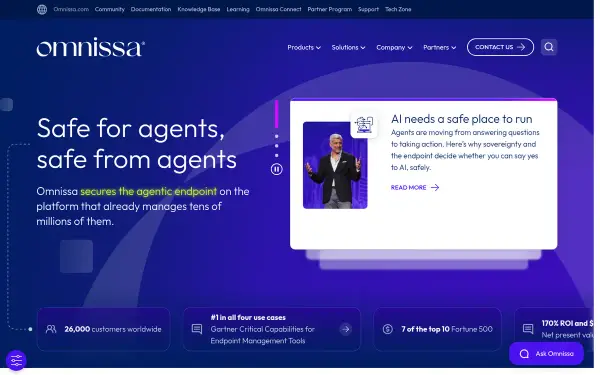
Omnissa Workspace ONE is the product formerly sold as VMware End User Computing, and that inheritance shows in the engineering: one console handles Windows, Mac, iOS and Android, with application deployment and lifecycle management sitting alongside security policy enforcement. Conditional access policies are tied to device state, which means the access decision and the device record are not managed in separate tools for the common cases.
The edition structure is unusually wide for this category. The edition ladder and pricing are on the vendor site, and a dedicated VDI option exists for desktop virtualization estates. That ladder is useful if you start with a mobile fleet and grow into full endpoint management, but cost rises sharply between editions, and the capabilities most teams want for cross platform security tend to live in the upper editions.
Complexity scales with the fleet. A small fleet is manageable; a very large fleet across four operating systems means policy design, testing and ownership of the console as a real project. Buyers moving from a lighter MDM tool should plan for that. Integration breadth is the payoff: identity, security and productivity tooling all have documented paths in, which is why it lands in estates that dislike bespoke glue code.
Pricing is not published in a form we could verify. The vendor pricing page could not be fetched on November 25, 2026, so confirm pricing directly on the vendor site. A free trial is not consistently offered on vendor listings, so ask the account team rather than assuming one.
You need one console across Windows, Mac, iOS and Android and can staff the rollout.
You run a small fleet and want published, predictable entry pricing.
Entry II of VIII / Windows Autopilot
Our verdict
The default answer inside Microsoft 365 estates, strong on Windows provisioning and weaker once you leave the ecosystem.
Microsoft Intune covers Windows, macOS, iOS and Android, but its real advantage is proximity: conditional access through Entra identity, app protection policies for mobile apps, device encryption management and Teams and OneDrive administration all sit inside the same tenant your users already occupy. Windows Autopilot is the standout operational feature, turning new hardware into a zero touch provisioning exercise rather than a technician's afternoon.
The limits show up at the edges. macOS management is less granular than Windows, so Mac heavy shops often end up bolting on a specialist tool or accepting thinner policy control. The cloud service also offers fewer customization options than self hosted tools, which matters to teams with unusual compliance requirements or legacy line of business apps that assume deep agent access.
Pricing is the part buyers misread most often. Pricing is on the vendor site, and it is frequently cheaper when bundled with Microsoft 365 licensing, which makes the marginal cost close to zero for organizations already paying for Microsoft cloud services. Outside that position the economics invert: per user billing is higher than several per device rivals on this list when headcount outruns device count, and the standalone Plan 1 price is not displayed on the page we checked, which showed only a bundled Microsoft 365 E5 listing.
It fits organizations standardized on Microsoft identity and productivity who want fewer vendors, and a free trial is available. It fits poorly if you run significant Mac or Linux estates, or if you want the customization latitude of a self hosted console.
Your identity, email and productivity already run through Microsoft 365.
Mac depth or self hosted customization is a hard requirement.
Entry III of VIII / One console breadth
Our verdict
A broad single console value on this list, with published tiers, Linux coverage and a free edition, at the cost of interface sprawl.
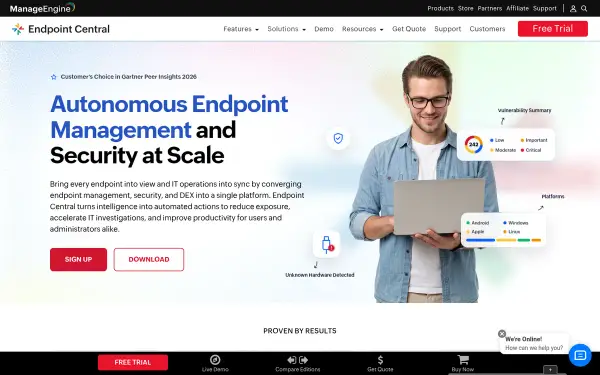
ManageEngine Endpoint Central packs patching, asset inventory, mobile device management, threat detection, ransomware controls, data loss prevention and OS imaging into one console. The scope is the point: automated patching covers Windows, Mac, Linux and third party applications, and threat detection is mapped to more than 130 CIS benchmarks, which gives security reviewers something concrete to check against.
Linux support is a differentiator. Most entries here treat Linux as an afterthought or exclude it, and buyers running mixed Windows, Mac and Linux fleets usually discover that gap during evaluation. The same applies to imaging and deployment, which lets a small team rebuild machines without a second product. The trade is breadth for clarity: the interface can overwhelm a small IT department, and the higher tiers climb steeply.
Pricing is published, which is refreshing. The vendor publishes tier pricing, with the starting figure quoted as $1.09 per endpoint per month on the Professional tier, billed on volume bands by endpoint count. The entry rate can differ by volume band, so confirm the band that matches your estate. A free edition covers up to 25 endpoints and a 30 day free trial is offered.
It fits IT teams that want one console for a mixed fleet and can invest time in learning the interface. It fits poorly if you want a narrow tool that does one thing cleanly.
You run mixed Windows, Mac and Linux hardware and want patching and security in one console.
A small team needs a narrow tool with minimal configuration.
Entry IV of VIII / Low device cost
Our verdict
A low entry price across four operating systems, best where device count is high and budget per device is tight.
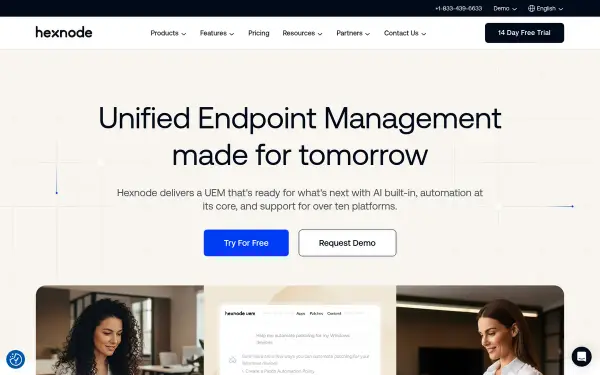
Hexnode UEM manages Windows, Mac, iOS and Android devices with application management and distribution, kiosk mode configuration, security policy enforcement and remote actions on enrolled devices. It also supports device categories beyond standard endpoints, which matters in retail, logistics and education where the fleet includes kiosks, rugged handhelds or signage rather than laptops.
The case for Hexnode is arithmetic. Entry pricing is $2.2 per device per month on the Pro tier, and that keeps large device estates affordable in a way per user pricing cannot match when devices outnumber people. Kiosk configuration being native rather than an add-on helps education and frontline deployments, where shared devices need locking down without a separate product.
The trade is position in the market and feature gating. Hexnode is a smaller vendor than Microsoft or Omnissa, advanced capabilities sit behind higher tiers, and support depth varies by plan, so the plan you buy determines how much help you get. Teams with complex conditional access requirements or heavy integration needs should check the tier that includes them before comparing headline prices.
There is no free plan and a 14 day trial is offered, which is enough to test enrollment, kiosk profiles and remote actions on real hardware. It fits budget conscious teams managing many devices, especially in education and small business, and fits poorly where you need the deepest security stack or the widest integration catalogue.
You manage many devices on a tight per device budget.
You need the deepest security tooling or a large integration catalogue.
Entry V of VIII / One agent model
Our verdict
Management and zero trust access in one agent at a low entry price, with fewer integrations than the leaders.
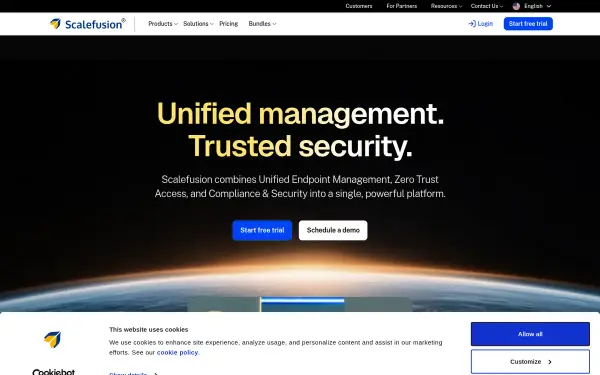
Scalefusion bundles endpoint management and zero trust access into a single agent, with security protocol enforcement and policy configuration across device platforms plus application management on managed devices. The pitch is consolidation: instead of pairing an MDM tool with a separate access product, one agent reports device state and enforces access rules from a unified console.
On price it is a low cost entry. Essential starts at $2 per device per month, billed annually with a 10 device minimum, which suits a small business standardizing on a per device model without a large upfront commitment. The 10 device floor rules out very small pilots, but it is low enough that a small shop can adopt the paid tier rather than sit on a free plan.
The limits are market position and depth. Scalefusion has a smaller presence than the category leaders, advanced security features require higher plans, and third party integrations are fewer than Omnissa or Microsoft offer. Teams with a complicated identity stack should confirm the integrations they depend on before committing, because that is where a smaller vendor most often falls short of a documented requirement.
A free trial is available and there is no free plan. It fits organizations that want management and access control from one agent at a low per device rate, and fits poorly where the security roadmap depends on deep integration with several existing tools.
You want management plus zero trust access from one agent at low cost.
Your security stack depends on many documented integrations.
Entry VI of VIII / Compliance reporting
Our verdict
IBM backed mobile management with compliance reporting that suits regulated buyers, priced above the budget per device options.
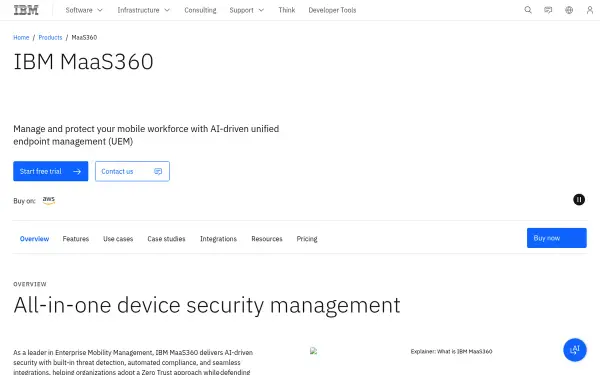
IBM MaaS360 covers device enrollment and onboarding workflows, mobile application management, security policy enforcement, compliance reporting and mobile plus endpoint management from one platform. Its history is in mobile device management, and that heritage is visible in enrollment flows that handle large, heterogeneous mobile populations rather than treating phones as an afterthought to laptops.
The main draw for regulated buyers is compliance reporting backed by IBM infrastructure and support scale. When an auditor asks how device state is evidenced, a vendor with an established reporting layer and enterprise support contracts is easier to defend than a smaller provider. It scales from small teams to enterprise estates, so the same platform can serve a pilot and a global rollout.
The cost reflects that positioning. Essentials is $5.31 per client device per month, above Hexnode at $2.2 and Scalefusion at $2. The interface feels heavy and enterprise oriented, and setup takes longer than lighter tools, both of which slow a small team down. Buyers should budget implementation time as well as license cost.
A free trial is available and there is no free plan. It fits regulated teams that value IBM support and compliance reporting over price per device, and fits poorly for cost sensitive fleets or teams wanting quick, minimal setup.
Compliance reporting and vendor scale outweigh per device cost.
You are price sensitive or need a fast, light setup.
Entry VII of VIII / Free tier simplicity
Our verdict
Simple device management for small teams and freelancers, with a free tier that covers basic needs and a narrow feature set.
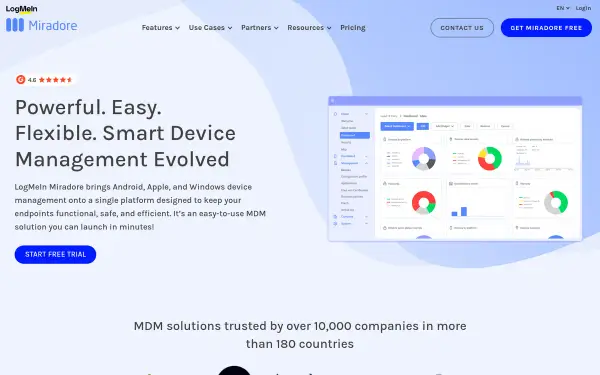
Miradore handles device configuration across iOS, Android and Windows, mobility policy management, access control for enrolled devices, application management and enrollment with inventory tracking. The scope is deliberately modest: this is a tool for getting basic management in place quickly rather than a platform for complex, multi operating system estates with unusual compliance demands.
Setup and day to day use are the strengths. Small teams and freelancers can enroll devices and apply policies without a project plan, and the free tier covers basic device management for very small setups. That free plan is unusually generous for this category and makes Miradore a reasonable first stop before paying for anything.
Pricing beyond the free tier is where verification stops. Paid per device plans are listed on the vendor site, but the pricing URL returned an error page with no prices on November 25, 2026, so confirm the current rate on the vendor site before relying on a figure. A 14 day free trial sits alongside the free plan.
The gaps are explicit. Advanced security capabilities are fewer than Endpoint Central or Scalefusion offer, the overall feature set is narrower, and the support offering is lighter. Windows coverage exists but the product's center of gravity is mobile. It fits small teams and freelancers needing simple management, and fits poorly for anyone planning a multi thousand device rollout with security benchmarking requirements.
You are a small team or freelancer who wants basic management with a free starting tier.
You need security benchmarking or deep Windows and Mac policy control.
Entry VIII of VIII / Citrix stack fit
Our verdict
A natural extension for Citrix shops that already deliver apps virtually, less compelling as a standalone endpoint tool.
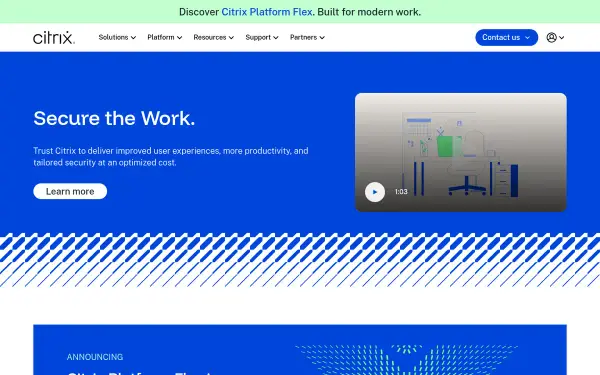
Citrix Endpoint Management puts device management alongside Citrix virtual apps and desktops, with application delivery to managed devices, security policy management on endpoints and productivity tooling for remote and hybrid teams. Access to corporate resources works from managed devices anywhere, which is the core promise the product was built around.
A strong fit is an organization already running Citrix for application delivery. Adding endpoint control to an existing Citrix estate avoids a second vendor relationship and keeps delivery and device policy in a stack the team already operates. Productivity oriented features support hybrid working without a separate purchase in some configurations.
The weaknesses are structural. Per user pricing scales with headcount rather than device count, which penalizes organizations with more people than devices or with shift patterns where many staff share hardware. Advanced features require higher tiers, so the headline entry price is not the number a security conscious buyer ends up paying. Market visibility is lower than Intune or Workspace ONE, which means fewer peers to learn from and a thinner pool of experienced administrators to hire.
Pricing is on the vendor site, but no official pricing page was available to check a rate on November 25, 2026. A free trial is offered and there is no free plan. It fits Citrix shops adding endpoint control to app delivery and fits poorly as a first UEM purchase for a non Citrix estate.
You already run Citrix for application delivery and want device control in the same stack.
You have no Citrix estate or bill more devices than users.
VIBackground
Unified endpoint management, usually shortened to UEM, is the practice of managing every device an organization issues or permits from one console. That means servers, laptops, phones, tablets and increasingly kiosks, rugged handhelds and other connected hardware. The word unified is doing real work: before UEM, mobile device management handled phones, client management handled PCs, and patching, inventory and security lived in separate products with separate agents and separate reports.
What a UEM platform typically does:
The scope varies enormously between the tools on this list. Miradore covers basic configuration and application management for small estates. ManageEngine Endpoint Central adds Linux patching, CIS benchmark checks and OS imaging. Omnissa Workspace ONE and Microsoft Intune go further into identity integration and conditional access. Buyers often assume every UEM product does everything; in practice, patching depth, Linux support, kiosk management and compliance reporting are the features that separate one entry from another.
The reason the category consolidated is operational. Running separate agents across multiple operating systems means multiple sets of exceptions when something breaks, and multiple places to look when an auditor asks whether a device was compliant on a given date. A single console is not just tidier, it produces one record.
The reason it has not fully consolidated is that platform depth is uneven. macOS management in particular is weaker than Windows in several products here, Linux support is rare, and non standard devices often need add-ons. That is why buyers with Mac heavy or mixed fleets still evaluate specialist tools rather than defaulting to the suite they already own.
This comparison sits in the software register. Further along the shore: baby tracking app and kennel software.
VIIPricing
UEM pricing comes in two shapes, and the shape matters more than the number attached to it. Per user pricing charges for each person who needs management, regardless of how many devices they hold. Per device pricing charges for each enrolled device, regardless of who carries it. A sales team where each person holds a laptop and a phone is a different number of users than devices, so the same headline rate produces very different bills depending on the model.
The mismatch cuts both ways. Organizations with shift workers sharing hardware, or with kiosks, signage and lab machines, tend to do better on per device pricing because headcount is a poor proxy for the estate. Organizations where every employee holds multiple devices often prefer per user, because a single license covers the whole person, and per device pricing punishes the phone plus tablet plus laptop pattern.
Watch the qualifiers attached to entry prices. Minimums, annual billing requirements and volume bands mean the advertised entry rate is rarely the rate a mid sized buyer pays, and the tier that includes the security features you need is often several steps up from the entry tier. Free plans and trials are useful for testing enrollment and policy flows, but they rarely expose the compliance reporting a regulated buyer needs.
| Model | How it bills | Typical fit | Example from this list |
|---|---|---|---|
| Per user | Each person covered, regardless of device count | Staff with multiple devices each | Omnissa Workspace ONE, pricing on the vendor site |
| Per device, annual | Each enrolled device, billed yearly, often with a minimum | Large estates, shared hardware, education | Scalefusion Essential at $2 per device per month, 10 device minimum |
| Per device, monthly | Each enrolled device on a monthly rate | Teams testing scale before committing | Hexnode Pro at $2.2 per device per month, 15 device minimum |
| Per endpoint, tiered | Bands by endpoint count, feature tiers above | Mixed fleets needing patching and security | ManageEngine Endpoint Central from $1.09 per endpoint per month on the Professional tier |
| Bundled | Inside a larger suite subscription | Organizations already paying for the suite | Microsoft Intune, pricing on the vendor site, often cheaper with Microsoft 365 |
Model choice is a negotiation lever, not a fixed law. Vendors with tiered endpoint pricing will often discuss bands once your count is firm, so bring the real device count and the real headcount to the call.
Each entry card shows the starting price as it appeared on the vendor's own pricing page on November 25, 2026. When a vendor shows no figure we could confirm, or only a promotional rate, the card says "See website" or gives the regular price instead of a guess. Usage, overage and add-on rates in the text change more often than plan prices, so confirm them on the vendor page before you set a budget. To test the numbers against your own volume, try the free User Research Budget Planner. The Event Break-Even Calculator is a second way to check the same decision.
VIIIDecision
Count both users and devices. Write down headcount and enrolled device count, plus how many devices are shared or non standard. The ratio between the two numbers decides whether per user or per device pricing works in your favor, before any feature comparison begins.
List the operating systems you must cover. Include Linux, kiosks, rugged handhelds and anything unusual. ManageEngine Endpoint Central covers Linux; several entries here do not. A tool that cannot enroll a device category is not a shortlist candidate regardless of price.
Check the tier that includes your security needs. Conditional access, threat detection and compliance reporting often sit above entry tiers. Price the tier you need, not the advertised entry rate, and confirm the billing term and any seat minimum that applies.
Test enrollment and policy on real hardware. Use the free trial or free tier to enroll at least one device of each type, push a policy and run a remote action. Trials expose setup friction that demos hide, especially on macOS where depth varies most.
Confirm what already exists in your stack. If identity and productivity run on Microsoft 365, Intune's economics are hard to beat. If Citrix delivers your apps, Citrix Endpoint Management avoids a second vendor. Ecosystem fit is worth real money.
Verify pricing directly and date it. Fetch the vendor pricing page yourself, note the date and keep a copy. Where this list says "See website", the page could not be read on November 25, 2026, so the number you need has to come from the vendor.
IXPitfalls
Comparing headline entry prices only. Entry tiers rarely include conditional access, threat detection or compliance reporting, so the number that matters is the tier you actually need, not the advertised starting rate.
Ignoring the per user versus per device mismatch. A per device price that looks cheap becomes expensive when every employee holds multiple devices, and a per user price punishes shift based fleets with shared hardware. Model your real estate before shortlisting.
Assuming macOS gets the same depth as Windows. Several products here manage Macs less granularly than Windows, and buyers discover it during rollout. Test Mac policy control in the trial rather than trusting a feature list.
Skipping the device categories that are not laptops. Kiosks, signage, lab machines and rugged handhelds are where coverage gaps appear. If any of those exist in your estate, confirm support and pricing for them explicitly.
Treating a free tier as a permanent answer. Free plans cover simple setups but not security benchmarking, compliance evidence or support response times. Plan the upgrade path and its cost before the free tier becomes load bearing.
XQuestions
It covers enrollment, configuration, application management, security enforcement, inventory and lifecycle reporting for every device type an organization issues or permits, from one console. In practice the depth varies: some tools on this list handle patching and compliance benchmarking, others focus on mobile devices with lighter Windows and Mac policy control.
ManageEngine Endpoint Central is a strong fit because it patches Windows, Mac and Linux and third party applications from one console, with a free edition up to 25 endpoints. Omnissa Workspace ONE covers Windows, Mac, iOS and Android with deep integrations but does not list Linux among its primary platforms, so confirm Linux support before assuming it.
Scalefusion Essential is $2 per device per month, billed annually with a 10 device minimum. Hexnode Pro is $2.2 per device per month with a 15 device minimum. Miradore pricing is on the vendor site, though its pricing page returned an error on November 25, 2026, so confirm directly with the vendor.
Per user pricing charges for each person regardless of device count, so a laptop plus phone plus tablet costs one license. Per device pricing charges for each enrolled device, which favors shared hardware, kiosks and shift based fleets. The same headline rate produces very different bills depending on your ratio of people to devices.
ManageEngine Endpoint Central explicitly covers Linux patching alongside Windows and Mac. Hexnode UEM states support for device categories beyond standard endpoints, which helps with kiosks and specialist hardware. For Raspberry Pi specifically, no entry here lists it by name, so ask the vendor to confirm agent support before you buy.
macOS management is less granular than Windows, particularly around policy depth and provisioning, where Windows Autopilot has no direct Mac equivalent. Conditional access and app protection still work, but Mac heavy shops often add a specialist tool or accept thinner control. Intune's value also drops outside the Microsoft ecosystem.
XIFurther along the shore
Vendors can ask for a correction or apply for a Featured listing. Paid or not, the entry is scored on the same rubric and its limits stay in print. Partner with Umberlake.
Free tools
Our free browser tools turn the prices on this page into a figure for your own volume. Nothing you type leaves your device.