
Cin7 Core
$349Standard, formerly Core, per month, 5 users, 6,000 orders per year, USD excluding taxes
Best for multichannel product businesses
- Free plan
- No
- Rubric
- 7.7 of 10
Eight inventory platforms that carry the work Fishbowl handles, compared on manufacturing depth, QuickBooks sync, multichannel coverage and entry price for November 2026 buyers.

IThe short answer
Cin7 Core is the best Fishbowl alternative for multichannel product businesses, Katana suits manufacturers who want a modern interface, and inFlow Inventory fits B2B and wholesale sellers. That ordering reflects fit for the buyer each entry describes, not a weighted total. All prices below were checked on November 25, 2026. Eight tools are covered, from a $29 per month entry plan at Zoho Inventory up to quote-based ERP suites. Where a vendor does not publish a starting figure, the entry says so rather than guessing: Fishbowl Alternatives.
8 tools compared from vendor pages on November 25, 2026. 4 publish a starting price we could read; the rest say "See website".
IITop three berths
Register order is editorial fit for the buyer each entry describes. Prices are the starting figures read on November 25, 2026.
$349Standard, formerly Core, per month, 5 users, 6,000 orders per year, USD excluding taxes
Best for multichannel product businesses

$1,500Advantage, starting price per month, scoped custom build, Free plan up to 30 SKUs
Best for manufacturers wanting a modern interface

See website
Best for b2B and wholesale sellers
How this page is paid for. All 8 tools here are unpaid editorial picks.
A paid listing's position can be part of what the vendor pays for. Every entry, paid or not, is scored on the same rubric and keeps its limits in print. Advertising disclosure.
IIIThe register
Starting prices as shown on each vendor's pricing page on November 25, 2026. "See website" means no figure we could confirm.
| No. | Tool | From | Free plan | Trial | Rubric | Actions |
|---|---|---|---|---|---|---|
| 01 | Cin7 CoreMultichannel product businesses | $349Standard, formerly Core, per month, 5 users, 6,000 orders per year, USD excluding taxesRead on vendor page | No | 14-day free trial | 7.7 | |
| 02 | KatanaManufacturers wanting a modern interface | $1,500Advantage, starting price per month, scoped custom build, Free plan up to 30 SKUsUpdated on vendor page | Yes | 15-day free plan | 6.3 | |
| 03 | inFlow InventoryB2B and wholesale sellers | See websiteNot shown publicly | No | 14-day free trial | 6.0 | |
| 04 | Zoho InventoryStartups and small businesses | $29Standard, per organization per month, billed annually, 500 orders per month, 2 usersRead on vendor page | Yes | 14-day free trial | 6.9 | |
| 05 | Odoo InventoryModular ERP plus inventory | $7.25Standard, per user per month, billed yearly, all apps, 12-month introductory discountUpdated on vendor page | No | Free trial available | 6.6 | |
| 06 |  ERPAGSmall manufacturers on a budget | See websiteNot shown publicly | No | No | 6.5 | |
| 07 |  AcctivateMid-market firms needing deep QuickBooks sync | See websiteNot shown publicly | No | No | 5.9 | |
| 08 | NetSuiteMid-size to large companies | See websiteNot shown publicly | No | No | 5.8 |
Pinned:
IVMethod
Whether bills of materials, work orders and shop-floor scheduling sit inside the product or are sold separately.
How well the tool syncs stock and orders across marketplaces, ecommerce and wholesale in one pool.
The depth of QuickBooks, Xero or ERP links, judged on what posts automatically rather than on connector counts.
Whether a vendor publishes a usable starting figure and states the caps that push a bill upward.
How much configuration and outside help a normal team needs before the system is genuinely useful.
VMethod
Each tool was scored against the same five criteria: manufacturing depth, channel coverage, accounting integration, pricing clarity and setup effort. Manufacturing depth asks whether bills of materials, work orders and shop-floor scheduling sit inside the product or are sold separately, because that answer changes the real monthly cost. Channel coverage separates native marketplace and ecommerce sync from a connector library. Accounting integration measures the depth of QuickBooks, Xero or ERP links rather than the existence of a connector. Pricing clarity rewards vendors who publish a starting figure and penalizes those who will only quote. Setup effort weighs how much configuration and outside help a normal team needs before the system earns its keep.
Prices and plan details come from vendor pricing pages checked on November 25, 2026. Where a page did not load or showed no software price, the entry says pricing is on the vendor site rather than carrying an older number forward. Plan names, user counts, order caps and billing terms are quoted as the vendor states them, in the original currency, with no conversion.
The order of the list is editorial and reflects fit for the buyer each entry describes. A Featured position is a paid placement and is scored with the same rubric as every other entry, with the same honest cons and no bump in score. Where a tool is weak on a criterion, the review says so, and the skip line names the buyer who should look elsewhere.
The full routine, from price reads to corrections, is on the methodology page. Paid listings follow the advertising disclosure.
Entry I of VIII / Omnichannel stock control
Our verdict
The broadest like-for-like Fishbowl swap, covering ecommerce, wholesale and manufacturing in one stock pool.
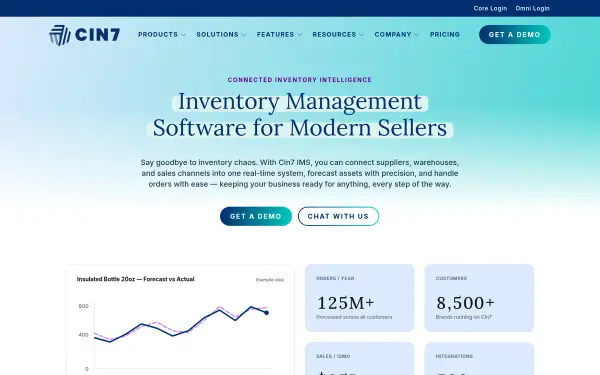
Cin7 Core, formerly DEAR, is the closest like-for-like swap for a product business selling through several channels at once. Inventory and orders sit in one system, with Shopify and Amazon connectors running next to wholesale channel sync, so a single stock pool feeds retail, marketplace and trade sales. Manufacturing management is part of the product rather than a separate purchase, which means bills of materials, assembly and production work against the same records your sales channels read from.
The integration library passes 700 connectors. EDI is included on the Omni tier, which matters if retail buyers send purchase orders and advance ship notices electronically rather than by email and spreadsheet. A B2B portal is available as an add-on for wholesale accounts that want to place their own orders and see their own pricing. AI-driven demand forecasting is built in, and it earns its place when reorder points drift between peak and quiet seasons.
Pricing starts at $349 per month on the Standard plan, formerly Core. That covers 5 users and 6,000 orders per year, in USD excluding taxes. It is a real step above small-team budgets, and the 14-day trial is short for something this wide: you want clean product and stock data loaded before the clock starts, otherwise the trial tells you very little.
Pick it if you sell through more than one channel and want manufacturing, wholesale and ecommerce in one place. Small teams that only need stock counts, barcode scanning and invoices will pay for breadth they never touch, and should start with Zoho Inventory or inFlow instead. Recheck the price on the vendor page on or after November 25, 2026.
You sell across ecommerce, marketplaces and wholesale and want one inventory record behind all of them.
You run a small operation with simple stock and no wholesale accounts to serve.
Entry II of VIII / Shop-floor scheduling
Our verdict
The best modern interface for small manufacturers, with shop-floor scheduling operators can learn quickly.
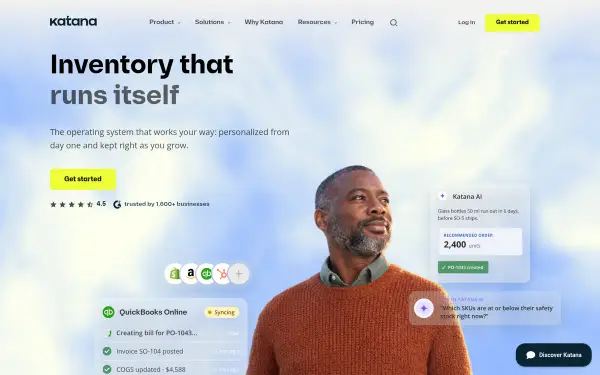
Katana is the alternative to reach for when the people running the shop floor are the ones who have to use the software. The interface is the selling point: production orders, bills of materials and cost tracking are presented in a way a small manufacturing team can learn in an afternoon rather than a fortnight. Shop-floor scheduling is the strongest piece, letting you see what each workstation is running and move work when a machine or a material goes down.
BOM cost tracking rolls material and component costs into the production record, which is the number most small manufacturers actually want and rarely get from a spreadsheet. Inventory management covers purchased components and finished goods in the same system as the production orders that consume them, so a short receipt is visible to the scheduler before it becomes a missed ship date.
The catch is packaging. The headline price excludes the Manufacturing Management add-on, and advanced capabilities cost extra, so the configuration a real manufacturer needs is more than the number on the pricing page suggests. Katana sells a free plan supporting up to 30 SKUs with unlimited users, plus a 15-day free plan for evaluation, and above that a scoped Advantage contract starting at $1,500 per month. Tiered Standard and Professional plans are gone, which makes budgeting a conversation with sales rather than a table lookup. QuickBooks integration is present but not as deep as Fishbowl's, so heavy accounting reconciliation still leans on exports.
Pick it if manufacturing is the core of your business and you want a system your operators will use without training days. Skip it if you are a distributor with light production, or if a fixed published price matters more than a modern screen. Recheck pricing on the vendor page on or after November 25, 2026.
Production scheduling and BOM costing are the daily problems you need solved.
You need a published plan price or you buy and resell without making anything.
Entry III of VIII / Private B2B portals
Our verdict
The strongest pick for wholesale sellers who want customers ordering through private B2B portals.
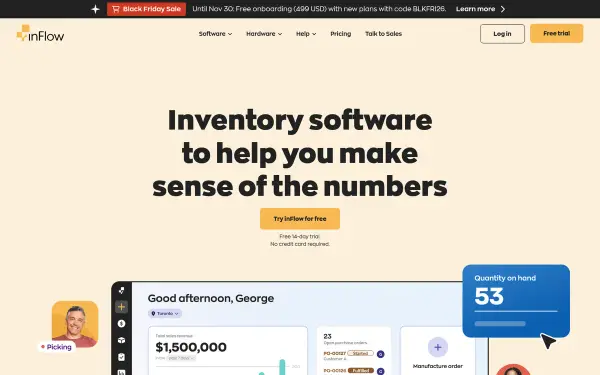
inFlow Inventory targets the seller who quotes and invoices trade customers rather than consumers. B2B showrooms are the centerpiece: private portals present each customer with their own product list and their own prices, so a wholesale account logs in and sees the catalog and terms that apply to them, not a retail storefront. Invoicing automation then turns picked and shipped orders into invoices without a second pass through a spreadsheet.
Around that sit the basics a warehouse needs: barcode scanning, multi-location inventory tracking and order fulfillment workflows. Stock moves between locations stay visible, and picking is directed rather than improvised, which is where most small warehouses lose hours. Fulfillment workflows cover the path from order to shipment, so a trade order does not need a separate checklist kept by hand.
Manufacturing is a separate product, not a module inside the inventory tool, so a business that assembles or produces goods ends up running two subscriptions and reconciling them. Production depth is the weakest area of this entry, and anyone with real bills of materials should look at Katana or Cin7 Core.
Pricing is on the vendor site rather than published here as a starting figure. The last recorded entry figure required annual billing, and the page returned no content when checked on November 25, 2026, so treat any remembered number as unconfirmed and ask the vendor directly. Monthly billing has historically cost more than the annual commitment.
Pick it if you sell to businesses and want a portal your customers will actually use. Skip it if manufacturing is central rather than occasional, or if you want ecommerce and wholesale managed in one native system.
Wholesale accounts are a large share of revenue and they need to order and price themselves.
You assemble or produce goods, since you would be paying for two separate systems.
Entry IV of VIII / Low-cost entry
Our verdict
A low-cost starting point, with a free plan that covers early order volume honestly.
Zoho Inventory is a low-cost place to start. The paid entry point is $29 per organization per month on the Standard plan, billed annually, covering 2 users and 500 orders per month. Below that sits a free plan for 50 orders and 1 user, which is enough to run a small catalog honestly and find out whether the workflow fits before you pay anything. A 14-day free trial covers the paid tiers.
What you get for that money is cloud stock and order management with multichannel ecommerce sync, bundling and kitting, and inventory tracking that stays consistent across sales channels. Kitting matters more than it sounds: a bundle sold on one channel has to decrement the components, and doing that by hand is where small sellers start overselling. Native integrations with Zoho CRM, Books and Commerce mean a quote, an invoice and a stock movement can share one record if you already run the Zoho stack.
The limits are structural. There is no deep manufacturing, so work orders, routing and shop-floor scheduling are out of scope. The product is biased toward the Zoho ecosystem; connect it to something outside that family and the seams show. Higher tiers are needed for scale, and the order ceilings on each plan mean a growing seller revisits the subscription every few months.
Pick it if you are a startup or small business with straightforward stock and a limited budget, or if you already run Zoho Books. Skip it if you manufacture, or if you expect to pass 500 orders a month quickly and want pricing that does not step up with volume. Recheck pricing on the vendor page on or after November 25, 2026.
You are starting out with simple stock and want a free plan that graduates to a low paid tier.
You manufacture or already know your order volume will blow past the plan caps.
Entry V of VIII / One connected database
Our verdict
Inventory that grows into a full ERP on one database, provided you can configure it yourself.
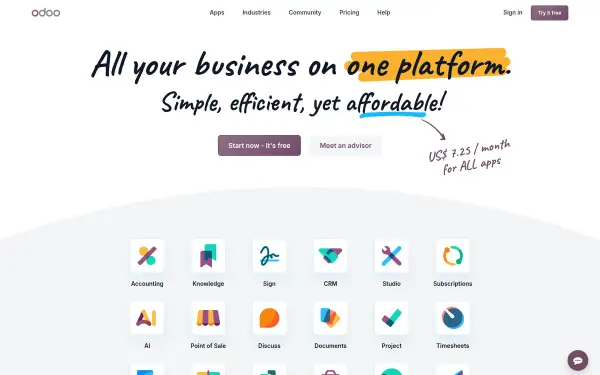
Odoo Inventory is a module, not a standalone product, and that is either the whole argument for it or the reason to walk away. Inventory connects to sales, accounting and MRP in the same database, so a confirmed sales order reserves stock, an invoice posts to the ledger and a manufacturing order consumes the same components, without a connector in the middle. Automation rules and warehouse routing handle putaway, removal and multi-step receipts.
Pricing is per user per month, billed yearly, and covers all apps rather than inventory alone. The advertised entry point is $7.25 per user per month on the Standard plan, which carries a 12-month introductory discount, so budget for a higher rate in year two rather than treating that number as permanent. There is also a free One App option with unlimited users on a single app, a genuine route for a small operation that only needs inventory and nothing else.
The tradeoff is effort. A modular setup takes work, and knowing which apps to switch on before you need them is a skill in itself. Customization can raise total cost quickly once a developer is involved, and the system rewards teams with technical expertise on staff or a partner they trust. Modular manufacturing, quality control and maintenance apps are available, but each one is a decision and a configuration step rather than a line item you inherit.
Pick it if you want inventory that grows into a full ERP without a migration, and you have someone who can configure it. Skip it if you want a finished product you can run on day one, or if your team has no appetite for configuration work. Recheck pricing on the vendor page on or after November 25, 2026.
You plan to add apps over time and have technical help to configure the first modules.
You need a finished system running this month with no configuration support.
Entry VI of VIII / Manufacturing on a budget
Our verdict
Manufacturing inside a budget inventory tool, with the polish and ecosystem size of a smaller vendor.
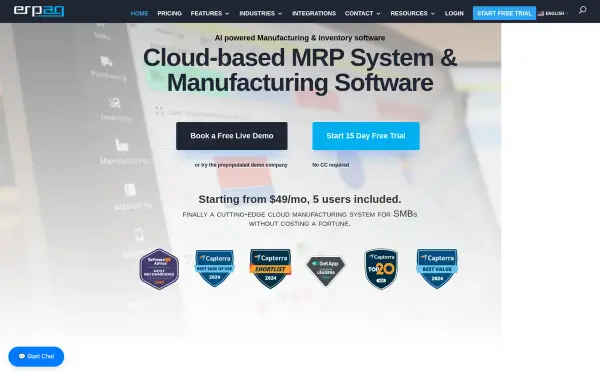
ERPAG puts manufacturing inside an inventory system at a price point that small shops can usually justify. Bills of materials, work orders, production planning and multi-warehouse inventory are all in the base product rather than sold as an add-on, which is the opposite of how several tools on this list are packaged. QuickBooks and Xero integrations cover the accounting side for businesses that already run one of those ledgers.
The functional fit is small manufacturers who need work orders and BOMs without hiring a consultant. Production planning shows what has to be made and when, and multi-warehouse inventory covers businesses holding components in one place and finished goods in another. The interface is functional rather than elegant, and less polished than Katana's.
Ecommerce is the weak spot. Selling online relies on integrations rather than native channel management, so a multichannel seller ends up stitching systems together. The vendor is also smaller than most names here, which affects how much hand-holding you get during setup and how quickly edge cases get fixed.
Pricing is on the vendor site rather than published as a starting figure in this comparison. The previously recorded plan covering 5 users could not be confirmed when checked on November 25, 2026, so verify current tiers directly with the vendor before you budget. There is no free plan and no trial listed, which raises the cost of finding out whether it fits: you commit before you have run your own data through it.
Pick it if you are a small manufacturer who needs BOMs and work orders without a large software budget. Skip it if you sell across many online channels or will not sign without a trial.
You make products and need BOMs, work orders and production planning on a tight budget.
You need a trial before committing or sell mainly through marketplaces.
Entry VII of VIII / QuickBooks depth
Our verdict
The deepest QuickBooks sync here, built for mid-market warehouses with lot and serial obligations.
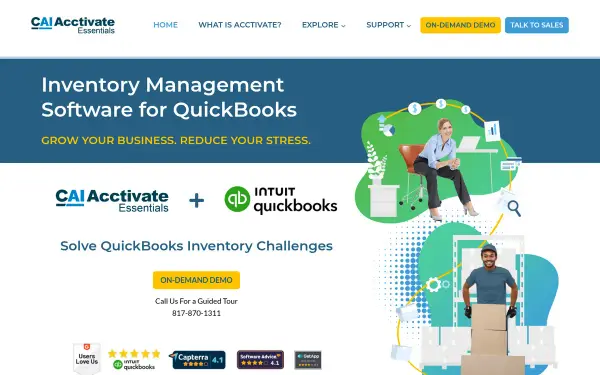
Acctivate exists because QuickBooks does not do inventory well, and it earns its place on that single point. The QuickBooks Desktop and Online integration is the deepest here: orders, purchases, stock adjustments and customer records move between the two systems without rekeying, which is the difference between a monthly reconciliation chore and a clean ledger.
Around that core sit advanced multi-warehouse inventory, lot and serial tracking, and order, purchasing and fulfillment workflows built for companies shipping hundreds of lines a day. Lot and serial tracking matters for any business with traceability obligations, whether that is food, electronics or regulated components, and it is handled at the transaction level rather than bolted on afterwards.
The focus is mid-market, and the interface reflects that: dense, functional and not modern. New staff will need training that a Katana user would not. Custom pricing combines a license with an annual subscription, so two similar companies can pay materially different amounts depending on seats and modules.
Pricing is not published as a starting figure. The vendor site lists Starter, Professional and Enterprise packages, but the only number shown when checked on November 25, 2026 was onboarding billed at $1,000 per month, with the software price left to a quote. Budget time for the sales cycle, and ask specifically what the annual subscription covers beyond the license before you compare it with a published plan elsewhere.
Pick it if QuickBooks is the spine of your finance operation and you need real warehouse control on top of it. Skip it if you are small, price-sensitive, or want a modern interface your team learns without training.
Your ledger lives in QuickBooks and you need lot, serial and multi-warehouse control around it.
You want a published price, a quick self-serve start or a modern interface.
Entry VIII of VIII / Multi-entity ERP
Our verdict
The full ERP answer for multi-entity operations, priced by quote and implemented as a project.
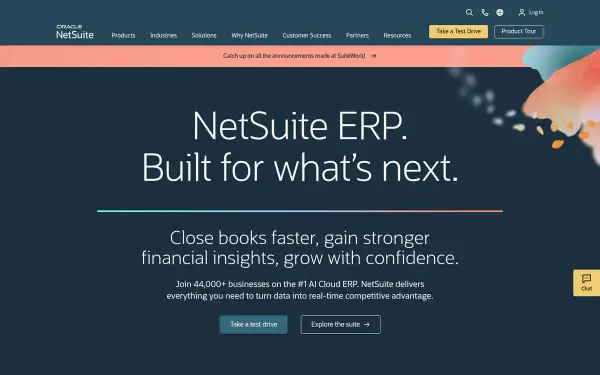
NetSuite is the answer when inventory stops being a software problem and becomes an accounting and reporting problem. The full ERP suite covers inventory, order management, CRM, supply chain, planning, shop floor control, quality management and multi-entity operations in one system, which is the reason finance teams accept its cost: one chart of accounts, one set of dimensions, one close.
Advanced planning and shop floor control put it beyond what most SMB tools attempt. Multi-entity operations matter for companies running several legal entities or locations that need consolidated reporting without a spreadsheet layer. Automation is broad and configurable, which is also the source of its complexity: every rule is a decision someone has to own after go live.
Pricing is quote-based. No pricing page is available, and prior research indicates year-one costs for a 10-user setup land between $10,000 and $20,000 in comparison data, so treat any smaller number with suspicion. Implementation is the bigger commitment: this is a project with a partner, a timeline and a change management plan, not a self-serve signup. There is no free plan and no trial listed.
The cost is real, and so is the drag. Companies below mid-market usually pay for capability they will not use for years, and the annual cost runs well above SMB tools even after the initial build. The payoff arrives when consolidation, planning and traceability genuinely sit across several entities.
Pick it if you are a mid-size to large company with multi-entity reporting, real planning needs and a team to run the implementation. Skip it if you are small, want to be live in weeks, or cannot staff a project.
You run several entities and need inventory, planning and consolidated reporting in one system.
You are below mid-market or cannot commit a team to an implementation project.
VIBackground
Inventory management software keeps one record of what you own, where it sits and what it cost you, then moves that record every time something is bought, made, sold or returned. A spreadsheet can hold the same columns. What it cannot do is stop two people from selling the same unit, hold a cost layer per receipt, or tell a picker which bin to walk to when an order lands at 4pm.
The category splits into three broad shapes. Stock and order tools track purchased goods, sync with sales channels, handle barcode scanning and produce invoices. Manufacturing tools add bills of materials, work orders, production scheduling and cost roll-ups, because a maker's inventory is consumed and created rather than only bought and sold. ERP suites wrap inventory into accounting, planning, quality and multi-entity reporting, and charge accordingly.
Most buyers underestimate which shape they need. A wholesaler that assembles kits does not need shop-floor scheduling. A manufacturer that sells one product direct does not need marketplace sync. The expensive mistake is buying the larger shape for one feature and paying for it every month for years.
A short list of what to check on any candidate:
Fishbowl sits in the middle of that spectrum, strong on warehouse control and QuickBooks work, which is why the alternatives here split between manufacturers, multichannel sellers and finance-led operations. The right replacement depends on which of those three problems you are actually solving, not on which tool has the longest feature list.
This comparison sits in the software register. Further along the shore: baby tracking app and kennel software.
VIIPricing
The headline number on a pricing page is rarely the number you pay. Inventory software bills in at least four different ways, and the model matters more than the digit, because it decides what happens to your bill when you hire staff, add a warehouse or grow order volume.
Some vendors charge per user per month. Odoo Inventory lists $7.25 per user per month on Standard, billed yearly, which carries a 12-month introductory discount, so the second year costs more than the first. Others charge per organization with caps: Zoho Inventory lists $29 per organization per month billed annually, covering 2 users and 500 orders per month, and the count that pushes you up a tier is orders rather than seats. A third group charges a flat plan with limits built in, such as Cin7 Core at $349 per month covering 5 users and 6,000 orders per year.
Then there are scoped contracts. Katana's Advantage tier starts at $1,500 per month for a custom build, so the price depends on what you ask for and how the scope is written. Finally, some vendors publish nothing usable: NetSuite and Acctivate are quote-based, and Acctivate's site showed onboarding billed at $1,000 per month without a software figure when checked on November 25, 2026.
| Model | How it bills | Typical fit | Example from this list |
|---|---|---|---|
| Per user per month | Seat count, billed yearly, all apps included | Teams that add seats gradually | Odoo Inventory at $7.25 per user per month, 12-month introductory discount |
| Per organization with caps | Flat fee with user and order ceilings | Small teams with steady order volume | Zoho Inventory at $29 per organization per month billed annually, 2 users, 500 orders |
| Flat plan with limits | One price covering a set number of users and orders | Growing multichannel sellers | Cin7 Core at $349 per month, 5 users, 6,000 orders per year |
| Scoped contract | Custom build, negotiated starting point | Manufacturers with complex production | Katana Advantage from $1,500 per month |
| Quote only | Sales cycle, license plus subscription or onboarding | Mid-market and larger operations | NetSuite and Acctivate, pricing on the vendor site |
Ask each vendor two questions before you compare numbers: what cap triggers the next tier, and what the price is in year two.
Each entry card shows the starting price as it appeared on the vendor's own pricing page on November 25, 2026. When a vendor shows no figure we could confirm, or only a promotional rate, the card says "See website" or gives the regular price instead of a guess. Usage, overage and add-on rates in the text change more often than plan prices, so confirm them on the vendor page before you set a budget. To test the numbers against your own volume, try the free User Research Budget Planner. The Event Break-Even Calculator is a second way to check the same decision.
VIIIDecision
Map your order paths. List every channel you sell through, including wholesale, marketplaces and retail, then note how orders arrive today. If more than one channel draws on the same stock, you need real sync, which points toward Cin7 Core rather than a stock counter.
Decide whether you make anything. If you assemble, kit or produce, put Katana, ERPAG, Odoo Inventory and Cin7 Core at the top of the shortlist. If you only buy and resell, skip manufacturing fees entirely and look at inFlow or Zoho Inventory.
Check the accounting seam. A QuickBooks-heavy finance team should start with Acctivate, then ERPAG or Cin7 Core. A Zoho Books shop belongs in Zoho Inventory. Ask what posts automatically and what still needs an export.
Price your real configuration. Count seats, monthly orders, warehouses and the add-ons you will actually need, such as Katana's Manufacturing Management or Cin7's B2B portal. Compare that figure, not the entry price on the page.
Test with your own data. Load 50 real SKUs into a trial, receive a purchase order, pick an order, ship it and post the invoice. Fourteen or 15 days is enough if you prepare the data before the clock starts.
Plan for year two. Introductory discounts expire, scoped contracts renew at the vendor's rate, and order caps force tier changes. Budget the second year before you sign the first.
IXPitfalls
Buying for the demo instead of the warehouse. A clean demo database never shows the messy item master, duplicate SKUs or half-finished transfers you actually have. Load real data into a trial before you judge the interface, because the demo hides the work.
Counting seats and ignoring order caps. Zoho Inventory's $29 plan covers 500 orders per month, so a seller who doubles volume changes tiers without hiring anyone. Confirm which cap triggers a price change before you compare quotes.
Assuming manufacturing is in the base price. Katana sells Manufacturing Management as an add-on and inFlow sells manufacturing as a separate product. A maker who budgets only the headline number gets a surprise in month one.
Leaving accounting to the end. The QuickBooks link is the whole reason many teams replace Fishbowl. Test a month of transactions during the trial, because a shallow integration means manual reconciliation every month thereafter.
Skipping the year-two conversation. Introductory pricing, onboarding fees and scoped contracts all land after the first invoice. Ask for the year-two figure in writing, then compare it with what a published plan would cost over the same period.
XQuestions
This comparison does not quote Fishbowl prices, so it cannot put a number beside Fishbowl Advanced Manufacturing. What it does show is the spread across alternatives: Zoho Inventory at $29 per organization per month on annual billing, Cin7 Core at $349 per month for 5 users and 6,000 orders per year, Odoo Inventory at $7.25 per user per month on a discounted first year, Katana's Advantage contract from $1,500 per month, and quote-based suites above that. Check the vendor site for current Fishbowl figures.
Katana is the strongest fit, with bills of materials, production orders, BOM cost tracking and shop-floor scheduling in one modern interface. Cin7 Core includes manufacturing management with BOMs and assembly, and ERPAG covers BOMs, work orders and production planning in its base product. Odoo Inventory adds manufacturing through its MRP app, and NetSuite includes shop floor control and quality management in its ERP suite. Zoho Inventory has no deep manufacturing.
Acctivate has the deepest QuickBooks Desktop and Online integration here, built for mid-market operations that keep their ledger in QuickBooks. Cin7 Core connects to QuickBooks alongside 700 other integrations, and ERPAG links both QuickBooks and Xero. Katana integrates with QuickBooks but its depth trails Fishbowl, so heavy reconciliation still depends on exports. If QuickBooks is the spine of your finance function, start with Acctivate and test a real month of transactions.
Zoho Inventory starts at $29 per organization per month on annual billing, with a free plan covering 50 orders and 1 user. Its Standard tier covers 2 users and 500 orders per month, so a startup can begin free and step up when orders arrive. Odoo Inventory advertises $7.25 per user per month on a 12-month introductory discount, and Katana offers a free plan for up to 30 SKUs if manufacturing is the need.
Cin7 Core is the pick, with Shopify, Amazon and wholesale channel sync running on one stock pool, more than 700 integrations, EDI on the Omni tier and a B2B portal add-on. Zoho Inventory covers multichannel ecommerce sync at a far lower entry price but stops short of deep manufacturing and wholesale tooling. inFlow handles B2B portals well while relying on integrations for ecommerce. Match the choice to how much revenue is wholesale versus marketplace.
Move to NetSuite when inventory problems have become reporting and accounting problems: several legal entities, consolidated reporting, advanced planning, shop floor control and quality management in one system. Year-one costs for a 10-user setup are estimated at $10,000 to $20,000 in comparison data, and implementation is a project with a partner. Below mid-market the capability goes unused and the annual cost stays well above SMB tools.
XIFurther along the shore
Vendors can ask for a correction or apply for a Featured listing. Paid or not, the entry is scored on the same rubric and its limits stay in print. Partner with Umberlake.
Free tools
Our free browser tools turn the prices on this page into a figure for your own volume. Nothing you type leaves your device.