
Buffer
$5Essentials, per channel per month, billed yearly, 1 channel included
Best for solo users and small teams needing simple scheduling
- Free plan
- Yes, 3 channels with 10 scheduled posts each
- Rubric
- 7.1 of 10
Eight multi-account social tools ranked for November 2026, from a $5 per channel scheduler to $99 per seat suites, with free plan limits and per-seat math spelled out.

IThe short answer
Buffer is the best starting point for solo users and small teams: simple scheduling from $5 per channel per month, plus a free plan with 3 channels. Hootsuite fits large teams that want publishing, listening and analytics together, from $99 per user per month billed annually. Sprout Social is the pick for enterprise social customer care and deep reporting, from $79 per seat per month. All prices were checked on 25 November 2026: Best Tool For Managing Multiple Social Media Accounts.
8 tools compared from vendor pages on November 25, 2026. 8 publish a starting price we could read; the rest say "See website".
IITop three berths
Register order is editorial fit for the buyer each entry describes. Prices are the starting figures read on November 25, 2026.
$5Essentials, per channel per month, billed yearly, 1 channel included
Best for solo users and small teams needing simple scheduling

$99Standard, per user per month, billed annually, up to 10 social accounts
Best for large teams wanting publishing, engagement and analytics in one place

$79Essentials, per seat per month, billed annually, 5 social profiles
Best for enterprise teams needing deep analytics and social customer care
How this page is paid for. All 8 tools here are unpaid editorial picks.
A paid listing's position can be part of what the vendor pays for. Every entry, paid or not, is scored on the same rubric and keeps its limits in print. Advertising disclosure.
IIIThe register
Starting prices as shown on each vendor's pricing page on November 25, 2026. "See website" means no figure we could confirm.
| No. | Tool | From | Free plan | Trial | Rubric | Actions |
|---|---|---|---|---|---|---|
| 01 | BufferSolo users and small teams needing simple scheduling | $5Essentials, per channel per month, billed yearly, 1 channel includedUpdated on vendor page | Yes | 14-day free trial | 7.1 | |
| 02 | HootsuiteLarge teams wanting publishing, engagement and analytics in one place | $99Standard, per user per month, billed annually, up to 10 social accountsRead on vendor page | No | Free 14-day trial | 7.3 | |
| 03 | Sprout SocialEnterprise teams needing deep analytics and social customer care | $79Essentials, per seat per month, billed annually, 5 social profilesUpdated on vendor page | No | 30 day free trial | 7.4 | |
| 04 | LaterVisual brands planning Instagram and TikTok content | $18.75Starter, per month, billed yearly, 1 social set,8 profiles, 1 userUpdated on vendor page | Yes | 14-day free trial | 6.9 | |
| 05 |  SocialPilotMid-size agencies needing bulk scheduling and client management | $17Essentials, per month, billed annually, 5 social accounts, 1 userUpdated on vendor page | No | 14-day free trial, no credit card required | 7.6 | |
| 06 |  MetricoolBudget users and small teams wanting broad analytics | $20Starter, per month, billed annually, up to 5 brandsUpdated on vendor page | Yes | See website | 7.1 | |
| 07 |  SendibleAgencies managing multiple clients with approvals and workspaces | $35Core, per month, billed monthly, 1 workspace, 6 social profiles, unlimited usersUpdated on vendor page | No | 14-day free trial, no card required | 7.1 | |
| 08 |  AgorapulseTeams needing ROI reporting and a unified inbox | $79Standard, per user per month, billed annually, 10 social profilesUpdated on vendor page | No | 30-day free trial, no credit card required | 7.3 |
Pinned:
IVMethod
How well the tool separates brands, clients, social sets or workspaces without forcing duplicate logins and messy calendars.
Whether the published per-channel, per-seat or per-brand math stays predictable as accounts and teammates grow.
Publishing, scheduling, inbox, listening and reporting depth measured against what the buyer actually has to do each week.
How quickly a new operator can connect accounts, schedule posts, approve drafts and pull a report without training.
Which networks work natively for publishing and engagement, and which are missing, limited or billed as add-ons.
VMethod
This list was assembled for operators buying multi-account social media software in November 2026, not for collectors of feature lists. Every tool was judged against five criteria. Multi-account fit carries the most weight (30 percent), because grouping profiles, brands, clients or social sets is the job this category exists to do. Pricing clarity (25 percent) covers whether the per-channel or per-seat math stays predictable as accounts and teammates are added. Core features (20 percent) covers publishing, inbox and reporting depth. Ease of use (15 percent) covers how quickly a new operator can schedule and approve without training. Network coverage (10 percent) covers which networks work natively and which need paid add-ons.
Prices and plan details come from vendor pricing pages and were checked on November 25, 2026. Where sources disagreed, the review says so and points you to the vendor page rather than picking a number. Free plan limits, trial lengths and seat or profile caps are stated exactly as published. No currency was converted and no price was estimated.
Any listing carrying a Featured label is a paid placement. Featured entries were scored with the same rubric as every other tool and carry the same kind of honest cons, so a placement buys position and nothing else in the assessment. The rest of the order is editorial and reflects which buyer each entry best serves.
Finally, this category moves. Plans get renamed, networks get dropped and add-on prices change between quarters. Treat the numbers here as a starting point for a budgeting conversation and confirm the current figure on the vendor pricing sheet before you sign anything.
The full routine, from price reads to corrections, is on the methodology page. Paid listings follow the advertising disclosure.
Entry I of VIII / Simple scheduling
Our verdict
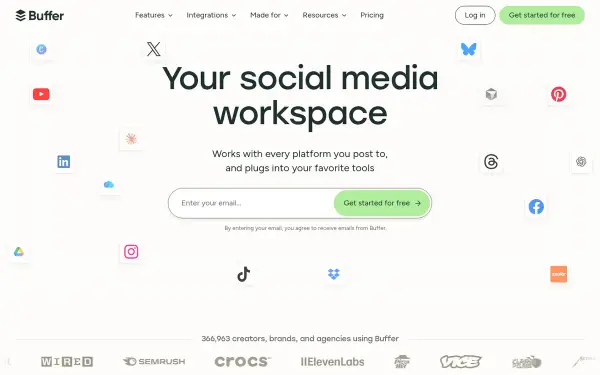
The simplest multi-account scheduler in the list, priced per channel, with a free plan that covers three channels.
Buffer is the shortest path from a pile of accounts to a filled publishing calendar. You connect a channel, drop posts into a queue and let the tool handle timing. The interface barely changes between networks, which is why solo operators and small teams are productive within an afternoon. AI caption drafts shorten the writing step, and approval workflows arrive on Team, where users are unlimited, so adding a reviewer costs nothing extra.
Multi-account work is where the per-channel model shows up. Each connected channel is billed separately, so a freelancer running one Instagram account and one LinkedIn page pays little, while an agency with many client profiles pays a lot. Analytics are basic compared with enterprise tools, and listening is limited. Listening is limited next to Hootsuite or Agorapulse, so do not buy Buffer expecting to monitor brand mentions at scale.
Pricing is $5 per channel per month on Essentials when billed yearly, with 1 channel included, plus a 14-day free trial. The free plan covers 3 channels with 10 scheduled posts each, enough to test the workflow on real accounts before paying. Confirm current rates and free plan limits on the vendor page.
The trade-off is scale. Costs climb with every channel added, evergreen recycling is not consistently reported, and reporting depth will frustrate anyone who has to prove ROI to a client. For a small, stable set of accounts that mainly needs clean scheduling, quick approvals and unlimited reviewers on Team, Buffer is hard to beat on effort per post.
You run a handful of accounts and want scheduling without a training session.
You need competitive benchmarking, sentiment analysis or deep client reporting.
Entry II of VIII / All-in-one suite

Our verdict
A broad all-in-one suite for large teams that need publishing, listening, analytics and ads in one login.
Hootsuite is the generalist that covers publishing, engagement, listening, analytics and ads without leaving the product. Large teams choose it because each function is credible on its own: a social manager schedules in the planner, a support lead works the inbox, and an analyst pulls reports without exporting to a spreadsheet. OwlyWriter AI generates post drafts from a URL or keyword and suggests ways to repurpose existing content, which shortens the blank page problem for teams publishing daily.
Account coverage is broad. Standard supports up to 10 social accounts, and the platform adds social listening, competitive intelligence, team approvals and ads management on top of scheduling. Approvals are the reason many regulated teams end up here: the review chain is mature and works across networks rather than per channel. Wide network coverage and enterprise controls round out the pitch.
Pricing is $99 per user per month on Standard when billed annually, with up to 10 social accounts included. There is no permanent free plan, only a 14-day free trial, so the cost is real from day one. Confirm current plan and seat rules on the vendor page. Per-seat billing is the pressure point, because every additional reviewer adds a full seat price.
Compare that with Buffer's per-channel model. If several people touch the calendar, Hootsuite costs multiples of what a channel-based tool would, and new teams face a learning curve before the first useful report lands. Buy it when breadth, listening and approvals justify the seats, not when you mainly need a queue, a calendar and a caption helper for two or three accounts.
Several people publish and reply, and you want one console for everything.
Your team is small and per-seat costs would dominate your budget.
Entry III of VIII / Customer care depth
Our verdict
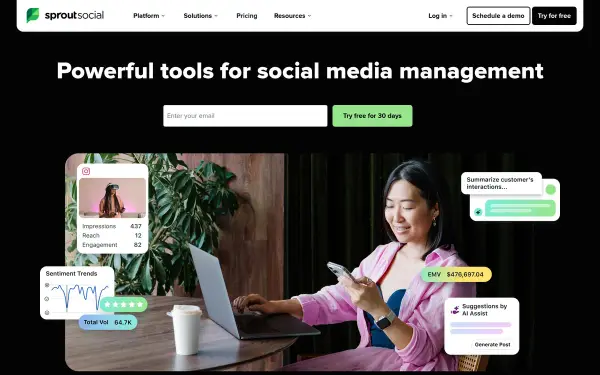
The deepest analytics and social customer care package here, priced per seat and aimed at enterprise teams.
Sprout Social is built for the team that treats social as a service channel, not just a publishing calendar. Social customer care with case management and deep reporting are core strengths, and team collaboration supports service workflows. Enterprise buyers pick it for that combination of customer care and analytics depth, not for scheduling speed.
The feature set is deep. Reporting covers profile and post performance across networks, listening adds sentiment analysis, and ViralPost recommends posting times based on when your audience is actually active. Publishing and scheduling are competent, but they are table stakes here rather than the selling point. Team collaboration for support workflows is where the product earns its price, and the depth shows in the reports you can build without a spreadsheet.
The Essentials plan starts at $79 per seat per month billed annually with 5 social profiles, and a 30-day free trial. Higher tiers and additional seats raise the price, so check the vendor page for current seat pricing. That makes per-seat math the decisive question: count every person who needs a login, including occasional reviewers, before you commit to a tier.
Two limits matter. There is no free plan, and the seat model punishes large stakeholder groups. It is also overkill for a small business that schedules a few posts a week; you would pay for listening, sentiment and case management you never open. Buy it when analytics and social customer care are the job, and keep the seat list tight so the bill stays predictable as you add reviewers.
Social answers customers and someone asks you to prove the impact.
You publish a few posts a week and never touch a support inbox.
Entry IV of VIII / Visual calendar

Our verdict
A visual planner that makes Instagram and TikTok grids easy, with social sets that keep client brands apart.
Later is a visual planning tool first and a scheduling tool second, which is exactly what brand-led accounts on Instagram and TikTok need. The drag-and-drop calendar shows posts against a feed preview so you can see how a grid will look before anything publishes, and the caption writer suggests hashtags alongside the copy. Social sets keep separate brands apart, so a small agency can hold several clients without mixing calendars or previews.
Each social set covers one account per network, which is the number to check before you buy. Starter includes 1 social set, 8 profiles and 1 user at $18.75 per month when billed yearly, with a 14-day free trial. Confirm the current tier on the vendor page. The free plan is limited, so treat it as a trial rather than a long-term plan and check the vendor page.
The gaps show up on the non-visual side. Verify current network coverage on the vendor page before you plan anything around X. Listening depth is limited, analytics are lighter than what Sprout Social or Agorapulse offer, and team costs grow with each user you add. If your posting rhythm is heavy on stories, reels and short video, none of that will slow you down much.
Later fits a boutique brand, a creator team or a small agency whose calendar revolves around imagery. It does not fit a support team that needs an inbox, or an analyst who needs competitive benchmarking. If your output is mostly visual and your team is small, the calendar and feed preview alone justify the price, and the caption writer saves real writing time each week.
Your posts are mostly images and video and the grid matters to the brand.
You still need X publishing and engagement or deep listening.
Entry VI of VIII / Unified reporting
Our verdict
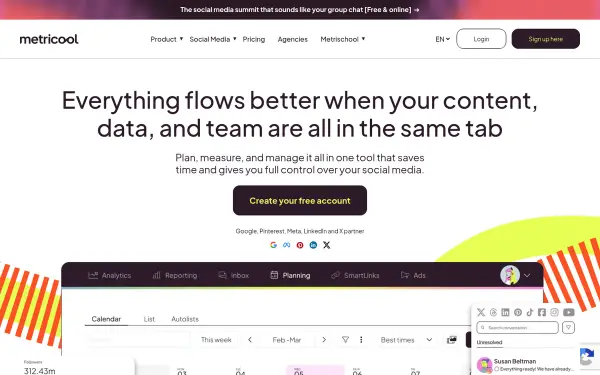
The best reporting value in the list, with a free plan and coverage of organic, paid, competitor and website data.
Metricool leads with reporting rather than scheduling. One dashboard covers organic social performance, paid ads, competitor activity and website traffic, which makes it the cheapest way in this list to answer a board-level question about what social actually did. The free plan covers 1 brand and 20 posts per month, enough to run real reports before you pay anything.
The Starter plan is $20 per month when billed annually, supporting up to 5 brands, while the monthly view shows $25. The brand model is the detail that catches people out: one account per network per brand, so two Instagram accounts need two brands. Check add-on costs for X on the vendor page, and budget for add-ons if X matters to you.
Autolists recycle evergreen content, competitor reporting benchmarks your accounts against others in the category, and website performance reporting connects social traffic to on-site behavior. That combination is unusual at this price. Team features are lighter than enterprise suites, and the report builder takes a session or two to learn, but the output is worth the effort once the template is built.
Metricool fits a budget-conscious marketing manager who needs to prove results, a small team running several brands, or a consultant who reports to clients monthly. It fits less well as a pure publishing tool for a large team, where Buffer's approval flow or Sendible's workspaces will feel more natural. Buy it for the reporting, treat scheduling as the supporting act, and confirm the brand and add-on rules on the vendor page first.
You must show results across organic, paid, competitors and website traffic.
You need many accounts per network under one brand or heavy team workflows.
Entry VII of VIII / Workspaces and pools
Our verdict
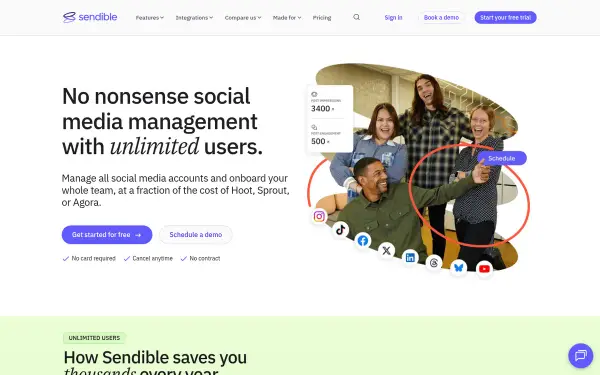
Workspaces, profile pools and unlimited users on Core make this the people-first choice for client agencies.
Sendible is built around the messiest part of agency work: keeping dozens of client profiles, contributors and approval chains from colliding. Workspaces separate clients, profile pools let you group accounts for a single campaign, and client approvals keep sign-off inside the tool rather than in email threads. Evergreen recycling helps a small team keep a content library in rotation without rewriting it.
The Core plan is $35 per month billed monthly with 1 workspace, 6 social profiles and unlimited users. That unlimited-user line is unusual and valuable: an agency can invite every account manager and client reviewer without adding seats. A 14-day free trial needs no card. Confirm current pricing and limits on the vendor page.
Network support has a caveat worth checking. Check whether X is publishing only on the vendor page, because you may be able to post but not fully engage there. If X replies and mentions are part of a client service agreement, confirm current support before signing anything. Analytics also trail enterprise suites, so agencies that sell deep reporting may still export figures elsewhere and rebuild the deck.
Sendible fits an agency with many contributors and a formal sign-off process, and it fits a multi-brand in-house team that wants workspaces without per-seat bills. It fits less well for a solo operator, who pays for workspace machinery they never use, or for a team that needs heavy listening and sentiment. Buy it when people, not channels, are the thing that scales with your client list.
You add contributors and client reviewers faster than you add profiles.
X engagement is central to a client contract or you need deep listening.
Entry VIII of VIII / ROI reporting
Our verdict
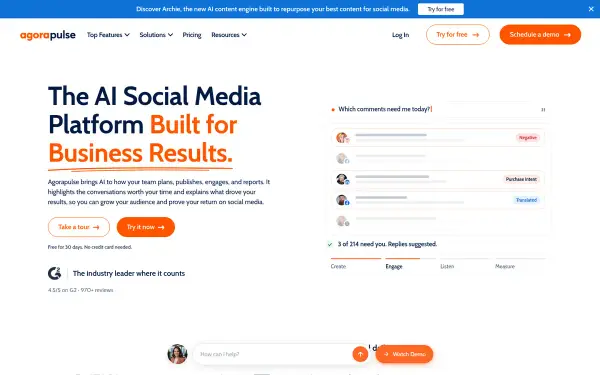
A unified inbox plus ROI reporting that ties social to Google Analytics, with listening and approvals included.
Agorapulse pairs a unified inbox with reporting that ties social activity to revenue. The ROI reporting links to Google Analytics so you can show which social posts drove sessions and conversions, and the inbox keeps comments, messages and mentions in one queue with assignment. Team leaders who have to defend a social budget usually like it for that pairing.
Standard starts at $79 per user per month billed annually with 10 social profiles, and a 30-day free trial needs no card. Social listening, evergreen recycling, approval workflows and client reporting are all included at that level. Check current seat and add-on pricing on the vendor page, including whether X is part of your mix.
Per-user seats are the main cost driver. Per-user seats are the main cost driver, which can be reasonable for an agency billing clients but heavy for a small business. There is no permanent free plan, so evaluate inside the 30-day window with realistic data rather than a demo account, and check the add-on rules before you connect X profiles.
Agorapulse fits a mid-size brand or agency that needs an inbox, listening and defensible reporting in one place, and that can absorb add-on costs for X. It fits less well for a solo operator who mainly schedules, where Buffer costs a fraction, or for a team that needs enterprise-grade analytics depth. Buy it when the inbox and the ROI story are central to the job, and count seats carefully before the trial ends.
You answer customers in one inbox and must show revenue impact.
You only schedule posts or you cannot justify per-seat pricing.
VIBackground
Multi-account social media management software is the layer between your content and every network you publish to. Instead of logging into each platform separately, you connect accounts once, then schedule, reply and report from one calendar and one inbox. The multiple-account part is the whole point: a single brand with an Instagram account, a Facebook page, a LinkedIn page and a TikTok profile is already a multi-account job, and an agency with many clients is the same problem multiplied.
What separates tools in this category is not whether they can schedule a post. Almost all of them can. The differences sit in four places.
Publishing and scheduling is the baseline. An approval workflow matters the moment someone other than the author has to sign off, which is most agencies and most regulated industries. A unified inbox matters when comments and messages need answers inside a service level, not whenever someone remembers to check five apps. Listening and sentiment matter when you need to know what people say about the brand without being tagged. Reporting matters when someone asks what the spend produced.
Pricing models usually reveal who the tool was built for. Per-channel pricing suits a small, stable set of accounts. Per-seat pricing suits teams where many people publish and few accounts exist. Per-brand and workspace pricing suits agencies that add clients faster than they add staff. Read the model before the feature list, because the model decides what your bill does when you grow. Then confirm the numbers on the vendor pricing sheet, since list prices in this category move often and reports conflict.
This comparison sits in the software register. Further along the shore: baby tracking app and kennel software.
VIIPricing
Multi-account social tools bill in three main ways, and the model tells you what will happen to your invoice as you grow. Per-channel pricing charges for each connected profile, so the bill rises when you add accounts. Per-seat pricing charges for each person with a login, so the bill rises when you add teammates. Per-brand or per-workspace pricing bundles profiles into a container, so the bill rises when you add clients or brands.
| Model | How it bills | Typical fit | Example from this list |
|---|---|---|---|
| Per channel | Monthly fee for each connected channel, cheaper on yearly billing | Solo users and small teams with few accounts | Buffer Essentials at $5 per channel per month billed yearly |
| Per seat | Monthly fee for each user, usually discounted annually | Teams where many people publish | Hootsuite Standard at $99 per user per month billed annually |
| Per brand or social set | Bundle of profiles under one brand | Visual brands and small agencies | Later Starter at $18.75 per month billed yearly, 1 social set and 8 profiles |
| Flat workspace | Monthly fee with a profile cap and unlimited users | Agencies with many contributors | Sendible Core at $35 per month billed monthly, 6 profiles, unlimited users |
| Free tier | No charge, hard limits on brands and posts | Testing before buying | Metricool free plan, 1 brand and 20 posts per month |
Two pricing traps recur. The first is seat creep: per-seat plans charge for every person with a login, so count seats before you buy. The second is add-ons. Metricool and Agorapulse both charge extra for fuller X access, so a plan that looks cheap can grow once network coverage is complete.
Always check the vendor pricing sheet for the term you intend to buy. Annual discounts are common and monthly prices often run higher than the headline, which is why several tools in this list show different figures in different reports. Checked 25 November 2026.
Each entry card shows the starting price as it appeared on the vendor's own pricing page on November 25, 2026. When a vendor shows no figure we could confirm, or only a promotional rate, the card says "See website" or gives the regular price instead of a guess. Usage, overage and add-on rates in the text change more often than plan prices, so confirm them on the vendor page before you set a budget. To test the numbers against your own volume, try the free User Research Budget Planner. The Event Break-Even Calculator is a second way to check the same decision.
VIIIDecision
IXPitfalls
XQuestions
Solo users should start with Buffer, which is $5 per channel per month on yearly billing and includes a free plan with 3 channels. Large teams that need publishing, listening and analytics together should look at Hootsuite at $99 per user per month billed annually. Agencies managing many clients should compare Sendible, with workspaces, 6 profiles and unlimited users on Core at $35 per month, against SocialPilot for bulk scheduling.
Buffer offers a free plan with 3 channels and 10 scheduled posts per channel. Metricool offers 1 brand and 20 posts per month. Later has a limited free plan, so check the vendor page for current limits. Hootsuite, Sprout Social, SocialPilot, Sendible and Agorapulse have no permanent free plan, only trials of 14 or 30 days, so plan to pay after the trial window closes.
Per-channel pricing grows with accounts, so a freelancer with few channels pays very little while an agency with many pays a lot. Per-seat pricing grows with people instead: Hootsuite Standard is $99 per user per month billed annually. Count both accounts and logins before choosing a model.
Verify this before you buy. Check current network coverage for Later and Sendible directly on the vendor pages before you commit.
Buffer includes approval workflows on Team, Hootsuite has mature team approvals that work across networks, SocialPilot targets client management, Sendible has client approvals inside workspaces, and Agorapulse includes approval workflows on Standard. Sprout Social handles support collaboration. If sign-off is central to your process, test the approval chain with a real draft during the trial rather than reading the feature page.
Check whether evergreen recycling exists and how it queues, since Sendible and Agorapulse both list evergreen recycling while Buffer's is not consistently reported. Confirm queue limits, how social sets or brands cap accounts per network, and whether X needs a paid add-on at $10 per month on Metricool or $29 per month for Agorapulse X Lite. Then test how approvals behave when you add more profiles.
XIFurther along the shore
Vendors can ask for a correction or apply for a Featured listing. Paid or not, the entry is scored on the same rubric and its limits stay in print. Partner with Umberlake.
Free tools
Our free browser tools turn the prices on this page into a figure for your own volume. Nothing you type leaves your device.
Entry V of VIII / Bulk agency scheduling
SocialPilot
SocialPilot sells itself to agencies on throughput. Bulk scheduling lets you queue many posts across client accounts at once, which turns a day of clicking into an hour of review. Client management keeps each account grouped, and white label reports on higher tiers let an agency hand over branded performance summaries without rebuilding them in a spreadsheet.
The Essentials plan starts at $17 per month billed annually with 5 social accounts and 1 user, and a 14-day free trial needs no credit card. Coverage spans the major networks, and the core scheduling, queue and reporting tools are all present. Higher tiers add white label reports and more accounts, which is the natural upgrade path for an agency adding clients faster than it adds staff.
Confirm the current tier and account limits on the vendor page before you compare it with Sendible or Buffer, because a few dollars per month per account changes the total quickly at agency scale.
Two honest caveats. There is no permanent free plan, so testing means committing to a trial window. Analytics trail enterprise suites, and the interface feels dated next to Later or Buffer, which slows onboarding for people who judge tools by polish. For an agency that schedules in bulk and bills clients for reports, trading polish for throughput is usually worth it. For a brand with a handful of accounts, simpler options cost less and feel better to use daily.
What holds up
What to weigh
Pick it if
You schedule dozens of client posts a week from a spreadsheet.
Skip it if
Interface polish and advanced analytics matter more than speed.