
Todoist
$5Pro, per user per month, billed annually, $60 billed yearly, Business is $8 per user per month
Best for small teams that want very fast, low-friction task capture
- Free plan
- Beginner, free, 5 projects
- Rubric
- 7.6 of 10
Ten task tools compared on the jobs a small team actually does, from fast capture to billable time, with prices from vendor pages checked November 25, 2026.

IThe short answer
Todoist is the best task management software for small business teams that want fast capture and will not spend weeks on setup, at $5 per user per month on Pro billed annually. Teamwork.com fits agencies billing hours, with time tracking and invoicing in one tool from $9.99 per user per month billed yearly. Asana suits teams that need timelines and clear ownership without heavy training, from $10.99 per user per month billed annually. Prices checked November 25, 2026.
10 tools compared from vendor pages on November 25, 2026. 10 publish a starting price we could read; the rest say "See website".
IITop three berths
Register order is editorial fit for the buyer each entry describes. Prices are the starting figures read on November 25, 2026.
$5Pro, per user per month, billed annually, $60 billed yearly, Business is $8 per user per month
Best for small teams that want very fast, low-friction task capture

$9.99Basics, per user per month, billed yearly
Best for agencies, consultancies and other billable service businesses
$10.99Starter, per user per month, billed annually
Best for small teams that need structured projects with low training overhead
How this page is paid for. All 10 tools here are unpaid editorial picks.
A paid listing's position can be part of what the vendor pays for. Every entry, paid or not, is scored on the same rubric and keeps its limits in print. Advertising disclosure.
IIIThe register
Starting prices as shown on each vendor's pricing page on November 25, 2026. "See website" means no figure we could confirm.
| No. | Tool | From | Free plan | Trial | Rubric | Actions |
|---|---|---|---|---|---|---|
| 01 | TodoistSmall teams that want very fast, low-friction task capture | $5Pro, per user per month, billed annually, $60 billed yearly, Business is $8 per user per monthUpdated on vendor page | No | No | 7.6 | |
| 02 | Teamwork.comAgencies, consultancies and other billable service businesses | $9.99Basics, per user per month, billed yearlyRead on vendor page | Yes | 14 day free trial, no credit card required | 7.1 | |
| 03 | AsanaSmall teams that need structured projects with low training overhead | $10.99Starter, per user per month, billed annuallyUpdated on vendor page | No | See website | 7.5 | |
| 04 |  Monday.comMarketing and ops teams with varied, visual workflows | $9Basic, per seat per month, billed annually, 10 seats, first year discount appliedUpdated on vendor page | Yes | See website | 7.1 | |
| 05 |  ClickUpBudget-conscious teams consolidating several tools into one app | $9Core, per user per month, billed yearly, regular price $12Updated on vendor page | Yes | See website | 6.9 | |
| 06 | TrelloVery small teams that need a shared kanban board and nothing more | $5Standard, per user per month, billed annually, $6 billed monthlyUpdated on vendor page | Yes | See website | 6.7 | |
| 07 |  BasecampSmall businesses that want one calm, flat-priced workspace | $79Pro, flat monthly price for up to 10 users, up to 8 active projectsUpdated on vendor page | Yes | 30-day free trial | 6.7 | |
| 08 |  NotionTeams that want tasks, docs and wikis in one flexible workspace | $10Plus, per seat per month, billed yearlyUpdated on vendor page | Yes | See website | 5.9 | |
| 09 | WrikeSmall businesses running client work or campaigns with real structure | $10Team, per user per month, billed annually, 2 to 15 usersUpdated on vendor page | Yes | Two-week free trial | 7.2 | |
| 10 |  SmartsheetOps and finance teams whose work already lives in spreadsheets | $9Pro, per member per month, billed yearly, 1 to 10 membersUpdated on vendor page | No | 30 days free, no credit card required | 6.4 |
Pinned:
IVMethod
How fast one person can record a task before the thought escapes.
Whether lists, dependencies, timelines and workload views match how the team plans work.
What a five to ten person team actually pays per month, using vendor pricing pages.
How much design and configuration work sits between signup and a usable workspace.
Whether an owner can see status, capacity and billable time without exporting anything.
VMethod
Every tool here was scored against the same five criteria: capture speed, project structure, price fit for a five to ten person team, setup effort, and reporting and oversight. The weights are listed in the rubric. Capture speed carries 20 percent because a tool that takes too long to accept a task stops being used within a month. Project structure carries 25 percent because that is the difference between a list and a plan. Price fit, setup effort and oversight split the remaining 55 percent.
Prices come from each vendor's own pricing page, checked on November 25, 2026. We quote the entry paid plan and, where the vendor publishes one, the free tier and the trial terms. Where a figure could not be confirmed on the vendor page during research, the review says so and points you to the site to check directly. We do not convert currencies and we do not estimate discounts. If a plan note says a price includes a first year discount or applies inside a user band, that qualifier travels with the number in every mention.
Any entry marked Featured is a paid placement. It is scored on the same rubric as everything else, and its weaknesses are listed with the same honesty. Placement affects where a tool appears. It does not change what the review says about the product.
The order is editorial. Each entry describes a specific buyer, so the list reads as a set of fits rather than a league table. A tool further down can be the right purchase for a particular team, and the pick and skip lines on each entry say which team that is.
The scores are a starting point, not a verdict. A four person agency billing hours and a ten person team running campaigns should read the same scores and reach different conclusions.
The full routine, from price reads to corrections, is on the methodology page. Paid listings follow the advertising disclosure.
Entry I of X / Fast capture
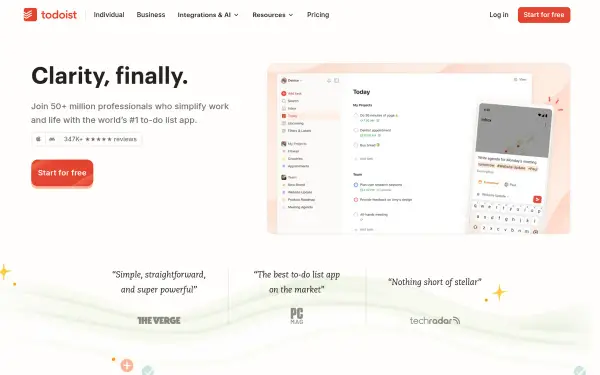
Our verdict
The fastest capture flow in the pack, best for teams that need a reliable shared list rather than a project plan.
Todoist is the fastest place in this list to get a task out of your head. The quick add box parses natural language, so typing a short phrase with a day and a project name sets the due date and files the task in one line. Recurring due dates handle weekly checks and monthly close routines, and keyboard shortcuts mean a task can be filed without reaching for a mouse. Everything syncs across web, desktop and mobile, so capture stays one tap away.
Structure is where the tool stops. You get projects, labels, filters and priority levels, plus task comments and assignment so a small team can work out of shared projects. Board views exist but are thin, and there is no Gantt chart, no dependency handling and no workload view. An owner who wants to see capacity across five people will end up exporting to a spreadsheet.
Pricing is per seat and simple. Pro costs $5 per user per month billed annually, which is $60 billed yearly. Business costs $8 per user per month billed annually, or $10 if you pay monthly, and it adds shared team workspaces and admin controls. That Business figure rose in December 2025, so numbers published before then are out of date.
It fits a small business where the daily habit matters more than the reporting: a design studio, a consultancy, a five person operations team that needs a dependable shared list. Skip it if the work needs sequenced phases, dependencies or honest capacity planning, because you will be rebuilding those in another tool within a month.
You want a shared task list that works on day one and nobody needs to be trained on.
You need dependencies, workload views or a timeline across several projects.
Entry II of X / Time to invoice
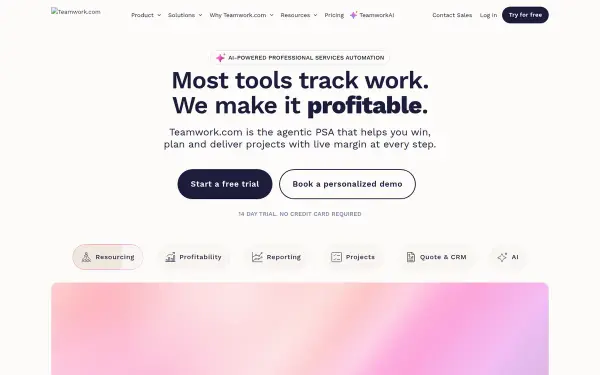
Our verdict
Best value for agencies that bill hours, because time tracking and invoicing live in the same tool at one price.
Teamwork.com is built for work you bill for. Tasks carry milestones, dependencies and workload views, so a client project can be planned as phases rather than a flat list. Time tracking is native, and tracked hours flow into invoicing without a third-party add-on, which is the reason most service businesses end up looking at it. Project budgeting and billable rates sit alongside, so a studio can see whether a retainer is drifting before the invoice goes out.
The structure is real project management rather than a to-do list. Templates cover common service workflows, clients and stakeholders can be given access, and reporting covers project and team capacity. The trade-off is breadth: there are fewer integrations than the larger platforms, and advanced resource management sits in higher tiers than the entry price implies.
Pricing starts at $9.99 per user per month on Basics, billed yearly, and that tier is aimed at small budgets. A free plan covers 5 users, 5 projects and 100MB of storage, which is genuinely usable for a two or three person shop testing the workflow before paying. The 14 day free trial needs no credit card, so the whole ladder can be tried in an afternoon.
Pick it if you sell hours and want time tracking, billing rates and invoices in one system instead of three. Skip it if you mainly coordinate internal projects with nothing to invoice, where a cheaper per-seat tool covers the same ground, or if you need deep integrations across a wide stack of business apps.
You bill clients by the hour and want tracked time to become an invoice without extra software.
Your projects are internal, unbilled and better served by a simpler list.
Entry III of X / Clear task ownership
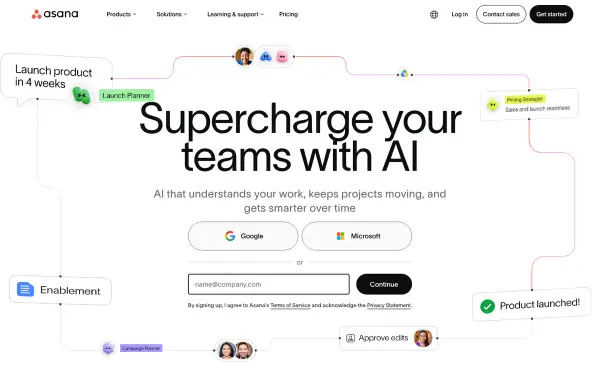
Our verdict
The clearest task interface here, with timelines and portfolios that arrive as the team and the workload grow.
Asana's advantage is that a new hire can open a project and understand it. Every task takes one assignee, which sounds minor until you have used a tool where three people own everything and nobody owns anything. The timeline view sequences work into phases, portfolios roll several projects into one status picture, and the workload view shows who is overcommitted. More than 200 native integrations means it usually plugs into whatever the business already runs, and forms plus rules-based automation handle intake without a separate tool.
The limits are pricing and tier gates. Portfolios, advanced reporting and native time tracking need higher tiers than Starter, so the entry price is not the price of the setup most teams actually want. On Starter at $10.99 per user per month billed annually, a ten person team is a real line item rather than a rounding error. The free Personal plan caps at 2 users, which makes it a personal tool rather than a team one, and trial terms should be confirmed on the vendor site.
Automation is where the value compounds. A form feeds the intake column and a rule assigns the owner, which is how most small businesses stop running a standing status meeting.
It fits a small business with structured work and low tolerance for training: marketing teams, operations teams, small product groups that need one clear owner per task. Skip it if your work is mainly quick individual tasks, if you need time tracking on the base plan, or if the budget only stretches to a free tier for more than two people.
You want structured projects that a new team member can read without a walkthrough.
You need time tracking on the entry plan or a free tier for more than two people.
Entry IV of X / Configurable boards

Our verdict
Boards reshape around almost any workflow, provided you accept the reported seat minimum and the tier caps on automation.
Monday.com sells boards, and boards are a good fit when the work looks different every quarter. Columns are configurable, so the same tool can hold a campaign calendar, a sales pipeline and a hiring tracker without three separate subscriptions. Views include calendar, timeline and dashboard, automations move items between stages when a condition is met, and the template library covers most small business scenarios out of the box. Guest access and shareable boards make it easy to work with a client or a freelancer for a week.
Two things catch small teams. Paid plans reportedly enforce a 3-seat minimum, so a two person business pays for three seats. Automations and integrations are also capped by tier, and the caps feel generous in month one and tight by month six. Pricing detail on the site takes patience to confirm, and the entry figure moves with promotions.
The published entry price is $9 per seat per month on Basic, billed annually for 10 seats with a first year discount applied, and there is a free forever plan for up to 2 seats. Read the discount before you build a budget on that number, because renewal is where the surprise lives.
Pick it if your work is visual and varied and someone on the team enjoys configuring boards. Skip it if you are two people, if you need hard dependencies and Gantt logic, or if you want per-seat pricing without minimums and discount conditions attached to it.
Your workflows change shape often and you want to configure a board rather than adopt a method.
You are a two person team or you need strict dependencies and Gantt sequencing.
Entry V of X / Breadth for the price
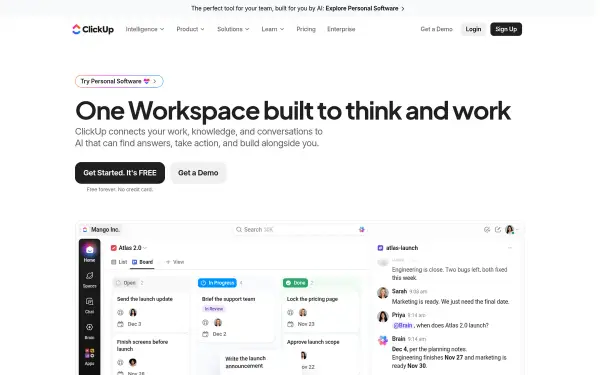
Our verdict
The widest feature set per dollar, if someone owns the setup and the team tolerates a learning curve.
ClickUp is the widest feature set in this list per dollar. Tasks, docs, goals and whiteboards live in one workspace, with time tracking, custom statuses, custom fields, list, board and Gantt views, automations, recurring tasks, dashboards and guest access. For a small business paying four or five separate subscriptions, that consolidation is the pitch, and at $9 per user per month on Core billed yearly, against a regular price of $12, the arithmetic is easy to run.
The cost is setup. A blank workspace is overwhelming, and teams that do not appoint an owner end up with four naming conventions and a dashboard nobody trusts. The interface feels cluttered next to Asana or Todoist, and performance is reported to degrade as workspaces grow, which matters if you pile years of tasks and large docs into the same place. Plan names and prices also appear to be changing, with conflicting outside reports, so confirm current tiers on the vendor site before you budget.
The free tier, Free Forever, includes unlimited tasks, which is unusual at this price point and makes it a genuine trial rather than a demo.
Pick it if you have one person who will own configuration and you want to cancel three other subscriptions this quarter. Skip it if your team is small, non-technical and likely to abandon a complex tool after two weeks, or if you need published pricing that will still hold in twelve months.
You want to consolidate several tools and have someone who will own the setup properly.
Nobody on the team wants to administer software or the team gives up on complex tools.
Entry VI of X / Instant kanban
Our verdict
The simplest board in the list, and the right answer for a tiny team that only needs shared visibility.
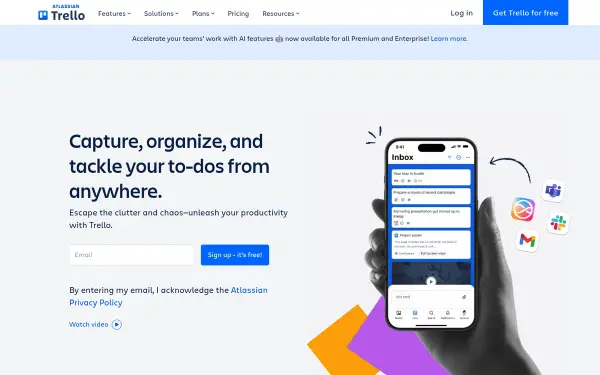
Trello is a kanban board and it does that one job well. Cards move between lists by drag and drop, each card holds checklists, due dates, attachments and comments, and members are assigned directly on the card. Nobody needs training: the first board takes minutes to set up, and the mental model survives a busy week without anyone asking where to click.
Power-Ups add the rest. A calendar view, automation rules and integrations all arrive as add-ons rather than core features, which keeps the board clean but means the tool you end up running is Trello plus four extensions. Reporting stays thin either way. There are no dependencies, no workload view and no portfolio structure, and a board carrying several hundred cards becomes a scrolling exercise rather than a plan.
Pricing is low and per seat. Standard costs $5 per user per month billed annually, or $6 billed monthly, and the free plan allows up to 10 collaborators per Workspace, which is enough for a very small business to run for a long time without paying anything at all.
Pick it if you need a shared board for a small team, a client-facing pipeline or a simple content calendar, and you want it working this afternoon. Skip it if you need to plan phases with dependencies, report on capacity or track time, because you will hit the ceiling within a quarter and move the work somewhere else.
A shared board is genuinely all you need and you want zero setup friction.
You need dependencies, capacity reporting or time tracking against a budget.
Entry VII of X / Flat team pricing
Our verdict
A flat $79 covers ten users, which makes budgeting easy and caps depth in equal measure for a small shop.
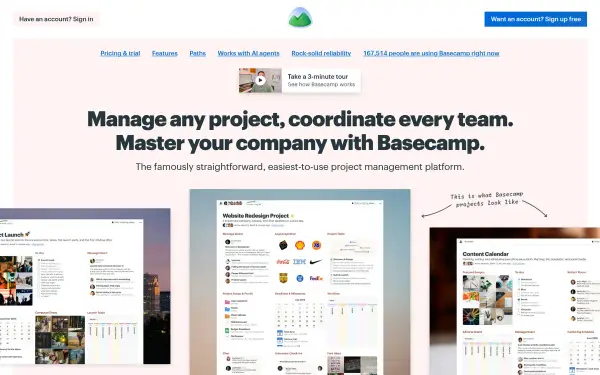
Basecamp is the flat price option, and for a small business that is often the whole argument. Pro costs $79 per month for up to 10 users and up to 8 active projects, with no per-seat math as you hire. Clients and contractors are included at no extra cost on every plan, which removes the awkward conversation about whether the freelance designer gets a seat.
The product is deliberately narrow. To-do lists cover assignments and due dates, message boards hold threaded discussion, schedules carry milestones, docs and files live in the same project, and Campfire handles quick chat. Setup is minimal: a project is a page of tools rather than a configuration exercise. What you give up is depth. There are no Gantt charts, reporting is thin, and automations sit well behind competitors, so anyone who enjoys building systems will find the design constraining within a month.
There is a free plan for 1 project and a 30-day free trial. A per-seat Plus tier and a flat-rate Pro Unlimited tier are both reported, but the figures could not be verified on the vendor page during research, so confirm them on the site before you commit to a year.
Pick it if you want one calm place for a team of ten or fewer and you would rather not think about task software again this year. Skip it if you need dependencies, capacity planning, time tracking against budgets or heavy automation.
You want one predictable monthly bill and no per-seat surprises as you hire.
You need Gantt charting, capacity planning or time tracking tied to budgets.
Entry VIII of X / Docs plus tasks

Our verdict
Tasks, docs and wikis share one workspace, at the cost of designing and maintaining your own system.
Notion is a workspace rather than a task tool, and that is either the reason to buy it or the reason to avoid it. Databases render as boards, calendars or tables, properties carry owner, status and due date, and pages link to other pages, so a task list can sit beside the brief, the meeting notes and the wiki that explains how the team works. Collaborative editing and comments make it a real shared workspace, and guest and public sharing covers clients.
The catch is that nothing is decided for you. There is no built-in project methodology, so someone has to design the database, the properties and the views, then keep them consistent as the team grows. Setups that are not maintained degrade into an unsearchable wiki, and very large databases are reported to slow down. At $10 per seat per month on Plus billed yearly, it is cheap relative to the breadth, but the real cost is the person who owns the structure.
The free plan is for individuals, so a team of any size ends up on a paid tier fairly quickly.
Pick it if your work is document heavy and you want tasks to live beside the writing they belong to: a studio, a research team, a consultancy producing deliverables. Skip it if you need Gantt charts, dependencies, workload views or a tool that a new hire can use on day one without a guided tour.
Your deliverables are documents and you want the task list to sit beside them.
You need dependencies, workload views or a structure someone else has already designed.
Entry IX of X / Gantt and intake
Our verdict
Gantt, dependencies and intake forms at a moderate per-seat price, with a denser interface to learn first.
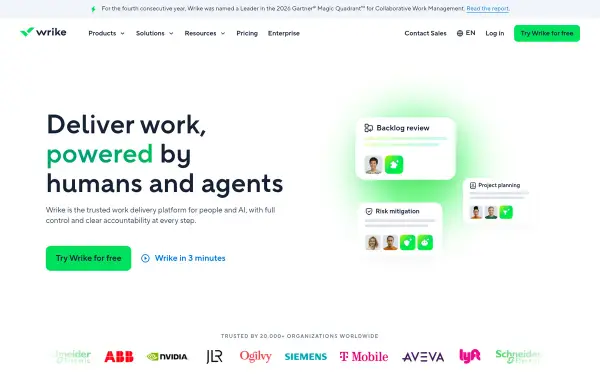
Wrike is the most project-shaped tool at a small business price. Gantt charts with dependencies, workload and resource views, request forms with intake workflows, dashboards and custom reporting all sit within reach, and proofing and approval workflows handle the review cycle that marketing and creative teams actually run. For a business where work arrives as requests from clients or other departments, the intake form alone replaces a lot of email.
The interface is denser than Asana or Monday.com and the onboarding curve is real. Time tracking and advanced automation sit in higher tiers, so the entry price is a starting point rather than the finished configuration. Reporting and dashboards do give an owner genuine oversight without exporting anything.
Pricing starts at $10 per user per month on Team, billed annually for 2 to 15 users, which is the tier most small businesses land on. A free tier with essential task management is offered, and a free tier for up to five users is reported but should be checked on the vendor page. A two-week free trial is available.
Pick it if you run client work or campaigns with real structure and you want Gantt, dependencies and intake forms in one place at a moderate price. Skip it if your team is small, non-technical and allergic to configuration, or if all you need is a shared list of tasks with due dates.
Work arrives as requests and you need Gantt, approvals and intake handling together.
The team resists configuration or you only need a simple shared task list.
Entry X of X / Spreadsheet familiarity
Our verdict
The natural step up for spreadsheet-driven ops teams that need dependencies, forms and dashboards without leaving the grid.
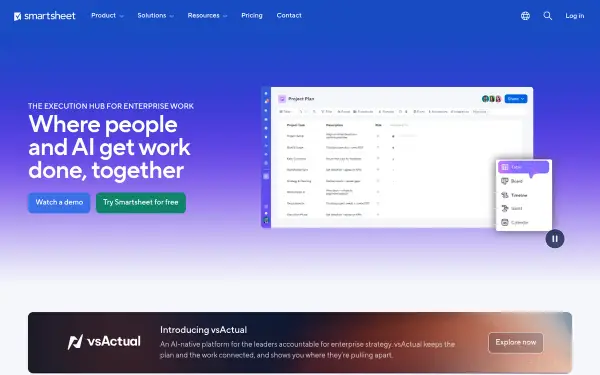
Smartsheet is a spreadsheet with project management bolted on, and for an operations or finance team that is a feature rather than a compromise. Rows and columns behave the way spreadsheet users expect, formulas work, and then Gantt, card and calendar views layer dependencies and schedules over the same grid. Row-level attachments and comments mean a single sheet can hold a procurement tracker, an approval log and the dates that matter.
Automation runs on rules and triggers, forms collect intake, and reporting and dashboards give the owner a view without leaving the sheet. The sharing model needs reading before you invite anyone: licensed members pay per seat while free collaborators have different access, so a team that assumes everyone is a viewer gets a surprise partway through rollout.
Per-member pricing with minimums also catches small teams. Pro is quoted at $9 per member per month billed yearly for 1 to 10 members, and the terms inside that band matter more than the headline number. There is no permanent free tier, so a 30-day trial with no credit card required is the way in, which is enough time to build one real process and decide.
Pick it if your work already lives in spreadsheets and you want dependencies, forms and dashboards without abandoning the grid. Skip it if your team is creative or marketing-led, where the interface feels like administration rather than planning, or if a free tier is a hard requirement.
Your processes already live in spreadsheets and you want structure without a new mental model.
You need a free plan or the team works in creative and marketing formats rather than grids.
VIBackground
Task management software for a small business is a shared place to record what needs doing, who owns it and when it is due, with enough visibility that the owner stops asking for updates in chat. That is the whole promise. Everything else is packaging: views, automations, dashboards, time tracking.
The category splits into three shapes. Simple capture tools (Todoist, Trello) put a task or a card at the center and stay out of the way. Structured project tools (Asana, Monday.com, Wrike, ClickUp, Teamwork.com) add phases, dependencies, workload and reporting. Flexible workspaces (Notion, Basecamp, Smartsheet) start from a document, a project page or a spreadsheet and let you build the task layer yourself.
What separates a task tool from a full project management suite is depth in four areas:
A small business rarely needs all four. A five person team coordinating a shared list needs ownership and due dates. An agency billing hours needs time tracking and invoices. A marketing team running campaigns needs intake forms, approvals and a calendar. Buying for the work you have now, rather than the work you might have in two years, keeps the per-seat bill honest and keeps adoption high.
Adoption is the real test. A tool that takes three clicks to add a task gets used; one that requires a form and two dropdowns gets bypassed in favor of a text message within two weeks. The most capable platform in this list is worthless if half the team keeps a private list in a notes app, which is why the cheapest tool here can outperform the most expensive one for a team of six.
This comparison sits in the software register. Further along the shore: baby tracking app and kennel software.
VIIPricing
Most small business task software bills per seat per month, with a discount for paying annually, but three other models show up in this list and each one shifts the risk. Annual billing locks the rate and normally costs less than paying monthly, though the size of the discount varies by vendor. Monthly billing costs more and keeps you free to leave. Flat rates remove per-seat math entirely. Free tiers are permanent limits rather than trials.
| Model | How it bills | Typical fit | Example from this list |
|---|---|---|---|
| Per seat, annual | Fixed price per user per month, charged for the year | Teams with stable headcount | Todoist Pro at $5 per user per month billed annually |
| Per seat, monthly | Same structure at a higher rate, cancel any month | Teams still deciding or hiring fast | Trello Standard at $6 billed monthly against $5 billed annually |
| Flat rate | One price for a user band, no per-seat charge | Teams of 10 or fewer who expect to grow | Basecamp Pro at $79 per month for up to 10 users |
| Per member, banded | A per-person rate inside a stated user range | Ops teams with a defined group | Smartsheet Pro at $9 per member per month billed yearly, 1 to 10 members |
| Free tier plus gates | A permanent free plan with limits, paid tiers remove them | Teams testing a workflow first | ClickUp Free Forever with unlimited tasks; Asana Personal capped at 2 users |
Three details change the real number. Seat minimums catch tiny teams, since Monday.com paid plans reportedly enforce a 3-seat minimum. Discounts expire, and Monday.com Basic at $9 per seat per month billed annually for 10 seats includes a first year discount applied. Prices also move: Todoist raised its Business price in December 2025, so older figures are wrong. Check the vendor page on the day you commit.
Each entry card shows the starting price as it appeared on the vendor's own pricing page on November 25, 2026. When a vendor shows no figure we could confirm, or only a promotional rate, the card says "See website" or gives the regular price instead of a guess. Usage, overage and add-on rates in the text change more often than plan prices, so confirm them on the vendor page before you set a budget. To test the numbers against your own volume, try the free User Research Budget Planner. The Event Break-Even Calculator is a second way to check the same decision.
VIIIDecision
Count the seats first. Five people at $10 per user per month billed annually is $600 a year before any upgrade. Write that number down, then confirm whether the plan you actually need is the one advertised at the entry price.
Name the job in one sentence. If it is remembering tasks, start with Todoist or Trello. If it is billing hours, Teamwork.com. If it is campaigns with approvals, Wrike. If it is documents beside tasks, Notion.
Test for dependencies. If one task blocks another, or a phase cannot start until a review is signed off, you need Gantt and dependency support. Trello and Todoist will not do it, and workarounds age badly.
Check free limits against headcount. Asana Personal caps at 2 users, Trello free allows 10 collaborators per Workspace, Teamwork.com free covers 5 users and 5 projects, and Basecamp free gives 1 project.
Run a two week pilot on live work. Put one real project in the tool rather than a demo. Watch whether people add tasks without being reminded, and whether the owner can answer where are we without asking anyone.
Set the upgrade trigger in advance. Decide the moment you pay: exceeding free seats, needing time tracking, needing reporting, or needing client access. Deciding under pressure usually means a rushed annual commitment.
IXPitfalls
Buying the most features. ClickUp and Notion can do almost anything, which is exactly why teams without an owner end up with four naming conventions and a workspace nobody trusts by month three.
Ignoring seat minimums and discounts. Monday.com paid plans reportedly enforce a 3-seat minimum, and its $9 Basic figure includes a first year discount, so a two person business should price year two before signing.
Assuming free will last. Asana Personal caps at 2 users and Basecamp free gives 1 project. Build the paid tier into the budget before the team depends on the free one for live work.
Skipping the data model. Whether it is Notion databases or Monday columns, somebody has to decide what a task is, which statuses exist and who can change them, or the reporting becomes noise.
Letting the board replace conversations. A board shows status, not the reason a task is stuck. Teams that stop talking because everything looks green usually find out at the deadline.
XQuestions
Trello and ClickUp leave the most room in a free plan. Trello's free tier allows up to 10 collaborators per Workspace, and ClickUp's Free Forever includes unlimited tasks. Teamwork.com's free plan covers 5 users, 5 projects and 100MB of storage. Asana Personal caps at 2 users and Basecamp free gives 1 project, so both are better read as trials than as a home.
Pick Asana if the work is structured and needs timelines: one assignee per task, timeline view, portfolios and workload views, from $10.99 per user per month billed annually on Starter. Pick Monday.com if the work is visual and changes shape, since boards reconfigure around campaigns and pipelines, from $9 per seat per month billed annually on Basic, with a reported 3-seat minimum on paid plans.
Pay when a limit starts costing more than the subscription. That means hitting a seat cap such as Asana Personal at 2 users or Teamwork.com free at 5, running out of projects when Basecamp free gives 1, or needing time tracking, reporting or client access that only paid tiers include. At $5 to $10 per user per month, five seats is usually cheaper than the workarounds.
Start with one live project and a small group rather than a company-wide launch. Decide the few rules that matter, namely what a task is, who assigns it and what the statuses mean, then write them down. Keep capture to a couple of clicks, load existing work before day one, and review the board in a standing meeting for the first month. Tools that need a form to add a task get bypassed.
Task management covers what needs doing, who owns it and when. Project management adds sequencing through dependencies and Gantt, resourcing through workload and capacity views, budgeting and time tracking, and roll-up reporting across several projects. Todoist and Trello sit at the task end. Wrike, Teamwork.com and Asana's higher tiers sit at the project end. Most small businesses need something in between.
Partly. A shared board answers where work stands and who owns the next step, which removes most update requests. It does not capture why something is stuck, what changed on a client call, or which trade-off was agreed. Keep a short written note for decisions and let the board carry state. Asana's forms and rules and Wrike's intake forms cut the routine reporting further.
XIFurther along the shore
Vendors can ask for a correction or apply for a Featured listing. Paid or not, the entry is scored on the same rubric and its limits stay in print. Partner with Umberlake.
Free tools
Our free browser tools turn the prices on this page into a figure for your own volume. Nothing you type leaves your device.