
Okta
$6Starter, per user per month, billed annually, $1,500 annual contract minimum
Best for large enterprises wanting neutral, deep app coverage
- Free plan
- No
- Rubric
- 8.1 of 10
Eight SSO tools scored on app coverage, provisioning, admin load and published pricing, ordered for the buyer each one actually fits.

IThe short answer
Okta is the best SSO software for large enterprises that need neutral coverage of thousands of apps. Microsoft Entra ID is the better pick if you already pay for Microsoft 365, because SSO arrives with the subscription. OneLogin suits mid market teams that want published prices a finance team can approve. As of November 2026, this ranking covers eight tools, and paid entry prices run from $3 to $6 per user per month at list, alongside several credible free tiers.
8 tools compared from vendor pages on November 25, 2026. 3 publish a starting price we could read; the rest say "See website".
IITop three berths
Register order is editorial fit for the buyer each entry describes. Prices are the starting figures read on November 25, 2026.
$6Starter, per user per month, billed annually, $1,500 annual contract minimum
Best for large enterprises wanting neutral, deep app coverage

FreeEntra ID Free, included with a Microsoft 365 or Azure subscription, paid P1 and P2 sold standalone or bundled
Best for microsoft 365 organisations with existing licences

See website
Best for enterprise hybrid estates with heavy federation and regulation
How this page is paid for. All 8 tools here are unpaid editorial picks.
A paid listing's position can be part of what the vendor pays for. Every entry, paid or not, is scored on the same rubric and keeps its limits in print. Advertising disclosure.
IIIThe register
Starting prices as shown on each vendor's pricing page on November 25, 2026. "See website" means no figure we could confirm.
| No. | Tool | From | Free plan | Trial | Rubric | Actions |
|---|---|---|---|---|---|---|
| 01 | OktaLarge enterprises wanting neutral, deep app coverage | $6Starter, per user per month, billed annually, $1,500 annual contract minimumUpdated on vendor page | No | 30-day free trial | 8.1 | |
| 02 | Microsoft Entra IDMicrosoft 365 organisations with existing licences | FreeEntra ID Free, included with a Microsoft 365 or Azure subscription, paid P1 and P2 sold standalone or bundledRead on vendor page | Yes | No | 7.6 | |
| 03 | Ping IdentityEnterprise hybrid estates with heavy federation and regulation | See websiteNot shown publicly | No | No | 6.3 | |
| 04 |  OneLoginMid market companies wanting published, predictable bundles | $3Basic, per user per month, authentication with limited user managementRead on vendor page | No | Free trial | 7.6 | |
| 05 |  JumpCloudSmall teams wanting directory, devices and SSO together | See websiteNot shown publicly | Yes | No | 6.1 | |
| 06 |  Google Cloud IdentityGoogle Workspace organisations extending SSO to third party apps | See websiteFree edition includes 50 user licenses, premium edition billed through Google WorkspaceNot shown publicly | Yes | No | 5.4 | |
| 07 |  RipplingCompanies consolidating HR and IT around one employee record | See websitecustom quoteQuote only | No | No | 5.7 | |
| 08 |  KeycloakEngineering led and public sector teams needing self hosted control | See websiteNot shown publicly | Yes | No | 5.7 |
Pinned:
IVMethod
How many applications connect over SAML, OIDC and SCIM without custom engineering work.
Whether the vendor publishes figures a finance team can read and compare before a sales call.
Automation of joiner, mover and leaver changes from an authoritative source into connected apps.
How much daily effort the console demands and whether one person can realistically carry it.
Coverage of hybrid, self hosted, air gapped and regulatory requirements.
VMethod
We scored eight SSO products against the job buyers actually hand them: getting staff into apps, getting leavers out, and keeping the admin load small enough that one person can carry it. Five criteria carry the weight. App coverage (25%) measures how many applications connect without custom work. Pricing clarity (20%) rewards vendors who publish a pricing sheet a finance team can read. Provisioning depth (20%) covers joiner, mover and leaver automation, including SCIM. Admin experience (20%) is the day to day console, and deployment fit (15%) covers hybrid, self hosted and regulatory requirements.
Every price in this list was taken from the vendor's own pricing pages and checked on November 25, 2026. Where a page states no figure, we say pricing is on the vendor site and do not estimate. Free tiers and trials are recorded as the vendor states them.
The order is editorial. It reflects how well each tool fits the buyer described in its entry, not a weighted total, and a slot can be carried as a Featured placement, which is paid. A Featured listing is scored on the same rubric as every other entry, and its weaknesses are published unchanged.
Scores are relative to this set, not absolute. A 10 for app coverage means best in this list, and a 4 for pricing clarity means the vendor does not publish numbers, not that the product is poor value. We reread the previous round's notes against current pricing pages and changed the Okta entry point from a $2 SSO-only module to the $6 Starter suite.
The full routine, from price reads to corrections, is on the methodology page. Paid listings follow the advertising disclosure.
Entry I of VIII / App catalogue breadth
Our verdict
The broadest app catalogue and deepest lifecycle automation here, priced modularly with an annual floor that penalizes small deployments.
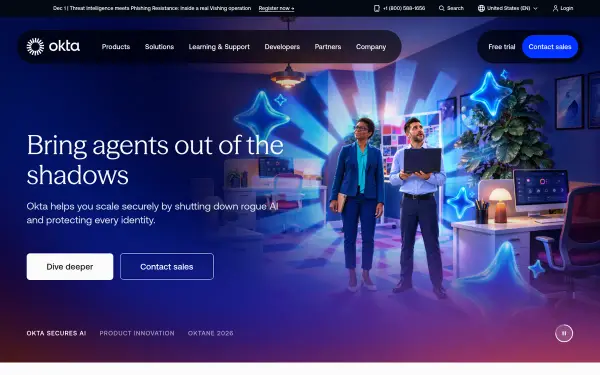
Okta is the reference point for workforce single sign on, and its case rests on connectors. Prebuilt integrations cover thousands of applications over SAML, OIDC and SCIM, including the long tail of departmental SaaS that rarely appears in a smaller vendor's catalogue. That breadth matters most when a company has grown by acquisition or has business units buying their own tools.
The platform is deliberately modular. SSO, MFA, lifecycle management and governance are separate modules, and the $6 Starter figure covers the suite entry point rather than everything. The old $2 SSO-only module no longer leads the pricing sheet. A $1,500 annual contract minimum applies, and list contracts are annual only, so a small pilot at list costs more than the per user math suggests.
Strengths are depth: joiner, mover and leaver automation driven from HR systems, adaptive MFA, risk based access policies, and neutral coverage of Microsoft, Google or mixed estates. Nothing in this list matches the lifecycle depth. The costs are real. Modular pricing stacks quickly once you add governance, the admin console assumes a dedicated identity owner, and the 2023 support system breach stays in the diligence record, though the vendor has published transparency reporting since.
Pricing is modular, so expect the entry figure to cover SSO alone and a full suite to land much higher per user. Okta fits large enterprises, regulated groups and anyone whose app catalogue is genuinely wide. A 30-day free trial exists and there is no free plan. Teams under a few hundred users usually find the annual floor and the admin overhead hard to justify against cheaper published bundles.
You run a wide, mixed application estate and can staff an identity owner.
You have fewer than a few hundred users or need a monthly, no minimum commitment.
Entry II of VIII / Conditional access engine
Our verdict
A near zero incremental cost option for Microsoft estates, with a mature policy engine and a SKU map that needs careful reading.
Microsoft Entra ID is the default answer for any organization already paying for Microsoft 365 or Azure. The free tier includes SSO and basic MFA for cloud applications, so the marginal cost of getting single sign on running is close to zero for a Microsoft estate. That, more than any feature list, is why it appears on so many shortlists.
Pricing is where the reading gets careful. P1 adds conditional access policies based on device, location and risk. P2 adds identity governance and risk based protection, and the Entra Suite bundles the advanced pieces. P2 and the Entra Suite sit around $12 per user per month, sold standalone or bundled, and many organizations already hold P1 entitlements inside existing licences without knowing it. Feature to SKU mapping is genuinely complex, so check each capability against the exact licence you own before promising it in a project plan.
Strengths are conditional access, which remains a mature policy engine, and hybrid identity over existing on premises Active Directory. SSO works across Microsoft and third party cloud apps. The experience thins noticeably outside the Microsoft estate, admin tasks are spread across several portals, and a misconfigured conditional access policy can lock out users at scale, which is a risk of power as much as a weakness.
Fit is Microsoft centric organizations across a wide range of sizes. The former Azure AD name still appears in older documentation, which slows new administrators down. There is no trial because there is nothing to trial: the free tier is the evaluation. Google first and vendor neutral estates should look at Okta or OneLogin instead.
Microsoft 365 or Azure is already your productivity and directory backbone.
Your estate is Google first or you need deep third party provisioning.
Entry III of VIII / Federation depth
Our verdict
Federation depth for hybrid and regulated estates, sold through sales cycles with no published pricing and a heavy implementation.
Ping Identity sells to organizations where identity is a regulated, multi directory problem. PingFederate handles SAML and cross company federation, and the cloud SSO line respects on premises directories and legacy applications rather than assuming everything has already moved. Self hosted and air gapped deployment options exist, which is unusual in this list and decisive for some government and healthcare buyers.
There is no published pricing sheet. Every deal starts with a sales conversation, and the vendor's consumer and workforce product lines are separate purchases that confuse first time buyers expecting one identity platform. Deals are sales led and volume based, so budget approval takes longer than with OneLogin or Entra ID, and the scoping exercise usually involves an implementation partner.
Strengths are federation maturity and deployment flexibility. Partner and business to business federation is a first class use case rather than a bolt on, and the product copes with estates that mix directories, partners and regulators. Finance, healthcare and government buyers tend to already have the specialist staff this deployment needs, and they value the air gapped option more than a slicker console.
The limits follow from that positioning. Implementation is enterprise weight and expects specialists, the consumer and workforce split needs untangling before you scope anything, and organizations without complex identity requirements pay for capability they will never switch on. Smaller companies typically reach the same outcomes faster with lighter tools.
Fit is narrow and deep: hybrid estates with heavy federation, legacy directories and regulatory constraints. Pricing is on the vendor site, and the vendor publishes no figure we could check, so no number is quoted. For a smaller company with a modern app list, Ping is overkill. For a bank federating with partners across two directories, it belongs on the shortlist. Price the support and professional services alongside the subscription.
Identity spans multiple directories, external partners and regulatory review.
You have a modern app list and no specialist identity staff.
Entry IV of VIII / Published per seat prices
Our verdict
Published per seat prices, a fast admin console and a smaller catalogue, with a 2025 incident that belongs in your security review.
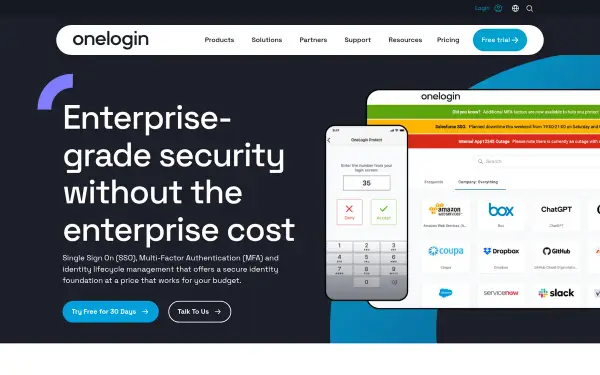
OneLogin, now part of One Identity, is the mid market option that behaves like a commercial product should: prices on a page, tiers with names, and a trial you can run against a real application list. The Basic tier lists $3 per user per month for authentication with limited user management. Essentials adds lifecycle management and an advanced directory, and Business adds desktop MFA and RADIUS support.
That published structure is the point. A finance team can approve a OneLogin rollout without a sales cycle, and the admin console is the simplest among the established vendors here. Risk based step up authentication policies and provisioning to connected applications cover the everyday requirements of a mid market company. Managed service providers use its multi tenant management to run client estates from one place.
The limits are scale and catalogue. The application catalogue is smaller than Okta's, particularly for long tail SaaS, so niche tools may need custom SAML work. Depth in exotic federation and governance is thinner, and very large enterprises tend to outgrow the product rather than grow with it. A 2025 credential incident means you should ask for a current security posture review before signing, and put the written answer in the file.
Fit is mid market companies that want predictable bundles and fast administration. Start with the free trial and load your ten most awkward applications into it, not your ten easiest. If they connect without custom work, OneLogin will likely carry you for years. If three or four need engineering time, the cheaper per seat price stops being the deciding number.
You want predictable published bundles and administration one person can own.
Your app list is full of niche tools or you need deep governance.
Entry V of VIII / Directory plus devices
Our verdict
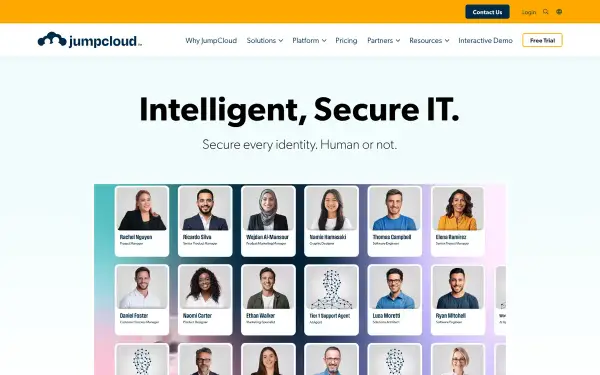
Directory, devices and SSO in one console with a real free tier, though the app catalogue and invoices get less predictable at scale.
JumpCloud bundles a cloud directory, device management and SSO into one console, which is the combination a small IT team with a mixed fleet actually needs. Windows, Mac and Linux get equal treatment, LDAP and RADIUS cover legacy systems that will not speak SAML, and the platform can replace an on premises Active Directory outright. The free tier covers up to 10 users and is genuinely usable rather than a demo.
Directory is the anchor. Users and groups live in the cloud directory, devices are managed from the same place, and web apps connect over SAML and OIDC. For a company with one person covering IT, that consolidation is worth more than depth in any single area, and it removes the usual sync project between a directory and a separate device tool.
Weaknesses start at the catalogue. The application library is smaller than the dedicated identity networks, so niche SaaS may need custom SAML configuration. Packaging is modular, with add ons for directory and device features, which makes invoices harder to forecast than a flat per user rate. Governance depth trails the largest vendors, and per user cost at scale approaches the leaders without matching their depth. Pricing is on the vendor site; the page returned no fetchable figure on November 25, 2026, so no price is quoted here.
Fit is small teams with mixed devices and no identity specialist. It is quick to stand up and approachable for the first few hundred users. Fast growing companies often replace it once device management and identity need separate owners, so treat it as a strong first platform rather than a ten year one.
One person runs IT for a mixed device fleet and wants one console.
You need a wide app catalogue or deep access governance.
Entry VI of VIII / Workspace native sign in
Our verdict
Near free for Google first companies, with familiar sign in and a provisioning gap that leaves leaver access in place.
Google Cloud Identity is a low incremental cost option for a company that already runs on Google Workspace. The free edition includes 50 user licenses, premium editions are billed through Workspace, and the identity is the Google account staff already use. Sign in is a flow nobody needs training on, and the incremental vendor cost for a Google first company is close to zero.
SSO to third party apps works over SAML and OIDC, and premium tiers add advanced controls and reporting. Administration happens across the Workspace and Google Cloud consoles, which is where the confusion starts: the same capability can be described differently depending on which console you are reading, and newcomers waste time working out which surface owns what.
The real limit is provisioning. SCIM support is limited or absent for many applications, so account creation and removal often stay manual. That matters for leavers: a departed employee can keep an application account long after the Google account is suspended. The catalogue and lifecycle depth trail Okta and Entra ID clearly, and the product is only rational inside the Google ecosystem.
Pricing is on the vendor site. The page confirms free and premium editions but states no premium figure, so no number is quoted here.
Fit is Google Workspace organizations extending SSO to a third party app list, especially smaller companies where the free edition's 50 licenses cover the whole staff. Before you commit, count how many of your apps need SCIM and budget either custom provisioning work or a future migration if that list keeps growing. Treat the deprovisioning gap as the main diligence item, not a footnote.
Google Workspace is your identity source and your app list is modest.
Leaver automation and a wide app catalogue are non negotiable.
Entry VII of VIII / HR driven offboarding
Our verdict
Identity that follows the HR record, with the best joiner and leaver automation here and no standalone SSO purchase.
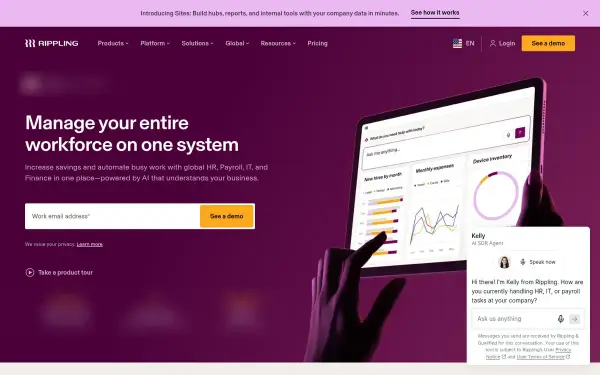
Rippling sells identity as a consequence of an HR platform rather than as a standalone product. Hire and termination events in the HR system drive account creation and removal, laptops ship with accounts already provisioned, and one click offboarding revokes accounts and devices together. That is the strongest joiner and leaver automation in this list, and it works because the employee record is the source of truth rather than a directory someone has to keep in sync.
SSO and provisioning cover hundreds of apps, and the wider platform adds payroll, HR and device management. For a company already consolidating HR and IT spending, the identity layer comes as part of the wider platform, and the operational win is real: offboarding becomes one action instead of a checklist someone maintains in a spreadsheet.
The costs are structural. Pricing is quote only through an employee count form, with no published entry figure, so comparison shopping is slow. SSO is not sold as a standalone product, which means you buy the suite to get the identity features. The application catalogue is smaller than the dedicated identity networks, and federation and governance depth trail the specialists. Changing HR systems later complicates the identity layer in ways that are unpleasant to unwind.
Fit is companies that want one employee record driving HR, IT and payroll. Evaluate on the total contract including the wider suite, because that is the unit being sold. If you need identity only, or you run a complex multi directory federation, a dedicated vendor will cost less and do more. Standalone identity buyers are usually better served elsewhere.
HR is the system of record and you want offboarding in one click.
You need identity alone or federate across several directories.
Entry VIII of VIII / Self hosted control
Our verdict
Free at any seat count, fully self hosted and code extensible, with operations and patching as your permanent bill.
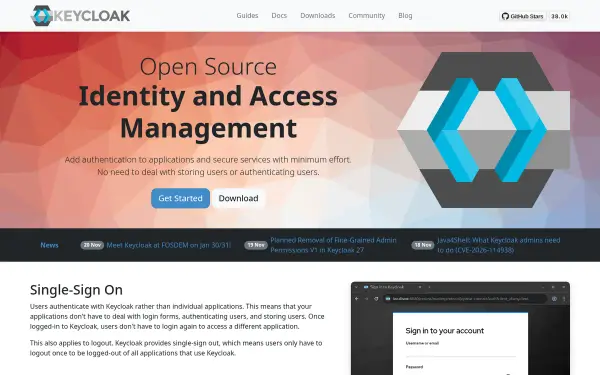
Keycloak is the open source answer: SAML, OIDC and OAuth 2.0 brokering, user federation to LDAP and Active Directory, social login, and self hosting in your own data center, cloud or jurisdiction. Custom authentication flows and themes are written as code, which is either the best feature or the worst, depending on who is on your team. It runs under many commercial products and national platforms, so the technology is proven at scale.
There is no licence cost at any seat count. For public sector teams with sovereignty requirements, or engineering led companies that already operate Kubernetes and a platform function, that combination of price and control is hard to beat, and no vendor ticket queue sits between you and a configuration change.
The bill arrives in labor. Operations, patching, scaling and on call sit with your team. SCIM support is a known gap, so provisioning to downstream apps often needs custom work, which quietly recreates the leaver problem you bought SSO to fix. There is no vendor escalation path without a commercial support contract. Upgrades consume engineering time every year, and that effort is permanent rather than a one time setup cost.
It is a CNCF project stewarded by Red Hat, with the Red Hat build as the supported commercial route. Pricing for that build is on the vendor site; the open source project itself has no pricing page, so no figure is quoted.
Fit is engineering led and public sector teams with platform capacity and a real reason to self host. Below a few hundred users, a hosted alternative usually wins on total cost once you price the on call rota honestly.
You have platform engineers and a mandate to self host identity.
Nobody on the team wants to patch an identity server at night.
VIBackground
SSO software is the system that lets one credential open many applications, and then decides what that credential is allowed to reach. The login screen is the visible part. The work sits behind it: a directory of users, a set of trust relationships with applications, and a policy engine that decides whether this person, on this device, from this location, gets in.
Four jobs define the category.
Most buyers conflate SSO with MFA. They are different: SSO reduces the number of passwords, MFA strengthens each login. Vendors bundle them because selling one without the other leaves an obvious hole.
Provisioning is where the money hides. Sign in is easy to demonstrate and hard to get wrong. Removing access when someone leaves is easy to get wrong and hard to demonstrate. A product with excellent SSO and weak SCIM will still leave a departed employee with a live account in a niche SaaS tool, and that is the finding an auditor writes down.
The category also splits between workforce and customer identity. Workforce SSO serves employees and is priced per seat, per month, with tiers. Customer identity serves millions of end users, is priced on active users or authentication volume, and needs different scaling characteristics. Buying one when you need the other is a common and expensive mistake.
Finally, delivery model matters. Hosted vendors carry the operations. Self hosted options such as Keycloak hand you control and the pager. Neither is wrong, but the choice should follow your team, not the licence price.
This comparison sits in the software register. Further along the shore: baby tracking app and kennel software.
VIIPricing
SSO pricing looks simple, per user per month, until you read the tiers. Five models show up in this list, and they behave very differently at 100 users and at 10,000.
| Model | How it bills | Typical fit | Example from this list |
|---|---|---|---|
| Per seat, tiered | Monthly rate per user, banded by plan features | Mid market buyers wanting predictable unit cost | OneLogin at $3 Basic per user per month |
| Bundled with a platform | No separate SSO line item, cost sits inside an existing subscription | Organizations already standardized on that platform | Microsoft Entra ID Free with Microsoft 365 or Azure |
| Modular | Each capability priced separately, stacked into a suite | Large enterprises adding governance and lifecycle | Okta at $6 Starter with separate modules |
| Quote only | Sales scoped contract, volume based, no list figure | Complex estates with federation and regulation | Ping Identity and Rippling |
| Open source plus support | No licence fee, optional paid support, your own labor | Engineering teams with platform capacity | Keycloak |
At a given seat count, published rates are easy to compare. OneLogin Basic lists $3 per user per month. Okta's Starter suite lists $6 per user per month, and its $1,500 annual contract minimum applies. Entra ID P2 and the Entra Suite sit around $12 per user per month, but a Microsoft 365 customer may already hold P1 entitlements, so the real number could be zero.
Contract terms change the arithmetic more than the per seat rate. Annual minimums and annual only billing turn a small pilot into a commitment. Modular packaging means the entry figure covers one module, not the suite, and governance or lifecycle features arrive later at a higher rate.
Then there is the cost that never appears on a pricing sheet: administration. A product that needs a dedicated identity owner costs a salary, and a self hosted option costs engineering time every upgrade. Compare total cost over three years, not the monthly unit price.
Each entry card shows the starting price as it appeared on the vendor's own pricing page on November 25, 2026. When a vendor shows no figure we could confirm, or only a promotional rate, the card says "See website" or gives the regular price instead of a guess. Usage, overage and add-on rates in the text change more often than plan prices, so confirm them on the vendor page before you set a budget. To test the numbers against your own volume, try the free User Research Budget Planner. The Event Break-Even Calculator is a second way to check the same decision.
VIIIDecision
IXPitfalls
XQuestions
SSO reduces the number of logins; MFA strengthens each one. SSO federates a single identity to many applications, while MFA adds a second proof such as an authenticator code. Vendors bundle them because one without the other leaves a hole: SSO alone means one password opens everything, and MFA alone means staff still juggle dozens of passwords.
At published list rates, OneLogin Basic is $3 per user per month. Okta's Starter suite is $6 per user per month, and its $1,500 annual minimum applies. Entra ID P2 and the Entra Suite sit around $12 per user per month, though existing Microsoft 365 licences often already include P1 entitlements.
SCIM is what lets the identity provider create and delete accounts in downstream applications automatically. Without it, SSO only controls the login, and a departed employee can keep a live account in an app nobody remembers to check. Google Cloud Identity and Keycloak both have known SCIM gaps, so budget custom provisioning work or manual review time.
Workforce SSO is priced per employee seat, per month, in named tiers, because the user count is small and known. Customer identity is priced on active users or authentication volume, because the population runs into millions and traffic is unpredictable. Ping Identity sells the two as separate product lines, which is a common reason first time buyers misread its scope and budget.
Yes, and Keycloak runs under commercial products and national platforms. The licence is free at any seat count, but operations, patching, scaling and on call become internal costs, and SCIM provisioning often needs custom work. The supported route is the Red Hat build, and below a few hundred users a hosted product usually wins on total cost.
Check the annual minimum, the contract term and the leaver path before anything else. A $1,500 annual floor makes a small deployment expensive at list, and annual only terms remove flexibility. Then run the trial against your three most awkward applications: if they connect without engineering work, the per seat price is the number that matters.
XIFurther along the shore
Vendors can ask for a correction or apply for a Featured listing. Paid or not, the entry is scored on the same rubric and its limits stay in print. Partner with Umberlake.
Free tools
Our free browser tools turn the prices on this page into a figure for your own volume. Nothing you type leaves your device.