
ClickUp
$9Core plan, per user per month, billed yearly
Best for teams consolidating several tools into one configurable workspace
- Free plan
- Free Forever, $0, unlimited tasks and members
- Rubric
- 8.0 of 10
Nine project management platforms compared on price, structure and fit, with per-seat costs from $3 to $10.99 and notes on where each one stalls.

IThe short answer
ClickUp is the best overall pick for teams consolidating several tools, monday.com suits cross-functional and client-facing teams that want visual workflows, and Asana fits marketing and operations groups that need clear, structured tracking. Prices below were checked on 25 November 2026. Entry seats run from $3 for Zoho Projects to $10.99 for Asana Starter, and every tool on the list except Smartsheet offers some free way to start. The order reflects editorial fit for the buyer each entry describes: Best Saas Project Management Software.
9 tools compared from vendor pages on November 25, 2026. 9 publish a starting price we could read; the rest say "See website".
IITop three berths
Register order is editorial fit for the buyer each entry describes. Prices are the starting figures read on November 25, 2026.
$9Core plan, per user per month, billed yearly
Best for teams consolidating several tools into one configurable workspace

$9Basic, per seat per month, billed annually, 10 seats selected
Best for cross-functional and client-facing teams wanting visual workflows
$10.99Starter, per user per month, billed annually
Best for marketing and operations teams needing structured, clear work tracking
How this page is paid for. All 9 tools here are unpaid editorial picks.
A paid listing's position can be part of what the vendor pays for. Every entry, paid or not, is scored on the same rubric and keeps its limits in print. Advertising disclosure.
IIIThe register
Starting prices as shown on each vendor's pricing page on November 25, 2026. "See website" means no figure we could confirm.
| No. | Tool | From | Free plan | Trial | Rubric | Actions |
|---|---|---|---|---|---|---|
| 01 | ClickUpTeams consolidating several tools into one configurable workspace | $9Core plan, per user per month, billed yearlyUpdated on vendor page | Yes | See website | 8.0 | |
| 02 | monday.comCross-functional and client-facing teams wanting visual workflows | $9Basic, per seat per month, billed annually, 10 seats selectedRead on vendor page | Yes | See website | 8.0 | |
| 03 | AsanaMarketing and operations teams needing structured, clear work tracking | $10.99Starter, per user per month, billed annuallyRead on vendor page | No | See website | 8.3 | |
| 04 | WrikeMid-size and enterprise teams with complex multi-department projects | $10Team, per user per month, billed annually, 2 to 15 usersRead on vendor page | Yes | Free two-week trial, no credit card required | 7.4 | |
| 05 |  SmartsheetPMOs and operations teams already comfortable with spreadsheets | $9Pro, per member per month, billed yearly, 1-10 MembersRead on vendor page | No | 30 days free, no credit card required | 7.7 | |
| 06 |  JiraSoftware, IT and product teams running sprint-based delivery | $8.48Standard, per user per month, monthly or annual toggle shownUpdated on vendor page | Yes | Free trial available on paid plans | 7.5 | |
| 07 |  NotionDocs-led teams wanting tasks stored beside their knowledge base | $10Plus, per seat per month, billed yearlyRead on vendor page | Yes | See website | 7.4 | |
| 08 |  LinearProduct-led startups that prioritise speed over configurability | $10Basic, per user per month, billed yearlyRead on vendor page | Yes | See website | 8.1 | |
| 09 | Zoho ProjectsBudget-conscious teams already using Zoho business apps | $3Premium, per user per month, billed annuallyUpdated on vendor page | Yes | 15-day free trial, no credit card required | 7.3 |
Pinned:
IVMethod
Whether the seat price, tier limits and add-on fees are visible before you talk to sales.
How well the platform models dependencies, sprints, portfolios and the reporting a team depends on.
Whether the interface and defaults match the people who will use it daily, technical or not.
How quickly a new team reaches useful work without a consultant or a dedicated administrator.
What still holds up at 50 users, several departments and cross-project reporting.
VMethod
We scored nine platforms against five criteria, weighted for buyers who will sign a contract this quarter rather than run a long research project. Work structure carries 25 percent, because a platform that cannot model your dependencies will fail regardless of price. Price clarity, team fit and setup effort carry 20 percent each. Price clarity rewards published seat prices and honest limits rather than a low entry number that grows at the checkout. Team fit asks whether the tool matches the people who will actually use it, not the org chart. Setup effort measures how quickly a new team reaches useful work without outside help. Scaling ceiling carries the remaining 15 percent and covers what happens at 50 users and multiple departments.
Every price in this list comes from vendor pricing pages checked on November 25, 2026. We used the entry paid tier each vendor publishes, recorded the plan name and billing term beside it, and noted where a higher tier holds a feature buyers usually assume is included. We did not convert currencies, estimate discounts or repeat older figures that the vendor pages no longer show.
This edition has no Featured placement. Where a listing is Featured, it is a paid placement and it is scored with the same rubric as every other entry. No rating, review count, award or customer quote appears here, because we cannot verify those claims for these vendors.
The ranking is editorial. Each entry is ordered by fit for the buyer described in that entry, not by a weighted total. Use the scores as a reading aid and the pick and skip lines as the decision.
The full routine, from price reads to corrections, is on the methodology page. Paid listings follow the advertising disclosure.
Entry I of IX / All-in-one workspace
Our verdict
The broadest feature set per dollar here, provided your team will invest the setup time to shape it.
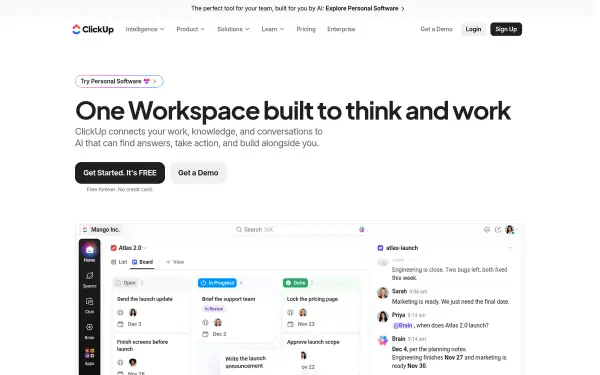
ClickUp tries to be the last tool a team buys. Tasks, subtasks and dependencies sit in the same workspace as docs, chat, whiteboards and goals, and the same record can be viewed as a list, board, calendar or Gantt chart. The automation builder handles recurring handoffs, native time tracking feeds workload dashboards, and guests can be added for external collaborators. Paid tiers open more than 1,000 app integrations. AI is sold as a per-seat add-on rather than bundled, so budget for it separately if the team expects it.
The cost of that breadth is configuration. There are many views, custom fields and status sets, and a new team can spend its first weeks arguing about structure instead of shipping work. Teams that skip setup tend to stall early, then blame the tool. Assign one person to design the workspace hierarchy, statuses and automations before the wider team arrives, and keep the first version small.
Pricing starts at $9 per user per month on the Core plan, billed yearly. Core is now the cheapest paid tier, so older guidance pointing at a cheaper Unlimited plan is out of date. The Free Forever plan costs $0 and allows unlimited tasks and members with 60MB of storage, which makes evaluation effectively free but tight for file-heavy teams. AI capability remains a separate per-seat purchase on top of whichever plan you choose.
It fits teams consolidating several point tools into one subscription and willing to spend a week on design. It fits less well where a small group needs something working on day one with nobody to administer it.
Your team wants one workspace for tasks, docs and chat and can spare a week to configure it properly.
You need a team working at full speed on day one with no administrator.
Entry II of IX / Visual boards

Our verdict
Fast to adopt and easy for non-technical teams to read, with automation caps that quietly push heavy users up a tier.
monday.com leads with visual boards built from column types: status, people, date, numbers and more. Teams that think in rows and coloured labels understand it within an hour. Timeline and Gantt views arrive on higher tiers, dashboards and reporting widgets sit alongside, and document and knowledge items can live next to boards rather than in a separate tool. There are more than 200 templates covering marketing, operations and agency processes, and paid plans include unlimited read-only viewers, which keeps client access cheap.
That combination explains its popularity with non-technical and client-facing teams. An agency can give a client a viewer seat at no cost and keep the working board internal. Adoption is fast for non-technical teams, which matters more than feature depth when a rollout has a deadline and no training budget.
Pricing is where the polish thins. Basic is $9 per seat per month billed annually with 10 seats selected, Standard is $12 and Pro is $19. Paid plans require a three-seat minimum, so a two-person team pays for three. Standard includes 250 automation actions per month, and busy teams exhaust that quickly, which pushes them to Pro. The effective cost often lands above the advertised entry price, and AI features are concentrated in the higher tiers rather than spread across the range.
It fits cross-functional teams, agencies and operations groups that want something readable by Friday. It fits poorly where automation volume is high and the budget is fixed at the entry tier.
You want a visual workflow that a mixed team can read without training, and you can live with the seat minimum.
You run thousands of automations a month on a fixed entry-tier budget.
Entry III of IX / Timeline clarity
Our verdict
Clean, quick to learn and strong on dependencies, though portfolio and workload reporting sit a tier above the advertised entry price.
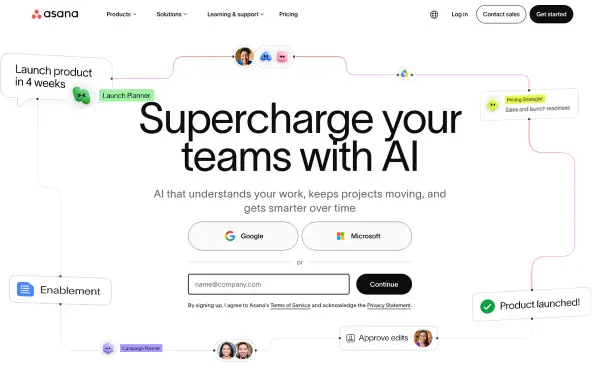
Asana's strength is clarity. Projects, sections, tasks and subtasks read the same way to a marketing coordinator and a finance lead, and the timeline view handles dependent work without a manual. Form-based intake turns ad hoc requests into structured tasks, templates cover repeatable campaigns, and the workflow builder handles rules and approvals. Dashboards and reporting appear on paid tiers, and native integrations cover the common business apps.
The tier split is the thing to watch. Goals, portfolios and workload views, the features that make Asana useful for planning across several projects, sit on Advanced. Many teams buy Starter, then discover after purchase that the reporting they assumed was included needs an upgrade. Starter is $10.99 per user per month billed annually and Advanced is $24.99, which is a large jump for a small team.
Seats are sold in blocks, which can raise the cost for teams that sit just above a block boundary. The free Personal plan is limited to two users, so it works as a personal trial rather than a team plan. Paid plans do include unlimited free guest access, which suits agencies working with clients and partly offsets the seat structure.
It fits marketing and operations teams that need structured, clear work tracking and will use timelines and dependencies daily. It fits less well for engineering sprints, where Jira or Linear give more delivery machinery, and for very small teams that need portfolio reporting on a tight budget.
Your team lives in timelines and dependencies and the work is mostly marketing or operations delivery.
Portfolio views and workload reporting are day-one needs on a Starter budget.
Entry IV of IX / Capacity planning
Our verdict
Deep resource planning and built-in proofing for complex multi-department work, but it needs a named administrator to stay useful.
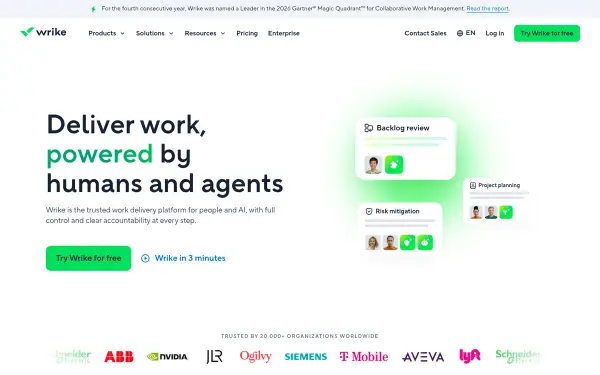
Wrike is built for organisations where several departments share one delivery engine. Gantt charts, workload charts and shared calendars sit beside custom workflows, request forms and assignment rules. The feature that distinguishes it is proofing: creative teams can route artwork and copy for review and approval inside the platform rather than through email threads. Advanced reporting and dashboards round it out, and integrations cover the common enterprise apps.
Resource and capacity planning is deep, but it is not the entry tier. Team is $10 per user per month billed annually for 2 to 15 users, and Business at $25 carries most of the planning depth, including resource management and advanced reporting. Buyers who compare only the $10 figure and expect capacity planning are usually disappointed at signature.
The platform rewards administration. Custom workflows, permissions and approval chains all need design, and someone has to own them after launch. Teams that treat Wrike as a set-and-forget purchase tend to end up with a well-licensed tool and a messy instance. A free two-week trial with no credit card required is enough to test one real project, and a free plan covers essential task management for smaller needs.
It fits mid-size and enterprise teams with complex, multi-department projects and the headcount to run an administrator. It fits poorly for a five-person team that wants a board and nothing else.
You run multi-department projects with creative review and have someone to own the configuration.
Nobody on the team wants to administer workflows and permissions.
Entry V of IX / Spreadsheet familiarity
Our verdict
A spreadsheet-shaped project platform that suits PMOs and operations teams, with add-on fees for resource management and Dynamic View.
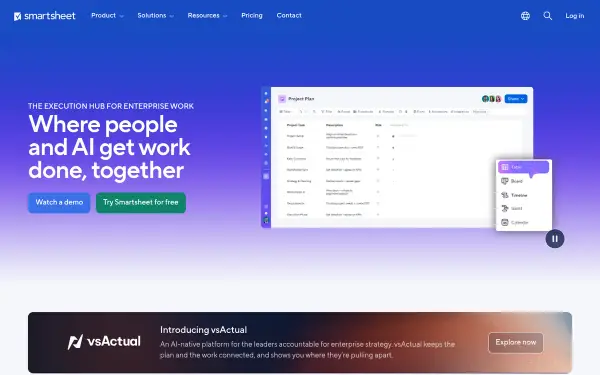
Smartsheet looks like a spreadsheet and behaves like one, which is the point. Sheets use formulas, rows can be grouped and summarised, and the same data can be viewed as a Gantt chart, card or calendar. Reports roll up across sheets, so a PMO can build portfolio-level views without exporting anything. Automated workflows and approval requests handle sign-off, dashboards show live data, and unlimited free viewers keep stakeholder sharing cheap.
That familiarity is a real advantage for operations teams who have run programmes in spreadsheets for years. The learning curve is short for them, and the reporting is strong for programme and portfolio work. The trade-off is that visual task work feels spreadsheet-heavy, and teams expecting a modern card interface often find it dry.
Pricing runs at $9 per member per month billed yearly on Pro, for 1 to 10 members, with Business at $19 adding reporting depth. There is no free plan, though a 30 day free trial requires no credit card. Time tracking, resource management and Dynamic View are not included: Resource Management and Dynamic View carry separate add-on fees, so the real cost for a resourcing-heavy PMO is higher than the Pro figure suggests. Organisations that need intake, tracking and executive reporting in one place often accept that, because the alternative is several tools plus a spreadsheet.
It fits PMOs and operations teams already comfortable in spreadsheets, especially where portfolio reporting matters. It fits poorly for design or marketing teams that want a visual, opinionated interface out of the box.
Your PMO already runs on spreadsheets and needs portfolio reporting with cheap stakeholder access.
Your team needs a visual, opinionated board interface and no add-on fees.
Entry VI of IX / Agile delivery depth
Our verdict
The strongest agile tooling here for engineering teams, and the wrong purchase for anyone outside software delivery.
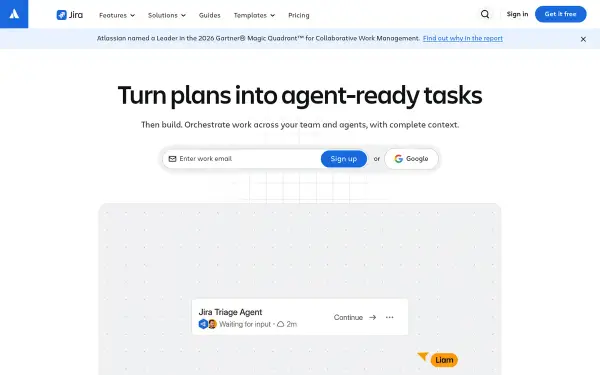
Jira is the reference tool for sprint-based delivery. Scrum and Kanban boards come with backlogs, sprint planning and estimation in story points. Velocity and burndown reporting tell a team whether it is improving, release and version management ties work to shipping, and workflows, issue types and automation rules are configurable to a degree most tools cannot match. Native Confluence and Bitbucket connections and a marketplace of more than 1,000 apps cover the edges.
That configurability is also the cost. A complex Jira instance needs a named administrator, and badly configured projects produce the sprawling, unusable boards that give the tool its reputation outside engineering. Advanced roadmaps and cross-project plans sit on Premium, so organisations planning at portfolio level pay above Standard. Designing the instance before the first sprint is worth the effort.
Pricing is straightforward for a change: Standard shows $8.48 per user per month, with a monthly or annual toggle shown at that level, and Premium is $14.54 where plans and roadmaps appear. The $8.48 entry figure is up from an earlier $7.91, so older comparisons are out of date. A free plan covers up to 10 users forever, which is unusually generous for a tool of this depth, and a free trial is available on paid plans.
It fits software, IT and product teams running sprint-based delivery and willing to invest in administration. It fits poorly for non-technical teams with simple task needs, who will pay for machinery they never use.
You run sprints, need burndown and velocity reporting, and have someone to administer the instance.
The team is marketing, operations or anyone outside software delivery.
Entry VII of IX / Docs plus databases

Our verdict
A strong documentation layer with lightweight task tracking, not a system of record for complex delivery programmes.
Notion starts from documents and grows outward. Pages, wikis and synced blocks handle the written side of work, and relational databases with multiple views turn the same pages into a lightweight tracker. Templates make repeatable workflows easy to copy, permissions and page sharing control who sees what, and public page publishing covers documentation that has to face outward. Import and export handle common formats.
Task tracking is possible, and many teams run projects in it happily, but the structure is optional by design. There is no native time tracking, and the controls that keep a large programme honest are thin. Gantt and workload functionality is weak compared with the delivery tools here, and workspaces sprawl unless someone enforces conventions on naming, database properties and page hierarchy. Without those rules, a workspace that felt clean in month one becomes an archive nobody trusts by month nine.
Pricing is simple: Plus is $10 per member per month billed annually and Business is $20, which includes the full AI feature set rather than selling it separately. The free plan is $0 per seat per month for individuals, which is generous for solo use and thin for teams.
It fits docs-led teams that want tasks stored beside their knowledge base, and teams that will treat the workspace as a documentation layer rather than a system of record. It fits poorly for complex programmes that need dependencies, resource planning and reliable Gantt views.
Your documentation is the centre of gravity and project tracking is a secondary need.
You need dependencies, time tracking and workload planning across several programmes.
Entry VIII of IX / Speed and defaults
Our verdict
Opinionated, fast and pleasant for product startups, with less room to model complex processes than Jira.
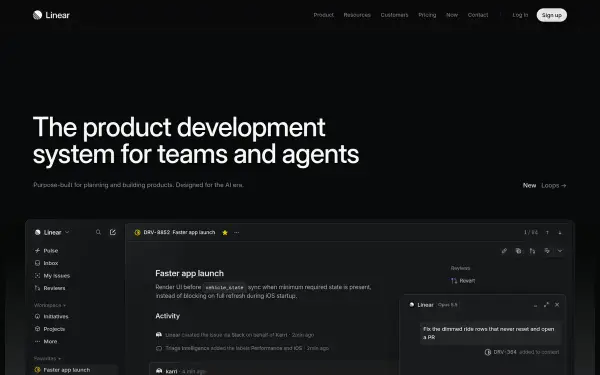
Linear is built for speed. The interface is keyboard-first, navigation is instant, and the defaults are opinionated enough that a team can start working the same day rather than designing a process first. Cycles handle sprint-style planning, triage manages incoming work, and roadmaps and project views keep the bigger picture visible without a separate tool.
The engineering integrations are the draw. GitHub and GitLab links tie pull requests to issues, so status updates happen without anyone typing an update, and Zendesk and Intercom integrations on the Business tier connect support work to product work. Automation and workflow rules handle the routine handoffs, and per-seat pricing is published openly rather than quoted by sales.
Pricing is transparent: Basic is $10 per user per month billed yearly and Business is $16. The free plan allows unlimited members but caps work at 2 teams and 250 issues, which is enough to judge fit and not enough to run a department.
The limits are deliberate. Linear is a software team tool, and marketing, operations or professional services teams will find it narrow. It is also less configurable than Jira, which is an advantage until you need a process it does not model. Teams with unusual approval chains, heavy custom fields or several dependent products should test one real workflow before committing, because the speed comes from the opinionated defaults rather than from flexibility.
It fits product-led startups that value speed over configurability and want a tool that disappears into the work. It fits poorly for non-engineering departments and for enterprises that need deep process modeling.
You are a product engineering team that wants to work on day one and dislikes configuration.
You need deep custom workflows or non-engineering departments on the same platform.
Entry IX of IX / Low seat cost
Our verdict
The cheapest paid seat here that still does real project work, with the most value for teams already inside Zoho.
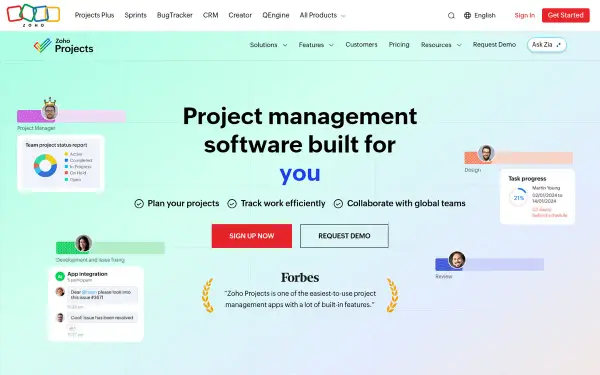
Zoho Projects covers the fundamentals without much theatre. Gantt charts and task dependencies handle scheduling, time tracking and timesheets capture effort, and resource utilisation charts show who is overloaded. Workflow blueprints model repeatable processes, issue tracking and bug reports cover support and QA work, and subtasks and project templates fill the gaps.
The pricing is the headline. Premium is $3 per user per month billed annually, the lowest paid seat in this comparison, and it still includes time tracking and utilisation reporting rather than reserving them for a higher tier. Enterprise is $9 and adds custom functions and extended automation. A free plan covers up to 5 users and 3 projects, and there is a 15-day free trial with no credit card required, so the cost of testing fit is close to zero.
The value multiplies inside the Zoho stack. Native links to Zoho CRM, Books, Desk and People mean project work can sit beside deals, invoices and support tickets without middleware, which is a strong argument for a business already running those apps.
Standalone, it is competent rather than remarkable. The interface and polish lag behind the design-led tools, and the third-party integration marketplace is smaller than Jira's or ClickUp's. Teams that judge software on feel will find reasons to look elsewhere. Teams that judge it on cost per delivered project will find little to complain about once the team is trained.
It fits budget-conscious teams, particularly those already using Zoho business apps. It fits poorly where the tool must feel modern to earn adoption.
You want Gantt charts, timesheets and utilisation reporting at the lowest seat price on this list.
Adoption depends on a polished, design-led interface or a large third-party app marketplace.
VIBackground
SaaS project management software is work-tracking software you rent by subscription instead of installing on your own servers. You get a shared place to record tasks, assign owners, set dates, attach files and report progress, and the vendor handles uptime, backups and updates. The category has widened well past task lists. Most platforms here now carry some combination of boards, Gantt charts, forms, automation, dashboards and document storage, and several include chat or wikis inside the same workspace.
The practical question is not whether a tool can hold a task. It is which one matches how your team already decides what to do next. Three broad shapes show up in this list:
ClickUp and Notion sit in between. ClickUp packs tasks, docs, chat and goals into one configurable workspace. Notion leads with documents and databases and treats task tracking as one use of that base.
Buyers usually arrive here for one of four reasons: too many tools, no single view of who is doing what, a client or auditor asking for evidence of process, or a growing team that has outgrown spreadsheets. The first two are workflow problems and respond to configuration. The third is a records problem and favours reporting depth. The fourth is a governance problem, and no purchase fixes it without an owner.
One warning before you compare prices. The cheapest seat is rarely the cheapest outcome. A platform at $3 per user that nobody opens costs more than one at $10 that the team uses daily. Start from the work, then check the plan note for seat minimums, automation caps and features parked on a higher tier.
This comparison sits in the software register. Further along the shore: baby tracking app and kennel software.
VIIPricing
Almost every vendor here charges per seat per month and offers a discount for annual billing. The advertised entry price usually buys the smallest useful tier for a small team, and the features that decide the purchase often sit one step up. Read the plan note before comparing two headline numbers.
| Model | How it bills | Typical fit | Example from this list |
|---|---|---|---|
| Per seat, billed monthly | Recurring charge for each named user, cancellable monthly | Teams whose headcount moves | Jira Standard at $8.48 per user per month, monthly or annual toggle shown |
| Per seat, billed annually | Lower rate for a yearly commitment, sometimes with a minimum seat count | Stable teams of five or more | monday.com Basic at $9 per seat per month billed annually, 10 seats selected |
| Feature tiers | Same seat logic, more capability at each step | Teams needing portfolios, goals or workload views | Asana Starter at $10.99 versus Advanced at $24.99 |
| Freemium plus paid | Free tier with caps, paid plan removes them | Small teams testing fit | Linear free plan with unlimited members, 2 teams and 250 issues |
| Add-on modules | Separate fee on top of the subscription | Organisations needing one niche capability | Smartsheet Resource Management and Dynamic View add-ons |
Three patterns are worth planning for. Seat minimums make the entry price theoretical: monday.com paid plans require three seats, and Wrike Team is sold for 2 to 15 users. Automation caps turn into upgrade pressure, since monday.com Standard includes 250 automation actions per month. Feature parking decides architecture, because Asana puts portfolios, goals and workload on Advanced, and Wrike keeps capacity planning on Business.
Watch the add-on line too. ClickUp sells AI per seat on top of the plan, and Smartsheet charges separately for Resource Management and Dynamic View. Free tiers are worth taking seriously while you decide: ClickUp, monday.com, Asana, Jira, Notion, Linear and Zoho Projects all publish one, and Smartsheet offers a 30 day trial instead.
Each entry card shows the starting price as it appeared on the vendor's own pricing page on November 25, 2026. When a vendor shows no figure we could confirm, or only a promotional rate, the card says "See website" or gives the regular price instead of a guess. Usage, overage and add-on rates in the text change more often than plan prices, so confirm them on the vendor page before you set a budget. To test the numbers against your own volume, try the free User Research Budget Planner. The Event Break-Even Calculator is a second way to check the same decision.
VIIIDecision
IXPitfalls
XQuestions
Zoho Projects Premium at $3 per user per month billed annually. It includes Gantt charts, dependencies, time tracking, timesheets and resource utilisation charts at that level, which is real project depth rather than a task list. Enterprise at $9 adds custom functions and extended automation. The trade-offs are interface polish and a smaller third-party integration marketplace than the design-led tools offer.
monday.com is faster to adopt. Visual boards, more than 200 templates and unlimited read-only viewers on paid plans make it easy for marketing, agency and operations teams to start. Asana is cleaner and stronger on dependencies and timelines, but portfolios, goals and workload reporting need Advanced at $24.99. Pick monday.com for speed of adoption, Asana for structure and dependency handling.
Usually not. Jira is built around sprints, backlogs, story points and release management, and its strength is deep workflow customization that non-technical teams rarely need. Configuration overhead is significant and you will want a named administrator. Marketing or operations teams with simple task needs are better served by Asana, monday.com or ClickUp. Software, IT and product teams running sprint delivery get the most from it.
ClickUp is a project platform that added docs. Tasks, dependencies, Gantt charts, time tracking and workload dashboards are first-class objects. Notion is a documentation workspace that added databases, so task tracking is one use of a flexible base. Notion has no native time tracking and weaker Gantt and workload functions. Choose ClickUp to run delivery and Notion to hold the knowledge around it.
Entry paid seats run from $3 for Zoho Projects Premium to $10.99 for Asana Starter. The number that matters is usually one tier up. Asana Advanced is $24.99, Wrike Business is $25 and monday.com Pro is $19, and those tiers hold the planning features larger teams expect.
Yes, but migration is a project, not a button. Most platforms import and export common formats, and Notion lists import and export among its features, but dependencies, automations and custom fields rarely survive intact. Expect a parallel run and a short period of duplicate entry. Choosing the right tier now is usually cheaper than migrating eighteen months from now under deadline pressure.
XIFurther along the shore
Vendors can ask for a correction or apply for a Featured listing. Paid or not, the entry is scored on the same rubric and its limits stay in print. Partner with Umberlake.
Free tools
Our free browser tools turn the prices on this page into a figure for your own volume. Nothing you type leaves your device.