
Float
$7Starter, per scheduled person per month, billed annually
Best for creative and marketing teams needing visual scheduling
- Free plan
- No
- Rubric
- 7.5 of 10
A practical comparison of nine resource schedulers, from low-cost people calendars to AI-assisted capacity planning, with billing models and team-size costs explained.

IThe short answer
As of November 2026, Float is the best resource scheduling software for creative and marketing teams that need a visual timeline, Resource Guru is the simplest low-cost choice for day-to-day people booking, and Runn suits small and mid-size teams that need capacity and revenue forecasts together. Each solves the same core task: matching available people to committed work without overbooking them. The nine tools below are ordered for buyer fit, with billing model and team size weighed alongside scheduling features.
9 tools compared from vendor pages on November 25, 2026. 5 publish a starting price we could read; the rest say "See website".
IITop three berths
Register order is editorial fit for the buyer each entry describes. Prices are the starting figures read on November 25, 2026.
$7Starter, per scheduled person per month, billed annually
Best for creative and marketing teams needing visual scheduling

$5Grasshopper, per person per month, billed annually
Best for teams wanting simple people scheduling at a low price

$7Lite, per resource seat per month
Best for small and mid-size teams needing capacity plus revenue forecasts
How this page is paid for. All 9 tools here are unpaid editorial picks.
A paid listing's position can be part of what the vendor pays for. Every entry, paid or not, is scored on the same rubric and keeps its limits in print. Advertising disclosure.
IIIThe register
Starting prices as shown on each vendor's pricing page on November 25, 2026. "See website" means no figure we could confirm.
| No. | Tool | From | Free plan | Trial | Rubric | Actions |
|---|---|---|---|---|---|---|
| 01 | FloatCreative and marketing teams needing visual scheduling | $7Starter, per scheduled person per month, billed annuallyRead on vendor page | No | 30-day free trial | 7.5 | |
| 02 | Resource GuruTeams wanting simple people scheduling at a low price | $5Grasshopper, per person per month, billed annuallyRead on vendor page | No | 30-day free trial | 6.6 | |
| 03 | RunnSmall and mid-size teams needing capacity plus revenue forecasts | $7Lite, per resource seat per monthRead on vendor page | Yes | 30-day free trial | 7.6 | |
| 04 |  ForecastProfessional services firms tying resourcing to finances | See websiteNot shown publicly | No | 14-day free trial | 7.5 | |
| 05 |  GantticTeams wanting per-resource billing and unlimited users | See websiteresource-based pricing slider, $229 monthly shown for up to 250 resourcesNot shown publicly | Yes | 14-day free trial | 6.0 | |
| 06 |  Hub PlannerMid-size teams needing scheduling, leave and timesheets together | See websiteNot shown publicly | No | 60-day free trial, no credit card required | 6.8 | |
| 07 |  MosaicAgencies wanting AI-assisted staffing and workload forecasts | See websitecustom quoteQuote only | No | 30-day free trial | 6.6 | |
| 08 |  TeamdeckTeams wanting scheduling, time tracking and leave in one tool | $6Full Member, per person per month, billed monthly, Light Member seats $2 monthlyRead on vendor page | No | 14-day free trial | 7.2 | |
| 09 |  ProWorkflowTeams wanting full project management with scheduling included | $18Professional, per user per month, billed monthlyRead on vendor page | No | 14-day free trial | 5.7 |
Pinned:
IVMethod
How quickly a planner can see availability, bookings and clashes without extra setup.
Whether per-seat or per-resource pricing matches how the buyer actually staffs work.
How well the tool turns bookings into capacity, utilization and revenue forecasts.
Whether time off, approvals and logged hours sit inside the same scheduling workflow.
How useful the native connections are for project, finance and calendar data.
VMethod
We assessed each tool against five criteria: scheduling clarity, billing fit, forecasting depth, leave and timesheets, and integration value. Scheduling clarity covers how fast a planner can see availability, bookings and clashes. Billing fit asks whether per-seat, per-resource or resource-count pricing matches the way the buyer staffs work. Forecasting depth looks at capacity, utilization and revenue forecasts. Leave and timesheets checks whether time off, approvals and logged hours sit inside the workflow. Integration value weighs the native connections that matter for project, finance and calendar data.
Pricing came from vendor pricing pages checked on November 25, 2026. Where a vendor page did not show a public price, we say so and avoid a number. Where the supplied page was not the vendor's own pricing sheet, we flag that the figure could not be verified. Plan names, billing terms and seat rules are reported as the vendor states them, without currency conversion. A starting price is only a starting point; the review explains the qualifier in the plan note.
The order is editorial. It reflects fit for the buyer described in each entry, not a weighted total or a score sort. The Featured listing, where present, is a paid placement and is scored with the same rubric as every other tool. We do not treat placement as evidence of quality. Readers should use the scores as a prompt for their own trial, not as a substitute for testing with real projects and real people.
The full routine, from price reads to corrections, is on the methodology page. Paid listings follow the advertising disclosure.
Entry I of IX / Visual timeline booking
Our verdict
The strongest visual scheduler for creative teams, provided you count every scheduled contractor in the bill.
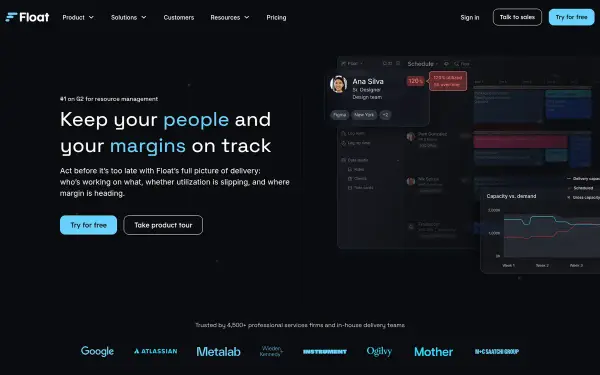
Float puts people down the side and days across the top, which is the layout most creative and marketing teams already picture when they think about resource scheduling. Bookings are drag-and-drop, and time off, public holidays and part-time availability sit in the same view, so a planner can see a realistic week without opening three other screens. Utilization and availability reporting come as standard, and budget tracking and integrations are available on every paid tier rather than being held back for the largest accounts. The Pro tier adds project estimates and actuals, a finance dashboard and SSO.
The billing model is the main caution. Float charges per scheduled person, so every contractor and part-timer who appears on the timeline counts, not just the people who log in. That suits teams that schedule a stable group of people and want everyone visible. It is less comfortable for agencies that rotate a large bench of freelancers through short bookings. The Starter tier is $7 per scheduled person per month billed annually, and Pro is listed at $12.
Float is strongest as a visual planning layer, not a finance system. Its utilization reports and budget tracking are useful for day-to-day decisions, but financial reporting is shallower than dedicated services automation tools, and the Jira connection imports tasks one way rather than writing changes back. A 30-day free trial gives a team time to test it with real projects. Pick Float when the timeline is the center of the job and the team values speed of adoption over deep margin analysis.
Your team lives in a visual timeline and needs fast daily booking.
You schedule a large rotating bench of contractors or need deep revenue forecasting.
Entry II of IX / Shared calendar simplicity
Our verdict
The easiest low-cost scheduler for teams that mainly need a clear shared calendar and strong clash control.
Resource Guru is built around a shared calendar that almost anyone can read on first login. People appear as rows, bookings sit on a simple timeline, and the screen avoids the visual clutter that makes some schedulers feel like project management tools with a calendar attached. Automatic clash detection flags overbooked people, and a waiting list gives the planner somewhere to park work that cannot yet be placed. Unlimited projects and clients are included on every plan, which keeps the entry tier useful for small teams with many short engagements.
The tier structure is straightforward. Grasshopper is $5 per person per month billed annually, with $6 shown for monthly billing. Blackbelt is $9.60 and Master is $14.40 per person per month, with annual billing lowering the higher-tier rates. Utilization reporting starts at Blackbelt, and time tracking appears higher up. Master adds SSO, data import and phone support. A 30-day trial is available, but there is no permanent free tier.
Resource Guru deliberately stops short of project budgeting and revenue forecasting. That keeps the product easy to adopt, but it means finance-led firms will need another system. Reporting on the entry tier is thin, and the top tier costs several times the starter. Resource Guru fits teams that mainly need a clear answer to who is booked and who is free, at the lowest entry price in this comparison. For a 20-person team, the per-person model is easy to budget. Larger firms should check whether the reporting tier they need changes the value case.
You want a simple shared calendar and predictable per-person pricing.
You need project budgets, revenue forecasts or rich reporting from day one.
Entry III of IX / Scenario planning
Our verdict
The best fit for small studios that need capacity planning and revenue forecasts without enterprise overhead.
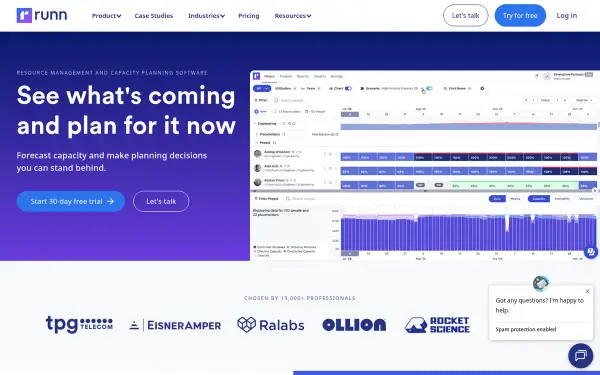
Runn combines a resource schedule with capacity planning and financial forecasting, which makes it more than a people calendar. Planners can model tentative projects before they are won, then see the effect on capacity and margin rather than waiting for a project to become certain. Financial dashboards cover utilization, variance and revenue per project, and the forecasts update in real time as bookings change. The scheduling view is practical for small and mid-size teams, though it assumes a planner will use the numbers rather than just the timeline.
Pricing is per resource seat rather than per login. Lite is $7 per resource seat per month, Standard is $11, and Advanced is quote-only, so published pricing stops before the largest tier. A free tier covers teams of up to five people, which is unusual in this category and useful for very small studios. The 30-day trial lets a team test the forecasting model with live data. The trade-off is that the integration list is shorter than larger platforms, covering Harvest, WorkflowMax, Clockify and calendar apps, with an open API for connections outside the native list.
Runn fits firms that need to see both people and money before committing to work. It is less suitable for teams that want a pure visual scheduler or a broad project management suite. Support beyond the standard tier is consultation-based, which may matter to buyers who want a conventional help desk. For a small agency wrestling with margin on uncertain work, the scenario planning is the feature that separates Runn from cheaper calendars. The free tier and published Lite price make it easy to test that claim.
You need to model capacity and margin before projects are confirmed.
You only need a visual calendar or require a long list of native integrations.
Entry IV of IX / AI staffing guidance

Our verdict
A broad services automation platform where scheduling gains value from the finance and project data around it.
Forecast treats resource scheduling as one part of a professional services system, not a standalone calendar. Work is scheduled at task and project level, with capacity management and auto-scheduling helping a planner move from a list of demand to a staffed plan. Statement-of-work scoping and portfolio tracking sit alongside time tracking and project budgeting, so the resourcing view can be read against the commercial terms that created it. AI suggestions for roles and assignees, plus at-risk budget alerts, add a layer of guidance that pure schedulers do not attempt.
The entry cost needs attention. The Lite plan carries a 10 seat minimum, which puts the smallest annual commitment near $3,500 according to the vendor's notes. Pro rises to $49 per seat per month, and virtual seats for non-billable staff carry an extra $4.99 charge. Pricing is on the vendor site, so no starting figure is quoted here. A 14-day trial is available, but it is short for a platform that needs data before its finance views become useful.
Forecast suits professional services firms that want scheduling, project management, time tracking and budgets in one place, especially where Jira and accounting integrations matter. It is too heavy and too expensive for a team that just needs a shared calendar. The AI assistance is useful when scoping and staffing decisions are frequent, but it does not remove the need for clean project data. Pick Forecast when resourcing is tied to revenue and delivery, and skip it when the main problem is simply seeing who is free next week.
Your resourcing decisions are tied closely to project budgets and revenue.
You need a low-cost calendar for a small team with no finance layer.
Entry V of IX / Resource based billing
Our verdict
A practical choice when many viewers and mixed assets make resource-based billing cheaper than per-seat plans.
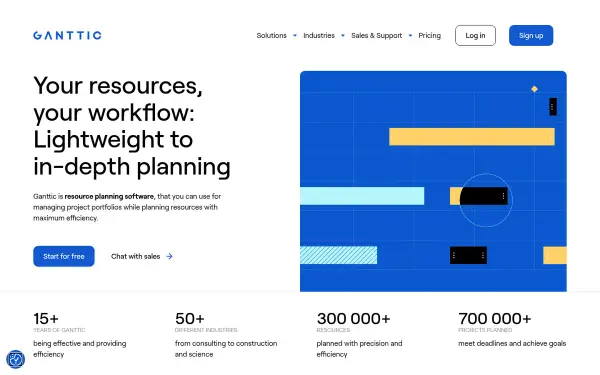
Ganttic is a Gantt-style resource scheduler built around resources rather than users. A resource can be a person, a room, a vehicle or a production line, which explains why manufacturing and logistics teams appear alongside agencies in its customer base. Users are unlimited, projects are unlimited on every plan, and the feature set is identical across tiers. The difference between plans is the number of resources, with tiers scaling from 20 up to 2,000. That makes the product easy to understand: you pay for the capacity you schedule, not for the people who look at the schedule.
The billing model is the main reason to consider it. Viewers and managers cost nothing under resource-based billing, so a firm with many stakeholders can avoid the seat creep that affects per-user tools. The trade-off is that there is no per-seat option, which can make the tiers awkward for a tiny team with a handful of people. A free tier covers up to 10 resources, and a 14-day trial is available. Pricing is on the vendor site; the page showed a resource-count slider with $229 monthly for up to 250 resources, but the lower-tier price was not confirmed, so buyers should request a quote.
Ganttic fits operations that schedule mixed assets and need a predictable bill regardless of viewer count. It is less convincing for teams that want a modern interface or financial forecasting. The Gantt-first design feels dated beside newer schedulers, and there is no finance layer to show margin or revenue. For a facilities team, a studio with equipment, or a logistics planner, those limits may be acceptable. For a creative agency focused on utilization and project margin, a specialist scheduler will usually be the better fit.
You schedule people, rooms or equipment and need unlimited viewer access.
You need a modern visual scheduler with revenue or margin forecasting.
Entry VI of IX / Leave and timesheets
Our verdict
A solid mid-market bundle for scheduling, leave and timesheets, let down by a short integration list.
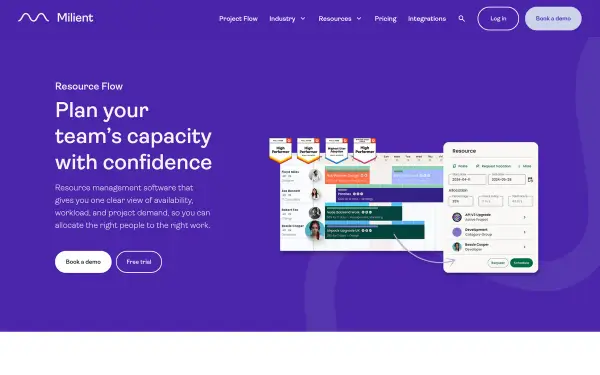
Hub Planner bundles scheduling, timesheets and leave into one product, which makes it a stronger fit for services firms than a pure calendar. The resource scheduler supports unlimited projects, and reporting is included on the entry tier rather than held back for a premium plan. Premium adds timesheets with approval workflows, vacation and leave management, and financial budgets. Per-resource pricing with unlimited viewer seats means stakeholders can look at the schedule without adding to the bill, a useful detail for firms that want project managers and finance staff to see the same plan.
The trial is the longest in this comparison at 60 days with no credit card required, which gives a team enough time to test the leave and timesheet workflows with real staff. Premium is listed at $18 per resource per month in the supplied plan notes, though the page fetched for this comparison did not verify it. The product originated inside a Swedish consultancy, and that heritage shows in the practical approach to leave and approvals.
Hub Planner is competent rather than modern. Native integrations are limited, with Zapier covering many connections, and the mobile experience is basic. Those limits matter if the scheduler must plug into a complex finance stack or if staff rely on phones. The product fits mid-size teams that want scheduling, leave and timesheets together without buying a full PSA platform. It is less suitable for teams that need deep revenue forecasting or a polished mobile app. Pick Hub Planner when the combination of leave and timesheets is the deciding factor.
Leave requests, timesheets and scheduling need to live in one place.
You need deep revenue forecasting or a rich mobile app.
Entry VII of IX / Workload heat maps

Our verdict
Useful AI staffing guidance for agencies with enough project history to make the forecasts credible.
Mosaic is aimed at agencies that want the scheduler to do some of the thinking. It analyzes allocations, workloads and timelines to flag capacity problems, then suggests staffing moves based on forecast gaps. Workload heat maps make imbalance easy to read, and the product pulls data automatically from connected project management and finance tools, so the schedule is less dependent on manual updates. Core scheduling and forecasting sit on the Team tier, while Business adds deeper controls for larger agencies.
Pricing is per seat and supplied on a quote, which makes it hard to compare on headline cost. The per-user price climbs to $14.99 on Business, so the model becomes expensive where few people schedule but many need access. There is no free tier, and a 30-day trial is the only way to test the fit. The forecast quality depends on sufficient historical project data. An agency with a short or messy project history may find the AI suggestions less useful than the demo implies. Pricing is on the vendor site, so buyers should treat the quote as the real starting point.
Mosaic fits agencies that already run project management and finance tools and want staffing guidance layered on top. It is less suitable for teams that need a simple, cheap calendar or a transparent per-person price. The heat maps and proactive alerts are useful for operations leaders who spend time chasing over-allocation, but they do not replace a planner's judgment. Pick Mosaic when the agency has enough data and enough scheduling complexity to benefit from suggestions, and skip it when cost predictability matters more than assisted planning.
You want AI-assisted staffing suggestions on top of your existing project data.
You need a transparent low-cost calendar or have little historical project data.
Entry VIII of IX / Light Member seats
Our verdict
A tidy bundle of scheduling, time tracking and leave, with cheap seats for occasional staff.
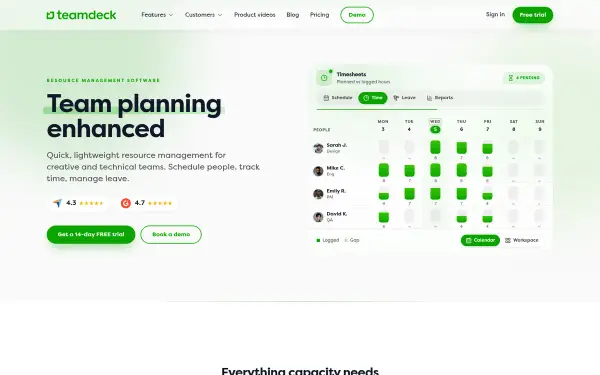
Teamdeck puts resource allocation, availability, time tracking and leave management under one subscription. That combination is useful for teams that do not want a separate timesheet tool or a leave spreadsheet beside the scheduler. Planners can allocate people across projects, check availability, and see logged time against the plan. Customizable reports and project forecasting round out the core, while Light Member seats are available for staff who only need to log time or request leave. Those lighter seats keep occasional staff inexpensive, which matters for contractors and part-timers.
The pricing is simple per user. A Full Member seat is $6 per person per month billed monthly, with a lower annual rate of $5.40 noted by the vendor. A Light Member seat costs $2 per month. That two-tier structure is one of the clearer attempts to match cost to actual use in this comparison. A 14-day trial is available, but there is no free tier. Teams should test the reporting and forecasting with real project data before committing, because the product's strength is operational record keeping rather than advanced analytics.
Teamdeck is utilitarian rather than polished. Native integrations are fewer than the category leaders, with reliance on Zapier for many connections, and customization options are limited. Those limits are acceptable for a team that mainly wants allocation, time and leave in one place. Teamdeck fits small and mid-size firms that value a single subscription over best-of-breed depth. It is less suitable for agencies that need strong financial forecasting or a highly configurable workflow. Pick Teamdeck when time tracking and leave are as important as the schedule itself.
You want scheduling, time tracking and leave in one affordable subscription.
You need deep financial forecasting or a highly configurable workflow.
Entry IX of IX / Project depth
Our verdict
A deep project management suite with scheduling attached, better for firms that need quotes and invoices too.
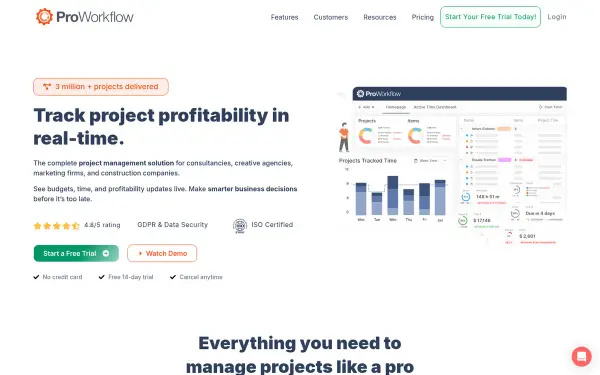
ProWorkflow is a project management platform with scheduling included, rather than a scheduler that added project features. Teams can schedule work alongside task management, with unlimited tasks and unlimited external projects. Free client and contractor access lets external people see the parts of a project they need without consuming a paid seat, though internal viewers are still billed. Quotes and invoicing, 25 GB storage on Professional, and desktop and mobile time-tracking widgets make it a broader operational tool than the specialists in this list.
Pricing is per user. Professional is listed at $18 per user per month on monthly billing. Advanced is $27 annually or $30 monthly with a 5-user minimum, and a Solo plan is offered at $10 per month for freelancers. A 14-day trial is available. The per-user model means project managers, finance staff and anyone else who needs a login adds cost, which can make a 20-person team noticeably more expensive than a per-resource scheduler. The Advanced tier's organizational charts, retainer and recurring projects suit firms with repeatable client work.
ProWorkflow fits teams that need quotes, invoices and project delivery alongside a schedule. It is less suitable for a team whose main problem is visual capacity planning, because the interface shows its age and the scheduling view is not the product's strongest element. There is no resource-based option, so viewers are billed. Pick ProWorkflow when project management depth is the reason for buying and scheduling is a supporting feature. Skip it when the team wants a fast, modern scheduler with low per-person costs.
You need quotes, invoices and project delivery alongside scheduling.
Visual capacity planning is the main job or you need low-cost viewer access.
VIBackground
Resource scheduling software answers a simple operational question: who is available, when, and at what cost? It gives a planner one place to see people, bookings and time off, then helps match work to capacity before a project starts. The core object is not a task or a ticket but a person, room, vehicle or other resource with limited time. A scheduler shows that resource against days or weeks, flags clashes, and often reports utilization so a manager can see who is overbooked and who is idle.
The category overlaps with project management, time tracking and professional services automation, but the center of gravity is different. Project management tools organize work into tasks, milestones and dependencies. Resource schedulers organize availability across many projects, so a studio can see that a designer is booked on two jobs in the same week or that a developer has capacity for a new brief. Some tools add time tracking, leave approvals and budgets. Others stay deliberately visual and leave finance to another system.
Most buyers should expect a few common capabilities:
More advanced products add scenario planning, revenue forecasting, AI staffing suggestions and statement-of-work scoping. Those features matter when resourcing decisions have a commercial consequence, such as accepting a project that looks profitable but would consume scarce senior people. They also raise the data burden, because forecasts are only as good as the bookings and project data behind them.
Resource scheduling software does not replace a full workforce management system. It usually does not handle payroll, shift compliance, recruitment or HR records. It also rarely replaces project accounting in a large firm. The practical benefit is narrower and more immediate: fewer double bookings, faster answers to 'can we take this work', and a clearer view of how much available capacity the team is actually selling.
This comparison sits in the software register. Further along the shore: baby tracking app and kennel software.
VIIPricing
The billing model often matters more than the feature list. A $5 per-person tool can cost more than an $18 per-user tool if the first counts every contractor and the second gives free client access. Count the people or resources that must appear on the schedule, then count the logins you actually need.
Per-resource pricing is common in studio tools. Runn charges $7 per resource seat on Lite, and Hub Planner lists Premium at $18 per resource per month with unlimited viewer seats. Per-user pricing is simpler: Teamdeck charges $6 per Full Member and $2 for a Light Member, while ProWorkflow Professional is $18 per user per month. Resource-count bands, such as Ganttic's $229 monthly tier for up to 250 resources, suit operations with many viewers. Mosaic is quote-only and Forecast pricing is on the vendor site, so ask each vendor for an example.
Ask for a quote based on your real headcount and contractor mix. Annual billing can lower the monthly rate, but it also locks in the count you estimated.
| Model | How it bills | Typical fit | Example from this list | | Per scheduled person | Every person on the schedule, whether or not they log in | Teams with a stable group of staff and contractors | Float Starter at $7 per scheduled person per month billed annually | | Per resource seat | Every schedulable resource, with viewers often excluded | Studios mixing staff and contractors | Runn Lite at $7 per resource seat per month | | Per user seat | Every login, including managers and viewers | Firms where everyone works inside the tool | Teamdeck Full Member at $6 per person per month; ProWorkflow Professional at $18 per user per month | | Resource-count bands | A number of resources, with unlimited users | Operations with many viewers or assets | Ganttic at $229 monthly shown for up to 250 resources | | Quote or vendor pricing | A sales quote or vendor site price | Larger agencies needing custom terms | Mosaic custom quote; Forecast pricing on vendor site |
Each entry card shows the starting price as it appeared on the vendor's own pricing page on November 25, 2026. When a vendor shows no figure we could confirm, or only a promotional rate, the card says "See website" or gives the regular price instead of a guess. Usage, overage and add-on rates in the text change more often than plan prices, so confirm them on the vendor page before you set a budget. To test the numbers against your own volume, try the free User Research Budget Planner. The Event Break-Even Calculator is a second way to check the same decision.
VIIIDecision
IXPitfalls
XQuestions
It shows who is available, what is booked and where capacity is tight. A planner uses it to match people or assets to work, spot double bookings, and report utilization. Most tools add time off, project records and integrations. They do not usually handle payroll, recruitment or shift compliance, which belong to broader workforce management systems.
They change who counts. Per-seat billing charges for each login, so managers and viewers add cost. Per-resource billing charges for each schedulable person or asset, often with unlimited viewers. A team with many stakeholders but few schedulers may pay less per resource; a team where everyone logs in may prefer per seat. Always price your actual mix.
Only for light project work. Float, Resource Guru, Runn, Hub Planner and Teamdeck focus on allocation, availability and time; they do not manage quotes, invoices and task dependencies in depth. Forecast and ProWorkflow go further, combining scheduling with project and financial features. If project delivery is the core need, choose a project platform with scheduling rather than a pure scheduler.
Prices are per person or per user, so multiply by your headcount. Teamdeck Full Member is $6 per person per month, Float Starter is $7 per scheduled person per month, and ProWorkflow Professional is $18 per user per month. Resource-count and custom-quote tools need a vendor calculation because the tiers do not map cleanly to 20 users.
Hub Planner Premium and Teamdeck handle leave most directly, bundling vacation, approvals and timesheets with scheduling. Float shows time off, public holidays and part-time availability in the same view, but it is a visibility feature rather than a full leave request system. Resource Guru includes time tracking on higher tiers. Check whether you need request workflows or just a reliable availability view.
Resource scheduling plans finite capacity across projects, usually for knowledge workers, studios or mixed assets. Workforce management is broader, covering shifts, payroll, compliance, recruitment and HR records. A scheduler answers whether the team can take more work; a workforce management system runs the employment relationship. The overlap is time and availability, but the buying criteria and data requirements are different.
XIFurther along the shore
Vendors can ask for a correction or apply for a Featured listing. Paid or not, the entry is scored on the same rubric and its limits stay in print. Partner with Umberlake.
Free tools
Our free browser tools turn the prices on this page into a figure for your own volume. Nothing you type leaves your device.