Cisco Duo
See website
Best for fastest path to enterprise-wide MFA rollout
- Free plan
- Yes, up to 10 users
- Rubric
- 7.5 of 10
Eight multi-factor authentication tools judged on enrollment speed, policy depth, phishing resistance and price, with vendor pricing checked on November 25, 2026.

IThe short answer
Cisco Duo is the best MFA software for most teams rolling authentication out across an enterprise, because enrollment takes minutes and its integration catalog is the largest here. Microsoft Entra ID suits organizations already on Microsoft 365, where basic MFA costs nothing. Okta fits mixed app stacks that need a neutral identity layer. Prices were checked on November 25, 2026, and eight tools made the list, spanning free individual authenticators to quote-only enterprise suites.
8 tools compared from vendor pages on November 25, 2026. 2 publish a starting price we could read; the rest say "See website".
IITop three berths
Register order is editorial fit for the buyer each entry describes. Prices are the starting figures read on November 25, 2026.
See website
Best for fastest path to enterprise-wide MFA rollout

See website
Best for organizations standardized on Microsoft 365

$6Starter, per user per month, billed annually, $1,500 annual contract minimum
Best for neutral identity platform across mixed app stacks
How this page is paid for. All 8 tools here are unpaid editorial picks.
A paid listing's position can be part of what the vendor pays for. Every entry, paid or not, is scored on the same rubric and keeps its limits in print. Advertising disclosure.
IIIThe register
Starting prices as shown on each vendor's pricing page on November 25, 2026. "See website" means no figure we could confirm.
| No. | Tool | From | Free plan | Trial | Rubric | Actions |
|---|---|---|---|---|---|---|
| 01 | Cisco DuoFastest path to enterprise-wide MFA rollout | See websiteNot shown publicly | Yes | Free trial available | 7.5 | |
| 02 | Microsoft Entra IDOrganizations standardized on Microsoft 365 | See websiteNot shown publicly | Yes | Free trial signup shown on page | 7.5 | |
| 03 | OktaNeutral identity platform across mixed app stacks | $6Starter, per user per month, billed annually, $1,500 annual contract minimumRead on vendor page | Yes | 30-day free trial | 8.2 | |
| 04 |  PingOne MFALarge enterprises designing custom authentication journeys | See websiteNot shown publicly | No | Free trial available | 6.3 | |
| 05 |  JumpCloudSMBs consolidating directory, device management and MFA | See websiteNot shown publicly | No | Free trial available | 5.9 | |
| 06 |  RSA SecurIDRegulated organizations requiring token-based assurance | See websiteNot shown publicly | No | No | 5.6 | |
| 07 |  YubicoPhishing-resistant hardware security keys | $58YubiKey 5 NFC, one-time hardware purchase per keyRead on vendor page | No | No | 6.5 | |
| 08 |  Twilio AuthyIndividuals wanting a free authenticator with backup | See websiteNot shown publicly | Yes | No, free product | 5.5 |
Pinned:
IVMethod
How quickly a team can enroll users and reach full coverage without rebuilding its identity stack.
Which authentication methods ship, from push and TOTP to FIDO2, biometrics and hardware tokens.
Risk signals, device checks and conditional rules that exist without custom development work.
Whether a buyer can find a published rate and understand where the tier boundaries fall.
How well the product coexists with the apps, directories and platforms a buyer already runs.
VMethod
We ranked eight multi-factor authentication products on five criteria, weighted to reflect what buyers actually hit in the first year.
Deployment speed carries 25 percent. It measures how long enrollment takes, how much work the end user does, and whether a staged rollout is easy to run. Factor coverage carries 20 percent: which methods ship, from push and TOTP to FIDO2, biometrics and hardware tokens. Policy depth takes another 20 percent for risk signals, device checks, conditional rules and step-up challenges. Pricing clarity gets 20 percent, because a published rate with clear tier boundaries saves real time in procurement. Ecosystem fit, at 15 percent, covers how well the product coexists with the apps and directories a buyer already runs.
Weights sum to 100. Scores are 1 to 10 per criterion, and the written review explains the numbers rather than restating them.
Pricing facts come from vendor pricing pages checked on November 25, 2026. Where a page returned no text or showed no standalone price, we say so in that entry and keep the starting price on the vendor site rather than guessing a figure. Free plan limits and trial terms are recorded as published.
One more disclosure: the Featured listing, where present, is a paid placement. It is scored with the same rubric and carries the same cons as every other entry.
Finally, the order reflects fit for the buyer described in each entry. Each position reflects fit for the buyer described in that entry, not a weighted total, so a reader with different constraints should expect a different order to suit them.
The full routine, from price reads to corrections, is on the methodology page. Paid listings follow the advertising disclosure.
Entry I of VIII / One-tap Duo Push
Our verdict
Fastest enterprise rollout in this list, though the adaptive controls sit on the higher tiers.
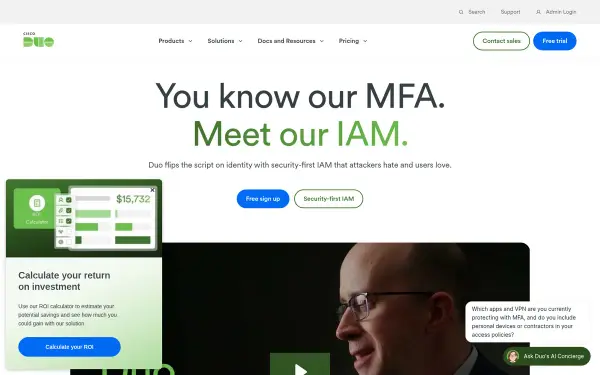
Duo is the fastest route from a standing start to MFA across a whole workforce. End users install Duo Mobile and self-enroll, and after that logins can be a single tap on a Duo Push notification. IT sets an enrollment deadline and watches completion as coverage grows.
Beyond push, Duo covers single sign-on, passwordless authentication, trusted endpoint checks and device health verification, so a login can be allowed, denied or stepped up based on the state of the machine making the request. Risk-based and adaptive policies live here too, along with VPN-less remote access on the top tier. The integration list covers VPNs, firewalls, cloud apps and on-premises systems.
Pricing is where buying gets awkward. Duo's pricing is on the vendor site, and the pricing page returned no text when checked on November 25, 2026, so the entry figure could not be confirmed. Adaptive policy and device trust sit in the upper two tiers, which means the headline rate rarely matches the quote. A free tier covers up to 10 users and a free trial is available.
Choose Duo if you want mainstream MFA running quickly without rebuilding your identity stack. Expect friction in ordering and license assignment, and understand that the deeper controls pull you further into the Cisco product line.
You need MFA across a large, mixed estate within weeks and can live with tier-based pricing.
Device trust and adaptive policy are day-one requirements and the top tier is out of budget.
Entry II of VIII / Conditional Access engine
Our verdict
Unbeatable value inside Microsoft 365, and awkward to price the moment you need real policy control.
Entra ID is the MFA layer most Microsoft shops already own. Every tenant with a Microsoft 365 or Azure subscription gets Entra ID Free, which includes security defaults that enforce baseline MFA, single sign-on for SaaS apps, hybrid identity, self-service password reset and user and group management. The free tier caps SSO at 10 apps per user, which is enough to prove the model and not enough to run a business on.
The paid tiers change what the product is. P1 lifts the app cap and turns on Conditional Access, the policy engine that decides who reaches which app from which device, and the same engine covers Microsoft 365, Azure and third-party SaaS. P2 adds Identity Protection risk signals and Privileged Identity Management. Microsoft Authenticator handles push, TOTP and passwordless sign-in. P1 is bundled with Microsoft 365 E3 and P2 with E5, so plenty of organizations are already licensed for controls they are about to buy again.
Pricing is on the vendor site. The page showed no standalone Entra ID P1 figure, so the entry point stays unconfirmed. A price increase took effect in July 2026, and licensing complexity rose with it. A free trial signup is shown on the page.
Choose it when Microsoft 365 is your center of gravity and you want one policy engine over everything. The catch is that serious policy control needs P1, and the ecosystem pull is strong.
Microsoft 365 or Azure is already your identity center and you want one policy engine over everything.
You run no Microsoft workloads, or if you need advanced policy without a paid tier.
Entry III of VIII / Vendor-neutral SSO
Our verdict
Widest app coverage and a neutral stance, priced with a $1,500 minimum that rules out very small teams.
Okta is the neutral option: a workforce identity platform that governs Google Workspace, Salesforce, AWS and on-premises applications without favoring one cloud. Adaptive MFA covers push, TOTP, WebAuthn and biometrics, and risk-based policies can step a session up when context changes. Single sign-on runs against the widest application catalog in this comparison, and lifecycle management handles joiners, movers and leavers. Developer tooling is API-first, and a free developer tier gives teams a sandbox to build against before buying.
Pricing follows a Starter, Essentials and quote-only Professional and Enterprise structure. Starter is $6 per user per month billed annually, with a $1,500 annual contract minimum, and a 30-day free trial is available. Governance and lifecycle modules are billed separately, which is where budgets surprise people: the base rate buys authentication, and the total climbs as modules are added. The free developer tier is for building, not for running staff.
The trade-offs are scale and simplicity. Small teams can drown in the policy options, and enterprise procurement moves slowly enough that a fast rollout deadline becomes a problem. What you get for the effort is app coverage nothing else here matches and a platform that stays neutral when a company runs several clouds.
Choose Okta if your app stack is mixed and you want one governance layer over all of it. Skip it if you need MFA live this month with no procurement cycle.
Your app stack spans several clouds and you want one neutral governance layer over all of it.
You need MFA live within weeks or your seat count cannot support a $1,500 annual minimum.
Entry IV of VIII / Journey orchestration
Our verdict
Deep journey orchestration for identity engineers, sold only through a quote with no public price.
PingOne MFA is a module inside the PingOne Cloud Platform rather than a standalone product, and it is built for organizations that design authentication journeys instead of toggling settings. Adaptive authentication covers push, TOTP, FIDO2 and biometrics, and orchestration is driven by risk signals from the surrounding platform. A no-code journey designer lets teams assemble different flows for different brands and channels, and passwordless and decentralized identity options are available.
The capability set is deep and the standards work is current, with active participation in FIDO and OpenID development. That matters for regulated industries and large federations where authentication has to satisfy an auditor and interoperate with partners. Multi-brand environments are a genuine strength: retail groups, banks and insurers can run separate journeys per brand while keeping one policy backbone. Implementation is not a weekend project, and the flexibility comes with configuration work that assumes in-house identity expertise.
Cost is the hard part. There is no pricing page and no public pricing sheet, so the starting price stays on the vendor site and every figure is quote-based and unverified. Because the product is a module of a larger platform, what you pay depends on the surrounding identity contract rather than a per-user rate you can model on a spreadsheet. There is no free plan. A free trial is available, though the enterprise sales motion tends to slow evaluation regardless.
Choose PingOne MFA if you have identity engineers who want orchestration across brands and channels, and a procurement process that tolerates a quote.
You have identity engineers who must design distinct journeys for multiple brands and channels.
Procurement requires a published price or your team has no in-house identity expertise.
Entry V of VIII / Directory plus device management
Our verdict
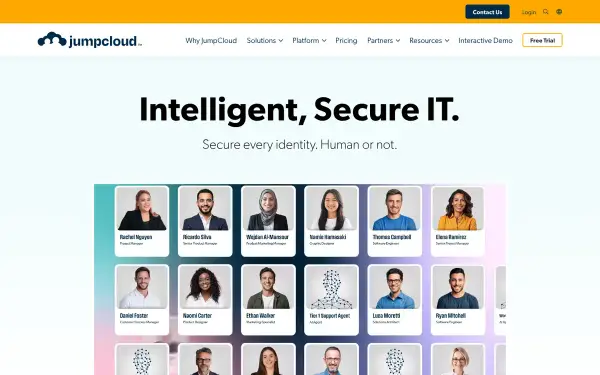
One console for directory, devices and MFA, with modular pricing that makes quotes hard to compare.
JumpCloud bundles a cloud directory, device management, RADIUS, LDAP, single sign-on and multi-factor authentication into one console, aimed at companies that would otherwise buy several separate products. It replaces an on-premises Active Directory for cloud-first businesses, pushes policy to device fleets, and keeps legacy appliances and network gear authenticating through RADIUS and LDAP against the same directory. MFA sits alongside the directory rather than on top of it, which is the reason teams pick it.
Packaging is per feature and a la carte, so buyers assemble a platform from the modules they need. That modularity is genuinely useful for a 40-person company that wants directory plus MDM and nothing else. It also makes comparison shopping harder, because two quotes for the same headcount can differ wildly depending on which modules are in scope. Platform bundles are quote-only, and the pricing page returned no text when checked on November 25, 2026, so the entry price could not be confirmed and pricing stays on the vendor site.
The free tier is gone. The old plan that gave away 10 users and 10 devices is no longer available to new accounts, which removes the easiest way to evaluate the product. A free trial is still offered.
JumpCloud fits cloud-first companies of roughly 10 to 500 staff that want one console and one bill. Above that size the governance depth of a dedicated identity platform usually wins.
You are a cloud-first company of 10 to 500 staff replacing Active Directory, MDM and SSO at once.
You need a free tier to evaluate, or you are large enough to need deep identity governance.
Entry VI of VIII / Hardware token assurance
Our verdict
Token-based assurance auditors accept, at a premium quote-only price and with an older user experience.
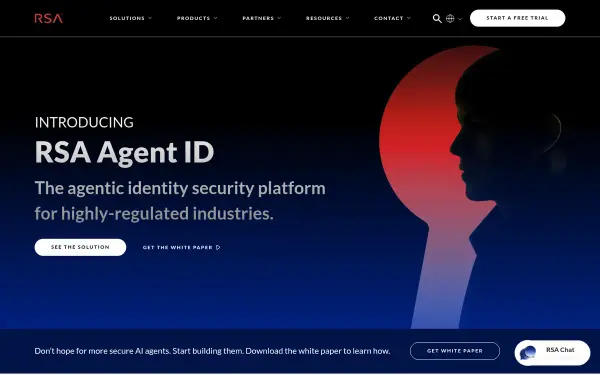
SecurID is the product compliance teams recognize. It ships hardware tokens, software tokens, push authentication, a risk engine and access management, and it runs in the cloud or on premises, including air-gapped networks where nothing can reach the internet. For government, finance and healthcare buyers with a token requirement written into policy, that combination is often the shortest path through an audit.
The strength is assurance. A physical token that generates a code is understood by auditors without explanation, and the deployment flexibility means an isolated network still gets strong authentication. Software tokens and push give a migration path off hardware without changing the underlying platform, and the risk engine scores access attempts rather than treating every login the same. The product has a long track record in regulated environments, and the operational patterns around it, from token distribution to replacement, are well worn.
The weaknesses are price and user experience. There is no public pricing page, no free plan and no trial, so SecurID is sold as the SecurID Suite on a quote that cannot be verified from the vendor's site. Expect a premium figure and a procurement cycle to match. Day to day, staff who have used push approvals elsewhere will find token handling slower, and the product is far more than a typical small business needs.
Choose SecurID when a regulator, a contract or an isolated network demands token-based assurance and you can absorb the cost.
A regulator, a contract or an air-gapped network requires token-based authentication you can prove.
Push-based MFA in a modern console meets the same requirement at a fraction of the effort.
Entry VII of VIII / Phishing-resistant FIDO2
Our verdict
The strongest phishing resistance in this list, sold as $58 hardware instead of a monthly subscription.
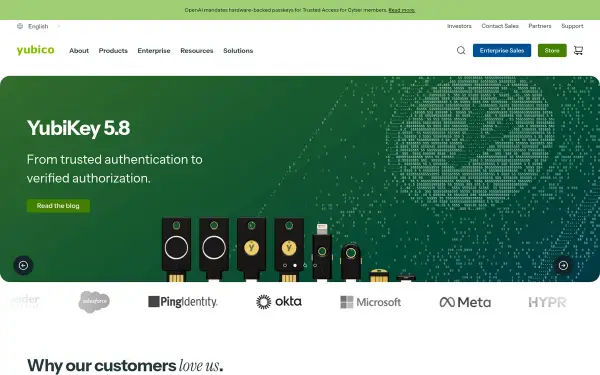
Yubico sells hardware, not a subscription. The YubiKey 5 NFC is a $58 one-time purchase per key that supports FIDO2 and WebAuthn, U2F and OTP, smart card (PIV) authentication and on-key TOTP generation. It taps over NFC against phones, plugs into a USB port on a laptop, needs no battery and no network connection, and works across Windows, macOS, Linux, ChromeOS, Android and iOS. Passkey slots let the same key hold passwordless credentials.
The security argument is the strongest here. Keys bind a login cryptographically to the real site domain, which blocks phishing pages and account takeover in a way push approvals and SMS codes cannot. A user who is tricked into visiting a fake login page cannot be tricked into approving it with a key, because the key checks the domain before it signs anything.
The cost argument is different. $58 per key is a one-time charge, but a workforce of 500 needs 1,000 keys once you budget a spare per person, before replacement cycles and admin time. There is no free plan and no trial, so an evaluation means buying a handful of keys. Losing a key is routine, which means a documented recovery process, a help desk script and a stock of spares.
Choose Yubico when phishing resistance is the requirement and you will run the recovery process properly. Pair it with a policy engine: the key is the factor, and Duo, Okta, Entra ID or PingOne decides where it gets demanded.
Phishing-resistant sign-in is the goal and you will fund spares and a recovery process.
You need enrollment reporting, policy and directory integration from the same purchase.
Entry VIII of VIII / Encrypted token backup
Our verdict
A free consumer authenticator with encrypted backup that solves phone loss, but not a workforce platform.
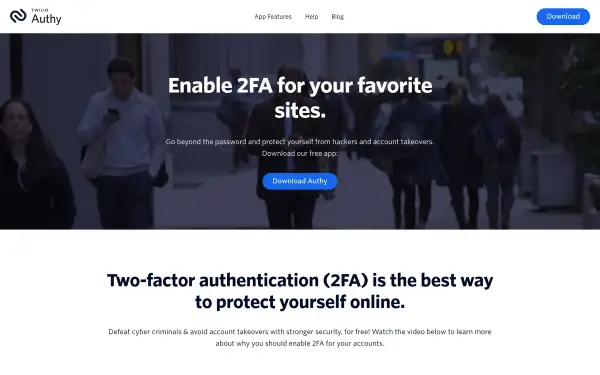
Authy is an authenticator app for individuals, not a workforce platform. It generates TOTP codes for thousands of services, enrolls by QR code, registers against a phone number and keeps producing codes offline. Tokens are backed up encrypted to the cloud and sync across mobile devices, so a replaced handset does not lock someone out of every account at once.
That backup is the reason people choose it. Free authenticator apps that store seeds only on the device turn a broken phone into a long recovery process, and encrypted backup plus multi-device sync solves exactly that problem. For an individual protecting personal accounts, it costs nothing and setup is quick.
The limits matter for anyone considering it at work. Identity is tied to a phone number, which is a weak anchor and a real problem when numbers change hands. Twilio has retired the desktop client, so users are steered to the mobile apps. Organizations that want programmatic code delivery have to buy into the Twilio Verify API instead, and that is a separate purchase from the free consumer app. There is no pricing page on the vendor site, so the free listing could not be confirmed when checked on November 25, 2026. There is no trial because there is no paid product to trial.
Choose Authy for personal accounts where backup matters. Skip it as a company-wide MFA program: you need policy, enrollment reporting and directory integration that a consumer app does not provide.
You want a free authenticator with encrypted backup for personal accounts.
You are buying MFA for a company that needs policy, reporting and directory integration.
VIBackground
Multi-factor authentication software sits between a person and an application and demands more than one proof of identity before letting them in. The proofs fall into three families: something you know (a password or PIN), something you have (a phone, a hardware key, a token) and something you are (a fingerprint or a face). Software in this category decides which combinations are required for which apps, enrolls users, records their registered devices and logs what happened.
Two-factor authentication is a subset. It means exactly two factors. Multi-factor means two or more, so a password plus a YubiKey plus a fingerprint is MFA with three factors, and vendors now use the broader term because real deployments rarely stop at two.
Not all factors are equal. Ranked by resistance to phishing and account takeover:
SMS sits at the bottom because a code travels over a channel that can be intercepted and a phone number can be moved to a new SIM. It still beats a password alone, but it should not be the destination.
The software layer matters as much as the factor. A directory-backed product with a policy engine lets you require a hardware key for administrators, a push for contractors and a step-up challenge when a login arrives from an unmanaged machine. That is the difference between switching MFA on and actually controlling it.
Phone-free and shared-workstation settings change the shortlist. Hardware tokens and smart cards work where staff carry no handsets, and on-premises deployments still exist for isolated networks. Buyers should also expect enrollment reminders, lost-device recovery and reporting an auditor will accept, because those operational pieces decide whether a rollout ever finishes.
This comparison sits in the software register. Further along the shore: baby tracking app and kennel software.
VIIPricing
Multi-factor authentication is usually billed per user per month, but five different models show up in this list, and the headline rate rarely predicts the invoice.
| Model | How it bills | Typical fit | Example from this list |
|---|---|---|---|
| Per user, tiered | Monthly rate per seat, higher tiers unlock advanced controls, annual billing common | Teams that want a predictable per-seat number | Okta Starter at $6 per user per month billed annually, with a $1,500 annual contract minimum |
| Bundled in a platform license | Included in a subscription the buyer may already hold | Microsoft 365 and Azure shops | Entra ID Free with a Microsoft 365 or Azure subscription, P1 in Microsoft 365 E3, P2 in E5 |
| Quote only | Negotiated contract, no public list price | Large enterprises and regulated buyers | PingOne MFA, RSA SecurID, JumpCloud platform bundles |
| One-time hardware | Paid once per key, no subscription | Buyers needing phishing-resistant factors | YubiKey 5 NFC at $58 per key |
| Free | No charge | Individuals and small teams | Twilio Authy for individuals, Cisco Duo up to 10 users |
Free tiers are the easiest thing to check and the easiest to over-read. Duo's free tier covers up to 10 users, which is a real pilot for a small team and a rounding error for anyone else. Entra ID Free ships baseline MFA with any Microsoft 365 or Azure subscription but caps SSO at 10 apps per user. Authy is free because it is a consumer app, not because a business can run on it.
Tier cliffs move budgets. Duo's pricing is on the vendor site, with adaptive policy and device trust in the top two tiers. Entra ID needs P1 for Conditional Access. Buyers who price the entry tier and then configure the advanced controls get a surprise.
Contract minimums and hardware distort per-seat math. Okta's $1,500 annual minimum means the $6 rate only holds at volume, and two YubiKeys per person doubles a $58 unit cost. Quote-only suites cannot be compared on a rate at all. Where a pricing page returned no text when checked on November 25, 2026, that entry says so and the starting price stays on the vendor site.
Each entry card shows the starting price as it appeared on the vendor's own pricing page on November 25, 2026. When a vendor shows no figure we could confirm, or only a promotional rate, the card says "See website" or gives the regular price instead of a guess. Usage, overage and add-on rates in the text change more often than plan prices, so confirm them on the vendor page before you set a budget. To test the numbers against your own volume, try the free User Research Budget Planner. The Event Break-Even Calculator is a second way to check the same decision.
VIIIDecision
Count identities and apps first. Count every human account, service account and privileged role, then list the apps that must keep working. Duo and Okta price per user, so an inflated directory count costs money for years.
Check the licenses you already pay for. If you run Microsoft 365 E3 or E5, Entra ID P1 or P2 may already be bundled, which makes the marginal cost of MFA close to zero. Verify inclusions before evaluating anything else.
Rank factors by phishing resistance. Decide whether push is acceptable for staff and whether administrators must use FIDO2 keys. Yubico covers the hardware layer; Duo, Okta, Entra ID and PingOne supply the policy that demands it.
Price the tier you will actually configure. Adaptive policy and device trust sit on Duo's higher tiers, and Conditional Access needs Entra ID P1. Model the tier with the controls, never the entry rate.
Pilot with a real group. Enroll 30 to 50 people, including one team that works offline and one that shares a workstation. Watch completion rates and help desk tickets before committing the whole company.
Write the recovery runbook first. Lost phones, lost keys and departed staff are routine. Authy's encrypted backup and spare YubiKeys cover part of it; the rest is a documented process your service desk can follow at 2 a.m.
IXPitfalls
Buying the top tier for controls you never configure. Duo's upper tiers exist for adaptive policy and device trust, but a team that only wants push approvals can start lower. Pay for the tier whose features you will use.
Treating SMS as the end state. SMS beats a password alone, yet it is the factor most exposed to interception and number porting. Plan a migration path to push, app codes or FIDO2 keys within the first year.
Skipping lost-device recovery. Every rollout produces a queue of broken phones and misplaced keys. Without spare YubiKeys, a documented reset path and a way to reach Authy backups, the service desk becomes the bottleneck.
Comparing headline seat prices only. Okta's $1,500 annual minimum and Duo's tier ladder change the math, and quote-only suites hide the real figure entirely. Ask for a written quote at your actual seat count and tier.
Forgetting phone-free and shared staff. Warehouse, factory and clinical teams often share terminals or carry no handset. Hardware tokens, PIV smart cards and air-gapped deployments decide whether those groups can enroll at all.
XQuestions
Cisco Duo's free tier covers up to 10 users. Microsoft Entra ID Free ships baseline MFA and single sign-on with any Microsoft 365 or Azure subscription, but caps SSO at 10 apps per user. Okta offers a free developer tier for building and testing, and Twilio Authy is free for individuals. JumpCloud, PingOne MFA, RSA SecurID and Yubico have no free plan.
SMS codes travel over a channel that can be intercepted, and a phone number can be moved to a new SIM, so the code can land with an attacker. Push notifications beat SMS but can be fatigue-spammed. Phishing-resistant options come first: FIDO2 hardware keys such as the YubiKey 5 NFC, passkeys, and platform biometrics bound to a specific device.
Two-factor authentication requires exactly two different factor types, such as a password plus a push approval. Multi-factor authentication is the broader term for any scheme combining two or more factors from knowledge, possession and inherence, so a password plus a hardware key plus a fingerprint is MFA with three factors. Most products sold as MFA support 2FA and more.
Yes. The YubiKey 5 NFC authenticates over NFC on Android and iOS, and keys can connect to tablets and phones. Keys work across Windows, macOS, Linux, ChromeOS, Android and iOS, need no battery or network connection, and can hold passkeys for passwordless sign-in. Budget a spare key per person for recovery.
Entry pricing in this list runs from free to $6 per user per month. Okta Starter is $6 per user per month billed annually with a $1,500 annual contract minimum. Duo pricing is on the vendor site; its page could not be confirmed on November 25, 2026. Advanced controls sit on upper tiers or in quote-only suites.
Hardware tokens and keys are the standard answer. RSA SecurID provides hardware and software tokens plus risk scoring, and runs on premises including air-gapped networks, which suits shared terminals in regulated settings. YubiKeys with PIV smart card capability cover badge-style sign-in. Duo offers passwordless authentication, and Entra ID supports TOTP alongside its Authenticator app.
XIFurther along the shore
Vendors can ask for a correction or apply for a Featured listing. Paid or not, the entry is scored on the same rubric and its limits stay in print. Partner with Umberlake.
Free tools
Our free browser tools turn the prices on this page into a figure for your own volume. Nothing you type leaves your device.