Zoho Inventory
$29Standard, per organization per month, billed annually, 500 orders per month, 2 users
Best for small sellers wanting broad features on a tight budget
- Free plan
- Free plan, 50 orders per month, 1 user
- Rubric
- 8.1 of 10
Eight tools ranked by fit for small sellers, from free tiers for 50 orders a month to $349 plans built for multichannel brands, with prices checked on 25 November 2026.

IThe short answer
Zoho Inventory is the best overall pick for small sellers who want broad features on a tight budget: $29 per organization per month on the Standard plan billed annually, plus a free tier capped at 50 orders. Sortly wins for visual tracking of equipment and supplies at $24 per month billed annually. inFlow fits B2B sellers, wholesalers and light manufacturers, with pricing quoted on the vendor site. Prices were checked on 25 November 2026. Square for Retail and Odoo Inventory provide free starting points for shops and teams that expect to grow into an ERP: Best Inventory Management Software For Small Business.
8 tools compared from vendor pages on November 25, 2026. 4 publish a starting price we could read; the rest say "See website".
IITop three berths
Register order is editorial fit for the buyer each entry describes. Prices are the starting figures read on November 25, 2026.
$29Standard, per organization per month, billed annually, 500 orders per month, 2 users
Best for small sellers wanting broad features on a tight budget

$24Advanced, per month, billed annually at $288 per year, 50% first-year promo discount
Best for visual tracking of equipment, supplies and materials

See website
Best for b2B sellers, wholesalers and light manufacturers
How this page is paid for. All 8 tools here are unpaid editorial picks.
A paid listing's position can be part of what the vendor pays for. Every entry, paid or not, is scored on the same rubric and keeps its limits in print. Advertising disclosure.
IIIThe register
Starting prices as shown on each vendor's pricing page on November 25, 2026. "See website" means no figure we could confirm.
| No. | Tool | From | Free plan | Trial | Rubric | Actions |
|---|---|---|---|---|---|---|
| 01 | Zoho InventorySmall sellers wanting broad features on a tight budget | $29Standard, per organization per month, billed annually, 500 orders per month, 2 usersUpdated on vendor page | Yes | 14-day free trial | 8.1 | |
| 02 | SortlyVisual tracking of equipment, supplies and materials | $24Advanced, per month, billed annually at $288 per year, 50% first-year promo discountUpdated on vendor page | Yes | 14-day free trial | 6.9 | |
| 03 | inFlowB2B sellers, wholesalers and light manufacturers | See websiteNot shown publicly | No | 14-day free trial | 6.7 | |
| 04 |  Square for RetailBrick-and-mortar stores already running on Square | See websiteNot shown publicly | Yes | See website | 7.0 | |
| 05 |  Cin7 CoreMultichannel brands outgrowing basic tools | $349Standard, per month, 5 users, 6,000 orders per yearRead on vendor page | No | 14-day free trial | 7.5 | |
| 06 |  FishbowlManufacturers and distributors already on QuickBooks | See websiteNot shown publicly | No | See website | 6.7 | |
| 07 |  KatanaSmall manufacturers that also sell direct to consumers | See websiteNot shown publicly | Yes | See website | 6.9 | |
| 08 | Odoo InventoryBusinesses that want inventory to grow into a full ERP | FreeOne App Free, one app with unlimited users, Standard all apps $7.25 per user per month billed yearlyRead on vendor page | No | Free trial available | 6.8 |
Pinned:
IVMethod
Whether a two to ten person operation can run the tool day to day without a consultant or a dedicated administrator.
Coverage of purchase orders, stock counts, batch or serial tracking and multi-location stock, the mechanics that decide whether the software survives a busy season.
Whether the vendor publishes real numbers, plan caps and renewal terms that a small buyer can budget against.
Documented connections to accounting, sales channels, carriers and point of sale systems that small sellers actually use.
How much time and technical skill a working catalog and a live workflow take to stand up on the tool.
VMethod
Every entry below was scored against the same five criteria: small team fit at 25 percent, core inventory depth at 25 percent, pricing clarity at 20 percent, integrations at 15 percent and setup effort at 15 percent. Small team fit asks whether a two to ten person operation can run the tool without a consultant. Core inventory depth covers the mechanics that decide whether software survives its first busy season: purchase orders, stock counts, batch or serial tracking and multi-location stock. Pricing clarity rewards vendors that publish real numbers, caps and renewal terms. Integrations looks for the accounting, sales channel and shipping connections small sellers actually use. Setup effort weighs how long a working catalog takes to stand up.
Prices, plan names, seat counts and order caps come from vendor pricing pages checked on 25 November 2026. Where a page did not load, or where sources quoted conflicting figures, we say so in the entry and point you at the vendor site rather than guessing a number. Currencies are never converted.
The order is editorial. Each position reflects how well a tool fits the buyer described in that entry, not a weighted total. Where a Featured position appears, that is a paid placement, and it is held to the identical rubric and carries the same kind of honest cons as everything else on the list.
We do not test every product hands on. What we can verify is the published plan structure, the stated limits and the workflows a vendor documents, and that is what the scores describe. Treat the scores as a shortlist filter, then run a trial on your own catalog and your own order volume before you commit to an annual contract.
The full routine, from price reads to corrections, is on the methodology page. Paid listings follow the advertising disclosure.
Entry I of VIII / Batch and expiry tracking
Our verdict
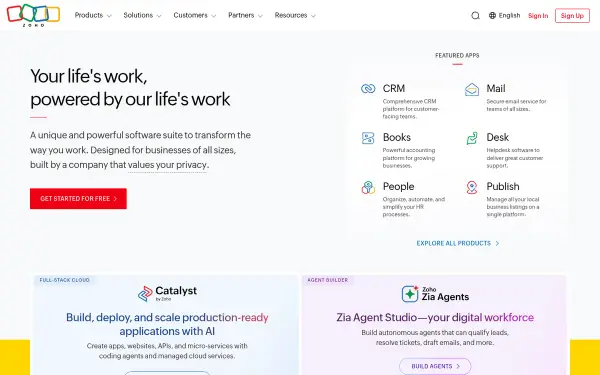
The best value here for small sellers: a real free tier, batch and expiry tracking, and a Standard plan at $29 per organization per month.
Zoho Inventory targets sellers who need more than a spreadsheet but cannot justify enterprise pricing. The Standard plan is $29 per organization per month, billed annually, and covers 500 orders per month with 2 users. The free plan stops at 50 orders per month and 1 user, which is enough to run a small catalog or test the workflow before committing. Purchase orders and multi-channel selling are present even on the free tier.
The features that matter for regulated goods arrive on paid plans: batch and serial number tracking, plus expiration date monitoring. That combination is why the vendor points at food, pharma and cosmetics sellers, though the same records help with warranty claims and recalls. Order management and multi-channel selling cover the everyday work of an online store, and basic warehousing handles a single stockroom or a couple of shelves.
The limits are real. Order caps sit on the lower tiers, so a seller who grows past 500 orders a month in a busy season will need a higher plan. Advanced warehousing sits above the entry plan. Published prices also disagree between sources, with $29 to $39 per month reported, so confirm the number on the vendor site before you budget for a year.
Pick this if you sell online, handle a few hundred orders a month, and want batch or expiry tracking without paying $300 or more. The 14-day free trial is long enough to import a catalog and test the order caps against how you actually sell. If you need multi-warehouse depth or unlimited orders, look at Cin7 Core instead.
You sell online, need batch, serial or expiry records, and want to start free before paying $29 per month.
You ship more than 500 orders a month or need multi-warehouse control on the entry plan.
Entry II of VIII / Photo-based item lookup
Our verdict
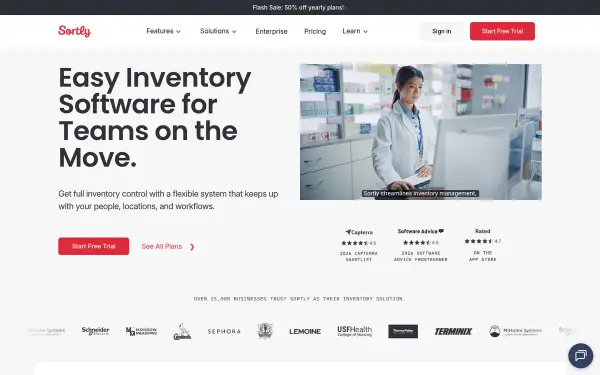
The fastest way to track equipment and supplies visually, at $24 per month billed annually, but it is not built for order-heavy retail.
Sortly solves a narrow problem well: knowing what you have when the items are equipment, supplies or materials rather than SKUs on a warehouse shelf. Every item gets a photo, and QR code or barcode scanning pulls up the record on a phone. Check-in and check-out logs run on mobile, and an activity trail shows who took what and when. For a workshop, a clinic or a field team, that is faster than typing part numbers into a spreadsheet, and it is why setup takes minutes rather than weeks.
The free plan covers 100 unique items and 1 user, which is enough for a single van or a small storeroom. The Advanced plan is listed at $49 per month, with a promotional rate of $24 per month billed annually at $288 per year and a 50 percent first-year discount. Renewal after year one costs more, so read the renewal terms before you build a workflow on it. A 14-day free trial covers the paid tiers.
The trade-off is depth. The Advanced plan does not include purchase orders or stock counts, and item caps apply on the lower tiers. Sortly is not built for high-volume ecommerce, where hundreds of orders a day need channel syncing and pick, pack and ship flow. The visual layer is the product.
Pick it if your inventory is tools, equipment, parts or supplies and you want staff to find and log items from a phone in seconds. Skip it if you sell online at volume and need purchase orders, stock counts or channel integrations inside the same product.
You track equipment, materials or supplies and want staff logging items by photo and QR code from a phone.
You need purchase orders, stock counts or channel syncing for an online store.
Entry III of VIII / B2B ordering portal
Our verdict
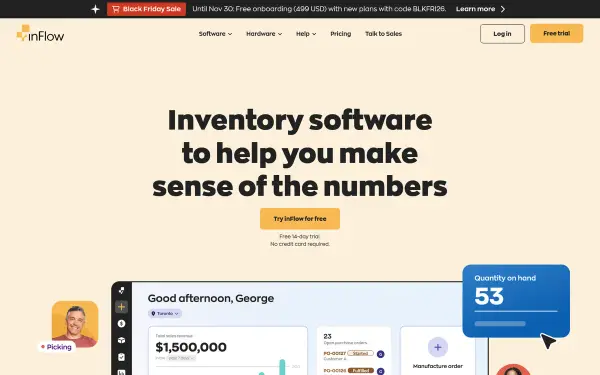
Built for B2B and wholesale work: a customer ordering portal, multi-level bills of materials and unlimited orders on paid tiers.
inFlow is built around B2B selling, and that shows in the feature list. A showroom portal lets your customers place their own orders, multi-level bills of materials cover light manufacturing, and wholesale and field service workflows are documented parts of the product. Wholesale and field service workflows are documented parts of the product, and paid tiers lift the order limit and open integrations.
There is no free plan. Evaluation happens through a 14-day trial, which is short for a system this broad, so come to the trial with a catalog and a process ready to test. Published prices conflict across sources, running from $99 per month billed annually up to $129 or $161 per month depending on where you look. The pricing page returned no content when we checked it on 25 November 2026, so treat any number you see elsewhere as unconfirmed and ask the vendor directly.
Cost also scales with team size, which is normal for seat-based pricing but worth modeling before you commit. A three-person wholesale operation and an eight-person one will pay different amounts for the same features.
Pick it if you sell to trade buyers, quote in volume, and want customers ordering through a portal without standing up a separate storefront. It also suits a small manufacturer that needs bills of materials without a full ERP. Skip it if you are a consumer-facing seller with simple stock needs, where Zoho Inventory at $29 costs far less and covers the basics.
Trade buyers place repeat orders and you need a customer portal plus bills of materials in one system.
You sell mainly to consumers and want a free tier or a published, predictable entry price.
Entry IV of VIII / POS-native stock counts
Our verdict
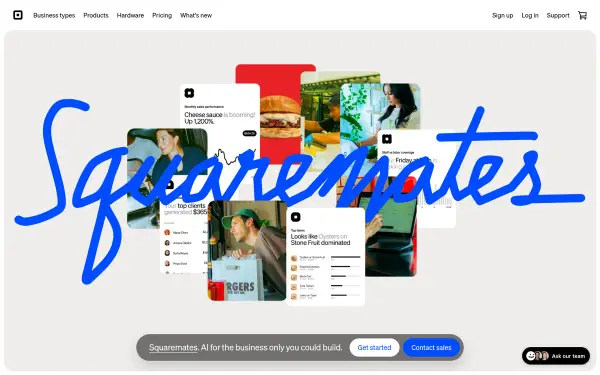
The natural pick for a shop already taking payments on Square: free POS-based inventory with real-time counts across locations.
If you already take payments on Square, inventory is not a separate purchase: it is part of the point of sale. Stock updates as sales ring up, counts stay aligned across locations, and there is no integration to configure or sync to babysit. That single fact is worth more to a small shop than a longer feature list on a standalone tool, because the stock record and the till cannot disagree.
The free tier covers core retail inventory, and the paid tier from $49 per month per location adds advanced retail features. A trial is not stated, but the free plan means you can evaluate the basics without a deadline. For a single counter with a few hundred products, the free tier may be all you ever need, and there is no trial clock to beat.
The catch is the ecosystem. Value depends on staying inside Square for payments and hardware, so a shop that switches payment processors later faces a bigger change than a software migration. Sellers who trade purely online will find the product thin: the channel syncing and pick and pack depth that Cin7 Core or Zoho Inventory provides is not the point of this tool.
Pick it if you run one or more physical stores, ring sales on Square, and want inventory that needs no integration work. Skip it if your revenue comes mostly from online marketplaces and web storefronts, or if you expect to move off Square payments within a couple of years.
You ring sales on Square and want stock counts that update as the till rings, with no integration project.
Most of your revenue comes from online channels or you plan to leave Square payments.
Entry V of VIII / Channel stock sync
Our verdict
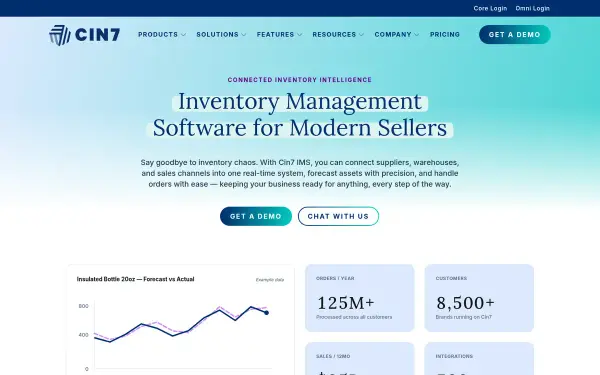
A serious step up for multichannel brands: $349 per month on annual terms, stock sync across channels and a 6,000 order yearly cap.
Cin7 Core is what small sellers buy when spreadsheets and entry tools stop keeping up. Stock syncs across sales channels so a sale on one marketplace does not leave another oversold. A warehouse app handles picking and packing, more than 200 carrier integrations cover shipping, and automation takes over routine reordering and channel updates. Order management ties the pieces together into one daily flow.
Entry pricing is $349 per month on the Standard plan, which includes 5 users and 6,000 orders per year. That is a real step up from the $24 to $49 range at the top of this list, and the order cap plus the annual contract mean the cost is fixed whether or not your volume arrives. A 14-day trial exists and there is no free plan. Compare that number with the manual hours it replaces, not with cheaper tools that cap out at 500 orders.
The vendor positions the product for omnichannel brands above roughly $1M in annual revenue, and the pricing supports that framing. Below that level the automation rarely pays for itself, because the work it replaces is a few hours a week rather than a role. Fourteen days is tight for a channel migration, so plan the trial around one channel and one warehouse.
Pick it if you sell on several channels, ship enough parcels that carrier rates and pick accuracy matter, and want automation that removes daily manual updates. Skip it if you are under about $1M in revenue, sell through one channel, or cannot commit to an annual term.
You sell on multiple channels, ship daily, and want stock and carrier automation in one annual plan.
You run a few hundred orders a month or cannot commit to an annual contract.
Entry VI of VIII / QuickBooks sync
Our verdict
The QuickBooks-native choice for manufacturers and distributors, with a $229 per month entry tier and manufacturing from $595 per month.
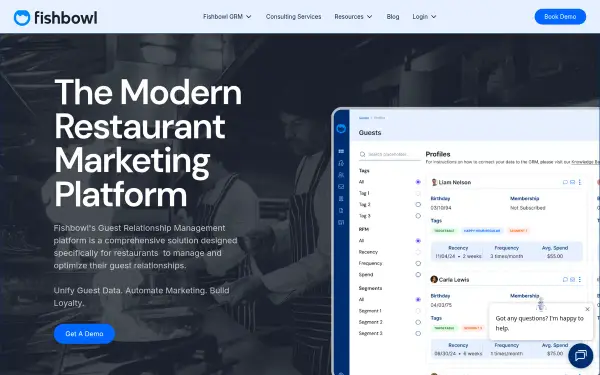
Fishbowl's case rests on accounting. The QuickBooks integration syncs stock movement and costs into the books, which removes the monthly reconciliation ritual that small manufacturers and distributors put up with for years. Warehouse stock control, order and cost tracking, and barcode and mobile scanning on paid tiers round out the day to day, and scanning at receiving and picking cuts keying errors.
Manufacturing workflows sit on the Advanced tier. The entry tier is $229 per month billed annually, and manufacturing features start at $595 per month, so a small manufacturer that needs work orders and bills of materials should budget for the higher number, not the entry one. There is no free plan and no stated trial, which makes evaluation harder than it should be for software at this price.
One caution: when we checked on 25 November 2026, the page we reached was a different Fishbowl site aimed at restaurants, not the inventory pricing sheet. Confirm the tier and price on the vendor site before you plan a budget around either figure.
Pick it if you run a warehouse or a small production floor, you keep the books in QuickBooks, and you want stock and costs to land in accounting without a spreadsheet bridge. It suits distributors with real stock movement and manufacturers with a defined bill of materials. Skip it if you are a retail or ecommerce seller without manufacturing needs, where Square for Retail or Zoho Inventory costs a fraction of the entry tier and covers the job.
You run a warehouse or production floor and want stock and costs landing in QuickBooks without manual reconciliation.
You do not use QuickBooks, need manufacturing features, or want a trial before you pay.
Entry VII of VIII / Production tracking
Our verdict
Best for small manufacturers that also sell direct: a free 30-SKU tier and materials tracking, though paid plans start at $299 per month.
Katana follows materials rather than finished stock alone. Raw materials are tracked through production steps to finished goods, production planning sits alongside stock tracking across sales channels, and sales order management covers the customer side. For a small manufacturer that also sells direct, that single view of what is being made and what is available is the reason to buy.
The free tier covers 30 SKUs, which is enough to test the production workflow on a real product line. Paid plans begin at $299 per month and include unlimited users, so cost does not climb with headcount the way seat-based tools do, and a production floor or a sales desk can log in without a per-seat negotiation. Manufacturing is an add-on on some tiers, and sales orders are billed by usage, so the headline number is not the whole bill.
A trial is not stated, so the free tier is the evaluation path. When we requested pricing on 25 November 2026, the domain resolved to a parked page, so no current figures could be confirmed beyond what is recorded here. Check the vendor site before you budget.
Pick it if you build a physical product, buy raw materials, and sell both wholesale and direct, and you want production and stock in one place without an ERP. Skip it if you are a reseller or retailer with no production step, since the manufacturing depth is what you would be paying for and the entry price is high for pure stock control.
You manufacture a product from raw materials and also sell direct, and you want production and stock in one view.
You only resell finished goods or you need a published price page before you can budget.
Entry VIII of VIII / Free single app
Our verdict
The free route into a full ERP: the inventory app costs nothing alone, and the all-app suite is $38.90 per user per month.
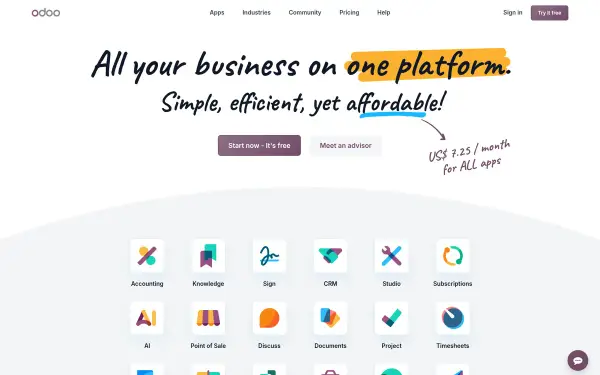
Odoo Inventory is the cheapest way on this list to get real inventory features, and the most expandable. The inventory app alone is free on the One App Free plan with unlimited users. Demand forecasting and automatic purchase orders are part of the product rather than an upsell. If you later need sales, accounting or manufacturing, those modules exist and share the same database.
Paid pricing is per user. The Standard all-apps plan is $7.25 per user per month billed yearly, and the full suite is $38.90 per user per month. A team of five on the full suite is a few hundred dollars a month, which is competitive with flat-rate tools that cap orders instead of seats. There is a free trial, and the Community edition can be self-hosted at no license cost.
The cost that does not show on the pricing sheet is time. Setup takes effort: modules need configuring, and a self-hosted Community install needs technical skill to run and back up. A small team without an internal tinkerer should budget for implementation help or stick to the hosted plans and a narrow first rollout.
Pick it if you want inventory now and a path to a single system for sales, purchasing and accounting later, and you have someone who can own configuration. Skip it if you need to be live in a week with no implementation time, where Sortly or Square for Retail will get you further, faster.
You want free inventory today and expect to add sales, purchasing and accounting modules later.
Nobody on your team can own configuration or you need to be live within a week.
VIBackground
Small business inventory software answers one question at a time: what do I have, where is it, and what do I need to buy? Everything else is a variation on that. At the entry level you get a list of items with quantities that updates when you sell, receive or adjust stock. Above that you get purchase orders, so buying becomes a document rather than a guess, and stock counts that reconcile what the system believes against what is on the shelf.
The category splits into four practical shapes:
Two features separate the cheap tools from the serious ones. Batch, serial and expiry tracking matters if you sell food, cosmetics, pharma or anything with warranty or recall risk, and on this list that capability sits on Zoho Inventory's paid plans. Multi-location stock matters once you hold inventory in more than one place, whether that is two shops or a shop and a warehouse.
What you are really buying is a reduction in manual reconciliation. A tool that saves an hour a week is worth more than the sticker difference between $24 and $49 per month, while a $349 platform only earns its fee when the work it replaces is measured in days rather than hours.
Most small businesses start too big. A single-channel seller doing 300 orders a month rarely needs carrier automation or multi-level bills of materials. Start with the workflow that hurts most, price the tier that fixes it, and leave room to move up when the cap, not the ambition, forces the decision.
This comparison sits in the software register. Further along the shore: baby tracking app and kennel software.
VIIPricing
Small business inventory software bills in five recognizable ways, and the billing model tells you more about fit than the feature list does.
| Model | How it bills | Typical fit | Example from this list |
|---|---|---|---|
| Flat per organization | Monthly rate billed annually, with order and user caps | A seller on one or two channels with a small team | Zoho Inventory Standard at $29 per organization per month, 500 orders, 2 users |
| Free tier with hard caps | No charge, capped items or orders or apps | Testing a workflow before committing | Sortly free at 100 unique items and 1 user |
| Per location | Monthly fee for each store | Retail with physical counters | Square for Retail paid tier from $49 per month per location |
| Annual contract with a floor | Monthly equivalent on an annual commitment | Brands past roughly $1M in revenue | Cin7 Core at $349 per month, 6,000 orders per year |
| Per user across apps | Monthly fee per user, billed yearly | Teams consolidating several systems | Odoo Standard all apps at $7.25 per user per month |
Flat per organization pricing is the easiest to budget, but the order cap is where it bites: 500 orders a month is comfortable in February and not in December. Check your busiest month before you pick a tier.
Free tiers here are real products, not demos. Five of the eight tools run one, and Zoho Inventory's free plan includes purchase orders and multi-channel selling, so a small seller can learn the workflow at no cost. The limits are the trade: 50 orders a month, 100 items, 30 SKUs, or a single app.
Watch promotional rates as well. Sortly's $24 per month is a first-year figure on an annual price of $288 per year, and renewal is higher. Year two is the number to compare.
Some vendors in this list do not publish a confirmed number. inFlow's pricing page returned no content, Fishbowl's link led to a different site, and Katana's domain resolved to a parked page. Treat unconfirmed figures as questions for the vendor.
Each entry card shows the starting price as it appeared on the vendor's own pricing page on November 25, 2026. When a vendor shows no figure we could confirm, or only a promotional rate, the card says "See website" or gives the regular price instead of a guess. Usage, overage and add-on rates in the text change more often than plan prices, so confirm them on the vendor page before you set a budget. To test the numbers against your own volume, try the free User Research Budget Planner. The Event Break-Even Calculator is a second way to check the same decision.
VIIIDecision
Name the order source. Start with where revenue enters: a counter, a web store, marketplaces or trade accounts. Square for Retail fits counter sales, Zoho Inventory and Cin7 Core fit channel selling, and inFlow fits trade accounts with repeat buyers.
Count your monthly volume. Add up orders per month and items held. Caps, not features, decide the tier you need: Zoho's Standard stops at 500 orders monthly and Cin7 Core's Standard covers 6,000 a year.
Check whether regulated goods apply. If you sell food, cosmetics, pharma or anything with warranty exposure, you need batch, serial or expiry tracking. Zoho Inventory includes those on paid plans, and that requirement sets your price floor.
Confirm the accounting connection. Fishbowl syncs stock and costs into QuickBooks, and Odoo ships accounting modules in its suite. For any other combination, verify the connector on the vendor site before you assume it exists.
Price the tier you will really use. Ignore the entry headline until you know the cap. Sortly's $24 is a first-year promotional rate, and Fishbowl's manufacturing workflow starts at $595, not $229. Budget year two as well.
Run the trial on your own data. Import a real catalog, ring a real sale, receive a real purchase order. Fourteen days is enough to learn whether the order cap, the scanning flow and the reports match how your team works.
IXPitfalls
Ignoring the order cap. A 500 order monthly limit bites in your busiest quarter, not in a quiet month. Model your strongest month and add headroom before you choose a tier or sign a year.
Treating a promo rate as the price. Sortly's $24 per month is a first-year promotional figure on an annual price of $288 per year, and renewal is higher. Compare year-two cost against every alternative before you commit.
Assuming a connector exists. QuickBooks support is documented for Fishbowl, and accounting modules ship with Odoo. Everything else needs checking on the vendor site, ideally before the trial ends rather than after.
Skipping the free tier. Five of these tools run a free plan, and Zoho Inventory's includes purchase orders. A small seller can learn the workflow at no cost before paying for batch tracking or channel syncing.
XQuestions
Five of the eight do. Zoho Inventory allows 50 orders per month and 1 user. Sortly allows 100 unique items and 1 user. Square for Retail includes core retail inventory at no charge. Katana covers 30 SKUs. Odoo Inventory makes one app free with unlimited users. inFlow, Cin7 Core and Fishbowl have no free plan.
On this list the range runs from free to $349 per month. Zoho Inventory is $29 on the Standard plan, Sortly is $24 per month on a promotional annual rate, Square's paid tier starts at $49 per month per location, and Cin7 Core is $349. Odoo bills $7.25 per user for all apps, and Katana's paid tiers start at $299.
Match the tool to where the order starts. Square for Retail suits counter sales because inventory sits inside the till. Zoho Inventory and Cin7 Core suit online channels where stock must stay aligned across marketplaces. inFlow suits B2B, with a customer showroom portal. Manufacturers add Katana or Fishbowl for production and materials.
Sortly lists QR code and barcode scanning as a core feature, and its free plan covers 100 unique items. Fishbowl lists barcode and mobile scanning on paid tiers. Cin7 Core includes a warehouse app for picking and packing. For the rest, scanning support varies by plan, so confirm the tier you intend to buy on the vendor site.
Fishbowl offers the deepest QuickBooks integration here, syncing stock movement and costs into accounting. Odoo ships accounting modules in its suite. Zoho Inventory sits inside the Zoho family, so Zoho Books is worth verifying on the vendor site. Xero connections are not documented on the pricing pages we checked, so confirm before you rely on one.
Several of these plans are annual. Zoho's $29 is billed annually, Sortly's $24 rate is an annual price of $288 per year, Cin7 Core's $349 comes with an annual contract and a 6,000 order yearly cap, and Fishbowl's $229 is billed annually. Square offers a free plan and Odoo's single app tier requires no payment.
XIFurther along the shore
Vendors can ask for a correction or apply for a Featured listing. Paid or not, the entry is scored on the same rubric and its limits stay in print. Partner with Umberlake.
Free tools
Our free browser tools turn the prices on this page into a figure for your own volume. Nothing you type leaves your device.