
LaunchDarkly
See websiteFoundation is pay as you go with no published figure, Enterprise custom pricing
Best for large engineering orgs needing governance and scale
- Free plan
- Yes
- Rubric
- 8.0 of 10
Nine feature management platforms compared on governance, SDK coverage, pricing predictability and experimentation, with notes on which buyer each one actually fits.

IThe short answer
LaunchDarkly is the best feature management software for large engineering organizations that need approvals, custom roles and audit history. Flagsmith is the best pick for teams that want an open source core they can self-host. ConfigCat suits teams that want simple, predictable flag delivery with unlimited seats on paid plans. Prices were checked on November 25, 2026. Nine tools follow in ranked order, each with the buyer it fits, the meters that drive cost and the limits to test before signing.
9 tools compared from vendor pages on November 25, 2026. 6 publish a starting price we could read; the rest say "See website".
IITop three berths
Register order is editorial fit for the buyer each entry describes. Prices are the starting figures read on November 25, 2026.
See websiteFoundation is pay as you go with no published figure, Enterprise custom pricing
Best for large engineering orgs needing governance and scale

$45Start-Up, per month, 3 team members, up to 1M requests
Best for teams wanting open source flags and remote config

$110Pro, per month, billed monthly, unlimited seats
Best for teams wanting simple, predictable flag delivery
How this page is paid for. All 9 tools here are unpaid editorial picks.
A paid listing's position can be part of what the vendor pays for. Every entry, paid or not, is scored on the same rubric and keeps its limits in print. Advertising disclosure.
IIIThe register
Starting prices as shown on each vendor's pricing page on November 25, 2026. "See website" means no figure we could confirm.
| No. | Tool | From | Free plan | Trial | Rubric | Actions |
|---|---|---|---|---|---|---|
| 01 | LaunchDarklyLarge engineering orgs needing governance and scale | See websiteFoundation is pay as you go with no published figure, Enterprise custom pricingNot shown publicly | Yes | Free trial available | 8.0 | |
| 02 | FlagsmithTeams wanting open source flags and remote config | $45Start-Up, per month, 3 team members, up to 1M requestsRead on vendor page | Yes | 14 day free trial | 6.2 | |
| 03 | ConfigCatTeams wanting simple, predictable flag delivery | $110Pro, per month, billed monthly, unlimited seatsRead on vendor page | Yes | No | 6.7 | |
| 04 |  UnleashTeams that must keep flag data in their own infrastructure | $75Pay-As-You-Go, per seat per month, billed monthly by credit cardUpdated on vendor page | No | 14 day free trial | 6.7 | |
| 05 |  GrowthBookProduct and growth teams combining flags with experiments | $40Pro, per seat per month, up to 30 usersUpdated on vendor page | Yes | No | 6.9 | |
| 06 |  StatsigTeams running frequent experiments with rigorous statistics | $150Pro, per month, 5M events included then $0.05 per 1K eventsUpdated on vendor page | Yes | No | 7.0 | |
| 07 |  DevCycleDevelopment teams wanting flags close to code | $500Business, per month, billed annually, 100,000 MAUs includedUpdated on vendor page | Yes | No | 6.4 | |
| 08 |  PostHogTeams already using PostHog analytics who want flags too | See websiteusage based, pay per product use, free tier includedNot shown publicly | Yes | No | 6.0 | |
| 09 |  Harness FMEEnterprises tying flags to release governance and measurement | See websitecustom quoteQuote only | Yes | Free trial available | 6.6 |
Pinned:
IVMethod
Approvals, audit history, custom roles and how much control a platform team gets over production changes.
Languages and client platforms supported, plus whether flags evaluate locally or over the network.
How many meters move the bill and whether a team can forecast it before signing a contract.
Setup effort, dashboard clarity and lifecycle tooling for stale flags.
Statistical rigor and how closely flag exposure connects to measurement.
VMethod
We scored every product on this list against the same five criteria, using published vendor documentation and pricing pages rather than demo scripts. Release governance covers approvals, audit history, custom roles and how much control a platform team gets over production changes. SDK coverage looks at the languages and client platforms supported and whether flags evaluate locally or over the network. Pricing predictability asks how many meters move the bill and whether a team can forecast it before signing. Developer experience is about setup effort, dashboard clarity and lifecycle tooling for stale flags. Experimentation depth measures statistical rigor and how directly flags connect to measurement.
Weights reflect what buyers in this category tend to weigh: release governance 22 percent, SDK coverage 20 percent, pricing predictability 20 percent, developer experience 20 percent, experimentation depth 18 percent.
Prices, plan limits, free tiers and trial terms were taken from vendor pricing pages and checked on November 25, 2026. Where a vendor publishes no paid figure, the entry says pricing is on the vendor site rather than estimating a number. Usage meters such as service connections, requests, events and monthly active users are noted wherever the vendor meters them, because those lines usually decide the real bill.
The order is editorial. It reflects how well each tool fits the buyer described in its entry, not a weighted total, and any entry marked Featured is a paid placement that was scored with the same rubric as every other tool.
Plan notes describe the cheapest published paid tier, not the tier most teams end up on. Confirm current terms with the vendor before you sign.
The full routine, from price reads to corrections, is on the methodology page. Paid listings follow the advertising disclosure.
Entry I of IX / Streaming SDK updates
Our verdict
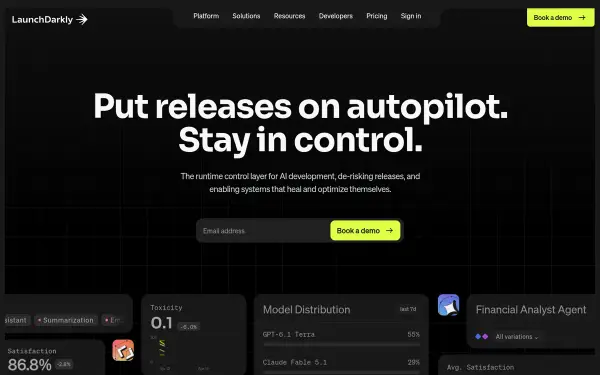
The governance leader for large engineering organizations, with streaming SDKs and approvals, though usage-based billing demands careful modeling.
LaunchDarkly is the reference implementation of feature management for large engineering organizations, and its architecture explains why. Server-side SDKs evaluate flags locally and receive updates over a streaming connection, with cached fallback values if that stream drops. That design keeps flag checks fast and keeps the application running when the network is unhappy.
Governance is the other half of the pitch. Approval workflows, a full audit history and custom roles let platform teams control who can change what in production, and granular targeting rules cover the usual release patterns: internal users first, then a percentage, then everyone. Flag cleanup tooling finds stale toggles, which matters once a codebase carries hundreds of them. Experimentation sits alongside release flags rather than in a separate product, so a team can run a measured rollout without adding a second vendor.
Pricing is the hard part. The vendor pricing sheet shows a free Developer tier and a Foundation plan that is pay as you go with no published paid figure, so you cannot budget from the page alone. Enterprise pricing is custom. The entry seat rate is billed annually and does not reflect the whole bill, because service connections and client-side monthly active users are metered separately. Model your real counts before you compare quotes.
Pick it if you need approvals, custom roles and audit history at scale, and you can absorb usage-based billing. Smaller teams often pay for governance they never use.
You are a large engineering organization that needs approvals, audit history and custom roles across many services.
You are a small team that needs on and off switches and nothing more.
Entry II of IX / Open source self-hosting
Our verdict
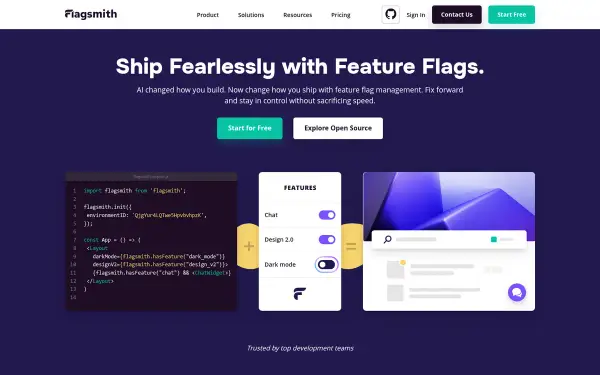
Open source flags with remote config and a managed cloud path, priced from $45 per month for small teams.
Flagsmith gives teams an open source feature flag core with a managed cloud option on top, which is a useful combination when part of the organization wants control and the rest wants to stop running infrastructure. The self-hosted edition runs in your own environment, and the hosted service removes the operational work.
The model covers boolean flags with targeting rules, percentage-based rollouts, and remote configuration for strings, numbers and JSON values. Putting config values next to on and off switches means a team can change behavior and content from one place, and SDKs exist for server and client environments. For small projects the free tier is enough to get a product into production without a purchase order.
Paid pricing starts at $45 per month on the Start-Up plan, which includes 3 team members and up to 1M requests. A 14 day free trial is available. Seat and request limits are the two meters to watch: as the team grows and traffic rises, the next tier arrives sooner than expected.
The honest gap is experimentation. Flagsmith handles rollouts and targeting well, but statistical analysis depth trails platforms built around experiments from day one. If you need sequential testing or guardrails, plan to pair it with an analytics tool.
Pick it if you want open source flags, remote config and the option to self-host without losing a managed path. Skip it if experiment statistics are the main reason you are buying.
You want an open source flag core, remote config and a managed cloud option in one tool.
Rigorous experiment statistics are the deciding requirement.
Entry III of IX / Unlimited paid seats
Our verdict
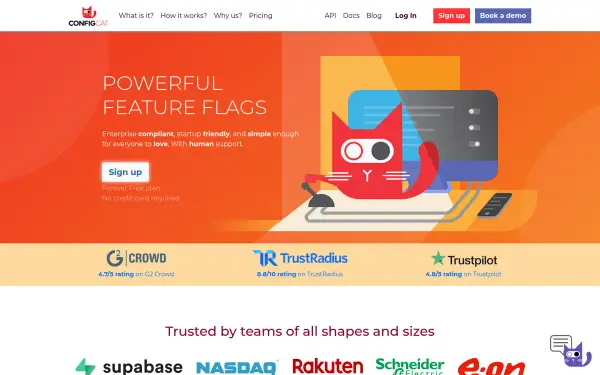
Simple CDN-backed delivery with unlimited seats on paid plans, best when a predictable bill matters more than experiment depth.
ConfigCat takes a deliberately narrow approach: deliver flag configuration fast, to as many SDKs as possible, and keep the bill easy to explain. Configuration is served through a global CDN, and SDKs cover web, mobile and server languages, so a single flag can reach a browser, a phone app and a backend service.
Targeting rules and percentage rollouts handle the standard release patterns, and scheduled configuration changes let a team stage a switch for a specific time without someone watching the clock. That removes the launch time scramble where a developer has to be online at midnight. An audit log records configuration edits, which is enough for many compliance conversations. Flag evaluation is client-side polling rather than a streaming push, and that difference matters for use cases that need instant propagation.
The pricing model is the differentiator. Paid plans carry unlimited team members, and the Pro plan is $110 per month billed monthly. Cost follows fetch volume instead of headcount, so a large organization with modest traffic can forecast it well. A free plan exists for smaller projects, and there is no trial, which is worth knowing before you plan an evaluation window.
Experiment analysis is limited compared with dedicated experimentation tools. Teams that need rigorous sequential testing or guardrails usually keep a separate analytics layer. Polling also means the model does not fit every real-time use case.
Pick it if you want simple, predictable flag delivery and unlimited seats on a paid plan. Skip it if you need deep experiment statistics or push-based instant updates.
You want predictable fetch-based billing and unlimited seats on a paid plan.
You need push-based flag updates or rigorous experiment analysis.
Entry IV of IX / Flag lifecycle tracking
Our verdict
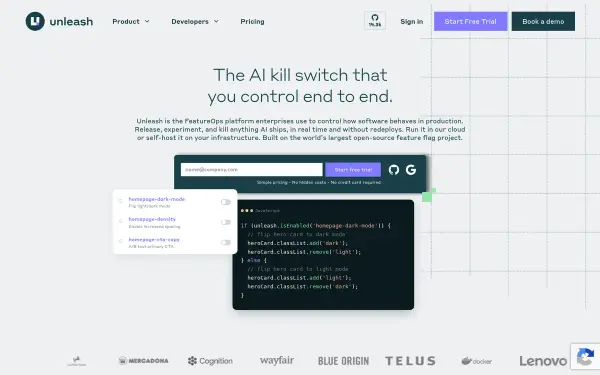
The self-hosting choice for teams with data residency rules, with a published $75 per seat price and strong stale flag tracking.
Unleash is the strongest option for teams that must keep flag data inside their own infrastructure. The open source edition is a complete flag system, not a cut-down teaser, and self-hosting satisfies data residency and security policies that rule out SaaS for some organizations.
Paid tiers add enterprise governance and audit controls, plus vendor support. The lifecycle features are the practical standout: stale and unused flag tracking, and management for long-lived toggles that stay in the codebase for years. Flag debt is a real cost, and tooling that surfaces dead toggles is worth more than another dashboard. Teams that run hundreds of concurrent releases will notice the difference quickly.
Pricing now has a published entry point. The Pay-As-You-Go plan is $75 per seat per month, billed monthly by credit card. There is no free plan, though a 14 day free trial is available. Hosted enterprise pricing is quote-based, so larger buyers should expect a sales cycle. Self-hosting carries its own cost even when the licence is free: upgrades, backups and scaling land on your team.
That trade is the whole decision. You get control and a complete open source system, and you pay for it in operational attention. Organizations with a platform team and strict residency rules usually find that acceptable. Teams without those constraints often move faster on a hosted service and never think about the cluster again.
Pick it if data must stay in your infrastructure and you want lifecycle tooling for stale flags. Skip it if you have no appetite for running the service yourself.
Data residency rules require self-hosting and you want flag lifecycle tooling.
Nobody on your team wants to run and upgrade the service.
Entry V of IX / Sequential stats engine
Our verdict
Flags and experiments sharing one data model from $40 per seat, provided your team can invest in metric plumbing.
GrowthBook is built around the link between a flag and an experiment. Flags control who is exposed to a change, and the statistical engine analyzes what happened, with sequential testing checks and guardrails against peeking at results too early. For product and growth teams, that combination removes the handoff between releasing a change and measuring it.
The visual experiment editor lowers the bar for people who do not want to write experiment code, and there is self-hosting through the open source edition for teams that cannot send user data to a third party. The platform connects to warehouses and analytics event sources, which is where its power comes from and also where the setup cost lives. A clean metric layer is a prerequisite, not a nice extra.
Cloud pricing is per seat, which many SaaS teams find easier to forecast than user-based metering. The Pro plan is $40 per seat per month and covers up to 30 users. A free plan exists, and there is no trial. Per-seat pricing rewards teams that run many experiments with a modest headcount and penalizes large organizations that only need toggles.
The honest caveat is setup weight. Connecting metric sources and defining exposure takes effort before the statistics engine earns its keep, and a messy warehouse will produce messy readouts that nobody trusts in a review.
Pick it if flags and experiments should share one data model and you can invest in metric plumbing. Skip it if you need simple toggles with minimal setup.
Product and growth teams need flags and experiments from one data model.
You cannot invest time connecting metric sources before launch.
Entry VI of IX / Experiment readouts
Our verdict
Experiment-first gates with deep statistics and a generous free tier, metered by events rather than by seats.
Statsig treats feature gates and experiment analysis as one workflow. Gates control who sees a change, and readouts at each rollout step show what the change did, with Pulse readouts summarizing results. Because gate configuration flows directly into analysis, there is no separate instrumentation step between shipping and measuring.
The free tier is unusually generous for flags and events, which makes it easy to evaluate properly before paying. The Pro plan is $150 per month and includes 5M events, then $0.05 per 1K events. There is no trial, but the free tier covers the evaluation need for most teams, and event tracking for experiment metrics is part of the product rather than an add-on.
Cost forecasting should center on event volume, not seats or flag counts. That is the meter that moves, and it moves with analytics traffic as much as with releases. Before committing to a paid tier, confirm exactly what counts toward the event meter. Enterprise features and support require a sales conversation.
The statistics depth is the reason to choose it. Teams that run frequent experiments want sequential testing, guardrails and readouts that hold up in a review. Teams that only need on and off switches will find the surface area larger than necessary and the event meter irrelevant to their actual need.
Pick it if you run frequent experiments and want gate configuration and analysis in one place. Skip it if simple toggles are all you need, or if event volume is hard to predict.
Frequent experiments need gates and analysis in one workflow with a free starting point.
Your event volume is unpredictable or you only need release switches.
Entry VII of IX / Edge SDK support
Our verdict
A developer-friendly tool with local evaluation and edge SDKs, starting at $500 per month on an annual Business plan.
DevCycle is designed for developers who want flags to feel like part of the codebase rather than a separate console. Local flag evaluation keeps checks fast, edge and mobile SDKs cover the environments where latency shows, and setup maps to environments and code branches so the concepts line up with how teams already work. Local evaluation also keeps the network round trip off the critical path for every check, which shows up in mobile and edge workloads.
Targeting and percentage rollouts cover gradual releases, and scheduled releases let a team plan progressive delivery ahead of time. The dashboard stays readable as flag counts grow, which sounds minor until a team passes a few hundred toggles and cannot find the one that matters.
Pricing starts higher than most of this list. The Business plan is $500 per month billed annually and includes 100,000 MAUs. A free plan exists, and there is no trial. The jump from free to paid is steep, so teams should confirm both the monthly active user allowance and what happens past it before committing to an annual term. Pricing has also shifted as the product has expanded, so verify current rates on the vendor page rather than relying on older quotes.
The limits are governance and analytics depth. Approval workflows, custom roles and experiment analysis trail the larger platforms, which matters if release control is the reason you are buying. Teams that need sign-off chains before a flag changes will feel the gap.
Pick it if you want a clean developer experience with local evaluation and edge SDKs. Skip it if you need enterprise governance or the lowest entry price.
Your developers want flags close to code with fast local evaluation on edge and mobile.
You need approval chains and enterprise governance on day one.
Entry VIII of IX / One usage-based bill
Our verdict
Best value for teams already on PostHog analytics, since flags, experiments and replay share one usage-based bill.
PostHog makes the most sense for teams that already run its analytics. Feature flags sit next to product analytics, experiments read product metrics directly, and session replay shows what users did after a flag changed. Cohorts built from analytics data become targeting rules without a second tool or a second SDK set.
The flag product itself is capable. Local evaluation keeps checks fast, multivariate flags support more than a simple on or off, and experiments reuse existing metrics rather than asking you to define them again. Multivariate flags and local evaluation both appear in the flag product, so a team can run more than a simple toggle test without adding another vendor. One vendor and one bill replace several, which is the consolidation argument in plain terms.
Pricing is usage based, charged per product used, with a free tier included. The vendor site gives per-unit rates rather than a single headline paid figure, so pricing is on the vendor site and the total depends on how much of each module you consume. That means costs track total usage, not flag count alone. A team that adds session replay will see the bill move for reasons unrelated to flags.
Governance is where it trails. Approval depth and release controls are thinner than dedicated flag platforms, so organizations with strict change management should test those workflows specifically rather than assuming parity.
Pick it if you already pay for PostHog analytics and want flags, experiments and replay under one roof. Skip it if release governance is the deciding requirement.
PostHog analytics is already in place and consolidation beats best-of-breed flags.
You need strict approval workflows before a production flag changes.
Entry IX of IX / Exposure to metrics
Our verdict
Enterprise flag and measurement tooling from the Split heritage, quote-priced and strongest inside an existing Harness estate.
Harness FME is the enterprise option for tying flags to release governance and measurement. The product was formerly known as Split, and its exposure tracking linked to product metrics remains the strongest part of the offer: you can see not just who received a flag, but what happened to the metrics you care about.
Targeting controls support staged releases, and release governance workflows connect flag changes to the wider delivery process. For organizations already standardized on the Harness platform, that integration is the reason to choose it, since flags become one more governed step rather than a separate console with its own permissions model.
Pricing is enterprise and quote-based, so there is no published figure to budget from. A free tier exists at $0 for up to 25 users with 1,000 units, which is enough to see the interface but not enough to run a real release program. Expect longer implementation and contract cycles than self-serve tools, and plan for procurement time before a pilot starts.
Evaluation should cover three things before signing: SDK coverage for your languages and platforms, data residency, and how experiment metric sources are configured. Those details decide whether the measurement story works in your environment. Small teams will find self-serve rivals faster and cheaper for the same basic job.
Pick it if you are an enterprise that needs measurement plus release governance and you already run Harness. Skip it if you want self-serve signup and transparent pricing.
You are an enterprise tying flags to release governance and measurement inside Harness.
You want to sign up and buy with a credit card today.
VIBackground
Feature management software separates deploying code from releasing behavior. The core object is a flag, a named switch that application code checks at runtime. A flag can be on for everyone, off for everyone, on for a named group, or on for a percentage of traffic. Because the decision happens at runtime, a team can ship code dark, turn it on for internal users, widen the rollout, and switch it off within seconds if error rates move.
Most platforms also handle remote configuration, which sets strings, numbers and structured values the same way. Flagsmith, for example, pairs boolean flags with remote config values. Targeting rules and percentage rollouts cover the gradual release patterns most teams need, and scheduled changes let a rollout start at a fixed time without someone at a keyboard at midnight.
What separates feature management from an environment variable is the control plane around the switch. That means an audit log of who changed what, roles and approvals, SDKs that evaluate flags quickly in many languages, and tooling that finds stale toggles after a release is finished.
Feature management and A/B testing overlap, and the line matters when buying. A release flag answers a delivery question: should this group see the change. An experiment answers a measurement question: which version performs better, with statistics behind the claim. GrowthBook, Statsig, PostHog and Harness FME sit in the overlap. ConfigCat and DevCycle focus on delivery and expect you to bring analytics elsewhere.
Three things to check in any evaluation:
The category rewards teams that pick for the next 12 months rather than the next launch.
This comparison sits in the software register. Further along the shore: baby tracking app and kennel software.
VIIPricing
Feature management pricing rarely compares line to line, because vendors meter different things. Four models dominate: per seat, per request or fetch, per analytics event, and custom quote. Some plans mix two, which is where budgeting gets hard.
Per seat pricing is the easiest to forecast. GrowthBook charges $40 per seat per month on Pro up to 30 users, and Unleash charges $75 per seat per month on Pay-As-You-Go billed monthly by credit card. The trap is that seat pricing rewards small teams that ship a lot and penalizes large organizations with many occasional users.
Flat plans with an allowance suit predictable budgets. Flagsmith Start-Up is $45 per month for 3 team members and up to 1M requests, and DevCycle Business is $500 per month billed annually with 100,000 MAUs. Check the overage terms, because the entry price only describes the included volume.
Metered volume plans remove seat counting. ConfigCat Pro is $110 per month billed monthly with unlimited seats, so cost follows fetch volume instead of headcount. Statsig Pro is $150 per month with 5M events included, then $0.05 per 1K events, which makes event volume the number to model. PostHog charges per product used at per-unit rates, so flags, replay and analytics each add to the same bill.
Some vendors publish no paid figure at all. LaunchDarkly shows a free Developer tier and a Foundation plan that is pay as you go with no published amount, with Enterprise priced custom. Harness FME is quote-based, with a free tier at $0 for up to 25 users with 1,000 units. In both cases, pricing is on the vendor site and a sales conversation sets the number.
All figures here were checked on November 25, 2026. Recheck before you sign, because trials, allowances and meters change.
| Model | How it bills | Typical fit | Example from this list |
|---|---|---|---|
| Per seat | Charged per team member, monthly or annual | Teams that add people faster than traffic | GrowthBook Pro at $40 per seat per month, Unleash at $75 per seat per month |
| Flat plan with an allowance | Fixed fee plus included requests, MAUs or units | Teams wanting a predictable bill | Flagsmith Start-Up at $45 per month with up to 1M requests, DevCycle Business at $500 per month billed annually with 100,000 MAUs |
| Unlimited seats, metered volume | No per-member charge, volume sets the bill | Organizations with many occasional users | ConfigCat Pro at $110 per month billed monthly |
| Per event | Metered by analytics events with overage rates | Experiment-heavy teams | Statsig Pro at $150 per month with 5M events, then $0.05 per 1K events |
| Usage based per product | Pay for each module used, no headline price | Teams consolidating analytics and flags | PostHog, pricing on the vendor site |
| Custom quote | Negotiated contract | Enterprises with procurement cycles | LaunchDarkly Enterprise, Harness FME |
Each entry card shows the starting price as it appeared on the vendor's own pricing page on November 25, 2026. When a vendor shows no figure we could confirm, or only a promotional rate, the card says "See website" or gives the regular price instead of a guess. Usage, overage and add-on rates in the text change more often than plan prices, so confirm them on the vendor page before you set a budget. To test the numbers against your own volume, try the free User Research Budget Planner. The Event Break-Even Calculator is a second way to check the same decision.
VIIIDecision
IXPitfalls
XQuestions
GrowthBook publishes the lowest paid starting rate on this list at $40 per seat per month on Pro, up to 30 users, though that rate is per seat. Flagsmith Start-Up is $45 per month for 3 team members and up to 1M requests. ConfigCat at $110 per month includes unlimited seats, which often wins for larger teams. GrowthBook at $40 per seat per month is the pick when experiments matter. All three include a free plan, so a small team can start without a purchase order.
Self-host when data residency, security policy or network isolation rule out sending flag data to a vendor. Unleash and the Flagsmith open source edition both support it fully. Otherwise hosted usually wins on total cost, because self-hosting moves upgrades, backups and scaling onto your team, and that work is rarely free even when the licence is.
A release flag decides who sees a change. An experiment decides which version performs better. Feature management covers targeting, rollouts and kill switches, while experimentation adds statistics, exposure tracking and guardrails against early peeking. GrowthBook, Statsig, PostHog and Harness FME handle both. ConfigCat and DevCycle focus on delivery and expect you to pair them with an analytics layer.
LaunchDarkly is the safest default for enterprise governance, with approval workflows, audit history and custom roles built in. Harness FME pairs release governance workflows with experiment measurement inside the Harness platform. Unleash adds enterprise governance and audit controls on paid tiers and can be self-hosted. All three are quote-based or usage-based at the top end, so budget for procurement and a longer rollout than a self-serve tool would need.
Seats, requests or fetches, analytics events, client-side monthly active users and service connections. ConfigCat bills fetch volume with unlimited seats, Statsig meters events past 5M at $0.05 per 1K, DevCycle includes 100,000 MAUs, and LaunchDarkly meters connections and client-side users beyond the seat rate. Model your own counts before comparing quotes.
There is no universal threshold, and flag count alone is a weak signal. The real test is how many flags stay in the code after their rollout finished. Once removal depends on someone remembering, debt is accumulating. Choose a platform with stale flag tracking, such as LaunchDarkly or Unleash, and set a removal rule early.
XIFurther along the shore
Vendors can ask for a correction or apply for a Featured listing. Paid or not, the entry is scored on the same rubric and its limits stay in print. Partner with Umberlake.
Free tools
Our free browser tools turn the prices on this page into a figure for your own volume. Nothing you type leaves your device.