Drip
$39Entry tier, up to 2,500 contacts, unlimited email sends, per month
Best for ecommerce brands whose revenue depends on automated flows
- Free plan
- No
- Rubric
- 8.0 of 10
Nine platforms that send automated welcome, cart and nurture sequences, compared on automation depth, pricing model, audience fit and what each free plan actually allows.

IThe short answer
Drip is the best email drip software for ecommerce brands in November 2026, with unlimited sends and shopper-action flows on every tier. Klaviyo suits stores that want predictive scoring inside those flows, and ActiveCampaign is the pick for B2B teams running long, branching nurture programs that feed a CRM. Entry prices across the nine tools run from free plans to $39 per month, and the biggest differences show up in branching logic, behavioral triggers and what each free tier actually includes.
9 tools compared from vendor pages on November 25, 2026. 8 publish a starting price we could read; the rest say "See website".
IITop three berths
Register order is editorial fit for the buyer each entry describes. Prices are the starting figures read on November 25, 2026.
$39Entry tier, up to 2,500 contacts, unlimited email sends, per month
Best for ecommerce brands whose revenue depends on automated flows

FreeFree plan, up to 250 active profiles and 500 emails per month, Email plan $20 per month for 500 profiles
Best for online stores wanting predictive analytics inside their flows

$15Starter, per month, billed yearly, 1,000 contacts, 1 seat
Best for b2B teams running long, multi-branch nurture sequences
How this page is paid for. All 9 tools here are unpaid editorial picks.
A paid listing's position can be part of what the vendor pays for. Every entry, paid or not, is scored on the same rubric and keeps its limits in print. Advertising disclosure.
IIIThe register
Starting prices as shown on each vendor's pricing page on November 25, 2026. "See website" means no figure we could confirm.
| No. | Tool | From | Free plan | Trial | Rubric | Actions |
|---|---|---|---|---|---|---|
| 01 | DripEcommerce brands whose revenue depends on automated flows | $39Entry tier, up to 2,500 contacts, unlimited email sends, per monthRead on vendor page | No | 14-day free trial, no credit card required | 8.0 | |
| 02 | KlaviyoOnline stores wanting predictive analytics inside their flows | FreeFree plan, up to 250 active profiles and 500 emails per month, Email plan $20 per month for 500 profilesRead on vendor page | Yes | Free plan instead of a time-limited trial | 7.8 | |
| 03 | ActiveCampaignB2B teams running long, multi-branch nurture sequences | $15Starter, per month, billed yearly, 1,000 contacts, 1 seatRead on vendor page | No | 14-day free trial | 8.1 | |
| 04 |  OmnisendOnline stores that want email and SMS from one workflow | FreeFree plan, 250 contacts and 500 emails per month, Standard from $11.20 per month for first 3 months, then billed monthlyRead on vendor page | Yes | Free plan instead of a time-limited trial | 7.7 | |
| 05 |  EnchargeProduct-led SaaS teams needing in-app behavioral drips | See websiteNot shown publicly | No | Free trial available | 6.8 | |
| 06 |  GetResponseFunnel and webinar led businesses running drip campaigns | FreeFree account with 14-day trial of premium features, Starter $19 per month on monthly billing, 1,000 contactsRead on vendor page | Yes | 14-day free trial | 7.4 | |
| 07 |  MailerLiteSmall businesses wanting simple sequences at low cost | FreeFree plan, 250 subscribers and 2,500 monthly emails, Comfort from $10.80 per month billed yearlyRead on vendor page | Yes | 14-day free trial, no credit card required | 7.5 | |
| 08 |  BrevoLarge lists with moderate sending volume | FreeFree forever plan, Starter $11.86 per month billed yearly with coupon, $17 monthly, 5,000 emailsRead on vendor page | Yes | Free plan instead of a time-limited trial | 7.0 | |
| 09 |  SenderLowest cost route to working automation | FreeFree Forever, up to 2,500 subscribers and 15,000 emails, Standard from $5.40 per month on 24-month billingRead on vendor page | Yes | 14-day free trial of Pro plan | 7.4 |
Pinned:
IVMethod
Branching, behavioral triggers, goals and split testing, plus whether the logic holds past three steps.
How closely the triggers and templates match the store, B2B or product-led team the tool targets.
Whether the billing meter is predictable and a buyer can forecast next month without a call.
How quickly a first sequence goes live without outside help or a long learning period.
Automation delivered per dollar at the entry tier, including what the free plan includes.
VMethod
We scored each platform on five criteria, weighted for the way buyers actually use drip software. Automation depth carries 30 percent: branching, behavioral triggers, goals, split testing and whether the logic holds up once a sequence gets past three steps. Audience fit carries 20 percent, because a storefront and a sales team need different triggers. Pricing clarity takes another 20 percent, covering how the meter works and whether a buyer can forecast next month. Ease of setup takes 15 percent, and value for money the last 15 percent. Scores are integers from 1 to 10 and appear on every entry, including the Featured one.
Every price and plan limit in this guide comes from the vendor's own pricing page, checked on November 25, 2026. Where a page would not load or a figure could not be read, the entry says pricing is on the vendor site rather than quoting a number. Promotional rates are labeled as promotional. Free plan allowances are quoted exactly as published, because a free tier with 250 contacts and a free tier with 2,500 contacts are different products.
The list order is editorial. It reflects which tool fits the buyer described in each entry, and where a Featured placement applies, that placement is a paid one, disclosed as Featured and scored with the same five criteria as every other entry. Inclusion is not a ranking on a single axis: a tool placed lower can beat one placed higher on a specific criterion, and the scores are published so you can check that.
These reviews are built from vendor documentation, published plan limits and the mechanics of how each platform bills rather than from hands-on testing of every flow in a live account.
The full routine, from price reads to corrections, is on the methodology page. Paid listings follow the advertising disclosure.
Entry I of IX / Shopper action flows
Our verdict
The strongest pick for stores where each automated flow has to earn its keep, provided the list stays modest.
Drip is built as an ecommerce CRM rather than a newsletter tool, and the campaign builder reflects that. Flows start from subscriber behavior: a browse without a purchase, an abandoned cart, a first order, a repeat order that never came. Prebuilt workflows cover welcome, cart recovery, post-purchase and win-back, and each one ships with segmentation and reporting attached. Every capability is available on all plans, and email sends are unlimited regardless of tier, so a heavy sending month does not produce a surprise overage. The ecommerce data layer tracks browse, abandon, buy and repeat actions in one contact record, which is what makes a win-back sequence behave differently from a generic re-engagement blast. Flows are assembled visually from those triggers, and the prebuilt library gives a starting point rather than a blank canvas.
Pricing is per contact and easy to model at the entry level: $39 per month covers up to 2,500 contacts with unlimited sends. The curve steepens quickly. The same account costs $89 at 5,000 contacts and $154 at 10,000, and larger lists move to custom quotes. There is no free tier, only a 14-day free trial with no credit card required, so a team that wants to test on live traffic for a month gets a short window. For a store doing steady volume, the per-contact math is predictable; for a store with a large, low-value list, the same math gets uncomfortable fast.
The fit is narrow on purpose. A B2B team with a large database and no purchase events gets none of the shopper triggers that justify the price, and would be better served by a tool built around forms, page visits and deal stages. A store that already runs Klaviyo's predictive scoring would also be trading analytics for simpler flow templates.
Pick it if your revenue depends on cart recovery and repeat purchase flows. Skip it if your list is large and mostly informational, or if you need a free plan to prove the case before paying.
Automated cart, browse and win-back flows carry a meaningful share of your store's revenue.
Your list is large and low value, or if you need a free tier to test before spending.
Entry II of IX / Predictive scoring
Our verdict
The ecommerce analytics specialist, with predictive scoring inside the flows and a bill that climbs with every profile.
Klaviyo puts predictive analytics inside the drip builder rather than beside it. Customer lifetime value and churn risk are scored automatically, and those scores become flow triggers and segment conditions, so a VIP welcome and an at-risk win-back can run from the same builder without hand-written rules. Send-time optimization works from each contact's engagement history, and segments assemble from behavior and purchase data. The store integrations are the deepest part of the product, with Shopify and WooCommerce syncing product, order and browse data into the flow so an abandoned cart email knows what was in the cart. Full flow automation is available on lower tiers, which means a small store is not pushed onto an enterprise plan to run a cart sequence.
Billing runs on active profiles. The free plan covers up to 250 active profiles and 500 emails per month, and the Email plan starts at $20 per month for 500 profiles. There is no time-limited trial, because the free tier takes its place. Because the meter counts active profiles, a seasonal promotion that adds thousands of new subscribers changes the bill in the same month it changes the list, and smaller merchants often reach the price before they reach the value. That timing matters: the cost arrives before the analytics have had a chance to influence a single flow.
The analytics are the reason to choose it, and also the reason setup takes time. Predictive scores, segment logic and flow goals need a learning period before they earn their keep, and a team that only wants a welcome series and a monthly newsletter pays for capability it never opens. For an online store with steady order volume and a real reason to tell VIPs from one-time buyers, that trade is worth making.
Pick it if you want scored customers driving the flows without building the rules yourself. Skip it if your list is seasonal, or if you only need standard sequences.
Predictive scoring would change which customers get which sequence, and your store platform is well supported.
Your profile count swings with seasonal promotions or you only need basic drip series.
Entry III of IX / Branching automation
Our verdict
The deepest branching in the list for B2B nurture, with a CRM attached and a real learning curve to match.
ActiveCampaign is the B2B counterpart to the ecommerce-first tools here. Sequences branch on conditions, run split tests and check goals at each step, and triggers reach past email opens into page visits, form fills, webinar attendance and deal stage changes. Contact scoring sits inside the automation path, so a lead that behaves like a buyer can be routed to a rep mid-sequence. The built-in CRM creates deals from those events and alerts the sales team, which means a nurture program can generate pipeline without a separate integration. Follow-up sequences can feed straight into the pipeline, and site tracking fires steps on page visits rather than on a schedule alone.
Pricing starts at $15 per month on the Starter plan, billed yearly, for 1,000 contacts and 1 seat. There is no free plan; the way in is a 14-day free trial. Because the price is tied to contacts and seats, a team that adds two sales reps and doubles its list sees the bill move on both axes, so $15 is a starting line rather than a budget. Buyers should map both numbers before committing to a year.
The cost of that depth is a learning curve. The builder is genuinely deep, and the first complex sequence takes longer to assemble than it would in MailerLite or Sender. A small business that needs a welcome series, a cart nudge and a monthly newsletter uses a fraction of what it pays for. The other trade is orientation: the triggers assume a sales process with forms, pages and deal stages, not a storefront with product views.
Pick it if your drips are supposed to produce qualified conversations for sales. Skip it if you sell products direct and need cart and browse triggers.
Behavior-based nurture has to hand qualified leads to a sales team inside the same account.
You run a storefront and need purchase and browse triggers out of the box.
Entry IV of IX / Multichannel flows
Our verdict
The simplest way to run email and SMS in one cart recovery flow, with per-message SMS costs to model first.
Omnisend sells channel mix rather than analytical depth. A single workflow can put an email, an SMS and a push notification in the same path, so a cart abandonment sequence can start with email, fall back to SMS after a few hours and finish with a push where the browser allows it. Prebuilt flows cover cart and browse abandonment, post-purchase and win-back, and contacts are segmented by store activity. Campaign reporting spans the channels, so a sequence can be judged on what it recovered rather than on opens alone. For an early-stage store, the prebuilt flows take most of the design work off the table.
The free plan runs to 250 contacts and 500 emails per month, enough to prove a cart flow but not to run a real list. Standard starts at $11.20 per month for the first 3 months and is billed monthly after that, and the free plan stands in for a time-limited trial. SMS sits outside the subscription and is billed per message, so the total depends on message volume and destination country. International rates in particular are harder to forecast than the email bill, and a store that treats SMS as a weekly channel should model that spend separately before choosing.
That per-message meter is the main thing to model before committing. A store sending SMS only for cart recovery spends little; a store treating SMS as a regular channel spends a lot, and the cost changes by country. Reporting is less detailed than the analytics-led platforms, and the ecommerce orientation means a B2B team gets nothing from the triggers. For a small store that wants one workflow handling both email and text, the packaging saves money and setup time.
Pick it if SMS belongs in your recovery flows and you want both channels from one builder. Skip it if you need analytics depth or B2B triggers.
You want cart recovery to escalate from email to SMS without a second tool.
SMS volume would be high, or if your drips need to react to in-app or deal-stage events.
Entry V of IX / Product event triggers
Our verdict
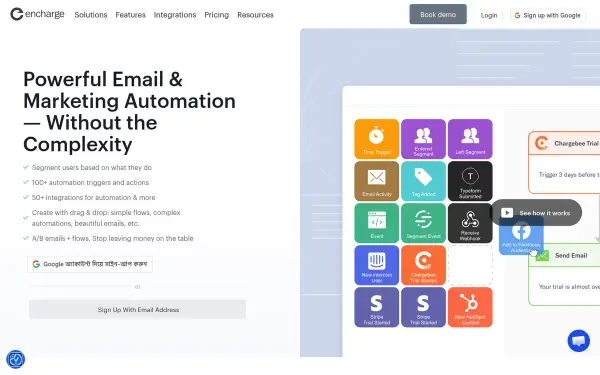
Purpose-built for product-led SaaS onboarding, where the trigger is an in-app event rather than an email open.
Encharge is built for teams whose drip sequence has to react to product usage. Events from inside the application, such as a completed setup step, an unused feature or a seat that was never activated, become segment conditions and flow triggers, so onboarding emails reflect what a user actually did rather than how many days have passed. The visual flow builder handles multi-step journeys with branching, and the templates cover activation, trial conversion and expansion. Segmentation goes beyond opens and clicks, which is the whole reason a SaaS team would pick it over a general email tool.
Pricing is published on the vendor site and could not be confirmed when prices were checked for this guide, so no figure is quoted here. The weakness recorded for the product is an entry price above general purpose email tools, which is the usual trade for in-product event tracking. There is no free plan; a time-limited trial is the way in. The product sits between simple email tools and enterprise marketing automation on price, and buyers should confirm the current entry price and included contact volume directly before budgeting.
The narrowness is the point and the limit. A team that needs flows to respond to in-app behavior gets triggers the general tools cannot see, at the cost of a smaller template library and fewer integrations than the larger platforms. A team running a welcome series, a newsletter and a cart nudge gets no benefit from event triggers and pays more for nothing. Onboarding and activation programs are where the product earns its price, particularly where a trial has to convert new users.
Pick it if your sequences must branch on what users did inside the product. Skip it if a general welcome series and newsletter are all you need.
Trial conversion depends on reacting to feature usage inside the product.
You sell physical products or only need engagement-based drip sequences.
Entry VI of IX / Webinars plus email
Our verdict
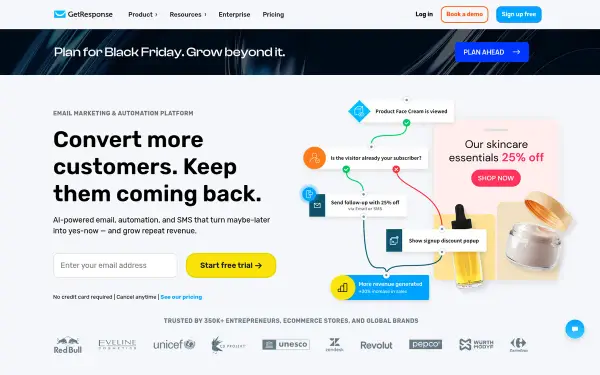
One bill for email, webinars and funnel pages, which wins when webinars are your main acquisition channel.
GetResponse bundles three jobs into one subscription: email automation, webinar hosting and landing pages with conversion funnels. A webinar registration or a funnel page can start a workflow in the same account that sends the follow-up series, which removes a tool and an integration from the stack. The visual workflow builder handles welcome sequences, nurture series, cart recovery and lead nurturing, with list segmentation and campaign scheduling alongside. For a business whose funnel already runs on webinars, the combined account removes a handoff that usually leaks signups.
Pricing starts with a free account that includes a 14-day trial of premium features, so the free tier and the trial run together rather than one replacing the other. Starter is $19 per month on monthly billing for 1,000 contacts, and $13.24 per month on annual billing. Automation allowances vary by tier, which matters more here than the contact count: a complex multi-branch workflow may need a higher plan, so check the included workflow limits before building.
The trade is depth. Automation logic is less advanced than ActiveCampaign's, and the ecommerce triggers are thinner than Drip's or Klaviyo's, so it is not the pick for a store whose revenue rests on cart recovery. The interface carries a lot of features at once, and new users spend time finding the parts they need. For a business that runs webinars and funnels as its main acquisition channel, one bill for email, pages and webinars is a straightforward saving.
Pick it if you already run webinars and want the registration, the follow-up drip and the sales page in one account. Skip it if you need advanced branching or deep ecommerce triggers.
Webinars or funnel pages are how you acquire subscribers and you want one subscription to cover both.
Your flows need deep branching or heavy cart and browse triggers.
Entry VII of IX / Beginner-friendly builder
Our verdict
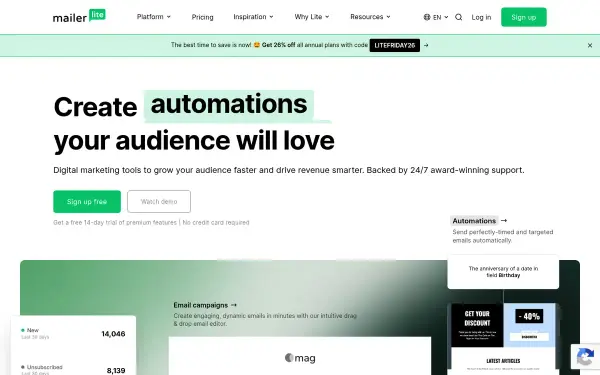
The builder a beginner actually finishes, with automation on the free plan and branching kept deliberately simple.
MailerLite aims at the non-specialist, and the automation builder is where that shows. Flows are assembled from a visual canvas, the prebuilt sequences cover welcome, abandoned cart and re-engagement, and the free plan includes a limited amount of automation, which is unusual at this price. Subscriber segmentation, custom fields, landing pages and signup forms sit in the same account, and deliverability tooling is available at the lowest tiers. A small team with no automation background can have a welcome series live in an afternoon, which is the outcome most tools in this category make harder than it should be.
The free plan covers 250 subscribers and 2,500 monthly emails. Comfort is $10.80 per month billed yearly, and paid pricing scales with subscriber count. There is also a 14-day free trial with no credit card required, so a team can move past the free cap before paying. For a small business sending a welcome series and a monthly newsletter, the total is one of the lowest in this comparison.
What you give up is logic. Branching and behavioral triggers are limited, segmentation is shallower than the specialists offer, and there is no built-in CRM, so a drip cannot create a deal or route a lead to a rep. That is the right trade for a business running a small set of well-defined sequences and the wrong one for a team that needs a sequence to change course based on what a contact did three steps ago. Deliberate simplicity is a feature until your flow needs a second condition.
Pick it if you want three reliable sequences at a low cost without a learning curve. Skip it if your drip logic needs branches, scores or a CRM.
A small number of well-defined sequences covers your needs and budget is the binding constraint.
Your flows need to branch on behavior or feed a sales pipeline.
Entry VIII of IX / Send-based billing
Our verdict
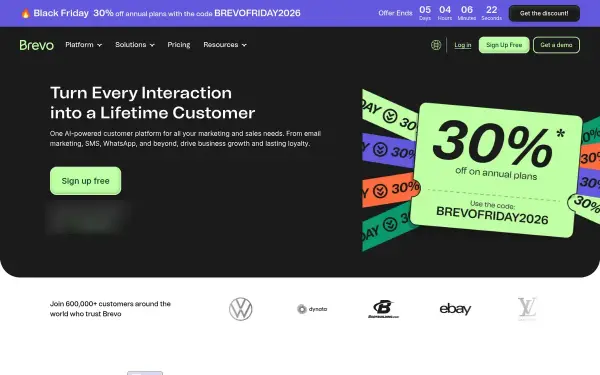
Send-based billing that suits big lists with light sending, as long as you buy up for real automation depth.
Brevo bills on send volume rather than contact count, which makes it the outlier in this list. A 40,000-name list that gets one campaign a month can cost less than a 4,000-name list on a per-contact platform, because the meter counts emails rather than people. The same account handles transactional email and marketing email, so order confirmations and drip campaigns come from one platform, and CRM and SMS options sit alongside the email tools.
There is a free forever plan, capped at 300 emails per day. Starter is $17 per month, or $11.86 per month on yearly billing with a coupon, and includes 5,000 emails. Automation capability increases with tier, which is the important line here: the entry price is not the automation price, because the marketing automation features appear on higher plans. A buyer comparing Brevo on price alone may be comparing against a feature set they would not actually get at that price, so read the tier table before shortlisting.
Automation depth trails the dedicated platforms. The builder handles welcome sequences and standard drip series, but the branching and behavioral triggers that ActiveCampaign and Drip build flows around are not the reason to choose Brevo. Buyers used to budgeting by contact need to rethink: a list that grows while sending stays flat is cheap here, and a list that shrinks while sending rises is not. Transactional volume from a growing store also counts toward the same meter.
Pick it if you hold a large list and send moderately, especially if transactional email belongs in the same account. Skip it if automation logic is the deciding factor.
Your list is much larger than your monthly send volume and you want one account for transactional mail.
You need branching and behavioral triggers on the entry plan.
Entry IX of IX / Generous free tier
Our verdict
The cheapest route to a working drip sequence, with the largest free allowance in this comparison.
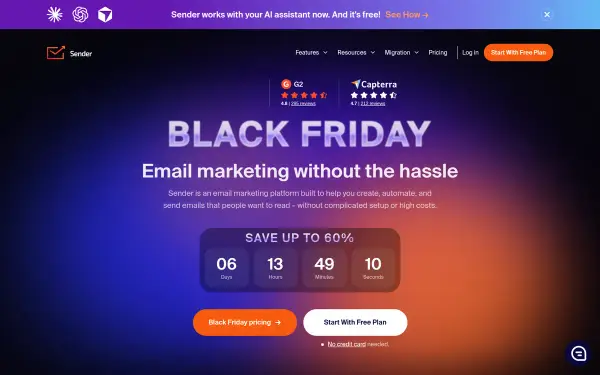
Sender is the cheapest way into working automation here. The Free Forever plan allows up to 2,500 subscribers and 15,000 emails per month with automation included, which is the largest free allowance of the nine platforms. Automation is not held back for a paid tier, which is the part that matters most for a small sender testing whether drip email works at all. Paid plans start lower than anything else in this list, and the interface is simple enough that a first sequence does not require a tutorial.
Standard is listed at $9 per month, discounted to $5.40 per month on 24-month billing, and there is a 14-day trial of the Pro plan for buyers who want to test the higher tier before committing. The discount requires a two-year commitment, so the realistic figure for a monthly buyer is the list price rather than the promotional one. Sending limits are set by subscriber count and email volume together, so growth in either dimension moves the plan. For a small list sending a welcome series and a monthly campaign, the annual cost is small enough to be an afterthought.
The limits show up in integrations, automation and templates. Fewer native integrations than the larger platforms means a check before committing, especially where a store or CRM connection is essential. Advanced automation options lag the leaders: branching and behavioral triggers are basic. The template library is smaller. Those are acceptable trade-offs for a business that needs three sequences to run reliably, and poor ones for a team mapping a multi-branch journey across product events.
Pick it if cost is the constraint and your sequences are simple. Skip it if you depend on a specific integration or on advanced branching.
You want automation running for free or near free while you prove the channel works.
Your stack depends on a specific integration or your flows need advanced branching.
VIBackground
Drip software is the part of an email platform that sends a sequence of messages automatically after a trigger, with each step decided by what happened at the previous one. A broadcast goes to a list on a date you pick. A drip goes to one person on a clock that started when they did something: subscribed, viewed a product, left a cart, started a trial, attended a webinar, or stopped opening email for 60 days.
The sequences buyers ask about most are these:
Broader marketing automation covers more than email. It joins channels such as SMS, push and in-app messages, keeps a contact record with scores and lifecycle stage, and often writes to a CRM. The line between the two is mostly about triggers. A drip tool reacts to email engagement and a few form events, while an automation platform reacts to page visits, product usage, deal stages and purchase history, and can branch on all of it.
That difference drives price. Tools that charge by contact and give away unlimited sends are selling the sequence engine. Tools that charge by send volume are selling reach. Tools that bundle a CRM or webinar hosting are selling the adjacent job. All nine platforms here will send a basic welcome series. What separates them is what they can branch on, how deep the conditions go, and how much of that is included on the cheapest plan you can actually buy.
This comparison sits in the software register. Further along the shore: baby tracking app and kennel software.
VIIPricing
Pricing in this category is set by one of three meters: contacts, active profiles or send volume, with seats, channels and message credits sometimes added on top. Which meter you land on matters more than the headline rate. A 20,000-name list that receives two emails a month is cheap on a send-based plan and expensive on a per-contact plan; at twelve emails a month the comparison flips. Check the meter before you compare numbers.
| Model | How it bills | Typical fit | Example from this list |
|---|---|---|---|
| Per contact, unlimited sends | Tiered by contact count, email volume not metered | Stores that send often to a modest list | Drip at $39 per month for up to 2,500 contacts, $89 at 5,000 |
| Per active profile | Metered on profiles, free under a cap | Small stores proving flows first | Klaviyo free to 250 active profiles, Email plan $20 per month for 500 |
| Per contact plus seats | Contact tiers with a seat count, billed yearly | B2B teams with a sales process | ActiveCampaign Starter at $15 per month billed yearly, 1,000 contacts, 1 seat |
| Per contact, multichannel | Subscription by contacts, SMS billed per message | Stores wanting email and text in one flow | Omnisend free at 250 contacts, Standard from $11.20 per month for the first 3 months |
| Per send volume | Billed on emails sent, list size ignored | Large, quiet lists | Brevo free forever plan, Starter $11.86 per month billed yearly with coupon, $17 monthly, 5,000 emails |
| Subscriber tiers, long terms | Discounted rates for multi-year commitments | Cost-first small senders | Sender free to 2,500 subscribers and 15,000 emails, Standard from $5.40 per month on 24-month billing |
Two patterns are worth noting. First, promotional rates are common and they expire: Omnisend's $11.20 applies for the first 3 months, Sender's $5.40 requires 24-month billing, and Brevo's $11.86 needs a yearly term with a coupon. Budget at the renewal rate, not the introductory one.
Second, the cheapest published entry price is rarely the price of the automation you want. Brevo adds automation features on higher tiers, GetResponse varies workflow allowances by plan, and Encharge publishes its pricing on its own site rather than in a rate we could confirm. Seat limits sit outside the subscription on ActiveCampaign, and per-message SMS costs sit outside it on Omnisend.
Each entry card shows the starting price as it appeared on the vendor's own pricing page on November 25, 2026. When a vendor shows no figure we could confirm, or only a promotional rate, the card says "See website" or gives the regular price instead of a guess. Usage, overage and add-on rates in the text change more often than plan prices, so confirm them on the vendor page before you set a budget. To test the numbers against your own volume, try the free User Research Budget Planner. The Event Break-Even Calculator is a second way to check the same decision.
VIIIDecision
Start with the trigger, not the template. List the events that should start a sequence: a subscription, an abandoned cart, a product view, a trial signup, a deal stage. A tool that cannot see your trigger will not run your flow, whatever its template library looks like.
Count contacts and sends separately. Write down your list size and your monthly email volume. If the list is large and the volume is low, a send-based plan beats every per-contact plan. If volume is high, the reverse holds and unlimited sends become valuable.
Check what the free plan allows. Free tiers here range from 250 contacts with a limited automation allowance to 2,500 subscribers with 15,000 emails and full automation. If a free plan cannot run one real sequence, treat it as a demo rather than a starting point.
Model the bill at double your list. Prices rise on contact tiers and on send volume, so a plan that fits today may not fit after a campaign. Run the numbers at 2,000 and at 4,000 to see where the curve steepens.
Test the second step, not the first. Anyone can send a welcome email. Build a two-step sequence with a condition and a delay during the trial, because branching is where cheap tools fail and where the price difference starts to make sense.
Confirm the integration before the trial ends. A missing store, CRM or product event connection is the one problem a low price cannot fix. Connect the account and fire one real event through the flow while you are still deciding.
IXPitfalls
Buying on the headline price. Entry rates here range from $5.40 to $39 per month, but the meter decides the real bill. Model your own list size and send volume at the renewal rate before you commit to an annual term.
Writing a seven-email welcome series. Most buyers need 3 to 5 welcome emails over 10 days. A long sequence sent to unengaged subscribers raises complaints and hurts inbox placement, and it delays the first purchase decision rather than speeding it up.
Ignoring the billing meter. A per-contact plan punishes a large, quiet list and rewards frequent sending, while a send-based plan does the opposite. Choosing the wrong meter costs more than choosing the wrong feature set.
Letting one flow do every job. Welcome, cart recovery, onboarding and win-back pull on different triggers and different timings. A single branched sequence that tries to cover all four becomes impossible to debug and impossible to judge on results.
Assuming the free plan covers automation. Free allowances vary widely: some include automation with 2,500 subscribers, others cap at 250 contacts and 500 emails. Read the automation line, not the subscriber line, because that is the feature you are actually testing.
XQuestions
Drip software sends a preset sequence of emails automatically after a trigger, with later messages depending on what the recipient did earlier. The usual sequences are welcome (3 to 5 emails over 10 days), cart or browse recovery (2 to 3 within 48 hours), post-purchase, SaaS onboarding (5 to 8 over two to three weeks), nurture and win-back. A plain newsletter tool sends one message to a list on a date you choose, with no branching.
Six of the nine offer a free plan, and paid entry points range from $5.40 per month on Sender's 24-month billing to $39 per month on Drip's entry tier for up to 2,500 contacts. ActiveCampaign starts at $15 per month billed yearly for 1,000 contacts and 1 seat. Encharge lists pricing on its own site rather than a published entry rate. All figures were checked on November 25, 2026.
A drip sequence is one automated email path. Marketing automation is the wider system around it: multiple channels, contact scoring, lifecycle stages, CRM records and triggers from page visits, product usage or deal stages. Every platform here sends a welcome series. The ones that cost more usually charge for what they can branch on and what they can write back to, not for the email builder itself.
Drip, Klaviyo and Omnisend are built for stores, with cart, browse and purchase triggers and deep storefront syncing. ActiveCampaign covers B2B nurture, with forms, page visits and deal stages feeding a CRM. Encharge targets product-led SaaS with in-product event triggers. GetResponse fits webinar and funnel led businesses, while MailerLite, Brevo and Sender work best for straightforward sequences at low cost.
Welcome: 3 to 5 emails over the first 10 days. Cart recovery: 2 to 3 within 48 hours, with browse recovery in the same window. SaaS onboarding: 5 to 8 over 14 to 21 days, triggered by product events where possible. Nurture: 6 to 10 over 4 to 8 weeks with branches for clicks and silence. Win-back: 2 to 3 after 60 to 90 days of inactivity.
Six platforms here have a free plan. Sender is the most generous, at 2,500 subscribers and 15,000 emails per month with automation included. MailerLite includes limited automation up to 250 subscribers and 2,500 monthly emails. Klaviyo caps at 250 active profiles and 500 emails, Omnisend at 250 contacts and 500 emails, Brevo at 300 emails per day, and GetResponse pairs a free account with a 14-day premium trial.
XIFurther along the shore
Vendors can ask for a correction or apply for a Featured listing. Paid or not, the entry is scored on the same rubric and its limits stay in print. Partner with Umberlake.
Free tools
Our free browser tools turn the prices on this page into a figure for your own volume. Nothing you type leaves your device.