
Trimble Accubid
See website
Best for mid-size to large electrical contractors
- Free plan
- No
- Rubric
- 6.8 of 10
Nine electrical estimating tools ranked for fit in November 2026, from deep desktop suites with live pricing to browser takeoff and dedicated symbol counting.

IThe short answer
Trimble Accubid is the best fit for mid-size to large electrical contractors that need takeoff, purchasing and billing in one system. ConEst IntelliBid suits commercial, low-voltage, datacom and solar bidders who want automatic labor factoring. McCormick Systems wins on raw takeoff speed for electrical, plumbing and mechanical shops. All three are quote-only, so budget from a written quote. Prices below were checked on November 25, 2026, and the nine tools are ranked for fit with the buyer each entry describes, in November 2026: Best Electrical Estimating Software.
9 tools compared from vendor pages on November 25, 2026. 0 publish a starting price we could read; the rest say "See website".
IITop three berths
Register order is editorial fit for the buyer each entry describes. Prices are the starting figures read on November 25, 2026.
See website
Best for mid-size to large electrical contractors

See website
Best for commercial, low-voltage, datacom and solar contractors

See website
Best for electrical, plumbing and mechanical contractors wanting fast takeoff
How this page is paid for. All 9 tools here are unpaid editorial picks.
A paid listing's position can be part of what the vendor pays for. Every entry, paid or not, is scored on the same rubric and keeps its limits in print. Advertising disclosure.
IIIThe register
Starting prices as shown on each vendor's pricing page on November 25, 2026. "See website" means no figure we could confirm.
| No. | Tool | From | Free plan | Trial | Rubric | Actions |
|---|---|---|---|---|---|---|
| 01 | Trimble AccubidMid-size to large electrical contractors | See websiteNot shown publicly | No | No | 6.8 | |
| 02 | ConEst IntelliBidCommercial, low-voltage, datacom and solar contractors | See websiteNot shown publicly | No | Demo only | 6.6 | |
| 03 | McCormick SystemsElectrical, plumbing and mechanical contractors wanting fast takeoff | See websiteNot shown publicly | No | No | 6.8 | |
| 04 | Procore EstimatingSmall to mid-size electrical and low-voltage contractors | See websiteNot shown publicly | No | Free trial | 6.8 | |
| 05 |  TurboBidSmaller US and Canadian contractors moving off spreadsheets | See websiteNot shown publicly | No | Demo only | 6.2 | |
| 06 |  ProEstLarger general contractors running complex projects | See websiteNot shown publicly | No | No | 6.2 | |
| 07 |  STACKContractors wanting cloud takeoff with fast collaboration | See websiteNot shown publicly | Yes | Free tier | 6.5 | |
| 08 |  CountfireElectrical estimators with heavy symbol counting workloads | See websiteNot shown publicly | No | Free trial | 6.0 | |
| 09 |  Electrical Bid ManagerSmall to mid-size contractors wanting an affordable electrical database | See websiteNot shown publicly | No | Demo only | 5.7 |
Pinned:
IVMethod
How many electrical items, assemblies and labor levels ship in the product without extra setup work.
How quickly an estimator can measure a drawing set and get quantities into the estimate.
Whether the vendor publishes rates and plan contents, or sells only through a demo and quote.
Whether takeoff, bid assembly, change orders, purchasing and billing live in one place.
Setup time, training burden and learning curve measured against the size of the estimating team.
VMethod
We scored each product on five criteria. Trade database depth (25 percent) asks how many items, assemblies and labor levels ship in the box for electrical work. Takeoff speed (20 percent) covers how fast an estimator can measure a drawing set. Pricing transparency (15 percent) rewards vendors that publish numbers and penalizes quote-only sales. Workflow breadth (20 percent) tracks whether takeoff, bid assembly, change orders and billing live in one place. Implementation effort (20 percent) weighs setup time and learning curve against the size of the team.
Evidence came from vendor feature documentation and the product pages we could reach. We did not rely on star averages or user counts, and we did not repeat second-hand cost figures as if they were vendor pricing. Prices and plan facts were checked against vendor pricing pages on November 25, 2026. Where a page would not load or returned no pricing text, we say pricing is on the vendor site and flag the figure as unconfirmed rather than filling in a number.
Order is editorial. Each entry sits where it fits the buyer described in that entry, so a strong specialist can appear above a broader product that suits fewer people. The scores inform the written verdict, not the sequence.
A Featured placement, where one appears in a comparison, is a paid position. We score it with the same rubric and list the same honest cons we would list for any other product. This particular list contains no Featured entry.
One limit worth stating: pricing in this category is quote driven, so the number you are offered can differ from what another contractor is offered for the same product.
The full routine, from price reads to corrections, is on the methodology page. Paid listings follow the advertising disclosure.
Entry I of IX / Full workflow coverage
Our verdict
A full end-to-end suite for commercial shops, provided you can absorb the quote-only price and the setup work.
Trimble Accubid covers the full construction workflow from takeoff through billing. The desktop Classic suite runs estimating, purchasing, project management and billing in one place, which is why it turns up with mid-size and large electrical contractors that have a dedicated estimating department and enough bid volume to justify the setup.
The item and assembly database holds more than 42,000 entries, and live material pricing comes through TRA-SER. LiveCount handles graphical takeoff, so an estimator measures conduit and devices on the drawing and quantities land in the estimate without rekeying. Change order and procurement workflows sit inside the same platform, which matters when a job runs long and the original bid has to be defended line by line.
Accubid also comes in a cloud flavor. Accubid Anywhere is a managed subscription for estimating, change management and pricing, and it sits alongside the desktop product rather than replacing the trade database. Teams with estimators in different offices get collaboration without shipping files around.
Pricing is on the vendor site only through a demo and quote process. There is no public price list and no free trial, and add-on modules push the total up. Implementation and training are real projects, not a weekend. Budget from a written quote that names every module and seat, and do not treat circulating third-party cost figures as vendor pricing.
Pick it if you run a commercial electrical shop with several estimators and want takeoff, purchasing and billing under one roof. Skip it if you need a cheap start, a self-serve trial, or a tool a one-person shop can learn in an afternoon.
You have a multi-estimator commercial shop and want the whole construction workflow in one platform.
You need a published price, a trial, or something a solo estimator can run quickly.
Entry II of IX / Automatic labor factoring
Our verdict
A strong pick for commercial and low-voltage bidders who want automatic labor factoring, but only after a demo and a firm quote.
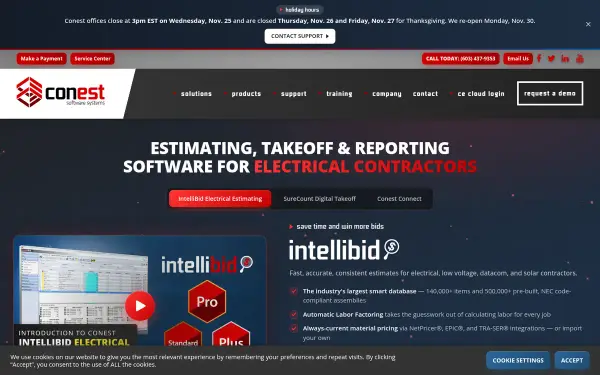
ConEst IntelliBid is built around assemblies rather than single items. Instead of pricing boxes and conduit one line at a time, an estimator picks an assembly and the software prompts for the boxes, conduit lengths and heights that assembly needs. That structure is what makes it popular with commercial, low-voltage, datacom and solar contractors who repeat similar install patterns across jobs.
Labor is where it separates itself. Labor factors adjust automatically per job condition, so a run in an occupied ceiling or above a tall lift carries a different labor cost without hand editing. Smart substitution works off NEC tables, which helps when a specified fitting is unavailable and a substitute has to be priced without breaking the bid logic.
Three editions, Standard, PLUS and PRO, scale from basic takeoff up to change orders and bid analysis. SureCount is the digital takeoff side and feeds quantities straight into the estimate, so measured counts and priced assemblies stay in sync. Bid analysis and change order handling in the higher tiers are the reason larger shops consider it against Trimble Accubid.
Pricing is on the vendor site through an estimating specialist demo. Nothing is published, there is no free trial (a demo is offered instead), and the quote depends on edition and optional modules. SureCount is a separate line item and cloud options exist. The powerful formula system is genuinely complex to learn, so factor training time into the decision and ask for an itemized written quote before you compare it with other legacy suites.
Pick it if your bids repeat the same install patterns and you want labor factors handled automatically. Skip it if you want a self-serve trial or a fixed published rate.
You bid commercial, datacom or solar work and want assemblies plus labor factors doing the heavy lifting.
You need published pricing, a trial, or software a new estimator can pick up without formal training.
Entry III of IX / High-speed takeoff
Our verdict
Takeoff speed and a deep electrical database make it a serious contender, but only for shops that will invest in training.
McCormick Systems is the takeoff speed specialist. The patented multi-window takeoff lets an estimator keep several entry windows open at once, so devices, conduit and wire go in without bouncing between screens. Automatic counting and Auto Home Run cut the routine work that eats hours on a large drawing set.
The database is one of the deepest claimed in this category: more than 55,000 items and 25,000 prebuilt assemblies, with NECA labor levels built in. Four editions span one-person shops through large contractors, so the same core takeoff engine scales with headcount rather than forcing a product change. Material price updates arrive through NetPricer or Trade Service.
It is not only a takeoff tool. FOUNDATION accounting integration removes duplicate data entry between the estimate and the books, which is the piece spreadsheet users underestimate most. The trade-off is onboarding. McCormick has a steep learning curve and a lengthy setup, and the multi-window approach rewards estimators who use it daily and punishes occasional users.
Pricing is on the vendor site and comes by quote. There is no published price and no trial, so the only way to compare is a written quote that names the edition, the seat count and the support terms. Edition and user count are negotiation points rather than fixed list items, which means two contractors can pay different amounts for what sounds like the same product.
Pick it if takeoff throughput is the bottleneck in your shop and you have estimators who will live in the tool. Skip it if you need a trial, a published price, or software a new estimator can run within a week. It also serves plumbing and mechanical work, so mixed-trade firms get one platform.
Your estimators will use it every day and takeoff volume is the constraint on how many bids you can produce.
You need a trial, a price list, or a tool that occasional estimators can drop into.
Entry IV of IX / Fast cloud adoption

Our verdict
A quick-start cloud estimator for smaller electrical shops, with a free trial listed but less depth on advanced bid features.
Procore Estimating is the cloud option that small and mid-size electrical and low-voltage contractors reach for when they want takeoff and bids without installing anything. It runs in a browser, so an estimator can open a drawing set on a laptop at the office or a tablet on site and work in the same file.
The workflow covers cloud takeoff, proposals with company branding plus inclusions and exclusions, automated counting tools and pre-built trade libraries. Team collaboration from any device is the real draw, and bid management sits in the same workspace rather than in a separate system. The product was formerly Esticom and now sells standalone under the Procore brand after the acquisition, backed by the wider Procore construction platform.
Where it trails is depth against desktop suites. Reporting is less configurable, and the tool does not handle deduct alternates or per-line labor margin percentages, which matters on public work and on any bid where the owner wants options priced. The product sits below the desktop suites on advanced bid features.
Pricing is on the vendor site and is quote based rather than published. A free trial is listed, though trial terms should be confirmed on the vendor page. Cloud only is a real constraint: without a connection, the work stops, which is worth testing on a jobsite with poor signal before you commit a team to it.
Pick it if your team is distributed, you want to start quickly, and your bids are straightforward enough that deduct alternates do not come up. Skip it if you need offline work, deep electrical assemblies, or per-line labor margin control. For a small shop moving off spreadsheets, it is a far gentler start than a legacy desktop suite.
You want cloud takeoff and branded proposals without a long procurement cycle.
You work offline, bid public work with alternates, or need deep electrical assemblies.
Entry V of IX / Guided bid steps
Our verdict
The easiest move off spreadsheets for small residential and service shops, but it runs out of depth on commercial bids.
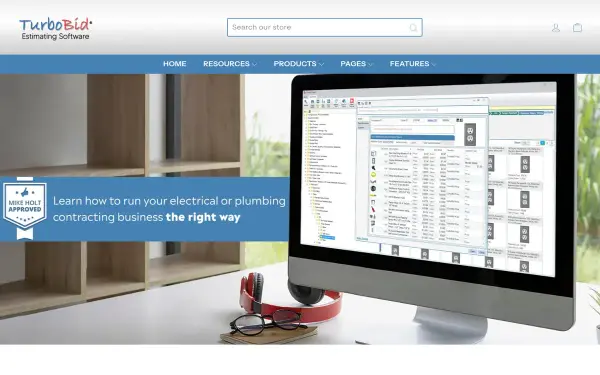
TurboBid is the on-ramp product in this list. A wizard breaks a bid into guided steps, so an estimator answers questions instead of facing a blank grid. That design choice suits smaller US and Canadian contractors moving off spreadsheets.
Coverage is wider than the name suggests. It handles residential takeoffs and remodel estimating, and flat-rate service quoting, so a shop doing new homes, small remodels and service calls runs one subscription instead of three tools. Material prices refresh weekly, and supplier pricing connections pull current numbers rather than last quarter's. It also bundles with PlanSwift on-screen takeoff for contractors who want digital measurement alongside the estimating wizard.
The limits are clear. It is too basic for large commercial teams, with nothing like the assembly depth of Trimble Accubid or McCormick Systems. It is Windows only, so Mac users need Parallels. Multiple purchase structures are listed, including subscription, four-payment and one-time purchase options, plus a cloud tier listed around $99 per month, so comparing totals takes care.
Pricing is on the vendor site and the figures above are listed figures that should be confirmed before you commit. Created by a working electrical contractor, it is tuned to how small shops actually bid rather than how a general contractor does.
Pick it if you are a small residential or service shop that wants structure and a short learning curve. Skip it if you bid commercial work with complicated assemblies, or if your team runs Macs without a virtual machine and no Windows machine in the office.
You are a small residential or service shop that wants a guided path off spreadsheets.
You bid complex commercial work or your team is Mac based.
Entry VI of IX / 2D and 3D takeoff
Our verdict
A capable multi-trade estimating platform with 2D and 3D takeoff, though electrical assembly depth is not its strength.
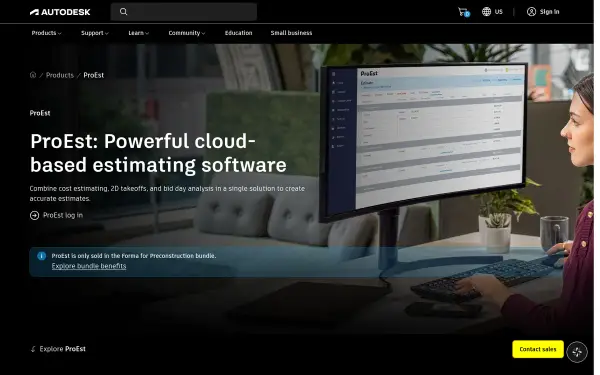
ProEst is a general construction estimating platform rather than an electrical trade specialist, and that shapes everything about it. The cost database is built from historical costs and current labor rates, so an estimator can price from what work actually cost last time rather than from a static book. For contractors running complex projects with many trades, that history is the point.
It combines 2D takeoff and 3D BIM takeoff in the same workflow, which is unusual in this group. Real-time collaboration on estimates lets a chief estimator and a project manager work the same bid, and estimate and bid management sit inside the product. Integrations with Procore, QuickBooks and Buildertrend cover the rest of the stack, so numbers do not have to be rekeyed into accounting or project management.
The trade-offs are real for electrical buyers. The annual entry point prices out small contractors, the learning curve is steep, and the mobile app trails the desktop version. Most importantly, it is not an electrical trade database, so assembly depth and labor factors have to come from your own historical data rather than a prebuilt library. That is a strength for a firm with disciplined cost history and a weakness for a shop that wants a full electrical catalog loaded on day one.
Pricing is on the vendor site and is quote driven by tier despite the listed annual entry point, so confirm tier costs directly with the vendor before you build a budget around it.
Pick it if you are a larger contractor already running multi-trade projects and want cost history plus 3D takeoff in one place. Skip it if you want an electrical-first database or a low annual entry point
You run multi-trade projects and want your own cost history driving estimates.
You need a prebuilt electrical catalog or a low annual starting cost.
Entry VII of IX / Free cloud takeoff

Our verdict
A fast, browser-based takeoff tool with a genuine free tier, though electrical assembly depth stops short of legacy suites.
STACK is browser-based takeoff with collaboration built into the core. There is nothing to install, it runs on Mac and PC, and a multi-user team can measure plans from different locations without passing files around. For contractors who want cloud takeoff with fast collaboration, that is the whole pitch.
The workflow is straightforward: upload plans, manage them in the cloud, measure quantities, and generate estimates from the measured quantities without a handoff between a takeoff tool and an estimating tool. Trade-specific plugins for electrical and plumbing are listed, which add trade relevant assemblies.
A free tier is listed, which is unusual in this category. It supports real takeoff evaluation, so an estimator can test the interface on an actual drawing set before asking for budget. Paid takeoff and estimating tiers are listed around $249 to $299 per month, and tier contents vary between listings, so confirm inclusions before committing. That variation is the practical annoyance: two pages can describe the same plan differently, and the difference usually turns on user seats and estimating features.
The honest limits: electrical assembly depth is thinner than the legacy desktop suites, and the product is not built for complex bid assembly logic. If your bids carry alternates, layered labor factors and detailed breakdowns, STACK will feel shallow.
Pick it if you want to evaluate cloud takeoff for free and your bids are moderate in complexity. Skip it if you need deep electrical assemblies or advanced bid logic across a large estimating team.
You want to test cloud takeoff at no cost and your bid structure is fairly simple.
You need legacy-level electrical assemblies or detailed bid assembly logic.
Entry VIII of IX / Bulk symbol counting
Our verdict
A dedicated symbol counter here, best paired with a separate database product for bid assembly and pricing.
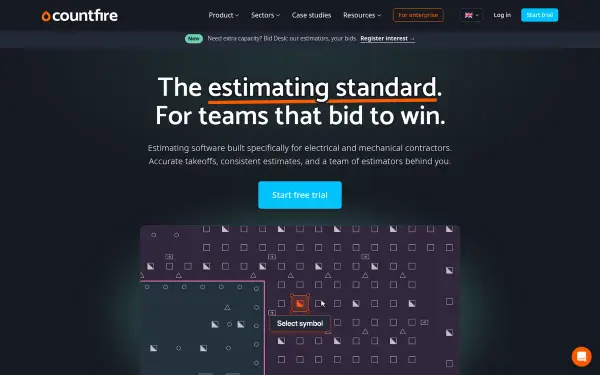
Countfire does one job: counting symbols on drawings. If your estimating hours disappear into counting lighting points, sockets and devices across hundreds of sheets, it attacks that specific problem harder than any general takeoff tool in this list.
The core trick is counting similar symbols across every drawing at once rather than sheet by sheet. Automatic quantity splitting is included, and revised drawings are recounted by copying symbols over instead of starting again, which removes the usual second pass on a reissue. Built-in accuracy checks and quality control reports give an estimator something to hand a reviewer, and drawings upload as PDFs. Because counting is the whole product, it is narrower than a full estimating suite.
That focus is also the ceiling. Countfire is takeoff only, so bid assembly, labor factors and material pricing need another product, usually a database tool. Cost rises quickly with team size, and the narrow focus limits use outside electrical estimating. The vendor claims around five days saved per estimator per month, a figure worth testing against your own drawing sets during a trial rather than taking on faith.
Pricing is on the vendor site. Pro is listed at $249 per month and Business at $399, and a free trial is offered, so the practical move is to run one live drawing set through it and compare the count against your manual total. Those listed figures are not confirmed on a captured pricing page, so verify them before budgeting.
Pick it if symbol counting is your bottleneck and you already have an estimating database. Skip it if you want one product to assemble and price a complete bid.
Your estimators lose days to symbol counting and you already run a pricing database.
You need one tool that takes a bid from counting to priced proposal.
Entry IX of IX / Low-cost perpetual license
Our verdict
The cheapest credible route to an electrical trade database, with perpetual licensing and a dated interface to match.
Electrical Bid Manager is the budget entry into an electrical-specific database. It carries material pricing and labor for more than 10,000 items and assemblies, with EPIC Pricing Services updating over 2 million catalog items so manufacturer prices do not go stale. For a small to mid-size contractor that wants trade-specific data without a legacy suite contract, that combination is hard to beat on cost.
The licensing model is the other draw. Perpetual license options carry no subscription, and the vendor lists $995 for a single user and $3,795 for ten users. The vendor describes entry options as starting under $1,000 per year, so there is a low-cost path either way. For a small shop, that entry cost can be the difference between having a database and continuing to guess at labor.
It does not try to be a full takeoff environment. Electronic plan takeoff comes through integration with PlanSwift and On-Screen Takeoff, so you bring your own measurement tool and feed quantities in. The interface is dated, the learning curve is real, and it is Windows only, with cloud access requiring a virtual machine, which is a genuine constraint for a modern team.
Pricing is on the vendor site and the license figures above are listed figures that remain unconfirmed on a captured page, so confirm them in writing before comparing totals against a subscription suite.
Pick it if you want electrical trade pricing and labor data at the lowest credible cost and are willing to run a Windows machine. Skip it if interface polish, cloud-native access or built-in takeoff matter more to your team than price.
You want electrical pricing and labor data on a one-time license and can live with a Windows desktop.
Your team expects a modern interface or cloud-native access from any device.
VIBackground
Electrical estimating software prices a job before anyone pulls wire. It answers two questions in sequence: how much material and labor the drawings call for, and what that scope is worth as a bid.
The first question is takeoff. An estimator loads PDF plans, measures conduit runs, counts devices and lighting points, and records lengths and heights. Dedicated takeoff tools such as Countfire automate symbol counting across a whole drawing set. General takeoff tools measure any trade.
The second question is estimating. Measured quantities get priced against an item and assembly database, with labor units attached. An assembly bundles the parts of a common install so one entry covers boxes, conduit, fittings and labor. Labor factors then adjust for conditions: a run in an occupied ceiling costs more than the same run in new construction.
That split explains why the category has two shapes of product:
Around the edges sit the operational pieces. Pricing services such as TRA-SER, NetPricer, Trade Service and EPIC push live material costs into the database so an estimate is not built on last year's numbers. Accounting integration, whether FOUNDATION or QuickBooks, keeps the awarded bid and the books in agreement. Some products add proposal generation with inclusions and exclusions, which is what protects you when the scope argument starts.
Modern cloud products merge the steps. Browser tools combine takeoff and estimate in one workspace, which suits teams working from different offices. They generally trade depth for access: fewer assembly options, less bid logic, and no offline work.
The practical test is not which category sounds better. It is where your hours go. If estimators spend their week counting symbols, a takeoff tool pays back first. If they spend it rebuilding assemblies and labor factors by hand, a database product pays back first. Shops with both problems often buy one of each rather than forcing a single product to do everything.
This comparison sits in the software register. Further along the shore: baby tracking app and kennel software.
VIIPricing
Almost none of the nine publishes a price list. Every product here shows pricing as See website, and most route you through a demo or a quote, so the useful comparison is not a list price but a written quote on identical terms.
Four billing shapes appear in this category. The table maps each to the buyer it suits and to an example from this list.
| Model | How it bills | Typical fit | Example from this list |
|---|---|---|---|
| Published perpetual license | One-time fee per user, cloud use via a Windows virtual machine | Small shops that want to avoid recurring fees | Electrical Bid Manager lists $995 for one user and $3,795 for ten |
| Quote-only desktop suite | One-time license quoted per edition and seat count | Established contractors with dedicated estimators | McCormick Systems quotes four editions; Trimble Accubid sells by demo and quote |
| Quote-only subscription or cloud | Annual or monthly per seat, priced by tier | Teams that want collaboration and low upfront cost | Procore Estimating and ProEst quote by tier |
| Published tiers plus a free trial or free tier | Monthly per user, tiered by features | Contractors who want to test before committing | STACK lists a free tier and paid tiers around $249 to $299 per month; Countfire lists a free trial, Pro at $249 and Business at $399 |
Two cost lines hide behind the quote. The first is data and setup: loading your assemblies, labor rates and supplier pricing takes time, and some products charge separately for the module that does it. SureCount is a separate line item at ConEst, and add-on modules raise the Accubid total. The second is price updates, delivered through TRA-SER, NetPricer, Trade Service or EPIC depending on the product, and sometimes sold as a subscription even when the software itself is perpetual.
Every figure in the table is a listed figure rather than a confirmed one. Several vendor pages returned no pricing text when checked on November 25, 2026, so treat the numbers as a starting point for a conversation and ask each vendor to put the same scope in writing.
Each entry card shows the starting price as it appeared on the vendor's own pricing page on November 25, 2026. When a vendor shows no figure we could confirm, or only a promotional rate, the card says "See website" or gives the regular price instead of a guess. Usage, overage and add-on rates in the text change more often than plan prices, so confirm them on the vendor page before you set a budget. To test the numbers against your own volume, try the free User Research Budget Planner. The Event Break-Even Calculator is a second way to check the same decision.
VIIIDecision
IXPitfalls
XQuestions
None of the nine publishes a full price list. Every product here shows pricing on the vendor site rather than a public price list, and most route you through a demo and quote. STACK, Countfire and Procore Estimating list free trials or a free tier, which lets you evaluate the software first, but the paid monthly or annual figure still comes from a sales conversation. Budget from a written quote.
Takeoff software measures drawings and produces quantities, such as so many feet of conduit and so many devices. Estimating software prices those quantities against an item and assembly database with labor units attached, then assembles the bid. Countfire is takeoff only, so it needs a database product alongside it. Trimble Accubid and McCormick Systems cover both steps in one platform.
Usually not. A deep desktop suite carries setup and training that a small residential or service shop rarely recovers. TurboBid is built for that buyer, with a guided bid wizard, remodel takeoffs and flat-rate service quoting. Procore Estimating and STACK are lighter cloud routes. Consider a legacy suite only when commercial assemblies and bid volume justify the implementation effort.
STACK lists a free tier that supports real takeoff evaluation. Procore Estimating and Countfire list free trials. ConEst IntelliBid, TurboBid and Electrical Bid Manager offer a demo only, and Trimble Accubid, McCormick Systems and ProEst list neither a trial nor a free tier. Confirm current trial terms on the vendor page, because they change.
Estimating software passes the awarded bid, and sometimes change orders, into the accounting system so nobody rekeys the numbers. McCormick Systems integrates with FOUNDATION, and ProEst integrates with QuickBooks alongside Procore and Buildertrend. Ask the vendor to demonstrate the specific link you need, including how change orders flow, before you commit to a license.
The lowest credible start here is Electrical Bid Manager, with perpetual licenses listed at $995 for one user and $3,795 for ten, though the interface is dated and cloud access needs a Windows virtual machine. TurboBid lists a cloud tier around $99 per month, and STACK lists a free tier. Confirm every listed figure with the vendor before budgeting.
XIFurther along the shore
Vendors can ask for a correction or apply for a Featured listing. Paid or not, the entry is scored on the same rubric and its limits stay in print. Partner with Umberlake.
Free tools
Our free browser tools turn the prices on this page into a figure for your own volume. Nothing you type leaves your device.