
Wix
$17Light plan, per month, billed annually
Best for beginners wanting the fastest route to a live site
- Free plan
- Yes, free plan with Wix subdomain, no credit card required
- Rubric
- 7.1 of 10
Nine hosted and self-hosted builders ranked by fit for budget buyers, with the entry price, what a free plan actually covers and where renewals land.

IThe short answer
Wix is the best deal for beginners who want the fastest route to a live site, at $17 per month on the Light plan billed annually, with a free plan to test first. Squarespace suits design-led small businesses from $12 per month on Basic, the cheapest way to sell online among the big hosted builders. WordPress.org on budget hosting suits anyone who wants to own the files, with intro hosting from $1.99 per month. Prices were checked on November 25, 2026: Best Deals On Website Builder Software.
9 tools compared from vendor pages on November 25, 2026. 6 publish a starting price we could read; the rest say "See website".
IITop three berths
Register order is editorial fit for the buyer each entry describes. Prices are the starting figures read on November 25, 2026.
$17Light plan, per month, billed annually
Best for beginners wanting the fastest route to a live site

$12Basic plan, per month, billed annually
Best for design-led small businesses wanting polish with little setup
See website
Best for cheapest managed start with deep multi-year discounts
How this page is paid for. All 9 tools here are unpaid editorial picks.
A paid listing's position can be part of what the vendor pays for. Every entry, paid or not, is scored on the same rubric and keeps its limits in print. Advertising disclosure.
IIIThe register
Starting prices as shown on each vendor's pricing page on November 25, 2026. "See website" means no figure we could confirm.
| No. | Tool | From | Free plan | Trial | Rubric | Actions |
|---|---|---|---|---|---|---|
| 01 | WixBeginners wanting the fastest route to a live site | $17Light plan, per month, billed annuallyRead on vendor page | Yes | Free plan instead of a timed trial, 14-day money-back guarantee | 7.1 | |
| 02 | SquarespaceDesign-led small businesses wanting polish with little setup | $12Basic plan, per month, billed annuallyUpdated on vendor page | No | 14-day free trial | 6.7 | |
| 03 | WordPress.comCheapest managed start with deep multi-year discounts | See websiteNot shown publicly | Yes | Free plan instead of a timed trial | 6.8 | |
| 04 |  WordPress.org with Hostinger hostingOwnership and lowest long-term cost for the technical | $1.99Premium plan, per month on a 48-month term, renews at $10.99 per monthUpdated on vendor page | Yes | No | 8.4 | |
| 05 | GoDaddy Website BuilderBuyers wanting domain, hosting and phone support in one place | See websiteNot shown publicly | Yes | Free trial | 5.3 | |
| 06 | WeeblySimple sites tied to Square payments and point of sale | $13Personal plan, per month, billed annuallyRead on vendor page | Yes | Free plan instead of a timed trial | 6.3 | |
| 07 |  WebflowDesigners and agencies building professional-grade sites | $15Basic site plan, per month, billed yearlyUpdated on vendor page | Yes | Free Starter plan for learning and staging | 7.0 | |
| 08 | Hostinger Website BuilderBudget buyers wanting AI site building at hosting prices | $1.99Premium plan, per month on a 48-month term, renews at $10.99 per monthUpdated on vendor page | No | No | 5.9 | |
| 09 | Google SitesFree simple sites, portfolios and internal team pages | See websiteNot shown publicly | Yes | Not applicable, the product is free | 7.5 |
Pinned:
IVMethod
What you actually pay in month one on the cheapest paid plan, using the billing term the vendor states.
Whether you can build or test the site before paying, and what the free tier withholds.
How far the second-year rate sits above the advertised entry rate, and whether that gap is disclosed.
Whether the plan you are quoted can do the job you came for, particularly selling online.
Whether you can take the site, files and domain elsewhere without rebuilding.
VMethod
Every tool here was scored against the same five criteria, and price was only one of them. Entry price carries 25 percent and reflects what you pay in month one on the cheapest paid plan, using the billing term the vendor states. Free plan and trial carries 20 percent, because a free tier you can test without a credit card is worth real money to a first-time buyer. Renewal cost carries 20 percent, since the second year is where budget builders stop looking cheap. Feature depth carries 20 percent and asks whether the quoted plan can do the job you came for, particularly selling online. Portability and lock-in carries 15 percent, covering whether you can take the site with you.
Prices and plan terms come from vendor pricing pages checked on November 25, 2026, and each starting price is kept in the vendor's own currency exactly as listed. Where a pricing page could not be fetched, the entry says so and points you to the vendor site rather than guessing a number. Promotional rates are labeled promotional, and we flag where an advertised entry rate differs from a rate recorded earlier in the year, as with Squarespace and Webflow.
The list order is editorial. It reflects fit for the buyer described in each entry, and where a Featured placement appears it is a paid position. A Featured vendor is scored with the same rubric and carries the same honest cons as every other entry. No score, discount or placement removes a weakness we found.
The full routine, from price reads to corrections, is on the methodology page. Paid listings follow the advertising disclosure.
Entry I of IX / Fastest first launch
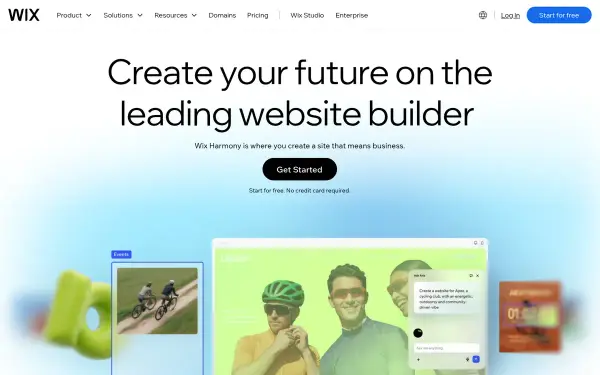
Our verdict
The cheapest paid start among the big hosted builders, with a real free plan and no easy way out later.
Wix is the default starting point for a first website, and the price is the reason. The Light plan is $17 per month on annual billing, the lowest paid entry point among the major hosted builders, and there is a genuinely usable free plan on a Wix subdomain before you pay anything. That combination means you can build the site, show it to people and only then decide whether to connect a domain.
The editor is drag-and-drop with a large template library, and the AI-assisted generator drafts a layout and copy from a short description. Annual plans include a free domain for the first year. Ecommerce is built in from the Core tier upward, so a shop does not need a second product. Higher tiers run to Business at $39 per month as reported in late 2026, and promotional discounts of roughly 10 to 50 percent appear for new users and students.
The limits matter more than the feature list. Sites cannot be exported, so leaving Wix means rebuilding somewhere else. Selling online requires the Core tier rather than the $17 entry plan, and the plan ladder is where the real price hides. The free plan carries Wix ads and a branded subdomain, which is fine for testing and wrong for a business that needs to look established.
Budget for renewal pricing rather than the first-term rate, and check which tier your features sit on before checkout. For a beginner who wants a live site this week and has no plan to migrate, the deal is real: $17 is the lowest paid entry point among the major hosted builders, and the free plan lets you test the editor before you spend anything.
You want the quickest path from nothing to a live site and you do not plan to migrate later.
Selling online is the point of the site, because the entry tier will not do it.
Entry II of IX / Template design quality

Our verdict
The best-looking deal in the list, and the cheapest hosted route to taking payments online.
$12 per month on the Basic plan billed annually is the sharpest design-led deal here, and it is also the cheapest route to selling online among the big three hosted builders. There is no free plan, only a 14-day trial, so you are committing after two weeks. In exchange you get a curated template set that looks like someone with taste made it, plus managed hosting with security and support folded into the price.
Ecommerce is included on Basic with a 2 percent transaction fee, which means a small shop can start on the cheapest tier rather than climbing to a dedicated commerce plan. Annual plans include a free domain for the first year. The ladder runs from Basic through Core, Plus and Advanced, and blogging and content tools are built in rather than bolted on as apps.
The current rate needs context. An earlier October 2026 reading of the vendor page showed Basic at $19 per month on annual billing, so the $12 figure looks promotional rather than standing. Squarespace runs fewer discounts than its rivals, which is usually why its sticker price sits close to the real cost, so a rate this far below the recorded price is worth confirming at checkout.
The trade-offs are real. Sites cannot be exported, and switching templates is constrained, so a wrong choice is expensive to undo. If you want a free tier to test with, go elsewhere. If you want a site that looks considered on day one and can take a payment without a platform migration, this is the strongest value in the hosted tier, and $12 is why.
Visual polish matters and you want to take payments without paying for a commerce tier.
You need a free plan to build on before spending anything.
Entry III of IX / Deep multi-year discounts
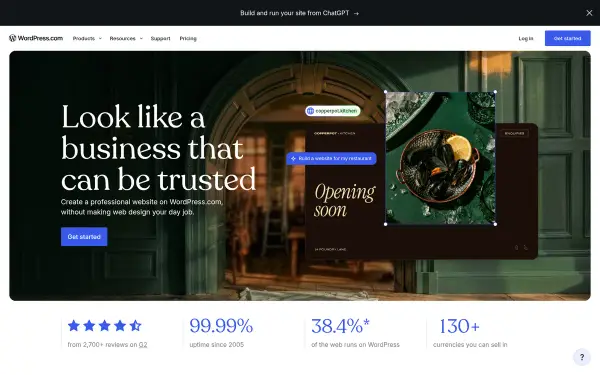
Our verdict
Deep multi-year discounts and a free plan, undercut by renewal pricing and gated design control.
WordPress.com is where the deepest discounts in the category live, and also where the gap between the advertised rate and the renewal rate is widest. Pricing sits on the vendor site rather than in this list, and the discounts are deepest on the multi-year prepaid terms.
What you get is managed WordPress: automatic maintenance, a free tier on a WordPress.com subdomain, a free domain for the first year on annual plans, and tiers running from Personal up to Commerce. Design and plugin flexibility increase as you climb, so the cheap tiers are the restrictive ones.
The catch is structure. Renewal pricing is materially higher than first-year rates, so the headline discount is a deferral rather than a saving unless you keep the site and hold the plan. Design customization is limited until the Premium tier, which quietly raises the real entry price for anyone who wants a site that does not look like a default theme. Three-year prepayment is a long commitment for software you may outgrow.
The free plan displays WordPress.com ads, which rules it out for business use but makes it a reasonable writing sandbox. Model year two before you commit, and compare the Premium rate against a self-hosted install on cheap hosting, because that is the comparison where this deal either holds or falls apart for a budget buyer.
You want WordPress without server work and you will commit to a long prepaid term.
You need design freedom on the cheapest tier or refuse a three-year commitment.
Entry IV of IX / Full site ownership
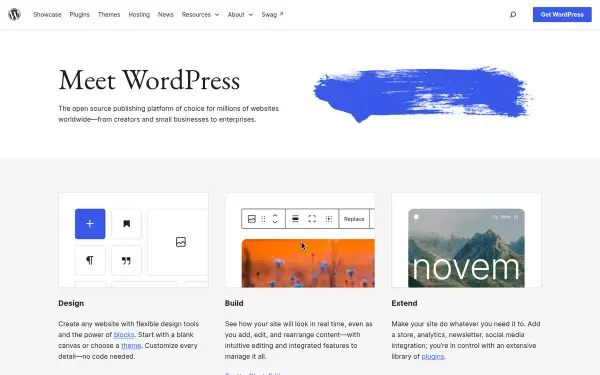
Our verdict
The lowest long-term cost in the category, provided you will do the maintenance yourself.
The cheapest long-term deal here is not a builder at all. You install the free WordPress.org software on budget hosting, and the bill is the host. Hostinger's Premium plan shows $1.99 per month on a 48-month term and renews at $10.99 per month, so the entry rate is a discount on a four-year commitment rather than a standing price. Reported intro rates across providers for 2026 sat between $1.99 and $3.99 per month.
What you own is the whole stack: files, database and domain, with full control over SEO and site configuration. The plugin and theme ecosystem covers almost any requirement, and there are no platform transaction fees on sales. The site is portable, so moving hosts is a migration rather than a rebuild, which is the opposite of every hosted builder in this list.
The cost of that freedom is labor. Updates, backups and security are your responsibility, and a neglected install is a liability rather than a bargain. Renewal rates across budget hosts run roughly three to five times the intro price. First-year totals including domain and email ranged from about $90 to $515 across the providers compared, which shows how much the extras change the picture.
Add themes, plugins and an email service and the total drifts further. For a technical owner keeping a site for years, the math beats every managed builder here. For someone who wants a website and not a maintenance schedule, the labor is the deal breaker, and it is better to know that before the four-year term starts.
You want full ownership and will keep the site for years.
You have no appetite for updates, backups and security patching.
Entry V of IX / One-account bundle
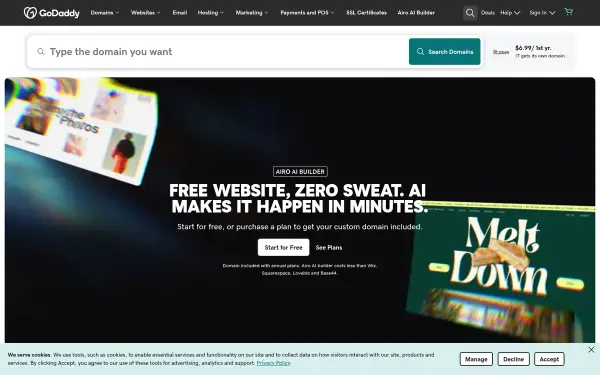
Our verdict
A convenience bundle with phone support and a free start, priced above better design tools.
The deal GoDaddy sells is convenience: domain, hosting, business email and the site in one account, with live phone support when something breaks. Plan prices are on the vendor site rather than in this list, so check the tier that does your job there. There is a free start with 50 AI credits a month and no credit card required, so you can see the editor before you pay.
Setup is fast. The AI assistant drafts a site, templates are aimed at non-technical owners, and commerce features appear on the higher tiers. Because the domain and email live in the same dashboard, a first-time buyer avoids the usual mess of three vendors, three logins and three bills.
The trade-off is design depth. Compared with Wix or Squarespace, the editor gives you less control over layout and typography, and the price sits above budget hosting alternatives while the site stays locked to GoDaddy like every other all-in-one builder. Phone support is the feature you are paying for, and if you never call it, you are paying for something you do not use.
Treat the free start as a trial with a usage limit rather than a plan, because 50 AI credits a month runs out quickly once you are building properly. Then compare the combined cost of domain, email and plan against buying each piece separately, since the bundle only wins when you genuinely want all three from one place and value a human on the phone.
You want one bill and a phone number to call when the site breaks.
Design flexibility or the lowest possible price matters more than support.
Entry VI of IX / Square POS tie-in

Our verdict
Cheap and free to try, worth it mainly if you sell through Square in person.
At $13 per month on the Personal plan billed annually, Weebly is one of the lowest paid entry prices in the category, and there is a Free plan at $0 per month for testing. The reason to pick it over cheaper-looking rivals is Square: payments and point of sale are wired into the same product, with a shared catalog across the web store and the retail register.
The editor is drag-and-drop with a range of prebuilt templates and built-in store tools, so a small retailer can list products online and sell in person without stitching two systems together. For a market stall, a salon or a single-location shop, that shared catalog is worth more than a prettier template, and it is the one thing no other tool in this list does natively.
Product development has slowed since the Square acquisition, and it shows. Template selection looks dated next to Squarespace, and feature depth trails Wix on content tools, marketing and app integrations. If you want a site that grows into a content operation, Weebly will frustrate you within a year.
Read the price against the roadmap. $13 is cheap, a free plan exists, and the risk of trying it is low. But pick it because you sell in person and want one catalog, not because it is the cheapest line here. A buyer who never touches Square is better served by Wix's free plan or the Squarespace trial, both of which will feel more current on day one.
You sell in person through Square and want one product catalog.
You want a modern site that will keep gaining features.
Entry VII of IX / Designer-grade control
Our verdict
Professional design control at a testable price, with a learning curve that costs you days.
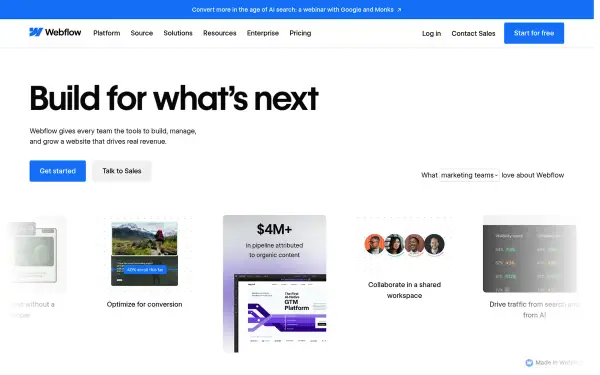
Webflow is the professional tool in a budget list, and its entry price reflects that. The Basic site plan now shows $15 per month billed yearly, below the $29 figure recorded earlier in the year, and there is a free Starter plan on a Webflow.io domain for learning and staging. That free tier makes the tool testable in a way several rivals in this list are not.
What you buy is control. The visual designer produces code-level output, CMS collections handle structured content, and built-in interactions and animations go beyond what drag-and-drop builders offer. Hosting and publishing are handled for you, and client work is a normal use case rather than an edge case, which is why freelancers and agencies gravitate to it.
Ecommerce sits on higher tiers with a transaction fee, and the Standard ecommerce tier carries a 2 percent fee. The learning curve is the real cost: beginners will spend days on layout and class structure before a page looks right, and that time is not in any pricing table. The entry price also sits above Wix and Squarespace, so the case rests on the output rather than the bill.
The free Starter plan means you can build before you buy, so use it to test whether the editor suits how you think. For a freelancer delivering client sites, $15 per month to stage and publish is strong value. For a one-page brochure site, it is overkill and you will pay for it in hours rather than dollars.
You build sites for clients or need CMS-driven design control.
You want a site live this week without learning a design tool.
Entry VIII of IX / AI builder at host prices
Our verdict
The cheapest AI-built site you can buy, provided you accept a long term and a big renewal.
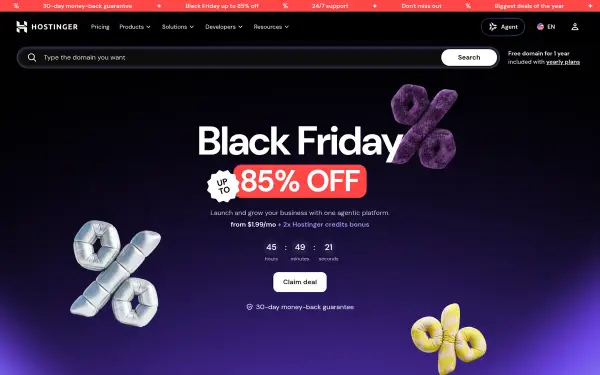
Hostinger's builder is the cheapest paid way into an AI-generated site in this list, at $1.99 per month on a 48-month term, renewing at $10.99 per month. The $1.99 is Black Friday pricing on the long term rather than a standing rate, with the previous entry figure at $2.69. There is no free plan and no trial, so the first payment is the test.
What you get is an AI builder that drafts layouts and copy, drag-and-drop editing, a template library for common site types, and hosting bundled into the price rather than billed separately. For a brochure site or a landing page, the AI draft gets you to something publishable faster than a blank canvas, and bundling hosting removes a line item that competitors charge separately.
Ecommerce is an add-on at $8.99 per month rather than part of the plan, which changes the math for anyone selling. The template library and app ecosystem are smaller than Wix's, and the renewal rate is more than five times the intro rate. Reported introductory pricing for 2026 sat in a $2.69 to $5.99 per month band depending on term and promotion, so the current figure is at the bottom of that range.
The honest read: this is a good deal for a cheap static site on a long commitment, and a poor one for a shop or for anyone unsure they will still want the site in four years. Compare the $10.99 renewal against Squarespace's $12 entry before signing, because at renewal the gap nearly disappears.
You need a simple site cheaply and will keep it for the full term.
You want to sell online or test before paying.
Entry IX of IX / Zero cost, zero setup
Our verdict
Free, fast and collaborative, and the wrong tool the moment you need design or sales.
Google Sites costs nothing with any Google account, and that is the entire pricing model. There is no pricing page to check because there is no price and no paid tier. For a portfolio, an event page, a classroom site or an internal team wiki, the deal is hard to argue with.
You get unlimited pages, simple theme selection, drag-and-drop assembly, real-time collaborative editing, and embedding of Google apps and Drive files. If your team already works in Docs, Drive and Calendar, the content is effectively already in the right place, and editing is familiar to anyone who has used a Google document.
The limits are structural rather than cosmetic. Design control is minimal, there is no real ecommerce capability, and SEO controls are thin, which constrains business use. A custom domain requires a Google Workspace subscription, so the site is free but the address is not unless you accept a Google-hosted URL, and that is the detail most people discover late.
Treat Google Sites as the free floor of the category and a way to test whether you need more. If the site has to sell, rank or look distinctive, it will not carry you, and moving later means rebuilding from scratch. If it has to exist, be editable by three people and cost nothing, it does the job better than a $12 per month plan you do not need.
You need a simple shared page and want to pay nothing.
The site needs to sell, rank in search or carry a brand.
VIBackground
A website builder is software that gives you an editor, hosting and a publishing pipeline in one subscription, so you can put a site online without managing a server. You pick a template or let an AI tool draft a layout, edit in a browser, and the vendor handles updates, uptime and security. The paid alternative is self-hosted software like WordPress.org, where the software is free but hosting, maintenance and security become your job.
What you pay for falls into a few buckets:
The category splits into three shapes. All-in-one hosted builders (Wix, Squarespace, Weebly, GoDaddy, Hostinger Website Builder, Webflow) bundle everything and keep the site on their platform. Managed WordPress (WordPress.com) sits in between, offering the WordPress editor with hosting attached. Free tools, including Google Sites and the free tiers elsewhere, remove the bill but keep branding, ads or feature limits in place.
The deal question is not which tool is cheapest in month one. It is which tool is cheapest for the job you need done, over the term you will actually keep it. A $1.99 hosting rate on a 48-month term is a good deal for someone who will keep the site four years and a bad one for someone testing an idea. A free plan is a good deal if it can host the site you need, and a distraction if it cannot take a custom domain or sell anything.
Read every entry below with the tier that does your job in mind, not the headline rate on the pricing page.
This comparison sits in the software register. Further along the shore: baby tracking app and kennel software.
VIIPricing
Website builder pricing is not one number. It is an entry rate, a term, a renewal rate and a list of extras, and the deal depends on which of those you are reading.
The entry rate is the advertised one. It is usually the lowest rate the vendor offers on the longest term, and it is the number in the biggest font on the pricing page. Hostinger's builder at $1.99 per month on a 48-month term is the clearest example here, and the same plan renews at $10.99 per month.
The term decides how long you are locked in. Annual subscriptions charge a monthly rate for twelve months up front. Multi-year prepaid terms cut the monthly rate further and stretch the commitment to two or four years. WordPress.com's discounts reach up to 69 percent on three-year terms, which is a real saving only if you keep the site that long.
The renewal rate is the honest price. Budget hosting renews at roughly three to five times the intro rate, and WordPress.com renewals run materially higher than year one. Where a vendor publishes a full tier ladder, as Wix does from Light at $17 to Business at $39 per month, the second-year number is at least visible before you buy.
The extras decide the total. A free domain in year one becomes a paid domain in year two. Ecommerce sits on a higher tier at Wix, on an $8.99 per month add-on at Hostinger, and behind a 2 percent transaction fee at Squarespace and Webflow.
| Model | How it bills | Typical fit | Example from this list |
|---|---|---|---|
| Annual subscription | A monthly rate charged for 12 months up front | Buyers keeping a site a year or more | Wix Light at $17 per month billed annually |
| Free tier | $0, vendor subdomain, vendor branding | Testing, portfolios, simple pages | Google Sites, Wix free plan, Weebly Free at $0 per month |
| Free trial | 14 days, then a paid plan | Evaluating before committing | Squarespace 14-day free trial |
| Multi-year prepaid | One payment covering 24 to 48 months | Confident long-term owners | Hostinger Premium at $1.99 per month on a 48-month term, renews at $10.99 |
| Free software plus paid hosting | Hosting billed by a separate provider | Technical owners wanting control | WordPress.org on Hostinger hosting |
| Bundle | Site, domain, email and support in one account | Non-technical buyers wanting one vendor | GoDaddy Website Builder |
Prices here stay in each vendor's own currency, exactly as listed. Where a page could not be fetched, we point to the vendor site rather than guess.
Each entry card shows the starting price as it appeared on the vendor's own pricing page on November 25, 2026. When a vendor shows no figure we could confirm, or only a promotional rate, the card says "See website" or gives the regular price instead of a guess. Usage, overage and add-on rates in the text change more often than plan prices, so confirm them on the vendor page before you set a budget. To test the numbers against your own volume, try the free User Research Budget Planner. The Event Break-Even Calculator is a second way to check the same decision.
VIIIDecision
Define the job first. Write down what the site must do: sell, rank, collect leads or simply exist. That single answer removes most of this list before price gets a vote.
Pick the tier that does the job. Wix gates selling to Core and Hostinger charges $8.99 per month for ecommerce, so the entry rate is often the wrong number for the work you need done.
Price the full term, not the first month. Add the renewal rate, the domain in year two and any add-ons, then compare two-year totals rather than the advertised monthly figure.
Test on the free plan or trial. Build one real page before paying. Wix, Weebly, Webflow, WordPress.com and Google Sites all allow this, and Squarespace gives you 14 days.
Check what you can take with you. Ask whether the site exports. If the answer is no, as it is with most hosted builders, weigh the rebuild cost against the savings.
Decide how much maintenance you want. Self-hosted WordPress is the cheapest long-term option and the most work, so pick it only if updates and backups are tasks you will actually do.
IXPitfalls
XQuestions
Google Sites is free with any Google account and has no paid tier. Wix, Weebly, Webflow and WordPress.com also offer free plans, but each attaches a condition: Wix and WordPress.com show ads, Webflow's Starter plan sits on a Webflow.io domain, and ecommerce is blocked until you pay. Free means usable for testing or a simple page, not for a shop.
Sometimes, and only for the term you commit to. A $1.99 per month hosting rate on a 48-month term that renews at $10.99 is a discount on four years of prepayment, not a permanent price. Deep multi-year discounts like WordPress.com's up to 69 percent work the same way. Compare the year two cost against the year one rate before calling it a saving.
Wix shows $17 per month on the Light plan billed annually, and Squarespace shows $12 per month on Basic billed annually, so Squarespace is cheaper at the entry point on current rates. Wix adds a free plan and a free domain in year one. Squarespace includes ecommerce on Basic with a 2 percent transaction fee, while Wix gates selling to the Core tier.
Expect a hosted site on the vendor's subdomain, a limited editor and no cost. Expect to lack a custom domain, ecommerce and sometimes storage or page allowances. Wix and WordPress.com add vendor ads, Weebly's Free plan is $0 per month, and Webflow's Starter plan is for learning and staging. Google Sites is free outright, but a custom domain needs Google Workspace.
Check the renewal rate first, since Hostinger's $1.99 becomes $10.99 and budget hosting typically renews at three to five times the intro price. Then check domain and email, which are bundled in year one on some annual plans and billed after. Then check transaction fees, ecommerce add-ons like Hostinger's $8.99 per month, and whether the tier you need costs more than the advertised entry.
WordPress.org is free software you install on hosting you pay for, and you own the files and database. WordPress.com is a managed service with hosting attached, tiers running from Personal to Commerce, and a free plan with ads. Self-hosting means handling updates, backups and security; managed means accepting the vendor's tiers and limits in exchange for not doing that work.
XIFurther along the shore
Vendors can ask for a correction or apply for a Featured listing. Paid or not, the entry is scored on the same rubric and its limits stay in print. Partner with Umberlake.
Free tools
Our free browser tools turn the prices on this page into a figure for your own volume. Nothing you type leaves your device.