
Backblaze
$99Personal Backup, per computer per year, unlimited data
Best for unlimited backup for one PC or Mac
- Free plan
- No
- Rubric
- 8.4 of 10
Eight cloud backup services compared on pricing, versioning, restore options and business fit, with the plans, limits and trials we confirmed on November 25, 2026.

IThe short answer
Backblaze is the best cloud backup software for most people backing up one PC or Mac, at $99 per computer per year with unlimited data. IDrive is the better fit when one account has to cover several devices, starting at $6.99 per month for 5 TB in year one. CrashPlan suits businesses that need endpoints, servers and Microsoft 365 or Google Workspace in one place. Prices in this list were checked on November 25, 2026.
8 tools compared from vendor pages on November 25, 2026. 3 publish a starting price we could read; the rest say "See website".
IITop three berths
Register order is editorial fit for the buyer each entry describes. Prices are the starting figures read on November 25, 2026.
$99Personal Backup, per computer per year, unlimited data
Best for unlimited backup for one PC or Mac
$6.99Personal 5 TB, per month, first year with yearly billing
Best for many devices on one account at low cost

$7.33Endpoints, per user per month, billed annually at $88, under 250 employees
Best for endpoint, server and SaaS backup for businesses
How this page is paid for. All 8 tools here are unpaid editorial picks.
A paid listing's position can be part of what the vendor pays for. Every entry, paid or not, is scored on the same rubric and keeps its limits in print. Advertising disclosure.
IIIThe register
Starting prices as shown on each vendor's pricing page on November 25, 2026. "See website" means no figure we could confirm.
| No. | Tool | From | Free plan | Trial | Rubric | Actions |
|---|---|---|---|---|---|---|
| 01 | BackblazeUnlimited backup for one PC or Mac | $99Personal Backup, per computer per year, unlimited dataRead on vendor page | No | 15-day free trial, no card | 8.4 | |
| 02 | IDriveMany devices on one account at low cost | $6.99Personal 5 TB, per month, first year with yearly billingRead on vendor page | Yes | No, free plan available | 7.9 | |
| 03 | CrashPlanEndpoint, server and SaaS backup for businesses | $7.33Endpoints, per user per month, billed annually at $88, under 250 employeesRead on vendor page | No | 14-day free trial, card required | 8.4 | |
| 04 |  CarboniteSimple backup for a single computer | See websiteNot shown publicly | No | 15-day free trial | 5.9 | |
| 05 |  AcronisBackup and cybersecurity in one agent | See websiteNot shown publicly | No | 30-day free trial | 7.0 | |
| 06 | VeeamEnterprise backup for virtual and hybrid cloud | See websiteNot shown publicly | No | 30-day free trial | 7.6 | |
| 07 |  DattoMSP-delivered backup and disaster recovery | See websiteNot shown publicly | No | No | 7.2 | |
| 08 | AxcientMSPs needing chain-free backup and disaster recovery | See websiteNot shown publicly | No | 14-day free trial | 6.8 |
Pinned:
IVMethod
Which workloads and devices the product protects, from a single laptop to servers, SaaS mailboxes and Kubernetes.
Whether the vendor publishes per-device, per-user or per-computer rates you can budget from without a sales call.
How quickly and in what form you get data back, including seeding, mailed drives and instant virtualization.
Version history, immutability, encryption key control and ransomware defenses built into the backup chain.
Setup effort, management console, multi-tenant tooling and how closely the product matches the buyer it targets.
VMethod
We scored eight products against five weighted criteria. Backup coverage carries 25 percent because the workload list decides whether a tool can replace two others. Pricing clarity carries another 25 percent: a published rate you can budget from beats a feature you cannot cost. Restore options take 20 percent, since seeding, mailed drives and instant virtualization separate a backup product from a copy of your files. Retention and security take 18 percent, covering version history, immutability, encryption key control and ransomware defenses. Operational fit takes the last 12 percent, for setup effort and admin tooling.
Prices, plans, trial lengths and storage limits come from vendor pricing pages checked on November 25, 2026 where those pages loaded. Where a page would not load or showed only request-a-quote links, we mark the price as See website rather than filling the gap with a number. Figures recorded in earlier checks are labeled unconfirmed where we could not check the page again.
No entry in this list carries a Featured label. When a listing is marked Featured, it is a paid placement, and it is scored on the same rubric with the same weights as every other entry; placement changes the order of the page, not the scores. The order reflects fit for the buyer named in each entry, starting with single-computer backup and moving toward enterprise and MSP delivery.
The full routine, from price reads to corrections, is on the methodology page. Paid listings follow the advertising disclosure.
Entry I of VIII / Unlimited per computer
Our verdict
Flat per-computer pricing with unlimited data and mailed drive restores makes it the simplest choice for one machine.
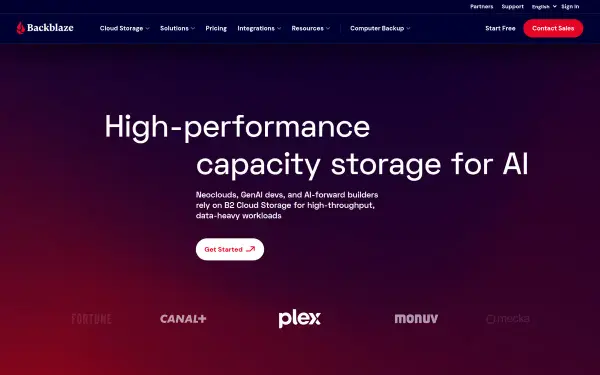
Backblaze sells one thing to individuals and small teams: continuous cloud backup of a computer and any external drive attached to it, with no data cap. Personal Backup costs $99 per computer per year, or $9 billed monthly, or $189 for a two-year term. Business Backup runs at the same per-computer rate, which keeps budgeting simple but means each computer needs its own license at $99.
The agent runs in the background and copies files and connected external drives continuously, so there is no nightly window to schedule. Every license covers one machine, and no volume discount appears on the pricing page. A Forever Version History add-on extends retention, which is worth pricing before you commit to a long-term archive. Business Backup adds central management for multiple computers, and Enterprise Control layers on SSO and restricted restores for staff who should not browse every file.
Restores are where Backblaze pulls ahead of cheaper rivals. You can download files directly, request a mailed hard drive, and business plans include free mailed hard drive restores. B2 Cloud Storage sits underneath as an off-site target, though that is a developer product rather than a consumer one.
Pick it if you want flat, predictable pricing for one to a few computers and do not need SaaS backup. Skip it if you need unlimited versioning, Microsoft 365 protection or per-seat business licensing, where CrashPlan and Veeam cover the ground better. Teams with long retention rules may outgrow the simple model quickly, because longer version history costs extra.
You want unlimited backup of one or two computers at a fixed annual price.
You need long version history included or SaaS mailbox protection.
Entry II of VIII / Many devices, one plan
Our verdict
One account, many devices and a $6.99 first-year rate make it the value pick for households and freelancers with several machines.
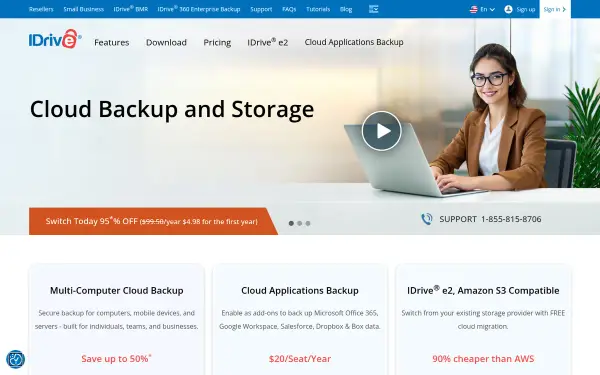
IDrive puts a lot of devices on a single account, which is its main reason to exist. Personal 5 TB costs $6.99 per month billed annually in the first year and $9.99 per month at list after that, and one plan covers PCs, Macs, phones and tablets. That combination makes it the low-cost answer for a household with several machines, or a freelancer with a laptop, a desktop and a phone to protect.
The service keeps 30 file versions and an Archive feature that holds deleted files that would otherwise drop out of the backup set. You can set a private encryption key so the vendor cannot read stored data. IDrive also offers express physical seeding and restore, meaning you can ship a drive to get the first full backup or a large restore done without saturating a slow upload link. Team and Business plans add server, Exchange, SQL and NAS support, and start at five users and five computers.
Two pricing details matter. The $6.99 rate is a first-year discount, and the $9.99 list price applies afterward, so model year two before you sign. Storage overage on the Personal plan costs $0.25 per GB per month, which stings if you pass 5 TB. There is also a free Basic plan with 10 GB and no credit card, useful for testing the client before you buy anything.
The desktop interface feels dated next to newer products, and the feature list is wide rather than deep, so the polished experience many buyers expect is not the reason to choose it. Pick it if device count matters more than interface design. Skip it if you need unlimited versioning, cloud-to-cloud SaaS backup or modern admin tooling, where CrashPlan and Veeam are the stronger fit.
One subscription has to cover several devices at the lowest first-year cost.
You want unlimited versioning or a modern management console.
Entry III of VIII / Unlimited versioning
Our verdict
Published per-user business rates and coverage of endpoints, servers and SaaS make it the easiest business case to budget.
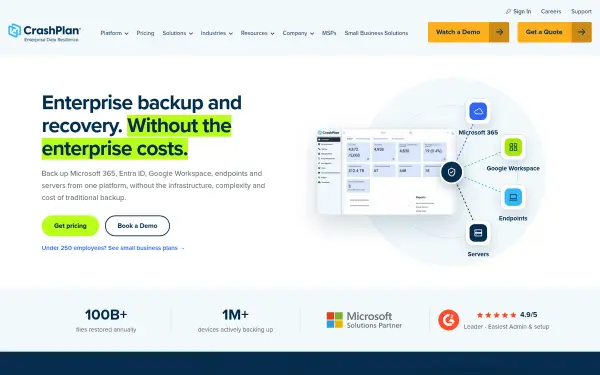
CrashPlan targets businesses rather than homes, and it is one of the few vendors here that publishes small-business rates. Endpoints cost $7.33 per user per month on annual billing, which works out to $88 per user per year for organizations under 250 employees. Servers are $189 per server per year, and Microsoft 365 or Google Workspace backup is $44 per user per year. Two-year terms cost less, and enterprise agreements move to a quote.
Coverage runs from laptops and desktops to servers, plus cloud-to-cloud backup for Microsoft 365 and Google Workspace. Versioning is unlimited, and point-in-time recovery restores a set of files to a specific moment instead of hunting individual versions one at a time. Storage can be CrashPlan's own, your own cloud bucket through a bring-your-own-storage option, or a pooled OneDrive allowance. For a small IT team, that means one console and one renewal date instead of separate contracts.
The friction is at the edges. There is no free tier and no home-user plan, so individuals should look at Backblaze or IDrive instead. The 14-day trial requires a card and converts to a paid plan on day 15 unless you cancel, which is easy to miss during a quiet evaluation. Enterprise pricing is quote-only, so larger buyers lose the transparency that the small-business tier provides.
Pick it if you are a business of a few hundred seats or fewer that wants endpoints, servers and SaaS under one contract at published prices. Skip it if you need a free tier, want to pay per device rather than per user, or need Kubernetes and deep virtualization coverage, which is Veeam territory.
You want one business contract covering endpoints, servers and SaaS at listed rates.
You are a single user or need per-device rather than per-user billing.
Entry IV of VIII / Set and forget
Our verdict
Simple automatic backup for one computer, but unconfirmed pricing and a first-year discount that expires weaken the value.
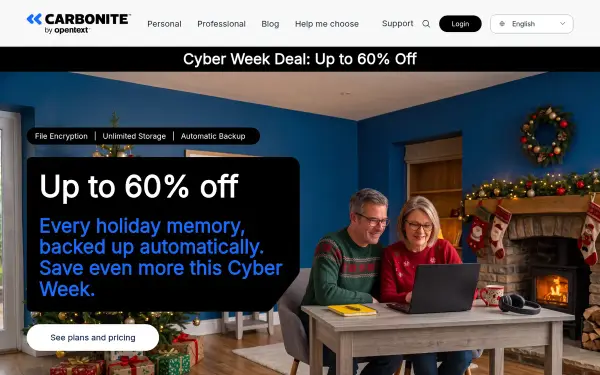
Carbonite is the plainest option in this list: install the client, and it encrypts and uploads your files automatically with unlimited cloud storage for one computer. Pricing sits on the vendor site, and that page did not load when we checked on November 25, 2026, so we show See website rather than a figure.
The plan ladder is short. Basic covers one computer. Plus adds external hard drive coverage, and Prime sits above it at a higher first-year price. Professional plans extend to server backup for small businesses, which is unusual for a product positioned at home users. Multi-year terms are available, and the vendor site is the place to confirm current discounts. A 15-day free trial lets you test the client before paying, and encryption is included rather than sold as an upgrade.
The limits are structural. Every license covers one computer, so each machine needs its own license. First-year discounts expire and renewal lands at list price. External drive backup is gated to Plus and Prime, so laptop users with a photo drive need the middle tier. Check restore options before you buy, which matters if you have terabytes to recover after a failure.
Pick it if you want automatic, set-and-forget backup for a single family computer and value an established product with server plans behind it. Skip it if you have several devices, need fast large restores, or want published pricing you can confirm without checking the page twice.
You want unattended backup for one computer and a long-established vendor.
You need several devices covered or pricing you can confirm today.
Entry V of VIII / Backup plus security
Our verdict
Imaging, patching and malware defense in one agent suit technical users, while simple file backup buyers pay for features they will not use.
Acronis sells backup and security in the same agent, which is unusual in this list. Consumer tiers are Essentials, True Image Advanced and True Image Premium, while business Cyber Protect is quote-based and mostly sold through managed service providers. The True Image pricing page returned no content when we checked on November 25, 2026, so the vendor site is the place to confirm current numbers.
The feature set goes beyond copying files. Full-image backup and disk cloning let you restore a whole machine instead of reinstalling the operating system and rebuilding a profile. Anti-malware, vulnerability assessment and patch management run from the same console, and ransomware protection watches for encryption behavior. Cloud plans reach up to 10 TB on the tiers we have recorded. On the business side, Cyber Protect adds imaging backup alongside security controls, and the vendor reaches most business buyers through MSPs and service providers.
That breadth is also the friction. Essentials includes no cloud storage, which surprises buyers who assume the word cloud applies to every tier. File-level backup is buried under imaging and security settings, and the interface assumes some technical comfort. Business pricing is quote-only, so you cannot compare totals without a conversation, and the MSP channel means the person quoting may not be the vendor.
Pick it if you want one agent for disk imaging, patching and malware defense, or you already buy through an MSP that resells it. Skip it if you want plain file backup to the cloud at a published price, or you only protect documents and photos and will never clone a drive.
You want disk imaging and security tooling from a single agent.
You want simple file backup at a clear published price.
Entry VI of VIII / Instant VM recovery
Our verdict
Broad workload coverage with instant VM recovery and immutable backups, provided you have staff and a virtualization estate to justify it.
Veeam is enterprise infrastructure software rather than a consumer backup service. It protects virtual machines, physical servers, cloud workloads, Kubernetes clusters and SaaS data from one platform, with instant VM recovery, immutable backups and automated malware scanning before a restore runs. Data Platform Essentials carries an MSRP of $95 per license per year in packs of five, capped at 50 workloads and organizations under 250 employees. Foundation, Advanced and Premium are quote-only, and the page we fetched on November 25, 2026 listed editions and request-pricing links but no license figures.
The strengths are recovery speed and breadth. Instant VM recovery starts a virtual machine from the backup repository while the restore continues in the background, which can shorten an outage. Immutable backups write copies that cannot be altered or deleted inside a retention window, the standard defense against ransomware that hunts backup repositories first. Malware scanning checks restore points before you put data back into production.
None of this is self-service. Setup expects virtualization knowledge, a repository plan and someone who understands retention chains and proxy placement. The Essentials cap of 50 workloads and 250 employees pushes growing companies into quote territory quickly, and the price step between editions is not published. You also need to plan storage and compute for the backup infrastructure itself, which is a line item that per-computer products do not have.
Pick it if you run VMware, Hyper-V, Kubernetes or a hybrid estate and have staff to operate it. Skip it if you are backing up a handful of laptops, or you want a flat per-computer price with no infrastructure to design and no licensing packs to count.
You run virtualized infrastructure and need fast, immutable recovery.
You want laptop backup without designing backup infrastructure.
Entry VII of VIII / Appliance plus cloud
Our verdict
Appliance-based disaster recovery with fast cloud virtualization, delivered only through MSPs and priced only by quote.
Datto sells backup and disaster recovery exclusively through managed service providers, so you cannot buy it directly and you will not find a public price list. The core product is the SIRIS appliance: a local device that takes snapshots on site and replicates them to Datto Cloud, with instant virtualization in the cloud when a server dies. That appliance model is why recovery is fast, and entry cost is bundled into your MSP contract. No prices were published when we checked on November 25, 2026.
Above the appliance, Datto Unified Backup covers endpoints, SaaS and Azure workloads from the same platform, and SaaS Protection covers SaaS data. Multi-tenant management lets an MSP run every customer from one console, and integrations with Kaseya RMM and PSA tools push alerts and tickets into the workflow the provider already uses. Datto is a Kaseya company, which is why those hooks are tight and why the product line sits inside a larger tooling estate.
The trade-offs are commercial and strategic. Buying only through an MSP means the price varies by partner, and you inherit their response times and their staffing depth. There is no free trial, so a small business cannot test the product without committing to a partner conversation first. Standardizing on Datto also means standardizing on Kaseya adjacency, and teams already invested in another RMM stack will feel the friction at renewal.
Pick it if you are an MSP that wants appliance-based BCDR with cloud virtualization and Kaseya integration under one contract. Skip it if you are a business that wants to buy backup directly, run a trial before committing, or see a published price before the first meeting.
You are an MSP wanting appliance-based recovery with cloud failover.
You buy directly or need a trial and a published price.
Entry VIII of VIII / Chain-free recovery
Our verdict
Chain-free recovery points and pooled storage give MSPs a resilient, predictable platform, though the ecosystem is smaller.
Axcient sells to managed service providers, and its distinguishing idea is chain-free backup. Traditional incrementals form a chain, and one corrupt link can take out every restore point after it. Axcient writes independent recovery points instead, so a damaged backup affects one point rather than the whole set. The x360 suite bundles three products: x360Recover for backup and disaster recovery, x360Cloud for Microsoft 365 and Google Workspace, and x360Sync for secure file sync. Pricing is per device at a flat fee with pooled storage, quoted after a 14-day trial; no prices were published when we checked on November 25, 2026.
Pooled storage is the commercial hook for providers. Instead of buying a fixed allowance per customer, an MSP draws from one pool across the fleet, which stops a single oversized client from wiping out the margin on the whole account. x360Recover handles local and cloud recovery, x360Cloud protects SaaS mailboxes and drives, and x360Sync covers file sharing and access. Multi-tenant delivery is built in rather than bolted on, which shortens the setup work for a provider onboarding a new customer.
Two caveats matter. ConnectWise acquired Axcient in 2024, so the roadmap and the partner relationship now sit inside a larger vendor stack, and the integration ecosystem is smaller. Direct buyers are out of luck: there is no self-serve option and no published price to benchmark a quote against. The 14-day trial is real, but it runs through a partner rather than a sign-up form, so timelines depend on someone else.
Pick it if you are an MSP that wants chain-free recovery, pooled storage and a SaaS backup suite from one vendor. Skip it if you buy backup directly.
You are an MSP wanting chain-free recovery and pooled storage economics.
You need direct purchase or the widest integration ecosystem.
VIBackground
Cloud backup software copies the files on your devices to a provider's servers on a schedule or continuously, keeps earlier versions, and lets you restore them after deletion, damage or ransomware. Cloud storage sync does a different job: it mirrors a folder across devices so every change propagates everywhere. Delete a file in a synced folder and it disappears from every device. Delete it from a backed-up machine and the backup still holds yesterday's copy. That difference is the whole reason both categories exist.
The 3-2-1 rule still frames how operators plan this. Keep three copies of data, on two different media, with one off site. Cloud backup satisfies the off-site leg neatly, and its version history covers the accidental deletion and ransomware cases that local copies share with the original.
Versioning and immutability are the ransomware defenses worth checking. Versioning keeps earlier copies of a file so an encrypted or corrupted version does not overwrite the good one. Immutability goes further: backup copies are locked for a retention window and cannot be altered or deleted, even with valid admin credentials. Veeam writes immutable backups, IDrive keeps 30 file versions, CrashPlan offers unlimited versioning, and Backblaze charges extra for extended history.
What to check before buying:
The first full backup is slow because everything uploads at once over your upstream link. Seeding avoids the wait: you ship an encrypted drive to the provider, they load it, and later backups run incrementally. IDrive offers express seeding and restore, and Backblaze mails drives for restores on business plans. Buyers with a few hundred gigabytes can usually skip seeding; buyers with terabytes should price it in before they sign.
This comparison sits in the software register. Further along the shore: baby tracking app and kennel software.
VIIPricing
Cloud backup pricing falls into five billing models, and the model matters more than the headline number. Personal products bill per computer or per device with a storage allowance. Business products bill per user, per server or per workload. MSP products bill per device at a flat rate with pooled storage behind it. Vendors that sell only through partners publish nothing, so the number arrives with a quote.
| Model | How it bills | Typical fit | Example from this list |
|---|---|---|---|
| Per computer | Flat yearly fee, unlimited data | One to a few home machines | Backblaze at $99 per computer per year |
| Per device with storage tier | Monthly or yearly, the tier sets the cap | Households with phones and laptops | IDrive Personal 5 TB at $6.99 per month billed annually in year one |
| Per user | Annual contract, priced per seat | Business endpoints and SaaS | CrashPlan at $7.33 per user per month, $88 per year |
| Per workload | License packs, per VM or server | Virtualized and hybrid estates | Veeam Essentials at $95 per license per year MSRP |
| Flat per device with pooling | Quoted per device | MSP fleets | Axcient, price on request |
| Quote only | Sales cycle, appliance included | Enterprise and MSP delivery | Datto SIRIS, no public pricing |
Read the billing term before comparing totals. Backblaze's $99 is per computer per year, so each additional computer adds another license at that rate. IDrive's $6.99 per month for 5 TB is a first-year rate billed annually, and the list price returns at $9.99 afterward. CrashPlan's $7.33 per user per month equals $88 per year, and its $44 per user per year for Microsoft 365 or Google Workspace is an additional line, not a replacement for the endpoint fee.
Then check what each tier excludes. Acronis Essentials includes no cloud storage, Carbonite gates external drive coverage to Plus and Prime, and Veeam caps Essentials at 50 workloads and 250 employees before you move to a quote. Multi-year terms lower the annual figure, with Backblaze at $189 for two years and CrashPlan discounting two-year commitments. Take the discount after you have tested a restore, not before.
Each entry card shows the starting price as it appeared on the vendor's own pricing page on November 25, 2026. When a vendor shows no figure we could confirm, or only a promotional rate, the card says "See website" or gives the regular price instead of a guess. Usage, overage and add-on rates in the text change more often than plan prices, so confirm them on the vendor page before you set a budget. To test the numbers against your own volume, try the free User Research Budget Planner. The Event Break-Even Calculator is a second way to check the same decision.
VIIIDecision
Count what you protect. List every laptop, desktop, phone, server and SaaS mailbox. Backblaze licenses are per computer, while CrashPlan is per user plus per server, so the count decides which pricing model fits.
Set retention requirements. Check default version history and the price of extending it. Backblaze charges for forever history as an add-on, and CrashPlan includes unlimited versioning. Retention drives both cost and ransomware recovery.
Test a real restore. Restore a folder, then a whole machine, before you commit. Trials allow this: 15 days at Carbonite, 14 at CrashPlan and Axcient, 30 at Acronis and Veeam. Card-free trials are easier to run quietly.
Size the recovery window. If your data runs into terabytes, price seeding and mailed-drive restores. IDrive offers express seeding, and Backblaze ships drives on business plans, so check whether a vendor offers a physical restore route before you rely on large restores.
Model year two. First-year discounts expire. IDrive moves from $6.99 to $9.99 per month, and Carbonite's first-year pricing is unconfirmed, so check renewal rates on the vendor site. Budget the list rate, not the promotional one.
Check the sales channel. Datto and Axcient sell only through MSPs, and Acronis business pricing mostly moves that way too. If you want to buy directly and see a price first, stay with vendors that publish rates.
IXPitfalls
Buying on storage alone. Unlimited sounds better than 5 TB until you compare restore speeds. A backup you cannot pull back quickly at scale is a liability, so weigh seeding and physical restore options as heavily as capacity.
Ignoring renewal pricing. First-year rates in this list are discounts. IDrive returns to $9.99 per month, and Carbonite's first-year pricing is unconfirmed, so check renewal rates on the vendor site. Model the second year before you sign a multi-year term.
Treating sync as backup. A synced folder follows your deletions to every device. If you rely on file sync for protection, a ransomware encryption event propagates instead of being recoverable from an earlier version.
Skipping the restore test. Most trials exist so you can test recovery, not just upload. Restore an older version and a deleted file during the trial, and remember that the CrashPlan trial converts automatically on day 15.
Miscounting licenses. Per-computer and per-user pricing punish sloppy inventory. An office with more than one machine per person pays a Backblaze license per computer or a CrashPlan seat per user, and the totals diverge fast.
XQuestions
It copies files or entire machines to a provider's servers and keeps earlier versions so you can restore after deletion, hardware failure or ransomware. Continuous products upload changes as they happen; scheduled products run nightly. Restores come back as downloads, shipped drives or virtual machines, depending on the vendor. Your data leaves the building, which is the point: an off-site copy survives fire, theft and local drive failure.
Sync mirrors a folder across devices, so every change propagates within seconds, including deletions and encrypted files. Backup keeps point-in-time copies instead, so yesterday's version survives today's mistake. Most teams need both: sync for working files across devices, backup for recovery. If your only protection is a synced folder, ransomware encrypts the sync target too and you have no clean copy left.
Personal plans here run from $99 per computer per year at Backblaze to $6.99 per month for 5 TB at IDrive in year one. Business endpoints run $88 per user per year at CrashPlan, plus $189 per server per year. Veeam lists $95 per license per year for Essentials in packs of five. MSP products from Datto and Axcient are quote-only, so cost depends on the partner and device count.
Keep three copies of data, on two different media, with one off site. Cloud backup covers the off-site leg and its version history, but you still want a fast local copy for day-to-day restores and for the window when a full download would take days. A local drive plus cloud backup is a common pairing; a subscription alone leaves you exposed if the network is down.
Ransomware encrypts files and often hunts backup repositories next. Versioning keeps earlier copies so an encrypted file does not overwrite a clean one. Immutability locks backups for a retention window so they cannot be altered or deleted, even with stolen admin credentials. CrashPlan offers unlimited versioning, Veeam writes immutable backups, and Backblaze sells extended version history as a paid add-on.
Everything uploads at once, limited by your upstream connection, so a terabyte can take days or weeks. Seeding ships an encrypted drive to the provider, who loads it and starts you from there, and later backups run incrementally. IDrive offers express seeding and restore, and Backblaze mails drives for restores on business plans. Households with a few hundred gigabytes rarely need it.
XIFurther along the shore
Vendors can ask for a correction or apply for a Featured listing. Paid or not, the entry is scored on the same rubric and its limits stay in print. Partner with Umberlake.
Free tools
Our free browser tools turn the prices on this page into a figure for your own volume. Nothing you type leaves your device.