
Kissflow
See websitecustom quote
Best for mid-market firms automating cross-department internal workflows without developers
- Free plan
- No
- Rubric
- 7.7 of 10
Nine business process management tools compared for November 2026, from no-code checklist builders that operations teams run themselves to BPMN platforms that need developers.

IThe short answer
Kissflow is the best fit for mid-market firms automating cross-department workflows without developers, Process Street suits teams turning written SOPs into checklists staff actually run, and Pipefy fits operations teams building repeatable processes without developer help. As of 25 November 2026, all three quote pricing on the vendor site rather than publishing list rates, and Pipefy still offers a free plan that runs for 90 days. The nine tools below split into no-code workflow platforms, BPMN modeling suites and developer-first orchestration engines: Best Business Process Management Software.
9 tools compared from vendor pages on November 25, 2026. 1 publish a starting price we could read; the rest say "See website".
IITop three berths
Register order is editorial fit for the buyer each entry describes. Prices are the starting figures read on November 25, 2026.
See websitecustom quote
Best for mid-market firms automating cross-department internal workflows without developers

See websitecustom quote
Best for teams turning written SOPs into checklists staff actually run

See websitecustom quote
Best for operations teams building repeatable processes without developer help
How this page is paid for. All 9 tools here are unpaid editorial picks.
A paid listing's position can be part of what the vendor pays for. Every entry, paid or not, is scored on the same rubric and keeps its limits in print. Advertising disclosure.
IIIThe register
Starting prices as shown on each vendor's pricing page on November 25, 2026. "See website" means no figure we could confirm.
| No. | Tool | From | Free plan | Trial | Rubric | Actions |
|---|---|---|---|---|---|---|
| 01 | KissflowMid-market firms automating cross-department internal workflows without developers | See websitecustom quoteQuote only | No | Free trial available | 7.7 | |
| 02 | Process StreetTeams turning written SOPs into checklists staff actually run | See websitecustom quoteQuote only | No | 14-day free trial | 6.8 | |
| 03 | PipefyOperations teams building repeatable processes without developer help | See websitecustom quoteQuote only | Yes | 90-day free plan | 7.0 | |
| 04 |  NintexEnterprises automating document-heavy processes inside Microsoft 365 | See websiteNot shown publicly | No | Demo only | 6.0 | |
| 05 |  AppianEnterprises building process-driven applications at scale | See websiteStandard, per user per month, per appNot shown publicly | No | Free trial available | 6.2 | |
| 06 |  PegaLarge organisations handling complex, rule-heavy casework over time | See websiteNot shown publicly | No | Demo only | 5.6 | |
| 07 |  BizagiEnterprises standardising process design on BPMN notation | See websiteNot shown publicly | No | Free trial available | 6.0 | |
| 08 |  CamundaDeveloper teams orchestrating microservices, APIs and human tasks | See websitecustom quoteQuote only | Yes | 30-day free trial | 6.4 | |
| 09 |  TallyfySmall teams tracking multi-step workflows with clients or vendors | $100Light Seat, per user per year, billed annuallyUpdated on vendor page | No | 14-day free trial | 7.0 |
Pinned:
IVMethod
How well the tool matches the size, skills and process type of the buyer it is pitched at.
How much an operations lead can build, change and ship without writing code or hiring a partner.
BPMN modeling, decisioning, case handling and orchestration, meaning how far it goes beyond forms with approvals.
Whether a buyer can find a rate, understand the billing model and budget before speaking to sales.
How quickly a real workflow goes live and gets used by ordinary staff.
VMethod
Every tool on this list was read against the same five criteria, and the scores in each entry are those criteria applied one vendor at a time.
Buyer fit carries the most weight at 30 percent, because a tool that is wrong for your team is wrong at any price. No-code depth (20 percent) asks how much a non-technical operations lead can build and change alone. Process rigor (20 percent) covers BPMN modeling, decisioning, case handling and orchestration, the things that separate a process platform from a form with approvals. Pricing clarity (15 percent) rewards vendors who publish a rate you can budget from. Time to first process (15 percent) is about how quickly a real workflow goes live and gets used.
Prices, plan names, trial lengths and free plan limits come from vendor pricing pages checked on November 25, 2026. Where a vendor routes buyers to a quote form, we say so and do not estimate a figure. Tallyfy was the only tool on this list showing a published rate at the time of checking, so the other eight entries describe the billing model the vendor states rather than a number we could not confirm.
The order is editorial. It reflects how well each tool fits the buyer described in its own entry, plus any Featured position, which is paid placement. A Featured entry is scored with this same rubric and carries the same kind of cons as every other tool. This month no entry carries a Featured mark.
Scores are a reading aid, not a shopping list. Use them to narrow nine tools to the three worth a trial, then run your own messiest process through each one before you sign anything.
The full routine, from price reads to corrections, is on the methodology page. Paid listings follow the advertising disclosure.
Entry I of IX / Flat platform pricing
Our verdict
The strongest no-code option for mid-market operations teams, held back mainly by quote-only pricing.
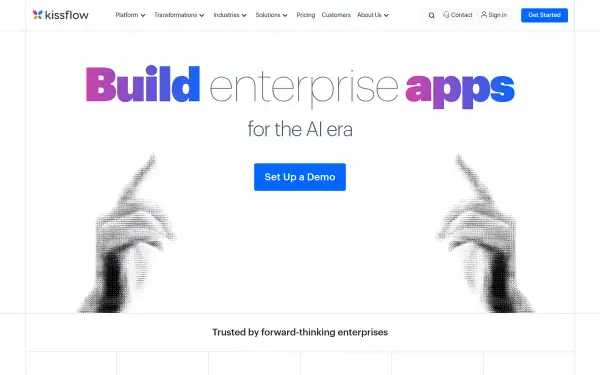
Kissflow puts three jobs on one platform: a no-code workflow and approval builder, case management for work that runs over weeks, and low-code application building for when a form plus a routing rule is not enough. A mid-market operations team can run employee onboarding, purchase approvals and vendor onboarding side by side, then read throughput on a dashboard without buying a separate reporting tool.
The builder is aimed at the people who own the process. Digital forms carry routing rules, approvals pass between departments, and integrations connect the business systems already in place. Case management is what separates Kissflow from checklist tools: a case stays open for weeks, collects documents and comments, and still reports against a target date. What you will not find is strict BPMN notation, so a process engineer who wants a standards-compliant model should look at Bizagi or Camunda instead.
Pricing is the differentiator. The vendor quotes a single platform fee for a user band rather than a per-seat rate, so cost per head falls as more staff join the same tier. That is good maths for a department that adds many users to one tier and poor maths for a small team using only a few seats. The catch is that the pricing page shows no figures at all, only a request-a-quote route, so you cannot budget from the website and must ask for tier limits in writing.
Integration depth and customization trail the large enterprise suites. Teams running a handful of simple approvals should compare a per-seat tool before committing to a platform fee.
You are a mid-market operations team that will put a whole department into the same workflows and wants one fee rather than a seat count.
You have a five-person team, need strict BPMN models, or cannot start a buying conversation without a published number.
Entry II of IX / SOP to checklist
Our verdict
The fastest route from a written procedure to a tracked checklist, provided your work stays mostly linear.
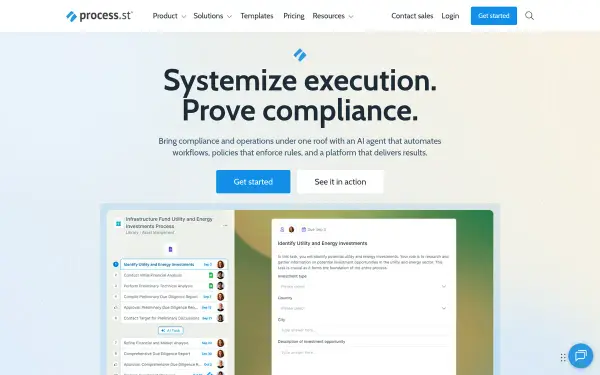
Process Street starts from a document. Paste in a written standard operating procedure, break it into steps, add owners and due dates, and the team runs the checklist instead of reading the PDF. For an operations team that already has procedures written down and no system enforcing them, that is a short project rather than a platform migration.
Conditional logic branches a run based on form answers, so a single template covers variations without a second document. Approval steps sit inside the running checklist rather than in email, and each completed run keeps an activity history you can audit later. A template library covers recurring operations, and integrations push data to storage and productivity tools. Non-technical staff build and edit the workflows themselves, which keeps the backlog with the team that owns the process rather than with IT.
Pricing is per seat on the Pro tier. The vendor site now routes all three tiers to a contact-sales form, so there is no list rate to budget from, and per-user cost rises in a straight line as headcount grows. Expect a quote conversation rather than a checkout page. There is a 14-day free trial and no free plan.
The limits are structural. There is no BPMN modeling and no service orchestration, so system-to-system work belongs elsewhere. Exception-heavy casework, where a case can sit open for a month with a dozen branches, is awkward next to what Pega or Appian handle. Use Process Street for repeatable, mostly linear procedures and it performs well.
Your procedures are already written down and you need staff running them with owners, deadlines and an audit trail this month.
You need process modeling, system orchestration, or a published rate before you can open a purchase request.
Entry III of IX / Free 90-day start
Our verdict
A friendly, template-driven process tool whose free 90-day plan makes a live pilot easy to justify.
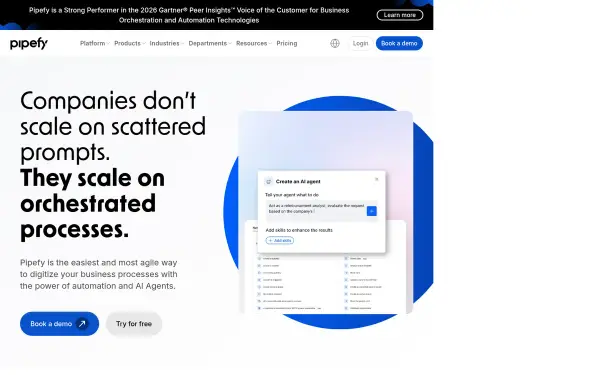
Pipefy presents a process as a set of pipes: cards move through phases, each phase has rules, and everyone can see where work sits. Operations teams with no developer on hand can stand up a purchase request flow or an employee onboarding pipe in an afternoon from a template, which is why it tends to get adopted rather than abandoned.
Conditional fields and phase rules keep a card from advancing until the right information is in place. SLA timers and escalation alerts flag a stalled request before a customer chases it. Automation rules fire on phase changes, so handoffs, notifications and field updates happen without someone remembering. Intake forms feed new requests into a pipe, prebuilt templates cover HR, finance, IT and procurement, and integrations connect external systems. The interface is the strongest part: staff who have never heard of process management can use it on day one.
The free Starter plan deserves attention. It runs for 90 days, long enough to put a real process live and find out whether the team uses it. Paid tiers now route to sales rather than showing a per-seat figure, so the budget conversation comes after the pilot, which is the right order for a process tool but awkward for annual planning.
Two limits matter at scale. Per-user pricing gets heavy on a large deployment, and cross-process analytics are thinner than the enterprise suites, so a portfolio view across ten pipes needs manual work. Customization depth is also well short of low-code platforms such as Kissflow or Appian. Pipefy fits operations teams running repeatable back-office flows.
You want to prove a back-office process in a live pilot before anyone signs a contract, and your team has no developer.
You need portfolio analytics across many processes, deep customization, or a fixed per-seat number for next year's budget.
Entry IV of IX / Microsoft 365 fit
Our verdict
Deep Microsoft 365 automation for document-heavy work, priced through a sales cycle mid-market teams will find heavy.
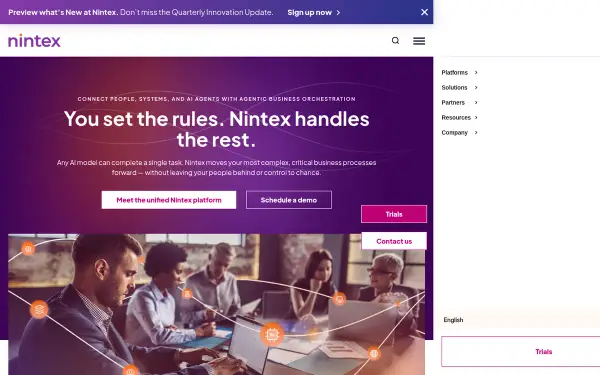
Nintex is the pick for an organization that already runs on Microsoft 365 and wants document-heavy processes automated where the documents live. Workflows reach into SharePoint and Teams natively rather than through a connector, which cuts build time on the approval and review processes most enterprises actually run.
The module set is broad. Process discovery and mapping tools sit alongside execution, so a team can document a process and automate it without buying twice. Document generation produces contracts and letters from templates, electronic signatures capture sign-off, and digital forms with mobile task completion keep field staff in the same flow. Robotic process automation handles the repetitive steps that no one has an API for. Covering mapping through to monitoring with one vendor is unusual, and it is the main reason enterprises shortlist Nintex.
Pricing is quoted per deal and there is no public price list. Total cost depends on process volume, user counts and which modules you take. Implementation services usually sit on top of the license, so the number that matters is a program budget, not a subscription. The vendor offers a demo rather than a self-serve trial, which means an evaluation takes weeks.
Licensing and implementation complexity is the honest drawback. You need internal skills or a partner to get value, and renewal negotiations reward whoever understands the module packaging. If your estate is not Microsoft-centric, the native advantage largely disappears and a platform such as Appian or Camunda is the better comparison. In a SharePoint-heavy business, nothing else here fits as closely.
Your processes and documents already live in SharePoint and Teams, and you have partner or internal capacity to run an implementation.
You are not a Microsoft shop, need a self-serve trial, or cannot absorb a services engagement on top of the license.
Entry V of IX / Data fabric inside
Our verdict
A serious platform for process-driven applications, with a cost and skills bar that suits enterprise programs only.
Appian is for enterprises that need a process-driven application rather than a workflow: a claims portal, an onboarding system, a case tracker with real data behind it. Low-code application development and process modeling sit in the same studio, so a team can design the flow and build the screens, records and integrations behind it in one place.
The data fabric is the feature that matters most in practice. It unifies external sources, so a process reads from several systems without a separate integration project for each one. AI and decisioning components ship inside the core product, as do case and records management and portals for external users. Deployment tooling supports staged releases, which is what lets a departmental app graduate to an enterprise rollout without a rewrite. Where a process needs genuine data integration, that combination is hard to match.
Pricing is per user, per month, per app on the Standard tier, and the table names Standard, Advanced and Premium without showing figures, so anyone budgeting needs a quote. Our read is that Appian sits at the top of this list on per-seat cost, and app-scoped billing means a second application starts a second seat calculation. A Community Edition gives you a free personal instance to evaluate, and a free trial is available.
The real barrier is skills. Deployments need trained developers or partner services, and the learning curve is steeper than the no-code tools that open this list. A team wanting a simple approval chain will pay for capability it never uses. Appian earns its place when the process is the product.
You are building a process-driven application that has to read from several systems and serve external users, with developers on staff.
You want a simple approval chain, have no development capacity, or need a published seat rate to size the budget.
Entry VI of IX / Rules-heavy casework
Our verdict
Unmatched for complex, rule-heavy casework, and overbuilt for anything that fits on a single page.
Pega is built for work that does not fit a diagram: claims, disputes, compliance reviews and onboarding cases that run for weeks, branch often and need a judgement at the end. Case lifecycle management handles exceptions as a first-class part of the design rather than an error path bolted on afterwards.
The rules and decisioning engine is the core asset. It holds high rule counts without collapsing into a wall of nested conditions, which is the point where lighter tools stop being maintainable. AI-assisted automation and robotic automation cover the manual steps around the case, a low-code studio handles the interface, and real-time operational analytics show where a backlog is forming. Reusable components let one team's work carry to the next process instead of being rebuilt. For regulated, document-heavy operations that combination is genuinely differentiated, and the entry per-seat cost is modest by enterprise standards.
Everything else about the commercial model is heavy. There is no public pricing page, the sale is consultative, and implementation depends on specialist skills that are scarce and expensive. Services and expertise usually dominate total cost, not license fees. A demo is the only way in, with no trial and no free plan.
Pega is overbuilt for linear approval flows, and a team that only needs three approvals and an audit trail will find it slow and costly. The honest test is exception volume: if most of your cases follow the standard path, buy something else. If a large share need a human decision with a written rationale, Pega is worth the effort.
Your cases run for weeks, carry dozens of business rules and end in a judgement someone has to document.
Most of your work follows the standard path, or you have no access to the specialist skills an implementation needs.
Entry VII of IX / True BPMN modeling

Our verdict
The pick when a documented BPMN model has to be the thing that actually runs in production.
Bizagi is the BPMN specialist. The modeler is free, the notation is proper BPMN, and the same model runs in the automation engine rather than being redrawn by a developer. For a regulated business that has to show an auditor the documented process and the executed process as one artifact, that alignment is the whole argument.
Around the engine sit a form designer for process steps, integration connectors to enterprise systems, and process analytics with monitoring. Documentation artifacts come out of the model itself, which saves the parallel effort of keeping a process map and a system in step. Deployment is available in cloud or on premises, and on-premises still matters to insurance, banking and public sector buyers who cannot move case data to a vendor cloud. A free trial is offered, and the free design tool lowers the cost of finding out whether your team can work in BPMN at all.
Buying is sales-led and the published structure is an annual per-user rate. That is fine for a design team of fifteen and expensive when you want every branch staff member to open a task, so ask early how the license counts occasional users and external parties. At the time of checking, the vendor pages returned no figures, so budgeting starts with a quote request.
The formality is the friction. Teams with no BPMN background will spend the first month on gateways and events, and the tool will feel rigid next to a card-based pipe. That is the trade: rigor in exchange for speed. If notation is a compliance requirement, Bizagi earns its keep.
Process notation is a compliance requirement and the diagram that gets reviewed must be the process that runs.
Nobody on your team knows BPMN, or if you need to price licenses for hundreds of occasional users from a web page.
Entry VIII of IX / Developer orchestration engine
Our verdict
The engineering team's choice for orchestrating services, APIs and human tasks under real production load.
Camunda is the developer's BPM platform. A BPMN and DMN engine executes the model, and the same engine orchestrates microservices, APIs and human tasks in one flow, so a payment process can call four services, wait on a manual review and still be readable as a diagram.
Human task management tooling covers the steps a person has to complete, and connectors link common messaging and application frameworks rather than requiring custom glue. Operational monitoring and incident tooling are the parts that matter at 2am: you can see which instance is stuck and why. Self-managed and managed cloud options exist, and the open source community edition has a long history behind it. A free Development tier is self-managed, and a 30-day trial covers the managed product.
Commercially, the entry point for serious process execution is the lowest on this list, but production and SaaS terms come through an enterprise license conversation with sales. That is normal for infrastructure of this kind, and it means the free tier is a fair evaluation rather than a crippled demo.
The constraint is who can use it. Business teams cannot self-serve here, and running it in production needs engineering and DevOps capacity, including upgrades and incident response. Support and some operational features sit behind paid tiers. It is also the tool here most likely to be chosen by engineering and presented to the business, so plan a shared model review before go live. Choose Camunda when the process is genuinely a software workflow across services, and choose Kissflow or Pipefy when it is mostly people filling in forms.
Your process spans microservices and APIs, your engineers already work in BPMN, and you can staff production operations.
Operations staff need to build flows themselves, or if there is no DevOps capacity to run an engine in production.
Entry IX of IX / Published seat rate
Our verdict
The cheapest published seat rate here, and the easiest tool to hand to clients and vendors.
Tallyfy is the value pick, and the only vendor on this list showing a published rate. It handles multi-step workflows that involve people outside your company: client onboarding, vendor checks, service delivery, where a step is completed by someone who does not have a login to your systems.
Shared forms and checklists let a client or supplier complete their part without a seat of their own, which removes the awkward conversation about buying licenses for outsiders. Task assignment carries deadlines, approval and sign-off steps sit inside the workflow, and real-time status tracking shows which step is stuck and who has it. Existing written procedures can be captured as templates rather than rewritten from scratch, and connectors cover common apps. The interface is clean enough to hand to an external party without a training call, which is rarer than it sounds.
Pricing is $100 per user per year on the Light Seat, billed annually. That is the lowest published per-seat rate among the tools compared here, and a small team can budget from it without a sales call. It is also the clearest pricing model on the list: a published per-seat rate with no quote form. A 14-day free trial is available and there is no free plan.
The scope is narrow by design. There is no BPMN modeling and no enterprise automation, so system-to-system orchestration is out. Deep integration and orchestration options are limited compared with Pipefy or Kissflow, and the feature set is thinner than similarly scoped rivals. For a ten-person team tracking client work, none of that will be missed.
You are a small team whose workflows involve clients or vendors, and you want a published seat rate rather than a quote.
You need process notation, system orchestration, or deep integrations with enterprise platforms.
VIBackground
Business process management software runs a process end to end: it routes work between people and systems, enforces rules at each step, and measures how long the whole thing takes. A workflow tool automates a handoff. A checklist app records that a task was done. BPM software owns the process across departments, which is why it sits above your systems of record rather than replacing them.
The category splits into three practical groups:
The category matters because most operational pain is not a missing form. It is a request that crosses four teams, stalls twice and finishes late with nobody able to say why. An ERP records the transaction after it happens. A CRM records the customer. Neither tells you that step three waited six days for an approval. BPM software does, and that measurement is often worth more than the automation itself.
Not every process deserves this. If one person owns the work, repeats the same steps and the only problem is forgetfulness, a checklist app is cheaper and faster to deploy. The case for BPM software starts when work crosses a boundary, when exceptions are common enough to need rules, and when you cannot answer how long the process takes.
One warning on vocabulary. Vendors use BPM, workflow automation, low-code and case management almost interchangeably, and the labels tell you very little. Ask what the tool does with a request that breaks the standard path, and how it reports on a process that runs for a month. Those two answers separate the platforms from the forms.
This comparison sits in the software register. Further along the shore: baby tracking app and kennel software.
VIIPricing
Business process management software is priced in five ways, and the model matters more than the number. A per-seat model punishes adoption: the more people you want using the process, the more the tool costs, which is the opposite of what a process rollout needs. A flat platform fee rewards it. Ask which model you are buying before you compare rates.
| Model | How it bills | Typical fit | Example from this list |
|---|---|---|---|
| Flat platform fee | One fee covers a band of users, not a seat count | Departments adding many users to one tier | Kissflow |
| Per seat, per month | Monthly charge per named user | Teams with stable headcount | Process Street, Pipefy |
| Per user, per year | Annual charge per named user, paid up front | Small teams and formal programs | Tallyfy (Light Seat, $100 per user per year, billed annually), Bizagi |
| Per user, per month, per app | Seat fee scoped to each application | Enterprises running several apps | Appian (Standard tier) |
| Enterprise quote | Per-deal pricing set by modules and volume | Large estates with procurement cycles | Nintex, Pega, Camunda |
Only one vendor here shows a rate on its site. Tallyfy publishes $100 per user per year on the Light Seat, billed annually, which is the number to hold the others against. Eight of the nine route buyers to a quote form or a sales conversation, and the pricing pages checked on 25 November 2026 gave no figure for Kissflow, Process Street, Pipefy, Nintex, Appian, Pega, Bizagi or Camunda.
Budget for the costs that never appear on a plan page: implementation services, integration work, administrator training and renewal uplifts. On the enterprise tools those usually exceed the license in year one, which is why a per-seat comparison against a no-code platform can mislead.
Free options are for evaluation, not production. Pipefy gives a free plan that runs 90 days, Appian a free Community Edition personal instance, Camunda a free self-managed Development tier. Trials run 14 days at Process Street and Tallyfy, 30 days at Camunda, with Nintex and Pega offering a demo instead.
Each entry card shows the starting price as it appeared on the vendor's own pricing page on November 25, 2026. When a vendor shows no figure we could confirm, or only a promotional rate, the card says "See website" or gives the regular price instead of a guess. Usage, overage and add-on rates in the text change more often than plan prices, so confirm them on the vendor page before you set a budget. To test the numbers against your own volume, try the free User Research Budget Planner. The Event Break-Even Calculator is a second way to check the same decision.
VIIIDecision
IXPitfalls
XQuestions
BPM software runs a process across systems and people, while a checklist app tracks steps one person completes. A checklist records that a task was done. A BPM platform routes work between departments, enforces rules, calls other systems and reports on cycle time. The line blurs in the middle, where Process Street and Tallyfy sit with approvals and branching added to checklist mechanics.
Expect to work from a per-seat rate and treat it as a floor, because implementation and admin time sit on top. Tallyfy is the only vendor on this list showing a list rate: $100 per user per year on the Light Seat, billed annually, so cost scales directly with how many people you add. Every other tool here quotes on the vendor site.
No. BPMN matters when you need a formal model that other tools can read, or when a regulator expects documented process flow. Bizagi and Camunda are built on it. Appian and Nintex model processes inside their own tooling. Kissflow, Process Street, Pipefy and Tallyfy let you build without notation, which is faster for most operations teams.
Kissflow, Process Street, Pipefy and Tallyfy are the four to shortlist. Each lets an operations lead build forms, approvals and branching rules in a browser with no code, and none needs an implementation partner for a first process. Kissflow adds low-code apps and case management when the workflow grows. Camunda, Appian, Pega and Bizagi assume engineering or partner involvement.
No. An ERP or CRM holds the record, and BPM software moves work between those systems and the people using them. A purchase approval process reads budget from the ERP, collects sign-off in the BPM tool and writes the result back. Treat BPM as the layer above your systems of record rather than a replacement for them.
When work crosses teams or systems, when exceptions outnumber the standard path, or when you cannot answer how long a process takes. A checklist handles a single owner repeating known steps. Once a request needs several approvals, a service level target and a report, a BPM platform pays for itself in visibility. Start with the messiest process you run every week.
XIFurther along the shore
Vendors can ask for a correction or apply for a Featured listing. Paid or not, the entry is scored on the same rubric and its limits stay in print. Partner with Umberlake.
Free tools
Our free browser tools turn the prices on this page into a figure for your own volume. Nothing you type leaves your device.