
BILL
$49Essentials, per user per month
Best for small businesses running payables and receivables together
- Free plan
- No
- Rubric
- 6.3 of 10
Nine accounts receivable platforms ranked by fit, from per-user invoicing suites to quote-only enterprise collections engines, with prices checked on November 25, 2026.

IThe short answer
BILL is the best fit for most small businesses, at $49 per user per month on the Essentials plan, because receivables sit next to bill pay in one login. BlackLine suits finance teams that already run a formal close and want receivables inside it. Tesorio suits mid-market treasury teams that want to forecast when cash will actually arrive. Those three lead this November 2026 list of nine tools, which spans published per-user pricing, banded subscriptions and quote-only enterprise contracts: Best Accounts Receivable Management Software.
9 tools compared from vendor pages on November 25, 2026. 2 publish a starting price we could read; the rest say "See website".
IITop three berths
Register order is editorial fit for the buyer each entry describes. Prices are the starting figures read on November 25, 2026.
$49Essentials, per user per month
Best for small businesses running payables and receivables together

See website
Best for finance teams running receivables alongside the financial close

See website
Best for mid-market teams forecasting cash from receivables data
How this page is paid for. All 9 tools here are unpaid editorial picks.
A paid listing's position can be part of what the vendor pays for. Every entry, paid or not, is scored on the same rubric and keeps its limits in print. Advertising disclosure.
IIIThe register
Starting prices as shown on each vendor's pricing page on November 25, 2026. "See website" means no figure we could confirm.
| No. | Tool | From | Free plan | Trial | Rubric | Actions |
|---|---|---|---|---|---|---|
| 01 | BILLSmall businesses running payables and receivables together | $49Essentials, per user per monthRead on vendor page | No | Free trial | 6.3 | |
| 02 | BlackLineFinance teams running receivables alongside the financial close | See websiteNot shown publicly | No | No | 6.7 | |
| 03 | TesorioMid-market teams forecasting cash from receivables data | See websiteNot shown publicly | No | No | 7.5 | |
| 04 |  VersapayTeams whose late payments stem from disputes and communication gaps | See websiteNot shown publicly | No | No | 7.1 | |
| 05 |  Quadient ARRisk-averse mid-market teams prioritizing vendor stability | See websiteNot shown publicly | No | No | 6.9 | |
| 06 |  GavitiTeams with heavy deductions, short payments and disputes | See websitecustom quoteQuote only | No | No | 6.6 | |
| 07 | KollenoInternationally selling mid-market businesses consolidating receivables | See websiteNot shown publicly | No | No | 6.7 | |
| 08 |  ChaserSmall teams needing credit control without a dedicated controller | £179Compact, per month, 4 users, annual revenue under £4 millionUpdated on vendor page | No | Free trial | 6.6 | |
| 09 |  CentimeMid-market finance teams managing AR inside treasury | See websiteNot shown publicly | No | No | 6.7 |
Pinned:
IVMethod
How much of the chasing, escalation and payment matching runs without a person.
Whether the tool predicts when cash lands and shows the whole receivables position.
Depth of deduction, short payment and dispute workflows that unblock collections.
Which accounting and ERP systems sync, and whether two-way sync is gated to higher tiers.
Whether a price is published, what it scales with, and how much sales work comes first.
VMethod
Every entry was scored against the same five criteria, then ordered by editorial fit for the buyer described in its verdict. Position in this list is not a weighted total. It reflects who each tool suits best, and where a Featured placement applies, that paid position is disclosed. This edition has no Featured vendor.
The rubric weights collections automation at 25 percent because chasing and matching payments is the work buyers want removed. Cash forecasting, dispute handling and ERP integrations take 20 percent each, since those three decide whether a platform fits treasury-led teams, deduction-heavy books or an existing NetSuite or Sage estate. Pricing clarity takes the last 15 percent: a published number is worth more to a buyer on a deadline than a promise of a custom quote.
Prices and plan details come from vendor pricing pages checked on November 25, 2026. Where a page lists a starting figure, we used it exactly as written, including currency: $49 per user per month for BILL Essentials and £179 per month for Chaser Compact. Where no figure is published, the entry says pricing is on the vendor site and we did not estimate a number. Free trials and free plans are recorded only where the vendor states them.
Feature lists come from vendor product documentation and were checked against the same date. We did not run a trial of each product, so treat the scores as a buying shortlist rather than a benchmark, and confirm tier gating (two-way ERP sync, for instance) with the vendor before you sign.
The full routine, from price reads to corrections, is on the methodology page. Paid listings follow the advertising disclosure.
Entry I of IX / AR beside bill pay
Our verdict
A published $49 entry price and receivables beside bill pay make BILL the default for small teams, if disputes are rare.
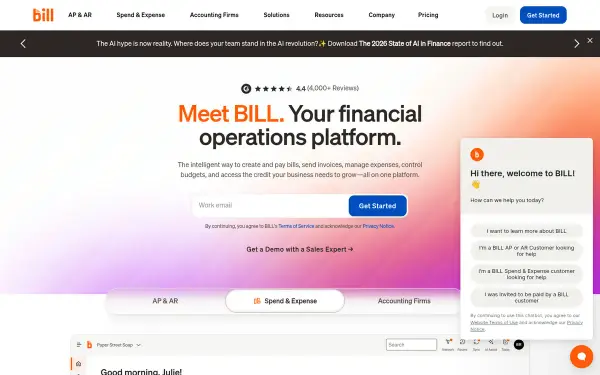
BILL puts invoicing, reminders and payment collection in the same system small businesses use to pay their own bills. Invoices go out with flexible delivery options, reminders fire on a schedule, and customers pay by ACH or credit card. Auto-charge and auto-pay settings remove the monthly step of asking for a card that is already on file. For a three-person finance team, that means one login instead of two tools and a spreadsheet.
Pricing is published across four tiers, with Essentials at $49 per user per month. A published per-user rate is easy to budget, but the bill grows with every hire. The tier ladder matters more than the entry price: two-way QuickBooks and Xero sync starts on Team, and NetSuite and Sage Intacct sync appears only on Enterprise. A buyer running NetSuite should price Enterprise before treating $49 as the real number.
The receivables side is solid rather than specialized. It covers reminders, collections and card or ACH payment, and it sits beside accounts payable, which is the actual reason to choose it. Teams wrestling with deductions, short payments and formal dispute cases will find deeper workflows in Gaviti or Versapay, and teams that want a forecast of when cash lands rather than an aging report will find more in Tesorio or Centime. Setup is light enough that most small teams run it without an implementation project.
Pick BILL if you are a small business that wants AR next to bill pay and a price you can model today. Skip it if your books are dispute-heavy, or if your ERP sync requirement lands on NetSuite, where both the tier and the cost change.
You are a small business that wants invoicing, reminders and bill pay in one place at a published per-user price.
Deductions and disputes dominate your receivables, or if you need NetSuite sync without an Enterprise contract.
Entry II of IX / Close-ready controls
Our verdict
Receivables that reconcile into a formal close, with controls and audit trails built in, but no published price and a project-based start.
BlackLine treats receivables as one part of the financial close rather than a standalone collections tool. The AR module covers collections workflows, cash application, credit risk and the reconciliations and controls that surround them, with audit trails running through the platform. For a controller, the appeal is that receivables data, reconciliations and close evidence sit in one place instead of being stitched together from a collections app and a spreadsheet.
Pricing is quote-only and not published on the vendor site, so comparing cost against a per-user tool like BILL takes a sales conversation and usually a scoping exercise. Rollouts run as projects rather than signups, with implementation work in front of you before the first reminder goes out. That timeline is fine for a finance organization that plans system changes quarters ahead, and painful for a team that needs collections running this month.
The depth is real. Automated collections, cash application and credit risk sit in a single module, backed by the reconciliations and audit trails that internal and external reviewers ask for. That breadth is also the limitation: a ten-person finance team with clean books and no formal close process pays for capability it will not use, and the configuration burden lands on whoever owns the system. The value shows up when receivables have to reconcile into a close calendar with evidence attached.
Pick BlackLine if your receivables need to reconcile into a formal close and audit trail matters as much as DSO. Skip it if you want a published price, a fast start, or a dedicated collections tool without a platform around it.
Receivables have to reconcile into a formal close and your auditors expect controls and audit trails in the same system.
You need a working collections process this month or a price you can compare without a scoping call.
Entry III of IX / Payment-behavior forecasting

Our verdict
Payment-behavior forecasting for mid-market treasury teams that need to know when cash lands, quoted rather than priced on a page.
Tesorio starts from a question most AR tools answer badly: when will this cash actually arrive? It builds cash timing forecasts from each customer's payment behavior, so the output is a liquidity view rather than an aging report sorted by due date. Around that sit automated dunning, dispute management, a customer payment portal and collections prioritization, so the forecast stays connected to the work that changes it.
Integrations go deep, with NetSuite and other ERP systems listed among the core connections. That matters because a forecast is only as good as the invoice and payment data feeding it. A team already running NetSuite or a comparable system gets more from Tesorio than a team exporting spreadsheets each week, because the forecast improves as the underlying data gets current and complete.
Pricing is available only by quote on the vendor site, with no list price and no self-serve path. The product targets mid-market and enterprise finance and treasury groups that actively manage cash, and the workflows assume someone reviews the forecast and acts on it. A small business that mainly wants reminders sent would be paying for forecasting machinery nobody opens, and the automation it does get is not the reason to buy. The cash timing model is the feature you are buying; everything else supports it.
Pick Tesorio if your board or lender asks when cash lands and your current answer is an aging bucket. Skip it if you need a published price, or if your team has no capacity to work a forecast and change collection behavior from it.
You need a forward view of when cash arrives and you can act on that forecast every week.
Nobody on your team owns cash forecasting, or if a quote-first sales process stalls your budget.
Entry IV of IX / Shared dispute portal
Our verdict
A shared portal where customers dispute and pay, which fixes slow payment caused by communication gaps rather than simple delinquency.
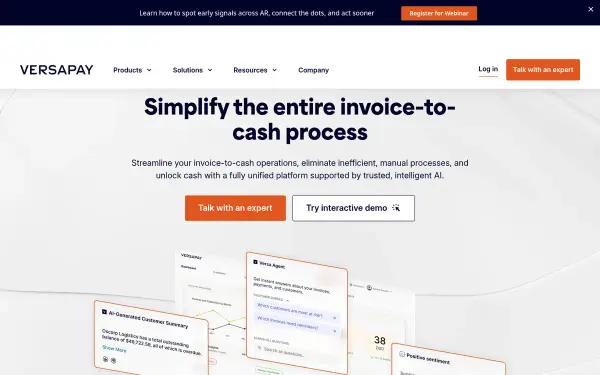
Versapay frames slow payment as a communication problem, and the product is built around that idea. Customers log into a shared portal where they see invoices, raise disputes and pay, while collectors work in the same space instead of trading email threads. Disputes are resolved in a real-time workspace rather than waiting for a monthly review call, and automated cash application matches incoming payments to open invoices. The portal also cuts inbound status calls, because the answer is already on the customer's screen.
That shared workspace is the differentiator. When a customer withholds payment over a short shipment or a price argument, the fix is a conversation with a record attached, and Versapay puts both sides in one place with invoice visibility for the buyer. ERP synchronization keeps the ledger aligned, so the portal is not a parallel universe of data that someone reconciles by hand later.
Pricing is custom and quoted, and the product sits above the small business segment. There is no published figure, no free plan and no trial listed, so evaluation runs through sales and a scoped demo. The platform also assumes late payment has a cause worth resolving. Where non-payment is simple delinquency, with a customer who just pays late, a cheaper reminder sequence covers the same ground for far less money.
Pick Versapay if your DSO problem is really a dispute problem and your customers will use a portal. Skip it if delinquency is straightforward, if your buyers will not log in, or if you need a published price before you can get budget approval.
Late payment comes from disputes and missing information, and your customers will use a shared portal.
Customers simply pay late, or if you sell in a market where a portal login is unrealistic.
Entry V of IX / Full-cycle coverage

Our verdict
Full-cycle receivables with dunning, credit, disputes and cash application, backed by a large vendor but held back by an older interface.
Quadient AR covers the full receivables cycle: automated dunning campaigns, credit management, dispute tracking and cash application, with integrations into major ERP systems. The product was built on the acquired YayPay platform, so functionality has been in market for years and the feature set is broad rather than experimental. Dunning, credit, disputes and cash application are first-party modules rather than bolt-ons, which for a mid-market team replacing a spreadsheet and a shared inbox means one system rather than four.
The reason many buyers shortlist it is vendor stability. It sits inside a larger group with the support and infrastructure that implies, which appeals to finance teams that have watched a small vendor change hands or change direction mid-contract. For a risk-averse mid-market buyer, that track record carries more weight than a newer interface, and the coverage across the cycle is already there rather than on a roadmap.
Pricing is quote-based, so costs stay unclear until a sales conversation happens, and no free trial is listed to shorten the evaluation. The interface reads as older than newer competitors, which matters when collectors sit in the tool all day and when you are hiring people who judge software by the screens. Neither issue is fatal, but both add friction to a decision that already needs a sales cycle.
Pick Quadient AR if proven functionality and a large vendor behind the product outweigh interface polish. Skip it if you want to see a price before you book a call, or if the people who will use it daily expect a modern, fast interface.
You want dunning, credit, disputes and cash application from one established vendor and can accept an older interface.
Your collectors judge tools by speed and design, or if pricing has to be visible before a call.
Entry VI of IX / AI priority scoring
Our verdict
AI account scoring and purpose-built deduction workflows that point collectors at the accounts most likely to cost you money.
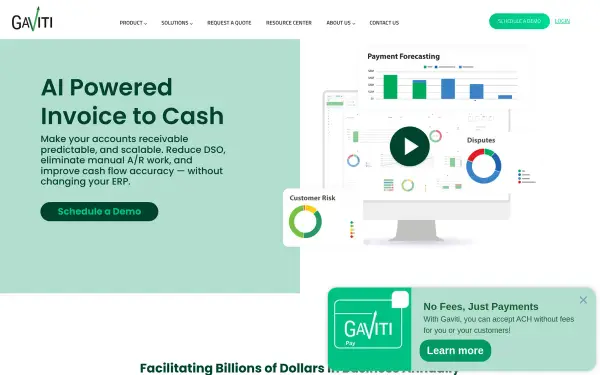
Gaviti is built for receivables that generate arguments. It scores accounts with AI so collectors work the highest-value ones first, automates reminders for the routine ones, and puts real workflows around deductions and disputes instead of leaving them in email. Bad-debt alerts flag accounts that are deteriorating before they become a write-off. Retail and distribution channels, where short payments are routine rather than exceptional, are the natural fit.
The prioritization logic is the part that changes behavior. A collector with 400 open accounts cannot work them in date order, and a static aging report does not say which call matters this morning. Scoring plus workload prioritization turns the book into a queue, and the queue is balanced across the team rather than sorted only by value. Deduction management is purpose-built, which is the difference between logging a short payment and resolving it before it ages into a loss.
Pricing runs through sales only, with costs customized per company usage and no published figure. That fits a mid-market or larger business with dedicated collectors, where a deal is scoped against account volume and the workflow is configured to match. It fits badly with a small team that wants a reminder sequence switched on this week and a number on a page.
Pick Gaviti if deductions and disputes consume your collectors' days and you want them pointed at the accounts that carry the most risk. Skip it if your books are clean and simple, if you have no dedicated collector, or if a quote process will stall your budget cycle.
Deductions and short payments eat collector time and you want a queue ranked by risk and value.
You have no dedicated collector, or if your invoices are paid in full and on time.
Entry VII of IX / Multi-currency consolidation

Our verdict
One multi-currency AR dashboard with AI reconciliation, a good fit for cross-border sellers and a young platform for cautious enterprises.
Kolleno targets businesses that sell across borders and end up running several regional receivables processes. It handles multi-currency invoicing and collections, puts the whole AR position on one dashboard, and uses AI to reconcile payments, which reduces the manual matching that multiplies with every currency and entity you add. The single dashboard is the feature most buyers come for: one position, one set of numbers, no reconciling of regional reports.
Customer payment portals and automated payment matching sit alongside the dashboard, so group finance sees the total position while local customers still pay in the way they expect. Multi-currency invoicing means the invoice the customer sees is in their own currency, which removes one excuse for late payment. For a company that grew by opening markets, consolidating into one view is the practical win, and the reconciliation automation is what makes that consolidation affordable to run month after month.
Pricing is quote-based and scales with the number of users, so cost grows as you extend access to regional teams, which is worth modeling before a group-wide rollout. The platform is younger than the established enterprise rivals here, a consideration for buyers who weight vendor longevity heavily. A domestic-only business can usually get what it needs from a simpler and cheaper tool.
Pick Kolleno if you operate in several currencies and want one AR position instead of regional spreadsheets stitched together at month end. Skip it if you sell in one currency and one entity, or if you need a published price before a sales call.
You sell in several currencies and want a single AR position with automated matching behind it.
You trade in one currency, or if vendor longevity is a formal procurement criterion.
Entry VIII of IX / Outsourced credit control
Our verdict
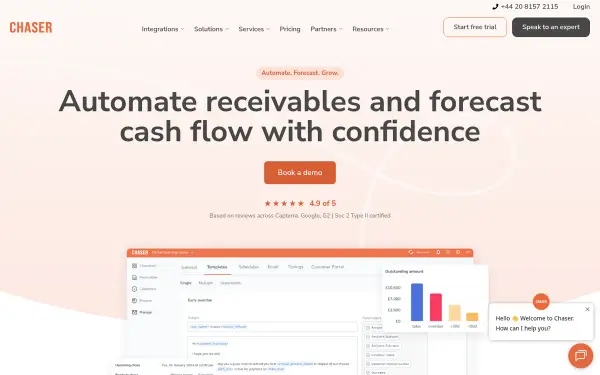
Structured chasing, credit checks and a payment portal for small teams, at £179 per month on the 4-user Compact plan.
Chaser gives a small team the discipline of a credit controller without hiring one. Reminders go out automatically and stay personal, escalations move from email to letters and calls, and a self-service portal lets customers see what they owe and pay. Credit monitoring with payer ratings adds a risk layer that plain reminder tools do not have. It is the shortest path from a ledger full of overdue invoices to a scheduled, documented chasing process.
The integrations are the practical reason it works: Xero, QuickBooks and Sage cover most of the small business accounting market, so invoices and payments stay in sync without exports. For a business with nobody owning credit control, scheduled chasing plus a credit check before extending terms is most of what a receivables process needs. An outsourced credit control service is also offered for teams that would rather not run the chasing themselves.
Pricing is the complication. The vendor site now lists £179 per month for the Compact plan, which covers 4 users and targets companies with annual revenue under £4 million. The product is sold across four tiers with quoted pricing beyond that, and the richer features sit on the higher tiers. The outsourced service carries its own commercial terms, so ask for both numbers if you want the chasing handled entirely.
Pick Chaser if you are a small team on Xero, QuickBooks or Sage and nobody currently owns chasing. Skip it if your company sits outside the revenue band for the published plan, or if you need enterprise collections workflows and dispute handling.
Nobody owns credit control and you want reminders, escalations and credit checks running within a week.
You sit outside the published plan band, or if dispute case management is a core requirement.
Entry IX of IX / Treasury-grade forecasting
Our verdict
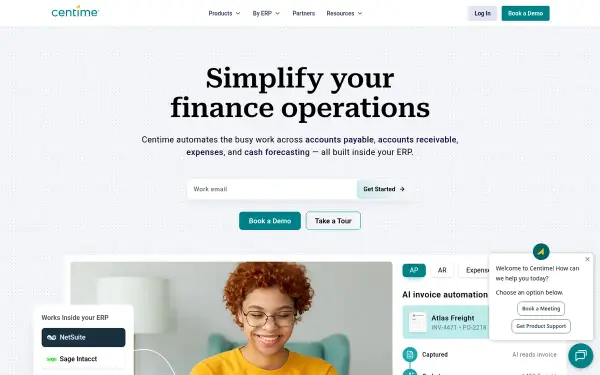
Receivables inside a cash management platform, with forecasting and approvals in one place and pricing available only by quote.
Centime delivers receivables as part of a cash management platform. Automated collections and invoicing sit next to real-time cash flow forecasting, accounts payable automation, approval workflows and automated payment matching. Receivables and payables share one view of the cash position, which is the argument for buying them as one product rather than two systems reconciled by hand at month end.
Approval workflows built in are a practical detail. Collections decisions, credit exceptions and payment approvals often need a second pair of eyes, and having the approval in the same tool as the invoice and the forecast removes a layer of email and a place for requests to sit. Real-time payment matching keeps the forecast current instead of restating last week's position.
Pricing is quote-based, so the number arrives after a scoping conversation, and there is no published figure or trial to shorten the evaluation. The scope is also the caveat: if you only need reminders and a portal, Centime's treasury surface area is more than the job requires and you pay for forecasting and AP automation you may not use yet. A mid-market company that already treats AR as part of treasury gets the opposite result, because one system replaces two and the forecast stays current.
Pick Centime if forecasting and receivables already sit in the same conversation at your company. Skip it if you want a focused collections tool with a published price, or if the AP side is already solved and you would pay twice.
AR decisions already run through treasury and you want forecasting, approvals and collections in one platform.
You need reminders and a portal only, or if you already run a separate AP automation stack.
VIBackground
Accounts receivable management software runs the money-in side of the ledger. It issues invoices, chases payment, matches cash to open invoices and tells you which customers are drifting. Most teams come to it because the same three problems repeat every month: invoices go out late, reminders depend on someone remembering, and cash gets applied to the wrong account. A platform replaces that sequence with rules, a queue and a record.
Expect these functions in any product worth a shortlist:
The difference between products is mostly depth in one of three places. Collections engines push reminders and escalations, and those are the tools most small teams need. Cash forecasting engines predict timing and suit treasury-led buyers. Dispute and deduction tools handle the messy middle, where a customer withholds part of an invoice because of a shortfall, a return or a pricing argument. A vendor that claims all three usually does one of them well and the other two adequately.
Where the tool sits organizationally matters too. Smaller businesses use it as an extension of invoicing inside their accounting software. Mid-market teams use it as a collections workbench with a queue and a score for each account. Larger finance organizations fold it into the close or into treasury, which is why some products here are modules on a bigger platform rather than standalone tools. Decide which of those you are before comparing features, because that answer rules out whole categories faster than any checklist.
This comparison sits in the software register. Further along the shore: baby tracking app and kennel software.
VIIPricing
Vendors in this category use three pricing models, and only one of them lets you budget before a sales call. Per-user subscriptions are the easiest to model. Banded subscriptions tie the fee to revenue and seats. Custom quotes hide the number until a representative has scoped your volume.
| Model | How it bills | Typical fit | Example from this list |
|---|---|---|---|
| Per user per month | A fixed fee for each named user, monthly or annual | Small and mid-size finance teams with stable headcount | BILL at $49 per user per month on Essentials |
| Banded subscription | A monthly fee set by user count and company revenue | Small teams that want a predictable bill and a seat cap | Chaser at £179 per month on Compact, 4 users, annual revenue under £4 million |
| Custom quote | Vendor scopes seats and usage, then quotes | Mid-market and enterprise books with complex collections | BlackLine, Tesorio, Versapay, Quadient AR, Gaviti, Kolleno and Centime |
| Quote plus service | Software fee plus a managed credit control service | Teams with no in-house collector | The outsourced credit control option Chaser lists |
Per-user pricing rewards small teams and punishes growth. A rate that reads well for three users becomes a different number at fifteen, and the tier matters more than the sticker: BILL gates two-way QuickBooks and Xero sync to Team and NetSuite and Sage Intacct sync to Enterprise. Price the tier that holds your integration, not the entry plan.
Banded pricing suits businesses that want a cap before they sign. Chaser's published Compact plan names both a seat count and a revenue threshold, which tells you exactly who it is designed for and when you move up.
Custom quotes are not automatically expensive, but they cost time. Expect a scoping call, a demo and a security review before you see a figure, and ask what the price scales with, since Kolleno and Gaviti both tie cost to usage or users. For the enterprise platforms in this list, add implementation to the first year budget.
Each entry card shows the starting price as it appeared on the vendor's own pricing page on November 25, 2026. When a vendor shows no figure we could confirm, or only a promotional rate, the card says "See website" or gives the regular price instead of a guess. Usage, overage and add-on rates in the text change more often than plan prices, so confirm them on the vendor page before you set a budget. To test the numbers against your own volume, try the free User Research Budget Planner. The Event Break-Even Calculator is a second way to check the same decision.
VIIIDecision
IXPitfalls
XQuestions
At minimum: invoicing, scheduled reminders, collections escalation, cash application and a customer portal. Better platforms add aging and cash forecasting, credit checks, dispute and deduction workflows, and two-way sync with your accounting or ERP system. Check which of those sit in the tier you can afford, because integrations are often gated. BILL, for example, puts NetSuite and Sage Intacct sync on Enterprise only.
Three models dominate. Per-user pricing charges a fixed fee for each named user, as BILL does at $49 per user per month on Essentials. Banded subscriptions set a monthly fee by seat count and company revenue, as Chaser does at £179 per month on Compact for 4 users and revenue under £4 million. Custom quotes cover the rest, including BlackLine, Tesorio, Versapay, Quadient AR, Gaviti, Kolleno and Centime.
Days sales outstanding measures the average time between invoicing and cash landing. It matters because it turns collections performance into a number a finance leader can compare month to month and against peers. A rising DSO means you are financing your customers. AR software moves it by shortening the gap between due date and payment, and by flagging accounts that drift before they reach 90 days.
Yes, usually through reminders rather than analytics. A small team that forgets to chase is losing cash it has already earned, and scheduled reminders plus a payment link recover most of it. Chaser at £179 per month and BILL at $49 per user per month are both built at that scale. Forecasting and deduction tools usually cost more than the cash they recover at small volumes.
Tesorio lists NetSuite among its core integrations, and BILL supports NetSuite and Sage Intacct two-way sync on its Enterprise tier. Quadient AR and Versapay name major ERP integrations, and Chaser connects to Xero, QuickBooks and Sage for smaller stacks. Confirm the direction and the objects synced, because two-way sync is frequently a higher-tier feature.
Versapay and Gaviti. Versapay puts customers and collectors in a shared portal where disputes are raised and resolved in real time, with cash application behind it. Gaviti scores accounts and gives collectors deduction and dispute workflows, which suits retail and distribution books full of short payments. If non-payment is simple delinquency, both are more machinery than you need.
XIFurther along the shore
Vendors can ask for a correction or apply for a Featured listing. Paid or not, the entry is scored on the same rubric and its limits stay in print. Partner with Umberlake.
Free tools
Our free browser tools turn the prices on this page into a figure for your own volume. Nothing you type leaves your device.